

Closures In JavaScript
Local Scope
- <html>
- <head>
- <script language="javascript" type="text/javascript">
- function Local() {
- var s = "my name is Mahak";
- alert(s);
- }
- alert(s); //Throws an error
- </script>
- </head>
- <body onload="Local()">
- </body>
- </html>
In this example, we define a variable s and it can be accessible in the function Local(). So if we can use it outside the function then it returns an error or it is not accessible.
Note: We can call the Local Variable as a Global Variable when we declare it without var keyword. The Local Variable is treated as a Global Variable when we call the specific function at least one time as in the following.
Example
- <html>
- <head>
- <script type="text/javascript" language="JavaScript">
- function scope() {
- var lv1 = 'My First Local Variable';
- lv2 = 'My Second Local Variable'; //delared without var keyword
- document.writeln('Local Variables:<br /><br />');
- document.writeln(lv1 + '<br />');
- document.writeln(lv2 + '<br />' + '<br />');
- }
- scope();
- alert(lv2);
- </script>
- </head>
- <body onload="scope()">
- </body>
- </html>
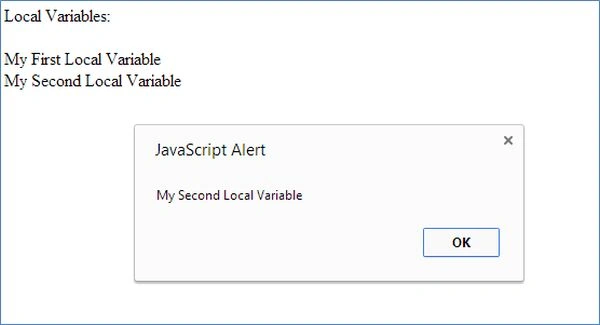
The output will be:
Global Scope
- <html>
- <head>
- <script type="text/javascript" language="JavaScript">
- var gv1 = 'My First Global Variable';
- gv2 = 'My Second Global Variable'; //delared without var keyword
- function scope() {
- var lv1 = 'My First Local Variable';
- lv2 = 'My Second Local Variable'; //delared without var keyword
- document.writeln('Global Variables:<br /><br />');
- document.writeln(gv1 + '<br />');
- document.writeln(gv2 + '<br />' + '<br />');
- document.writeln('Local Variables:<br /><br />');
- document.writeln(lv1 + '<br />');
- document.writeln(lv2 + '<br />' + '<br />');
- }
- lt;/script>
- </head>
- <body onload="scope()">
- </body>
- </html>
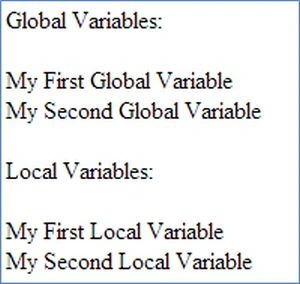
The output will be:
 A closure is a local variable that will be executed after the specific function has returned. A Closure provides us a free environment for the outer function to easily access inner functions and inner variables without any scope restrictions.
Example
A closure is a local variable that will be executed after the specific function has returned. A Closure provides us a free environment for the outer function to easily access inner functions and inner variables without any scope restrictions.
Example
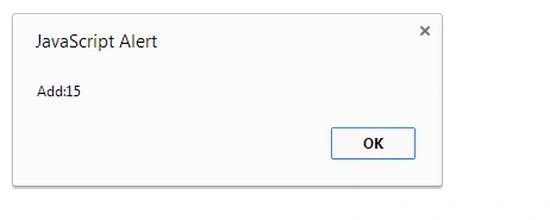
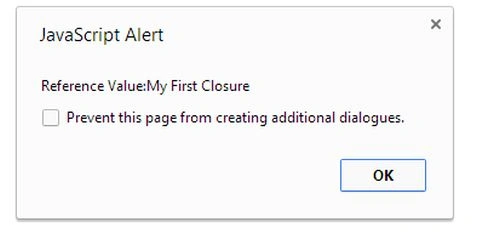
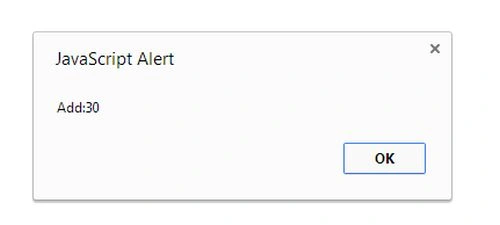
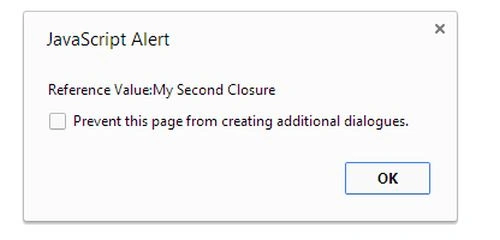
In this example, when the ExClosure function is called, it returns a function. The function remembers the value of a (10) in the form of v1, it means the myclosure will add 10 together with 5 and return 15 as an alert, and the next alert returns the Reference value (Reference Value: My First Closure).
Closures
- <html>
- <head>
- <script type="text/javascript" language="JavaScript">
- function ExClosure(a, ref1) {
- var v1 = a;
- var ref = ref1;
- return function (v2) {
- v1 += v2;
- alert("Add:" + v1)
- alert("Reference Value:" + ref.cv);
- }
- }
- myclosure = ExClosure(10, { cv: 'My First Closure' });
- myclosure(5);
- </script>
- </head>
- <body onload="ExClosure(b,ref)">
- </body>
- </html>
- Myclosure1=ExClosure(10,{cv:'My Second Closure'});
- Myclosure1(20);
Guest UserPosted Sep 4, 2014, 8:28 AM
good and simple explanation