

As we are aware of Visual Studio 2012 RC Release, techies are very interested to
know about the new feature of Visual Studio 2012 RC.
Today, we will discuss about the one of the new feature of Visual Studio 2012 RC
called Code Structure Windows.
What is Code Structure Window?
Code Structure Window is nothing but the window in which we can examine the
properties, methods and members of the Dynamic Link Library, Type Libraries [TLB],
COM Components and .Net Framework components of Visual Studio Projects.
Types of Code Structure Window
There are four types of Windows available as listed below.
Class View | VB, C# and C++ |
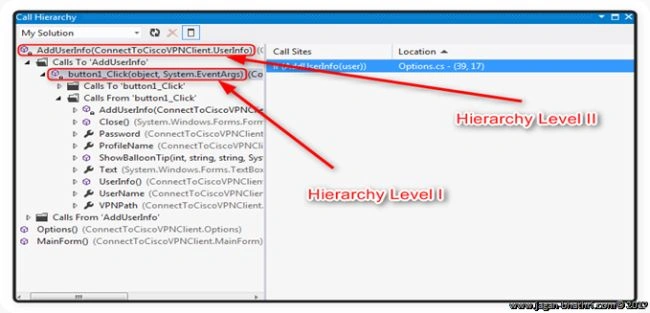
Call Hierarchy | VB, C# and C++ |
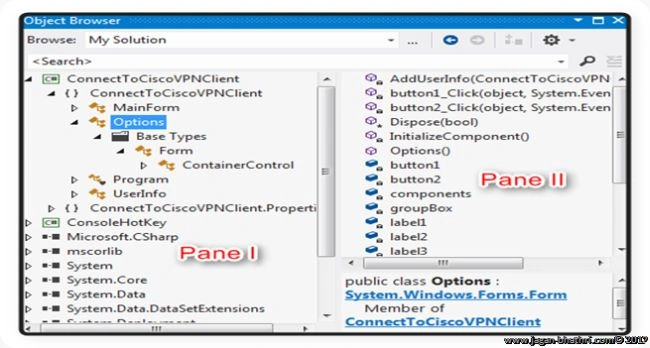
Object Browser | All |
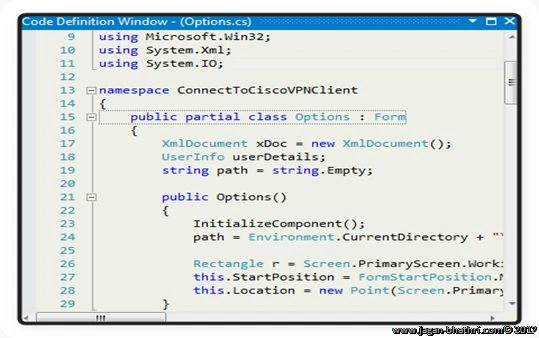
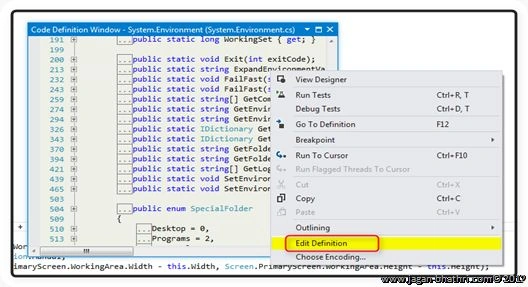
Code Definition | VB, C# and C++ |
Let us discuss about the Code Structure Window one by one.
Class View Window
We can see the Class View Window in the Solution Explorer as a part and also as
a separate Window. The below image shows the Class View as a part of Solution
Explorer. The Class View can be invoked using combination of Ctrl + Shift + C
keys
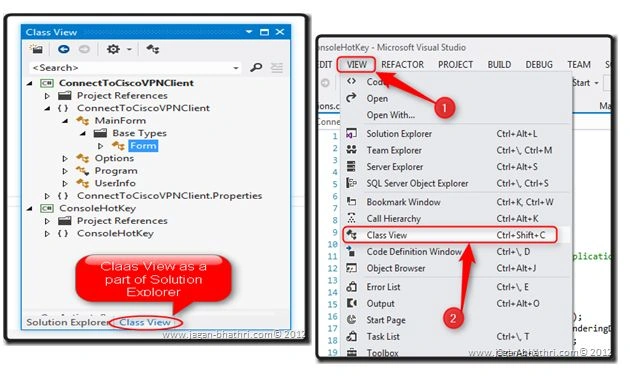
The first figure shows the Class View as a part of Solution Explorer and the
second figure shows the way to get the Class View Window as a separate Window.
In Class View, there are two panes which is shown in the below figure.
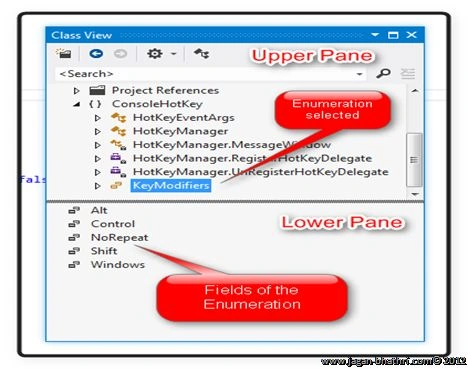
In the above figure, we can see the two panes of Class View. The Upper Pane
holds the namespace, types, interfaces and enumerations and the Lower Pane holds
the members of the selected item.
Toolbox for Class View
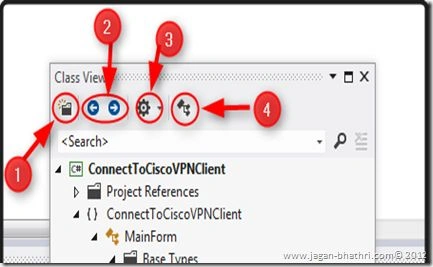
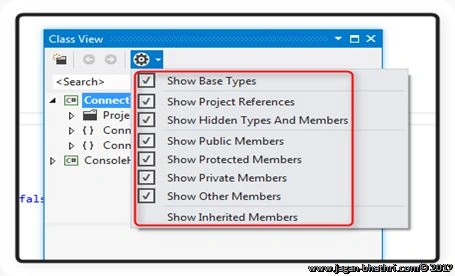
There are five buttons available in the Toolbar of the Class View Window.
Jaganathan BantheswaranPosted Jul 31, 2012, 12:51 PM
Thanks a lot for your valuable comment Mahesh. Again, I'm going to start on LightSwitch 2012... :)
Mahesh ChandPosted Jul 29, 2012, 10:34 AM
Clear and detailed explanation Jagan with images. Thank you!