

Hello Geeks!
Today I will explain how to make your code work easily and more precisely. In developing applications sometimes we want to enable an extra and unique functionality in our application to make it. So lets make coding easy and fun.
- Different and unique in comparison to other available applications.
- More users friendly.
- Better access options
- Touch, feel, looks and graphics.
- Media related content.
- And so on.
Know-How of Toolkit | Coding4Fun
So for getting all that functionality at a large scale, the coding work will also get more complex and sometimes we find that the coding for all these is not as easy as we think and imagine.Thus the problem exists at this stage and we feel a little helpless. Then many questions and queries arise in our minds, like:
- What is the solution?
- What can we do regarding this?
- How to code?
- How to reduce the code's complexity?
- And so on.
These kinds of messy problems blows our mind off. So what we can do regarding this is here is a good solution for all these types of problems, the Coding4Fun Toolkit.
How to Get | Coding4Fun
With a fresh install of Visual Studio 12, we need to update NuGet to get some of the new packages like the Coding4Fun toolkit. It's a really easy procedure for the installation and you can easily get this by a few mouse clicks.
Here we go:
- Go to the Tools Menu icon
- Click on Extensions and Updates
- Go to the Update Tab, then click on Visual Studio Gallery (a window like the following will be opened):
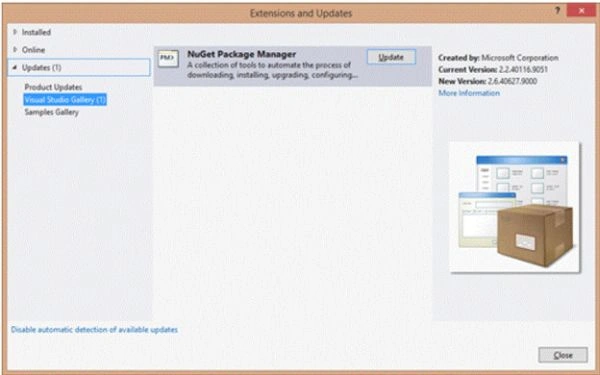
- Click Update
- Restart Visual Studio
How to Install | Coding4Fun
There are many ways to get the NuGet package manager but I will tell you about the easiest one.
(A window like the following will be opened after restarting Visual Studio.)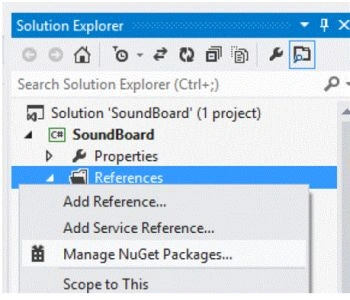
Use the following procedure:
- Right-click on the Reference option
- Select NuGet Packages
A dialog box will be opened named Manage NuGet Package.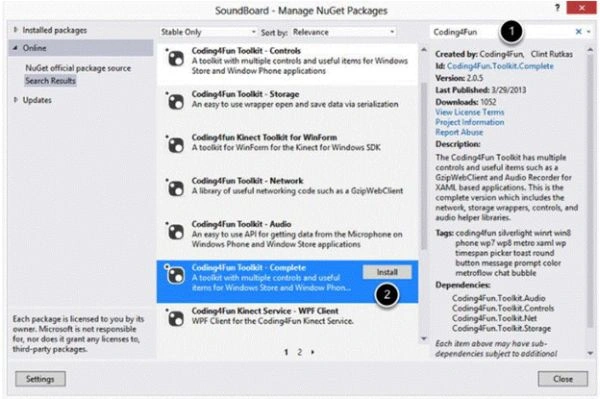
Now proceed using the following procedure:
- In the search box, search for the Coding4Fun Toolkit.
- Click the install button next to the Coding4Fun Toolkit.
- Install the complete version of it
(option will occur).
After a moment you will see check marks next to the packages that were installed. A window like this will be opened: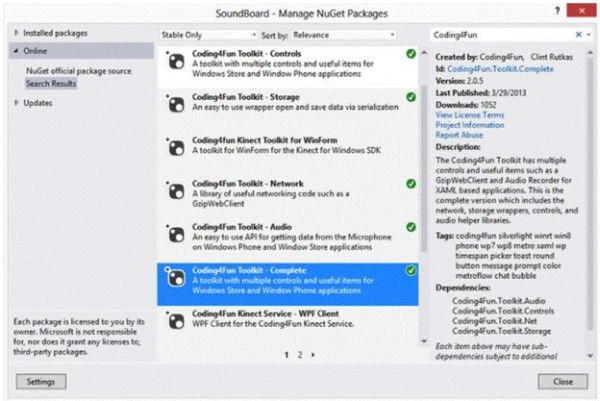
Close this window and explore Solution Explorer. In the Solution Explorer now you will see a set of new options regarding the Coding4Fun toolkit.
For example:
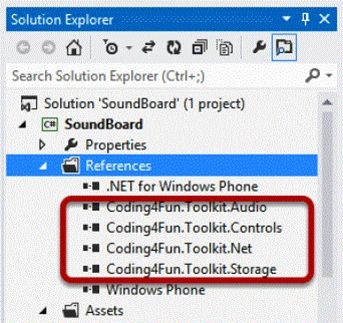
You will also see a new folder named Toolkit.Content and a text file named ReadMe.Codding4Fun.Toolkit.txt will also be added as in the following: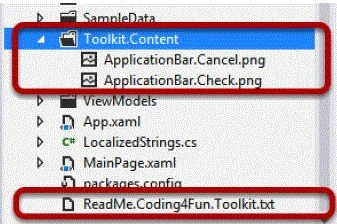
Now enjoy coding and have fun.
Join the conversation! Your thoughts help the community grow.