

Cognitive Services
Getting Started
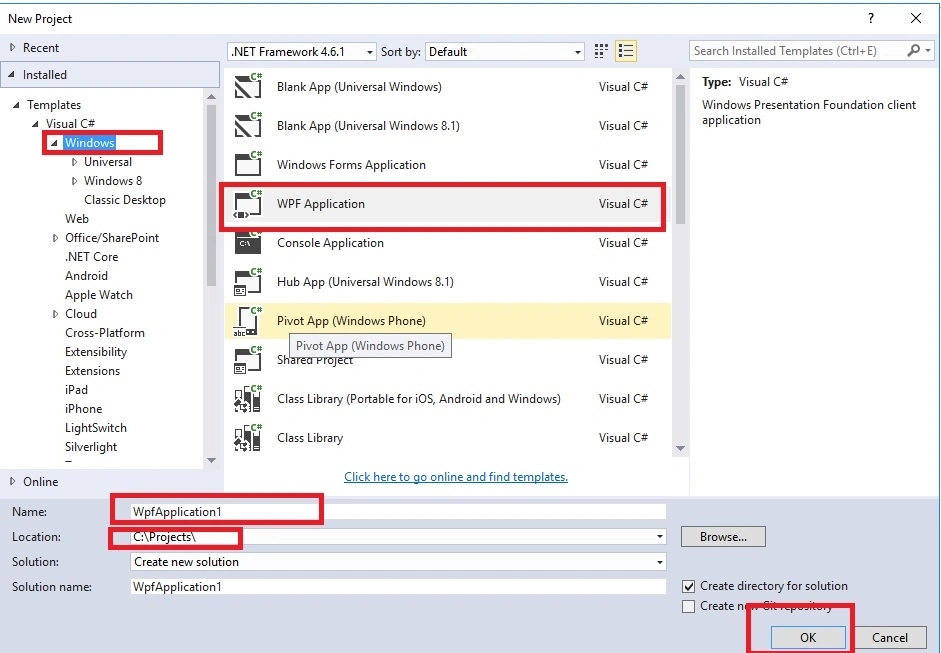
- Start Visual Studio 2015
- From the file menu, select New, then Project
- Select Windows template
- Select .NET Framework 4.6.1
- Select WPF Application
- Enter Name
- Browse save location
- Click OK
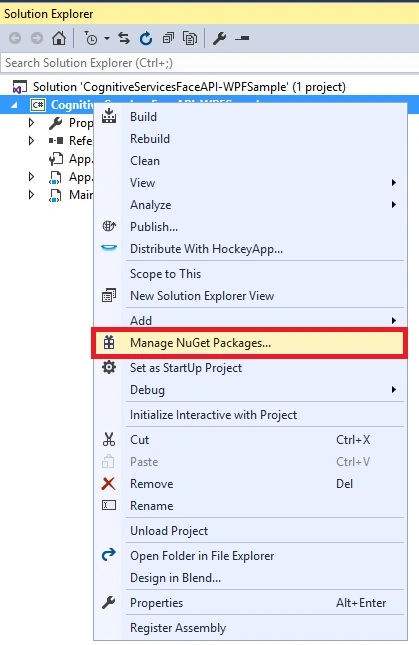
Right click on project and click on Manage NuGet Packages.
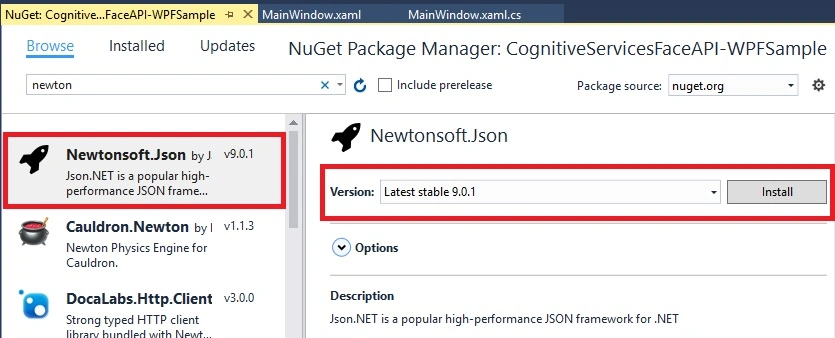
Search Newstonsoft.Json in Browse tab and select stable version and click Install.
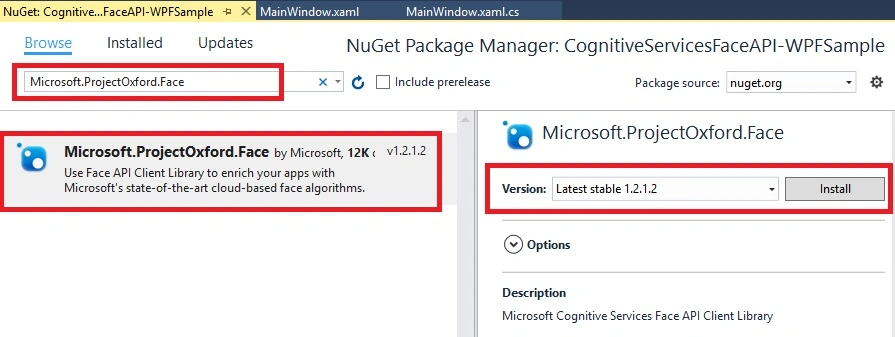
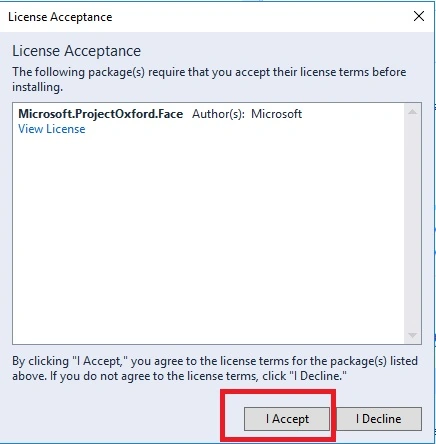
Now install one more package using Manage NuGet Package Manager “Microsoft>ProjectOxford.Face” and click Install.
Now you need to generate a subscription key. Click on this url https://www.microsoft.com/cognitive-services/en-us/face-api and Face from APIs from Header and click get Started to get a free key.

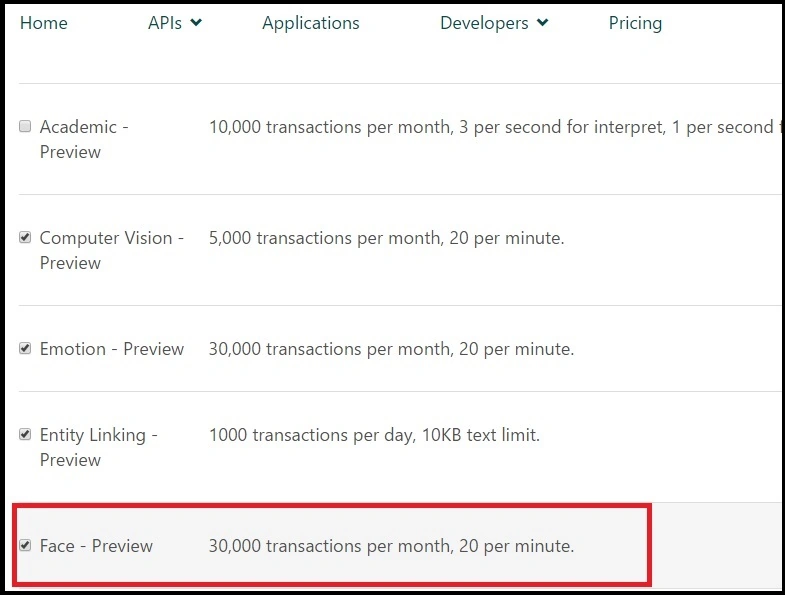
Now select Face-Preview and accept term and click Next.
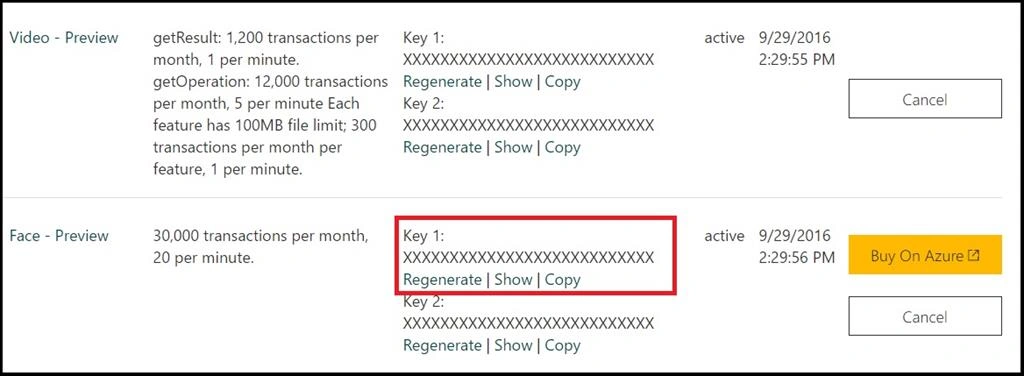
Now you can see your subscriptions with key, click on show or copy the keys.
Now let’s write code.
XAML Code
- <Window x:Class="CognitiveServicesFaceAPI_WPFSample.MainWindow"
- xmlns="http://schemas.microsoft.com/winfx/2006/xaml/presentation"
- xmlns:x="http://schemas.microsoft.com/winfx/2006/xaml"
- xmlns:d="http://schemas.microsoft.com/expression/blend/2008"
- xmlns:mc="http://schemas.openxmlformats.org/markup-compatibility/2006"
- xmlns:local="clr-namespace:CognitiveServicesFaceAPI_WPFSample"
- mc:Ignorable="d"
- Title="MainWindow" Height="550" Width="725">
- <Grid x:Name="BackPanel">
- <Image x:Name="imgPhoto" Stretch="Uniform" Margin="0,0,0,30"/>
- <Button x:Name="btnBrowse" Margin="20,5" Height="20"
- VerticalAlignment="Bottom" Content="Browse..."
- Click="btnBrowse_Click"/>
- </Grid>
- </Window>
- using Microsoft.ProjectOxford.Face;
- using Microsoft.ProjectOxford.Face.Contract;
- using System;
- using System.IO;
- using System.Linq;
- using System.Threading.Tasks;
- using System.Windows;
- using System.Windows.Media;
- using System.Windows.Media.Imaging;
- namespace CognitiveServicesFaceAPI_WPFSample
- {
- /// <summary>
- /// Interaction logic for MainWindow.xaml
- /// </summary>
- public partial class MainWindow : Window
- {
- private readonly IFaceServiceClient objFaceServiceClient = new FaceServiceClient("subscription key");
- public MainWindow()
- {
- InitializeComponent();
- }
- private async void btnBrowse_Click(object sender, RoutedEventArgs e)
- {
- var openDlg = new Microsoft.Win32.OpenFileDialog();
- openDlg.Filter = "JPEG Image(*.jpg)|*.jpg";
- bool? result = openDlg.ShowDialog(this);
- if (!(bool)result)
- {
- return;
- }
- string filePath = openDlg.FileName;
- Uri fileUri = new Uri(filePath);
- BitmapImage bitmapSource = new BitmapImage();
- bitmapSource.BeginInit();
- bitmapSource.CacheOption = BitmapCacheOption.None;
- bitmapSource.UriSource = fileUri;
- bitmapSource.EndInit();
- imgPhoto.Source = bitmapSource;
- Title = "Detecting...";
- FaceRectangle[] faceRects = await UploadAndTrackFaces(filePath);
- Title = String.Format("Detection Finished. {0} face(s) detected", faceRects.Length);
- if (faceRects.Length > 0)
- {
- DrawingVisual visual = new DrawingVisual();
- DrawingContext drawingContext = visual.RenderOpen();
- drawingContext.DrawImage(bitmapSource,
- new Rect(0, 0, bitmapSource.Width, bitmapSource.Height));
- double dpi = bitmapSource.DpiX;
- double resizeFactor = 96 / dpi;
- foreach (var faceRect in faceRects)
- {
- drawingContext.DrawRectangle(
- Brushes.Transparent,
- new Pen(Brushes.Red, 2),
- new Rect(
- faceRect.Left * resizeFactor,
- faceRect.Top * resizeFactor,
- faceRect.Width * resizeFactor,
- faceRect.Height * resizeFactor
- )
- );
- }
- drawingContext.Close();
- RenderTargetBitmap faceWithRectBitmap = new RenderTargetBitmap(
- (int)(bitmapSource.PixelWidth * resizeFactor),
- (int)(bitmapSource.PixelHeight * resizeFactor),
- 96,
- 96,
- PixelFormats.Pbgra32);
- faceWithRectBitmap.Render(visual);
- imgPhoto.Source = faceWithRectBitmap;
- }
- }
- private async Task<FaceRectangle[]> UploadAndTrackFaces(string imageFilePath)
- {
- try
- {
- using (Stream imageFileStream = File.OpenRead(imageFilePath))
- {
- var faces = await objFaceServiceClient.DetectAsync(imageFileStream);
- var faceRects = faces.Select(face => face.FaceRectangle);
- return faceRects.ToArray();
- }
- }
- catch (Exception)
- {
- return new FaceRectangle[0];
- }
- }
- }
- }
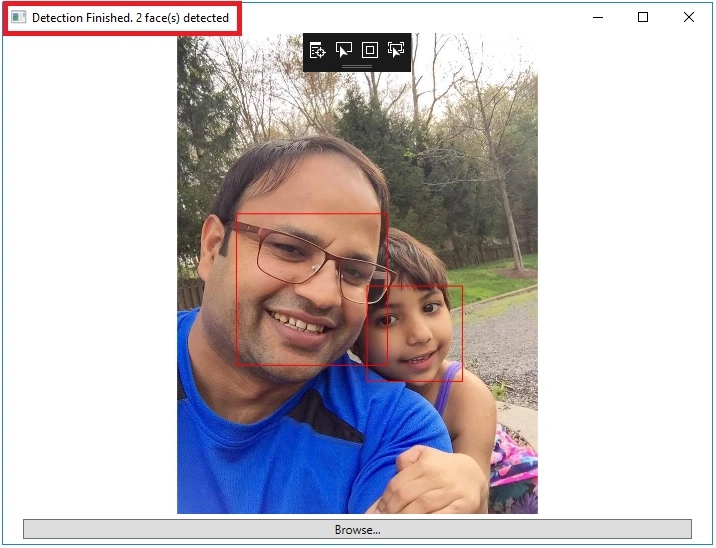
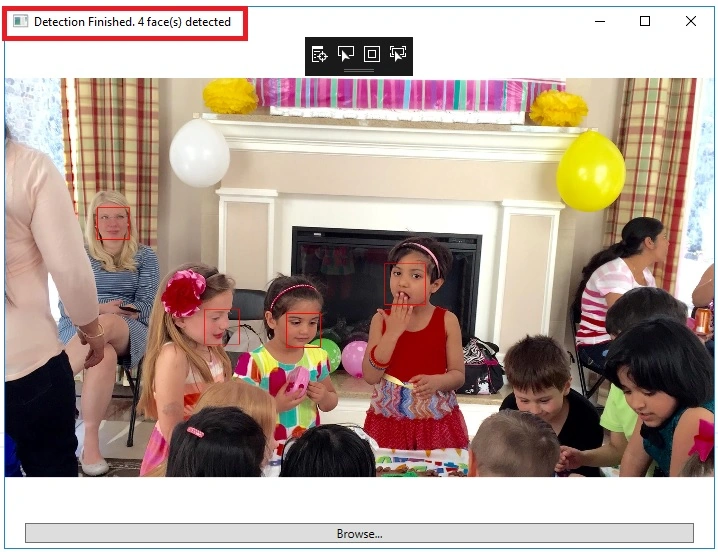
Let’s browse one more picture with more faces. As you can see clearly in the following photo, 4 faces are detected.
Conclusion
Mahesh ChandPosted Oct 1, 2016, 4:19 PM
Please fix the code formatting and titles. See Editorial feedback.
Karthikeyan KPosted Sep 30, 2016, 3:31 AM
Nice sir...
Mahesh ChandPosted Sep 29, 2016, 3:29 PM
Great start on CR.