

Collation
Before getting deep into the topic I would like to show you an existing feature of SQL Server.
Here I have a simple table and I am showing it to you.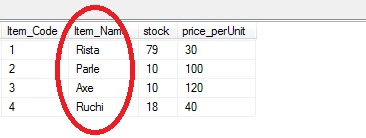
Here I have a stock table just focusing on the item names. The item names are both case sensitive and case insensitive.
Now I want to retrieve one record using the following query.
Would the Query execute and provide the result since my item name cases are different?
Here the answer is yes because SQL Server is case insensitive.
Do you know why it is case insensitive?
This is because of the following things that you are choosing during the installation of SQL Server.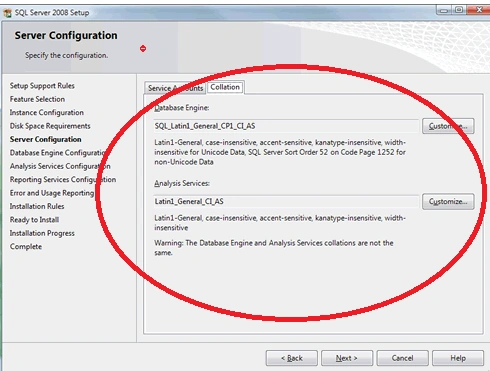
This is actually collation.
COLLATION
What collation is
Answer: collation is nothing but a set of rules that are predefined in SQL Server that determine how the data in SQL Server are stored, retrieved and compared. Mainly there are various rules or collations that exist in SQL Server but we need to know the following 2 main collations.
- SQL_Latin1_General_CP1_CI_AS
- SQL_Latin1_General_CP1_CS_AS
Here the CI is case insensitive.
CS is case sensitive,
So by default in SQL Server the collation is case insensitive and that's why it does not worry about any cases, so it is case insensitive.
Since SQL Server is case insensitive all the databases in it are also case insensitive.
Here I have a requirement in my project for a log in the form and I need to match the data. If only the data is in the the same cases then what I will do is fetch the data and check if only the spelling is correct. SQL Server will not check any cases.
Thus to overcome this problem we need to use the collate manually in our database or in our column of a table.
Here I am giving an example of both types of collations.
Here I have created a database mydb with case sensitive collations with the following table and records.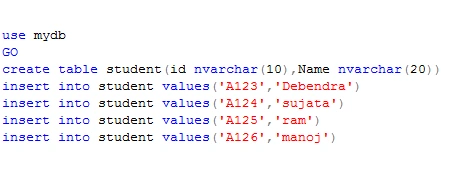
My table student will look like this: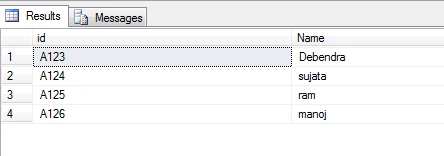
Now I am trying this query to fetch the records.
Here my database collation is case insensitive and my query id is not in the proper case as per my record so I am getting the result like this.
Now if we create another database with case insensitive collation then creating the same student table and adding same records there.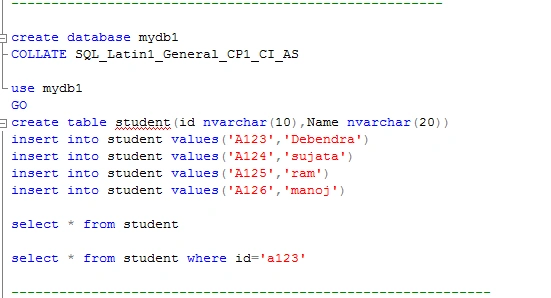
Now here I am selecting a record with case insensitive id but this will work because our database that is "Mydb1" is created with case insensitive collation.
So the result will be: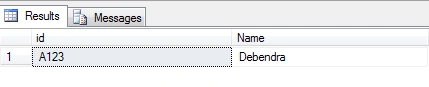
In this way we can change the collation of a database and work depending on our requirements, similarly we can change our Column collation.
To check the collation, expand the database then right-click on a table then go to the property menu and check the extended property.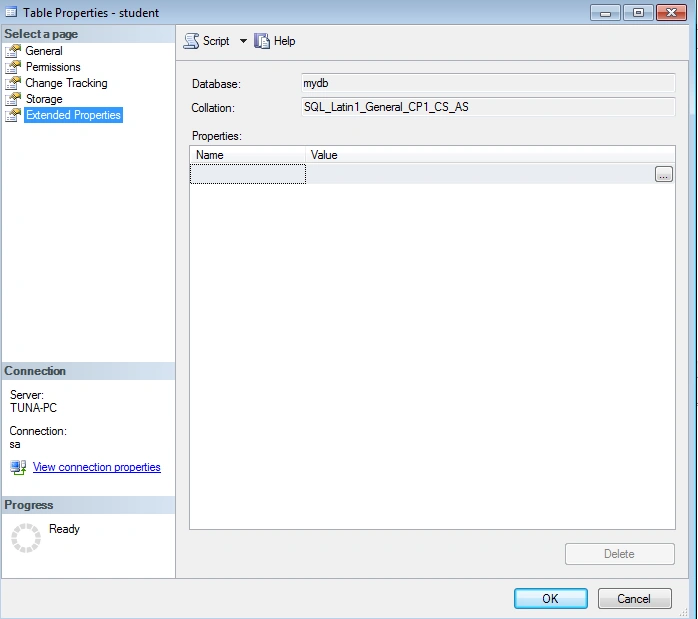
Since we have created the CS collation the collation here is showing CS. But by default the collation is CI.
If we want to check the collation of a column of a table then we can check it when creating the column like this: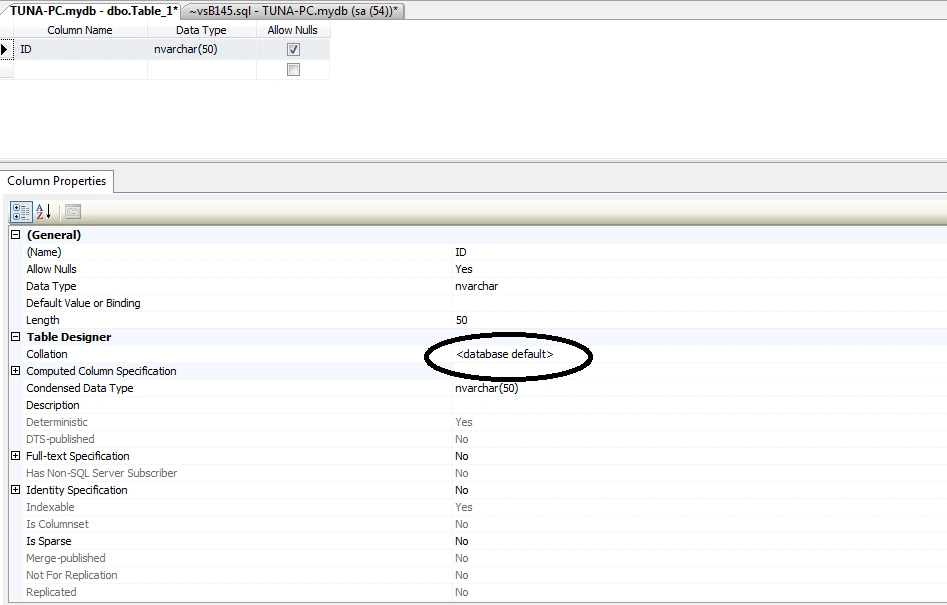
It is the default based on the database.
Kuldeep SharmaPosted Sep 17, 2019, 8:22 AM
Really....Clearly Explained keep it man
Sunil GuptaPosted May 14, 2019, 10:21 AM
Superb...well explained...
yesubabu kPosted May 4, 2019, 12:58 AM
Helpful article
Prafulla SahuPosted Mar 21, 2019, 6:58 AM
Simple and to the point, thanks for the Article
krishna prajapatiPosted Mar 21, 2018, 10:52 AM
Nice article! these types of articles always helpful.
Abhishek YadavPosted Jul 16, 2015, 12:24 AM
Nice work buddy!!! Good demonstration... (Y)
Pankaj Kumar ChoudharyPosted Jul 7, 2015, 4:49 AM
Nice Article Sir........
Sanoj YadavPosted May 24, 2015, 11:54 AM
good one...
Karthik Muthu KaruppanPosted Apr 23, 2015, 11:27 AM
nice
NitinPosted Apr 19, 2015, 5:43 AM
nice
Sibeesh VenuPosted Apr 19, 2015, 3:46 AM
Good one