
Introduction:
I have a calendar list in which I have created events for different event types. We will see how to implement color-coding for calendar events based on category as shown below.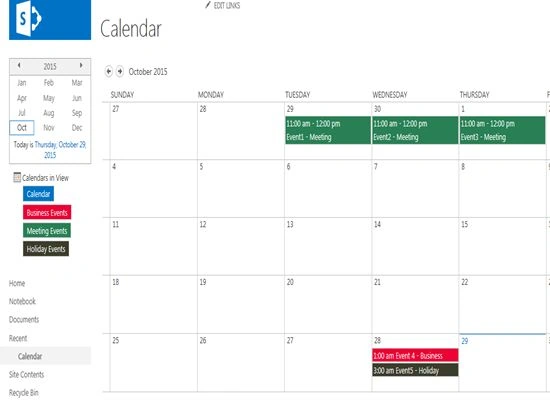
Create views for each category:
We will create separate view for each category. Navigate to the Calendar list and then click on List Settings which is available under Calendar tab in the ribbon interface.

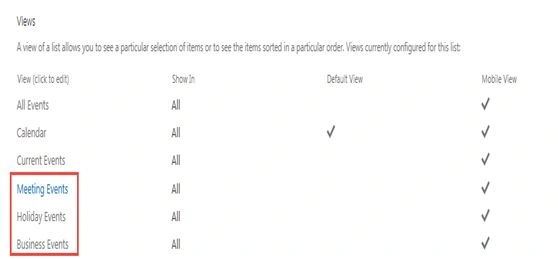
Click on Create view under Views section. Choose Calendar View as view type. Enter “Meeting Events” as view name. Set the filter for the view and then click on Ok button.

Similarly create views for each category and I have created the views for the following events.
Configure Calendars Overlay:
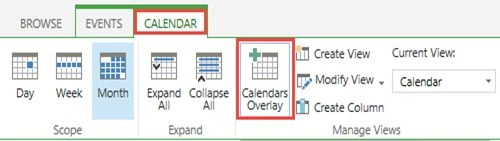
Navigate to the Calendar list and then click on Calendars Overlay which is available under Calendar tab in the ribbon interface.
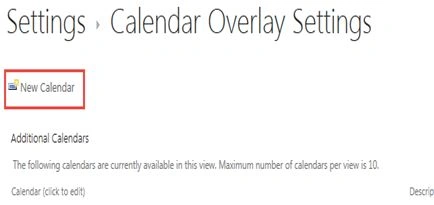
Click on New Calendar.
Enter the details and then click on Ok button.
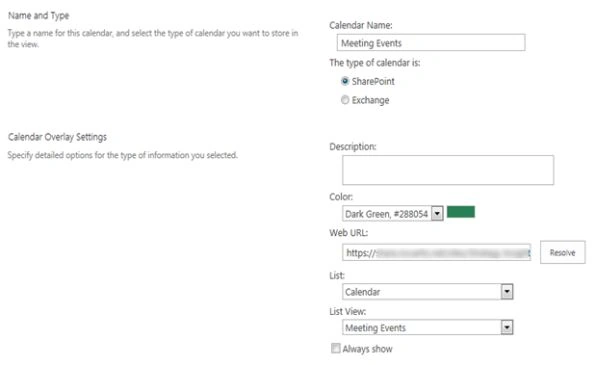
Similarly create for calendar for other category views.
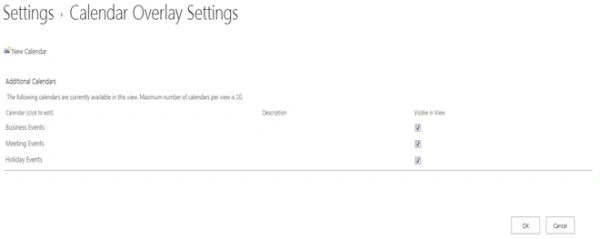
Calendars overlay will display the events as shown below. As we are doing calendar overlays even the default calendar events will be displayed because of which duplicate entries will be displayed.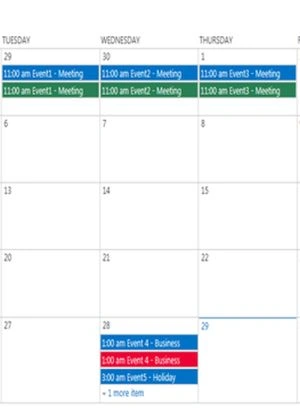
To fix this we have to update the default calendar view. Navigate to the Calendar list and then click on List Settings which is available under Calendar tab in the ribbon interface. Click on “Calendar” view under Views section. Set the filter as shown below and then click on Ok button.
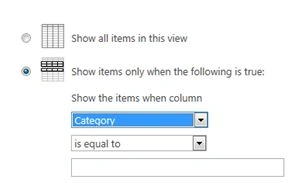
Navigating to the Calendar list the duplicate values will be removed. Note: Make sure all the events contain category value.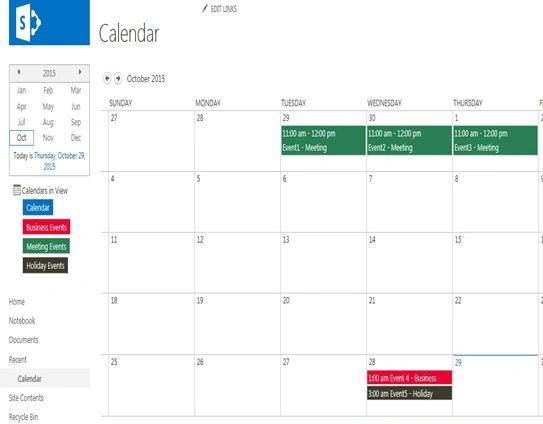
Summary:
Thus in this article you saw how to implement color-coding for calendar events based on category in SharePoint 2013.

Color-Coding Calendar Events Based On Category In SharePoint 2013
Join the conversation! Your thoughts help the community grow.
Sign in to leave a comment
It is the same account you read, post and publish with — and you will come straight back to this page.
Kumaresh RajalingamPosted Mar 24, 2016, 10:01 AM
Nice one sir
Deepak SolankiPosted Nov 4, 2015, 1:57 AM
Useful share
Sibeesh VenuPosted Oct 31, 2015, 6:14 AM
Nice Share
Harshad PansuriyaPosted Oct 31, 2015, 12:02 AM
Nice one
Vinodh NarayananPosted Oct 30, 2015, 1:50 PM
good one
Priyaranjan K SPosted Oct 30, 2015, 1:37 PM
Good One
Gowtham KPosted Oct 30, 2015, 12:47 PM
Good One, Thanks for sharing
Nilesh JadavPosted Oct 30, 2015, 11:47 AM
Nice Share !!