
Overview
In an organization data is considered as a primary key or part. Data is crucial for any organization. As data grows database size increases and its respective table size also increases. In a previous firm the main application of that firm's INET banking was in SQL database and was in SQL 2005, and as a result certain tables like customer details, account balance size increased day by day in GBs. To find a particular record from October searching a customer required lot of time and as a result server memory was increasing and it was a painful task to search a record in that particular table because already data was huge and to find a record was a pain. Due to this they needed to do purging activity on quarterly basis (i.e. after 3 months) they take data which is required from date to date and the rest of the data is moved into a different server.
As these are some of the drawbacks of SQL Server 2005 and so on till SQL Server 2008.
Since SQL server 2012 they have introduced column store index. As the term clearly tells you data is stored in column wise format. So let’s see what column store index is about.
Introduction
In SQL Server everyone is aware that queries which we type in query window results or output are displayed in grid view format. Technically, SQL server stores data logically in terms of rows and columns that are stored in disks in row store format inside data pages. Now here data pages are nothing but a table in which your data i.e. rows and columns are stored in a single data page. As in SQL Server indexes (clustered index or non-clustered index) data is stored in row wise format or structure. Column Store index stores data in a columnar format.
Row Wise Structure,
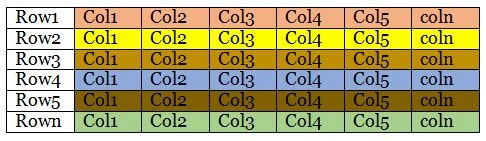
“PAGE N"
As a diagram here the data is stored in columnar format. As you can see I have given that column as PAGE N if there are n rows and columns now imagine for a search condition the time required and I/O request for the hardware as well.
Now let’s see a column store index how it is stored.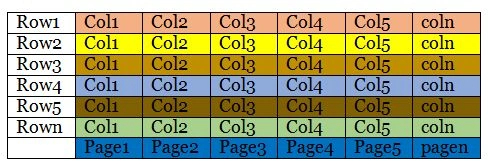
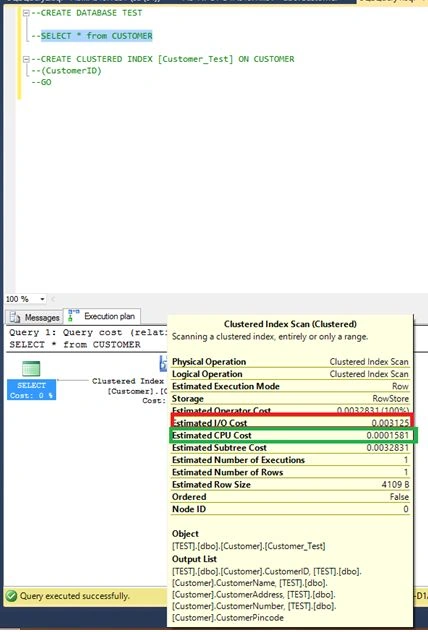
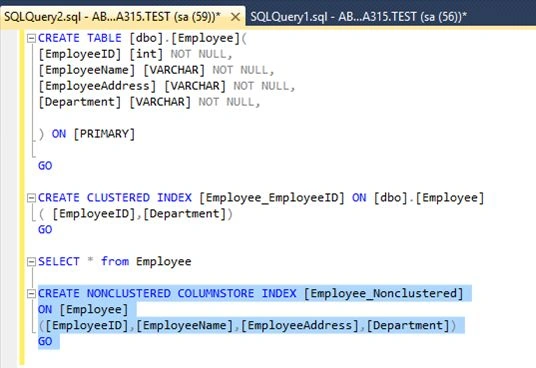
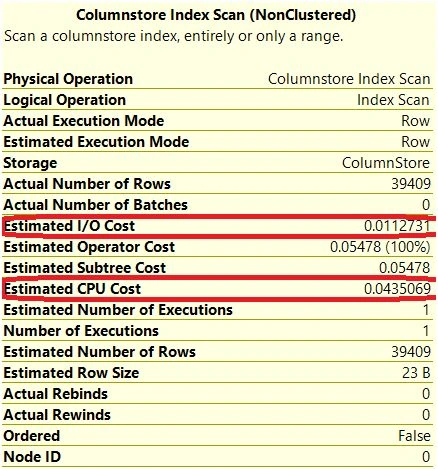
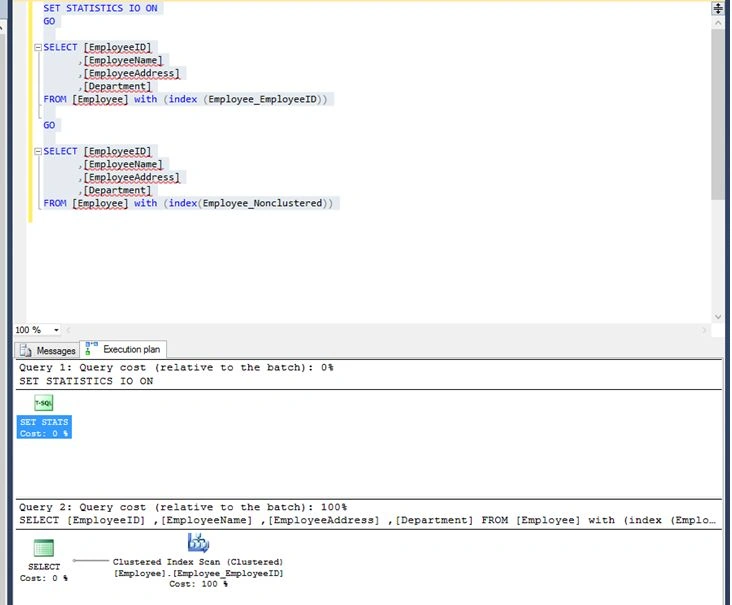
Just compare two figure and you will be able to see the difference in columnstore index; each column has its representative Pages. As a result the query tuning, indexing or you can say search condition becomes easier the resultant outtime is less as compared to previous figure. Lets start by practically comparing how much I/O time more in these two by creation table and indexes .
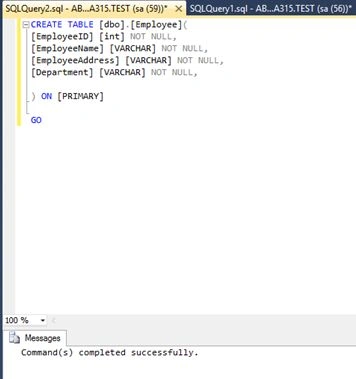
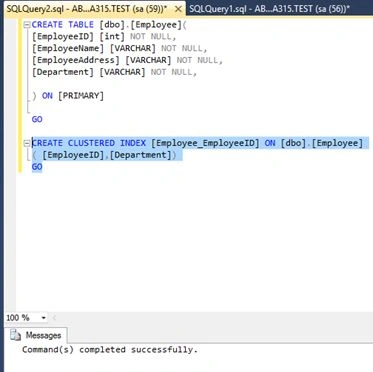
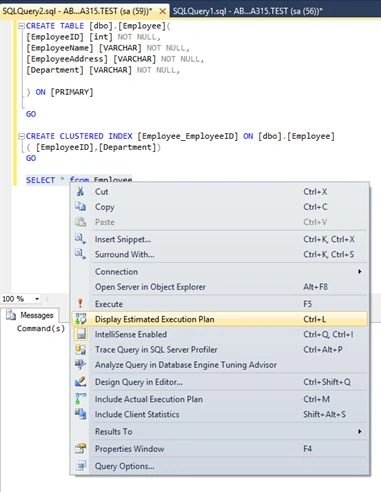
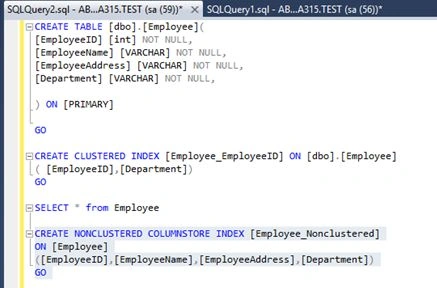
Lets Start

Columnstore Index In SQL Server 2014
Join the conversation! Your thoughts help the community grow.
Sign in to leave a comment
It is the same account you read, post and publish with — and you will come straight back to this page.
Pradeep SahooPosted May 26, 2016, 7:03 AM
Nice share......
Akshay PhadkePosted May 26, 2016, 3:08 AM
Hawabi Mistry Thankyou :)
Hawabi MistryPosted May 26, 2016, 3:01 AM
Nice article
Vignesh ManiPosted May 25, 2016, 8:22 AM
Nice
Akshay PhadkePosted May 25, 2016, 8:08 AM
Thankyou EveryOne More articles coming on SQL Server 2016 In memory OLTP ..
Debasis SahaPosted May 25, 2016, 8:03 AM
Nice one..
Guest UserPosted May 25, 2016, 7:22 AM
I'm just about to upgrade a 2005 server! great article.
Akshay PhadkePosted May 25, 2016, 6:09 AM
Thankyou Everyone ..
RajaPosted May 25, 2016, 4:54 AM
Good work
Hari ShankerPosted May 25, 2016, 2:54 AM
nice sharing
Akshay PhadkePosted May 25, 2016, 1:15 AM
Thankyou Everyone ..
Gowtham RajamanickamPosted May 25, 2016, 1:14 AM
Good one..
Muhammad Aqib ShehzadPosted May 25, 2016, 1:01 AM
nice one
Yashwant VishwakarmaPosted May 25, 2016, 12:37 AM
Nice one !!
Munesh SharmaPosted May 25, 2016, 12:26 AM
nice
Akshay PhadkePosted May 24, 2016, 11:51 PM
Thanks
Thiruppathi RPosted May 24, 2016, 3:45 PM
Nice ..
Debasis SahaPosted May 24, 2016, 1:46 PM
Good One..
Sonu ChaudharyPosted May 24, 2016, 12:45 PM
good one
Kuppurasu NagarajPosted May 24, 2016, 12:03 PM
Nice Sharing..