

Introduction
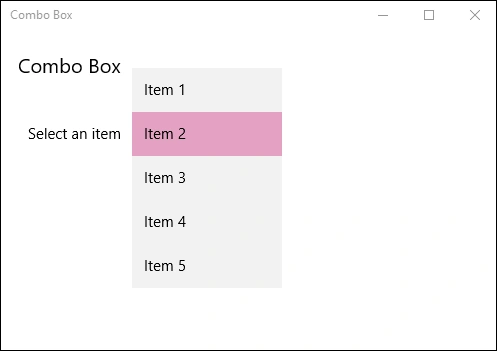
ComboBox represents a selection control that combines a non-editable text box and a drop-down list box that allows users to select an item from a list. We use a ComboBox to present a list of items that a user can select from. When the ComboBox is closed, it either displays the current selection or is empty if there is no selected item. When the ComboBox is opened, it displays the list of selectable items. You can get or set the combo box's selected item using the SelectedItem property.
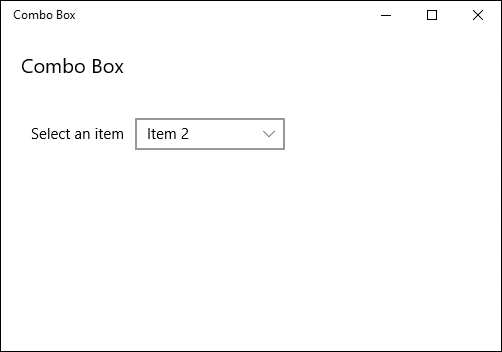
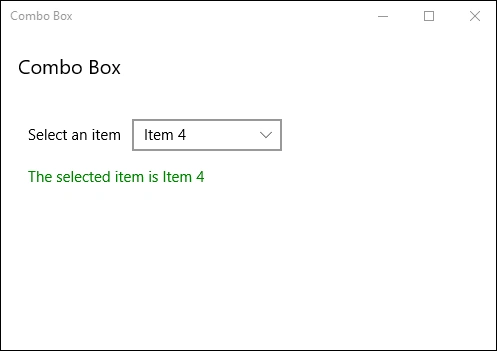
In the following demo, we are listing some items in ComboBox from which the user can select and the selected will be shown in a TextBlock shown below.
Step 1
Open a blank app and add a ComboBox with some Items and a TextBlock control either from the toolbox or by copying the following XAML code into your grid.
- <StackPanel Margin="10,10,0,0">
- <TextBlock Text="Combo Box" FontSize="20"></TextBlock>
- <StackPanel Margin="10,40,0,0" Orientation="Horizontal">
- <TextBlock Text="Select an item" Margin="0,5,0,0"></TextBlock>
- <ComboBox Margin="10,0,0,0" Width="150" SelectionChanged="ComboBox_SelectionChanged">
- <ComboBoxItem Content="Item 1"></ComboBoxItem>
- <ComboBoxItem Content="Item 2" IsSelected="True"></ComboBoxItem>
- <ComboBoxItem Content="Item 3"></ComboBoxItem>
- <ComboBoxItem Content="Item 4"></ComboBoxItem>
- <ComboBoxItem Content="Item 5"></ComboBoxItem>
- </ComboBox>
- </StackPanel>
- <TextBlock Name="selectedComboBoxItem" Foreground="Green" Margin="10,15,0,0"></TextBlock>
- </StackPanel>
Step 2
Add the following code to your cs page to handle the event handlers when an Item is selected.
- private void ComboBox_SelectionChanged(object sender, SelectionChangedEventArgs e)
- {
- if(selectedComboBoxItem == null) return;
- var combo = (ComboBox) sender;
- var item = (ComboBoxItem) combo.SelectedItem;
- selectedComboBoxItem.Text = "The selected item is " + item.Content.ToString();
- }
Step 3
Run your application and check yourself.
Summary
In this article, we learned about ComboBox Control For Windows 10.
Ammar ShaukatPosted Sep 21, 2017, 5:53 AM
Code you provided is not working in UWP Application
Ajmal SadhathPosted Dec 7, 2016, 8:12 PM
Nice ramees its working properlt
Kuppurasu NagarajPosted Feb 11, 2016, 12:36 PM
Nice Ramees..
Harshad PansuriyaPosted Nov 3, 2015, 6:14 AM
Nice one
Vinodh NarayananPosted Nov 3, 2015, 4:08 AM
Good one