

As you probably know, Visual Studio LightSwitch is a tool provided by Microsoft to build business applications. In this article you will see how to communicate screens in a LightSwitch application.
You can say a screen is a template in which you display data. There are five types of data screens in the LightSwitch Application i.e. New Data Screen, Search Data Screen, Details Screen, Editable Grid Screen, List and Details Screen. If you want to communicate across screens in a LightSwitch application then you can do that.
When we establish a relationship among screens then the process is called communication among screens.
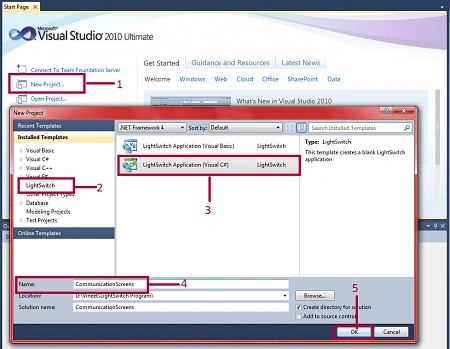
Step 1 : First of all open Visual Studio LightSwitch->Click on new project->Select LightSwitch->Select LightSwitch application->Write name (CommunicatioScreens)->Ok.
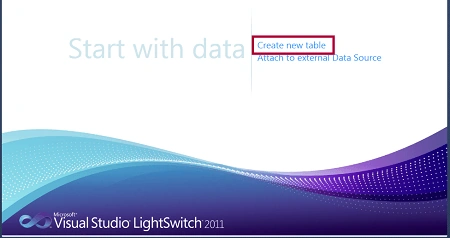
Step 2 : Click on create new table.
Step 3 : Create tables such as customer and order.
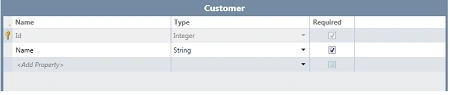
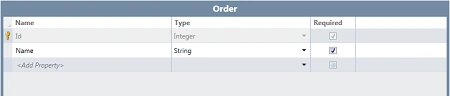
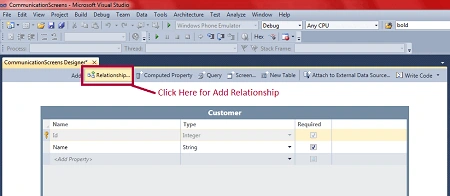
Step 4 : Now we will establish a relationship between these tables. To establish the relationship then click on relationship.
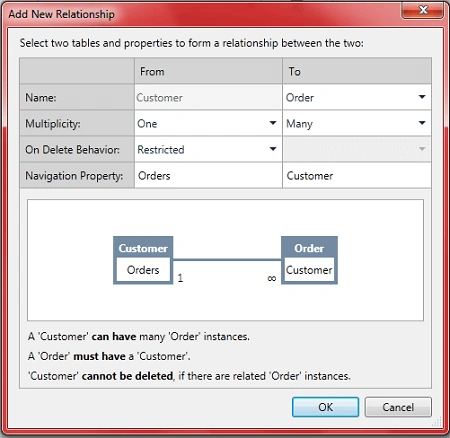
Step 5 : Now we establish a one to many relationship from the customer to the order as in the following image.
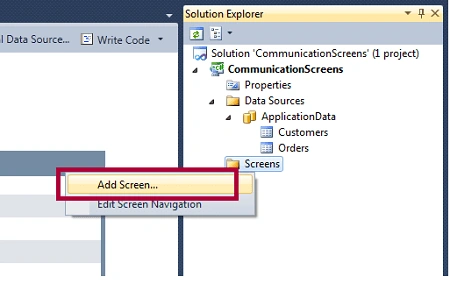
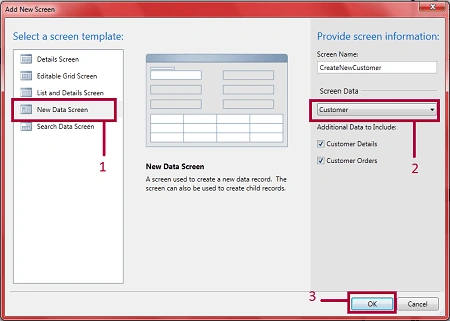
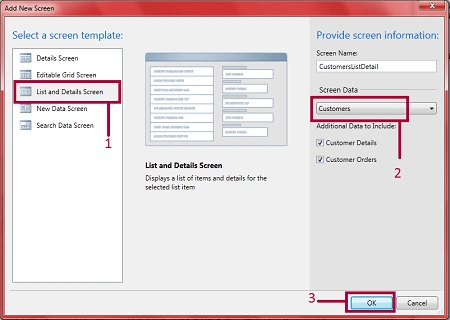
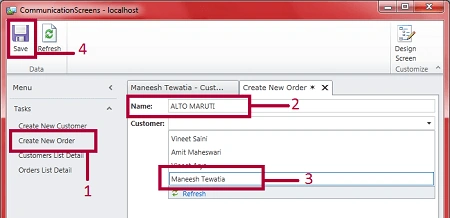
Step 6 : Now we will add a screen. Right click on screens->Add screen
Join the conversation! Your thoughts help the community grow.