Introduction
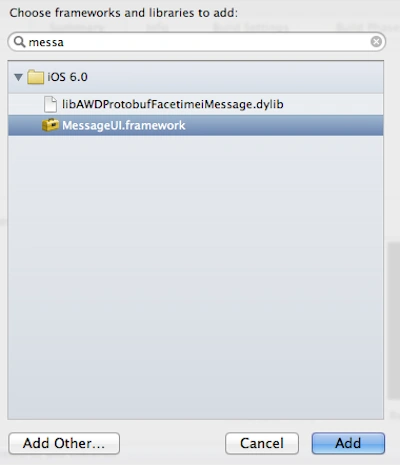
In this article I will create a single View application. First we add the "MessageUI" framework to import the functionality of the email compose view controller.
To understand it we use the following.
Step 1
Open XCode by double-clicking on it.
Step 2
Create a New XCode Project by clicking on it.
Step 3
Now select Single View Application and click on Next.
Step 4
Now provide your Product Name and Company Identifier.
Step 5
Select the location where you want to save your project and click on Create.
Step 6
Now here we add the framework.
Step 7
Now here we write the code:
ViewController.h
#import <UIKit/UIKit.h>
#import <MessageUI/MessageUI.h>
@interface testviewViewController : UIViewController<MFMailComposeViewControllerDelegate>
@end
ViewController.m
#import "testviewViewController.h"
#import <MessageUI/MFMailComposeViewController.h>
@interface testviewViewController ()
@end
@implementation testviewViewController
- (void)viewDidLoad
{
[super viewDidLoad];
MFMailComposeViewController *picker = [[MFMailComposeViewController alloc] init]; picker.mailComposeDelegate = self;
[picker setSubject:@"Email subject here"];
[picker setMessageBody:@"Email body here" isHTML:NO]; [self presentModalViewController:picker animated:YES]; [picker release];
}
- (void)mailComposeController:(MFMailComposeViewController*)controller didFinishWithResult:(MFMailComposeResult)result
error:(NSError*)error { [controller dismissModalViewControllerAnimated:YES];
}
@end
Step 8
Finally we click on the run button to show the output.
Output
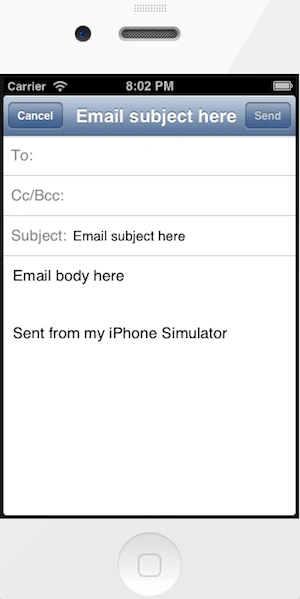
Output 1 in iPhone:
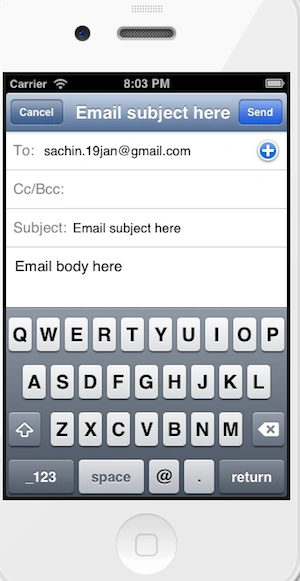
Output 2 in iPhone:
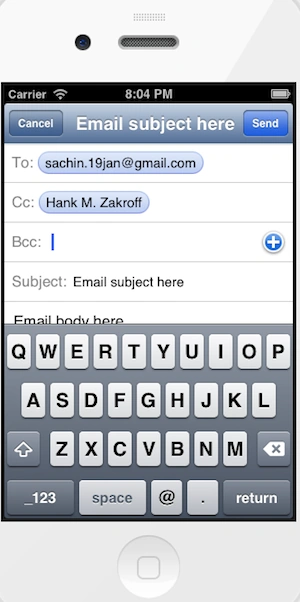
Output 3 in iPhone:


Join the conversation! Your thoughts help the community grow.