

This configuration will help you to configure the Content deployment process which is used to deploy content from one site collection to another and the source and destination can be the same or different farms.
How to configure?
Let’s open Central Admin of SharePoint on your machine. On your Windows desktop screen, click Start >> Administrative Tools >> SharePoint 2013 Central Administration.
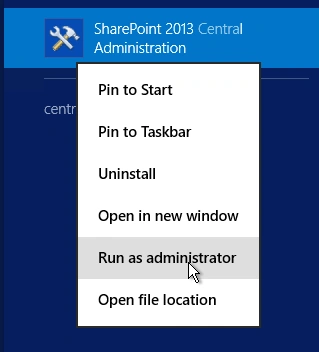
- Run it as an administrator to have elevated privileges.
- You will see the screenshot given below.
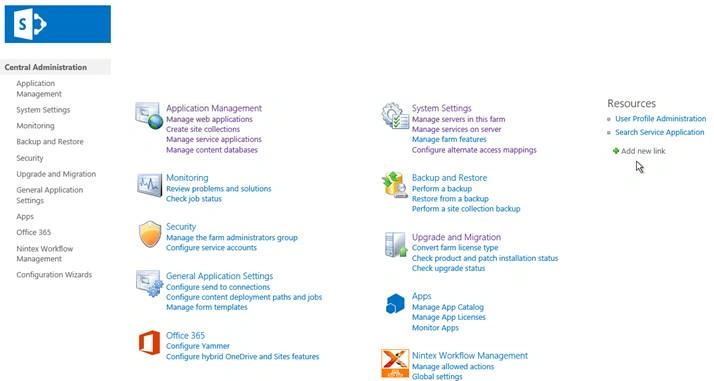
- Central Admin is configured under the categories given above.
- Click on "General Application Settings".
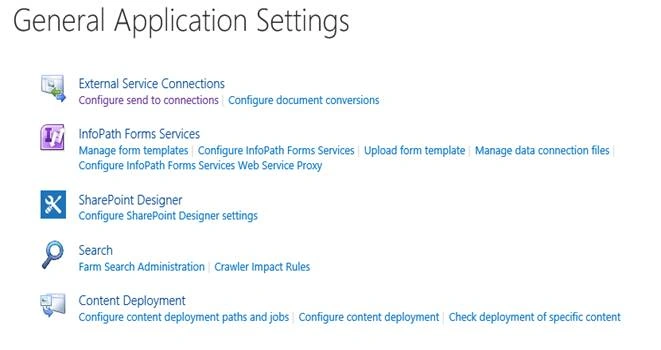
- Go to "Content Deployment".
- Click on “Configure content deployment paths and jobs“.
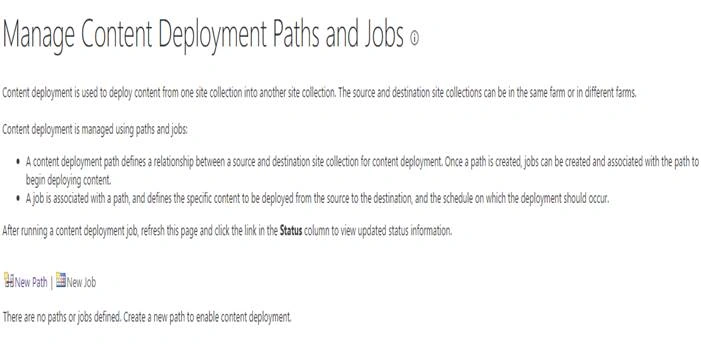
- You will see the screen below.
- Click on New Path
The path defines a relationship between a source and destination site collection for content deployment. A job is associated with the path, once path is created, you will be able to create a new job. - Let’s create a New Path now
- You will see the screen below
Configuration
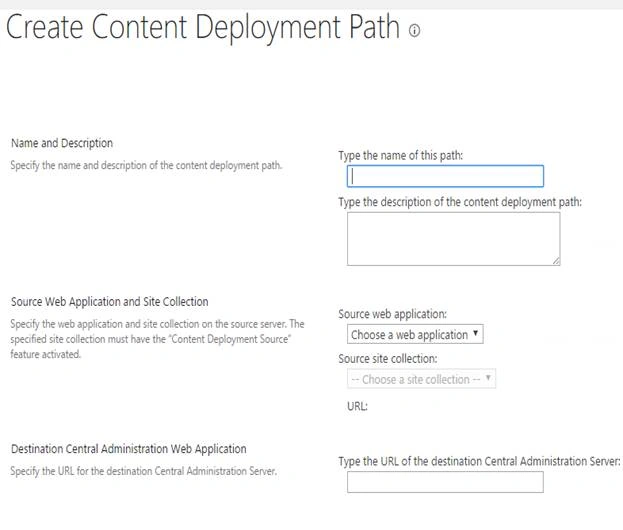
- Name and Description
Provide a name and description to the path.
- Source Web Application and Site Collection
Select a web application and a site collection or provide a URL for the source.
- Destination Central Administration Web Application
Provide a destination central admin web application Url.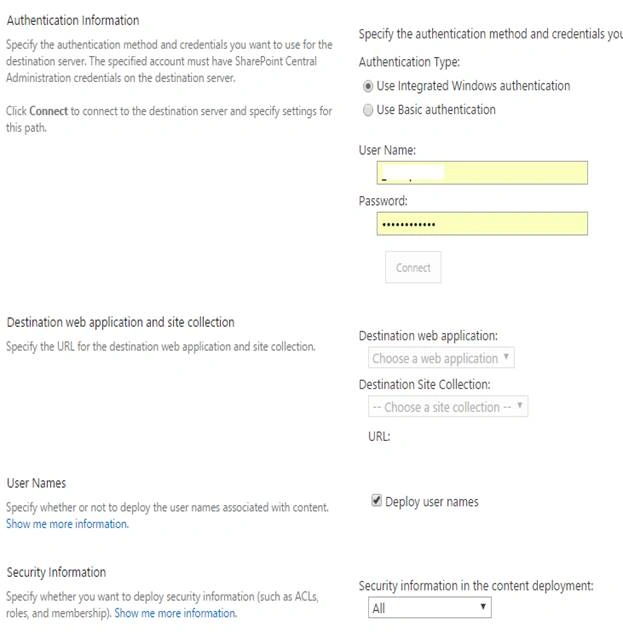
- Authentication information
Specify what kind of authentication, Integrated Windows Authentication or Basic Authentication you would like to choose. Provide the username and password for the authentication to succeed.
- Destination web application and site collection
Select a destination web application and a site collection or provide a URL for the destination.
- User Names
Here you can choose to deploy user names while the content deployment takes place.
- Security Information
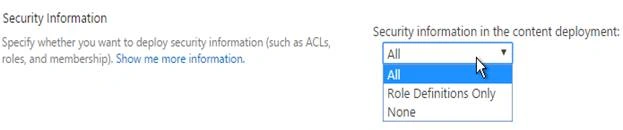
Here, you can specify if you want to deploy the security information like Role Definitions or ACLs, Roles and Membership.
Once this configuration is done, the content deployment will be applied to the destination web with all security information and assist in deploying content from one source to another in the same or different farm.
In this article, we saw how to configure Content Deployment paths & jobs in SharePoint 2013 Central Administration. There are more articles to come on Central Administration. Until then, keep reading and keep learning!
Join the conversation! Your thoughts help the community grow.