

This article explains how to configure an enterprise search in a SharePoint 2013 site. Look at the following points.
Step 1
Go to theSite Contents Menu.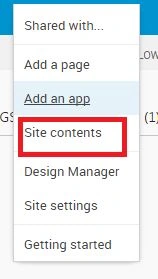
Step 2
Click new subsite under Subsites.
Step 3
On clicking new subsite, the following screen will appear.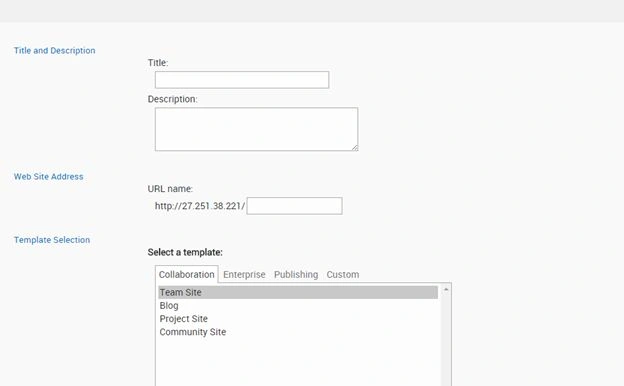
Step 4
Enter the name of the Title and select Enterprise Search center template in the Enterprise selection.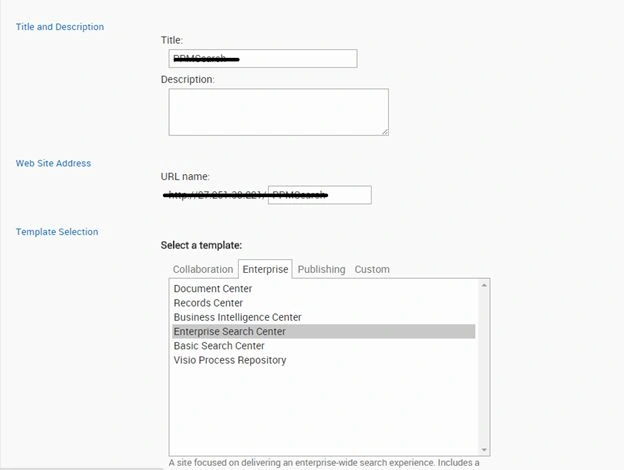
Step 5
Click the Create button.
Step 6
The following screen will appear.
Step 7
Copy the URL and paste in Notepad.
Step 8
Go to the Site Settings Menu.

Step 9
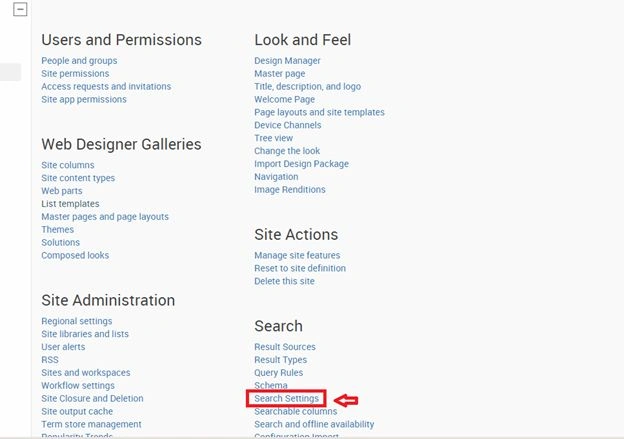
Click Search Settings under the Search Menu item.
Step 10
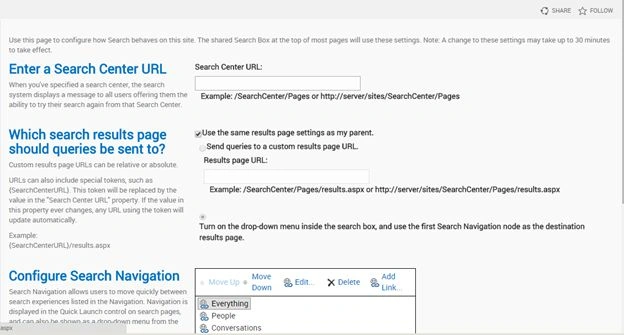
The following screen will appear.
Step 11
Paste the URL into the search center URL TextBox. The URL will be in the following format.

Step 12
Uncheck the "Use the same results page settings as my parent" checkbox and check "Send queries to a custom results page URL" item. The URL looks as in the following:

Step 13
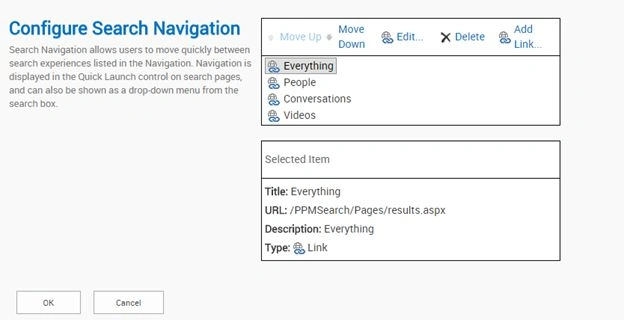
Click the OK button.
Step 14
Just go and check “Use the same results page settings as my parent” is selected from the subsite search site settings.

Summary
In this article we saw how to configure enterprise search in a SharePoint 2013 site.
Go to the Site Settings Menu.
Step 9
Click Search Settings under the Search Menu item.
Step 10
The following screen will appear.
Step 11
Paste the URL into the search center URL TextBox. The URL will be in the following format.
Step 12
Uncheck the "Use the same results page settings as my parent" checkbox and check "Send queries to a custom results page URL" item. The URL looks as in the following:
Step 13
Click the OK button.
Step 14
Just go and check “Use the same results page settings as my parent” is selected from the subsite search site settings.
Summary
In this article we saw how to configure enterprise search in a SharePoint 2013 site.
Jacob RobinsonPosted Jul 27, 2015, 5:24 AM
Thanks Gowtham...
Jacob RobinsonPosted Jul 27, 2015, 5:24 AM
Thanks Sibeesh..
Gowtham RajamanickamPosted Jul 27, 2015, 5:23 AM
keepw riting
Gowtham RajamanickamPosted Jul 27, 2015, 5:22 AM
good
Santhakumar MunuswamyPosted Jul 23, 2015, 2:58 PM
Thanks for nice article:)
Sibeesh VenuPosted Jul 21, 2015, 9:33 AM
Nice Share.
Nilesh JadavPosted Jul 21, 2015, 9:03 AM
Nice one sir
Jacob RobinsonPosted Jul 21, 2015, 8:04 AM
Thanks Pankaj..
Pankaj Kumar ChoudharyPosted Jul 21, 2015, 8:01 AM
Nice Article Sir.............