

This configuration will help you to configure the Service on the InfoPath forms hosted in SharePoint Central Administration.
How to configure it?
Let’s open Central Admin of SharePoint on your machine. On your Windows desktop screen, click Start >> Administrative Tools >> SharePoint 2013 Central Administration.
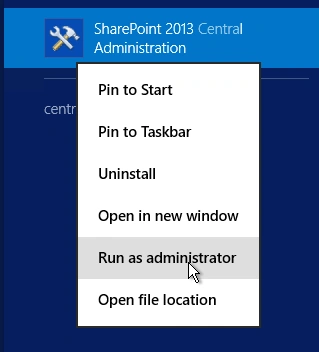
- Run it as an administrator to have the elevated privileges.
- You will see the screenshot given below.
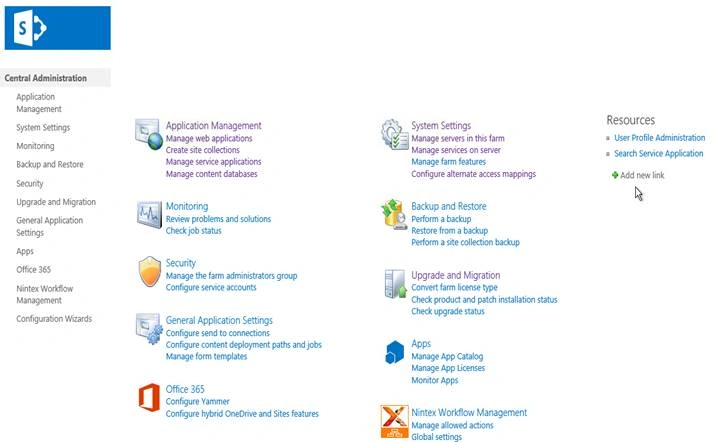
- Central Admin is configured under the categories given above.
- Click General Application Settings.
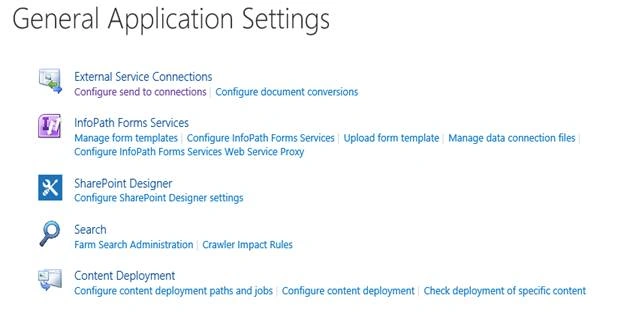
- Go to InfoPath Forms Services.
- Click Configure InfoPath Forms Services.
- You will see the screen given below.
Configure
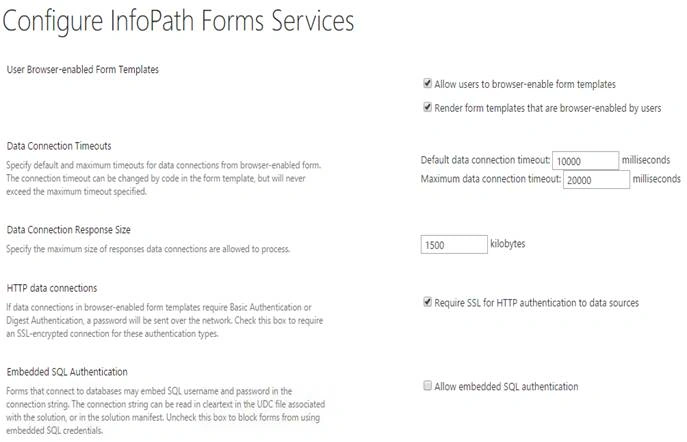
- User Browser-enabled Form Templates
Here, you can configure, if you want to allow the users to enable the Browser form templates or to render form templates, which are Browser enabled by the users on the forms. - Data Connection Timeouts
Here, you can specify the maximum amount of data connection time out, which is default, and the max which you can allow for the connection in milliseconds. - Data Connection Response Size
Here, you can specify the maximum size of the response data connection, which will be allowed by the connection Service on the InfoPath form. - HTTP data Connections
You can check in it, if you want SSL for all HTTP Connection Service on the form. - Embedded SQL Authentication
Here, you can choose, if you want to have built-in credentials to connect to SQL DB, if you are retreaving the data from SQL on the form.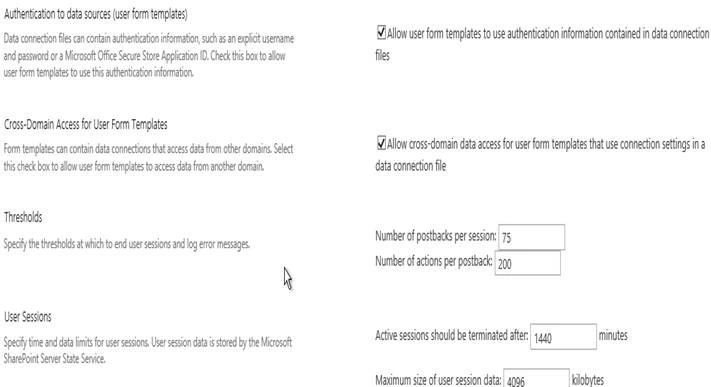
- Authentication to the data sources
Similarly to SQL connection, you can choose to have authentication data files, which are attached to the form templates on the data connection from the different sources. - Cross-Domain Access for User Form Templates
Here, you can allow or disallow for cross domain access for the forms to have the connections. - Thresholds
Here, you can specify the thresholds at which the end user sessions and logging of the error messages should be recorded. - User Sessions
Here, you can choose the time period for the active sessions and the user sessions before it gets timeout and the form Services, which gets terminated.
This configuration assists an admin to have control over the form templates and the user activity with the connection on the form templates.
In this article, we saw how to configure InfoPath forms Services in SharePoint 2013 Central Administration. There are more articles to come on Central Administration. Until then, keep reading and keep learning.
Fatim FauziaPosted Apr 11, 2017, 5:39 AM
Can this work only in SharePoint Enterprise edition. We received a request from user to enable Infopath form to open in browser, instead of Infopath filler. However, we use SharePoint standard edition.