

Introduction
Azure DevOps is a powerful tool for software development and deployment and can be adjusted based on our needs. In Azure DevOps, processes are important. Processes are like the foundation of everything - they help keep track of work items, control versions, and manage builds and releases.
There are two main kinds of processes.
inherited processes and system processes. System processes follow pre-set patterns, while inherited processes can be changed to fit your specific requirements.
Use Cases
Azure DevOps Inherited Processes find applications in diverse scenarios, showcasing their flexibility and utility in the software development lifecycle.
- Tailored Workflows: Customize workflows to suit the unique needs of your projects, ensuring efficiency and alignment with specific development methodologies.
- Quick Adaptation to Changes: Easily adapt to changing project requirements by modifying inherited processes, ensuring your development approach stays agile and responsive.
- Efficient Version Control: Customize version control mechanisms to efficiently manage code changes, branches, and releases based on the specific needs of your development teams.
- Project Onboarding: Accelerate the onboarding process for new projects by tailoring inherited processes to match the unique requirements and workflows of your teams.
Step-by-Step Process to Implement Inherited Process
Step 1. Go to your Azure DevOps Organization.
Pre-requisites
The user performing these steps must be part of the 'Project Collection Administrators' group.
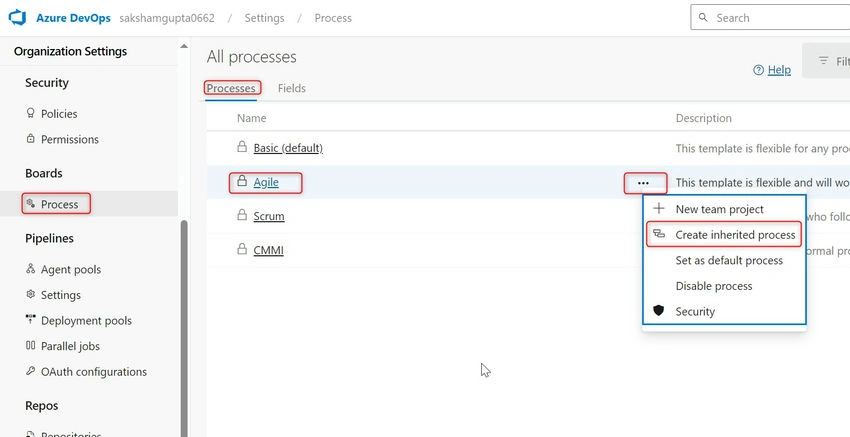
Step 2. Go to Organization Settings -> Under Boards, click on Process -> Select the System Process which needs to be inherited -> Click on 'Create Inherited Process' as shown in the image below.
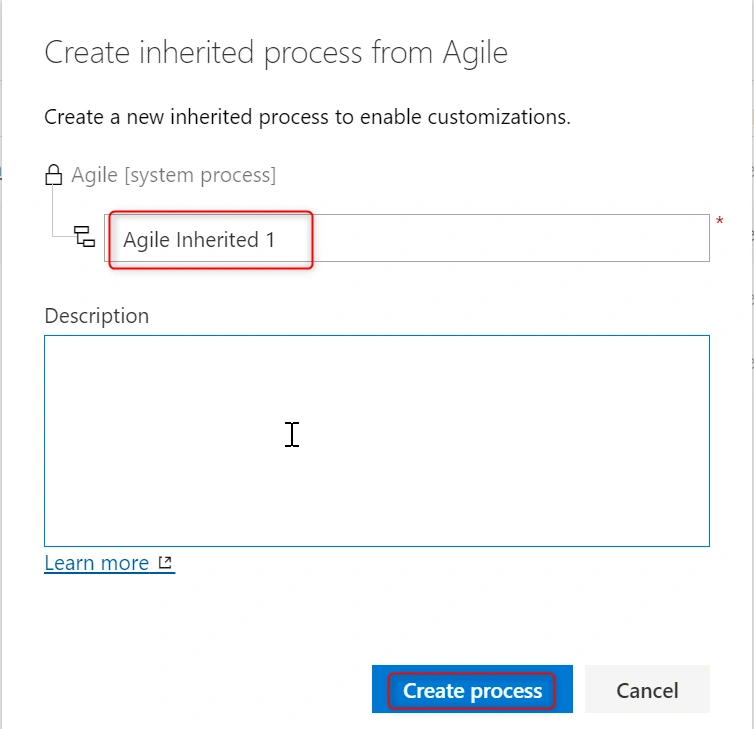
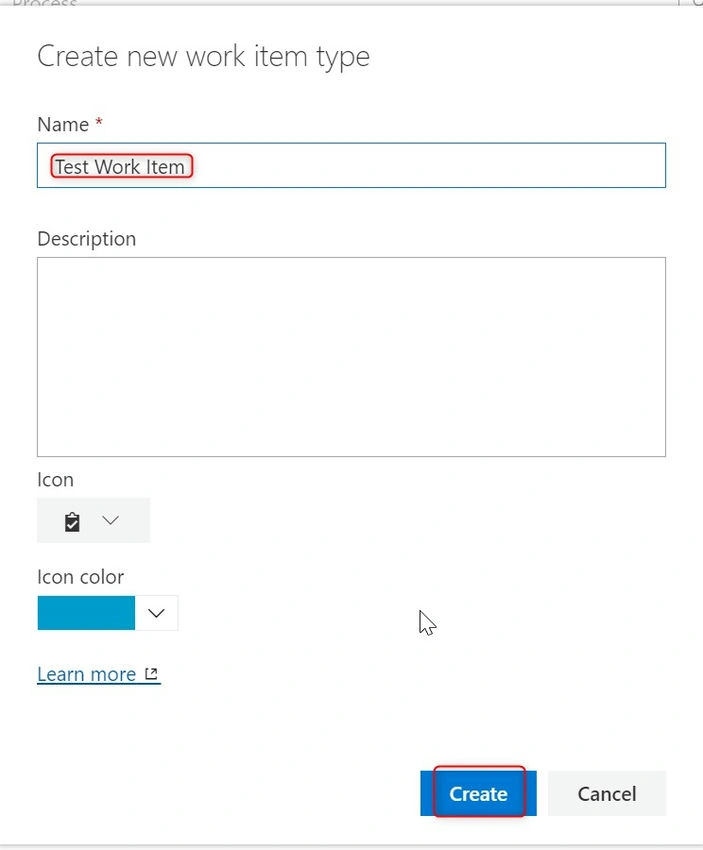
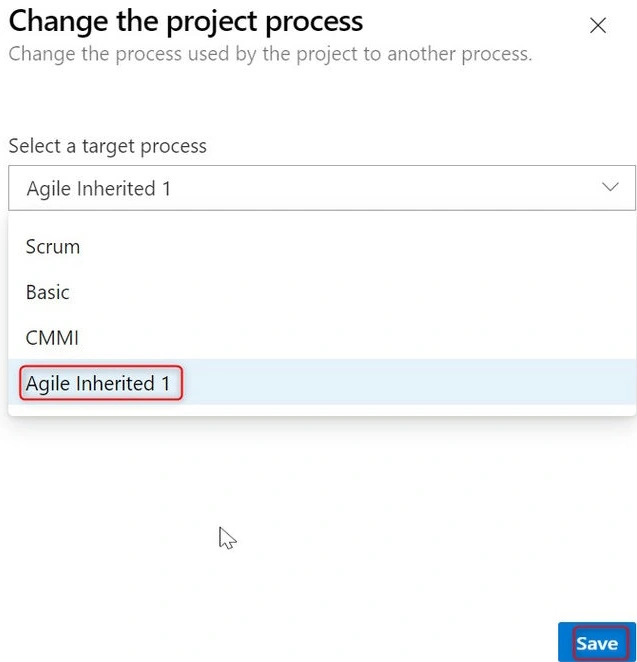
Step 3. Give a name to the inherited process. In the below image, I have named it 'Agile Inherited 1' and clicked on the create process.
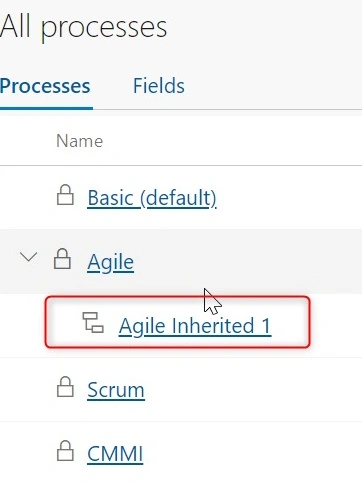
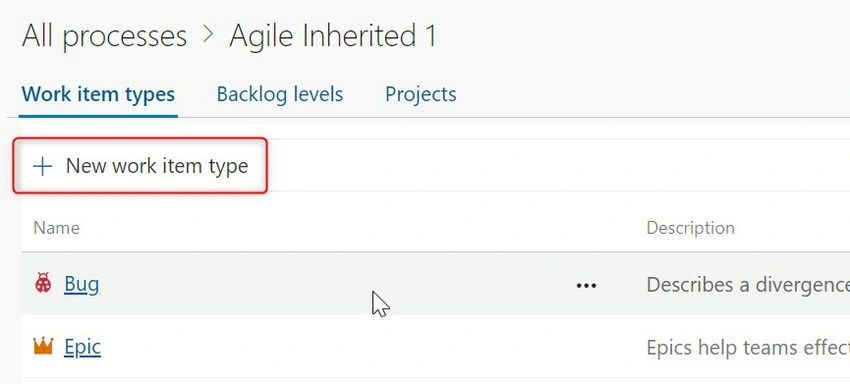
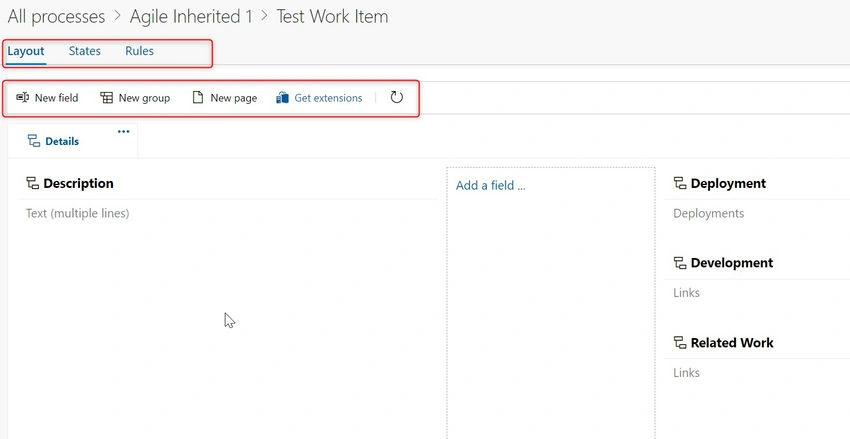
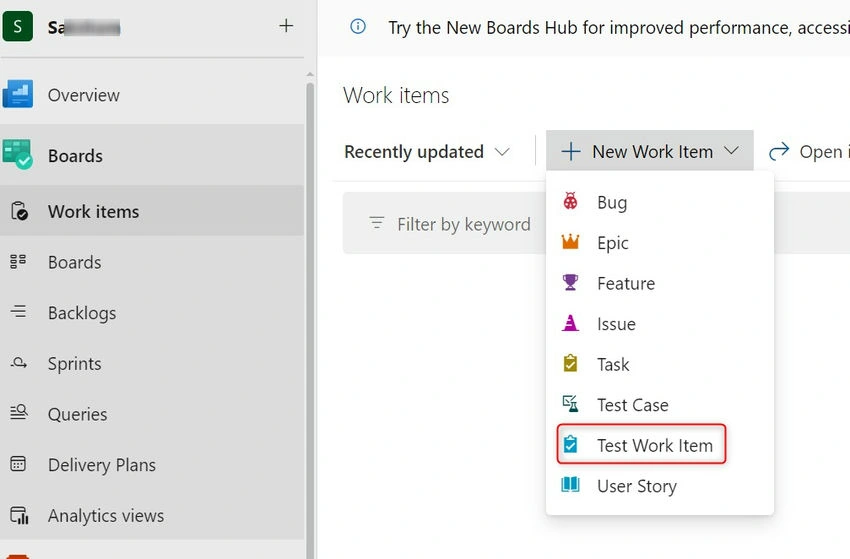
Step 4. Once the inherited process is created, open the process by clicking on the hyperlink as shown below.
Join the conversation! Your thoughts help the community grow.