

Here, you can configure the password settings on the Central Administration as in when you want your users to change passwords and other password configuration.
How to configure?
Let’s open Central Admin of SharePoint on your machine. On your Windows desktop screen, click Start >> Administrative Tools >> SharePoint 2013 Central Administration.
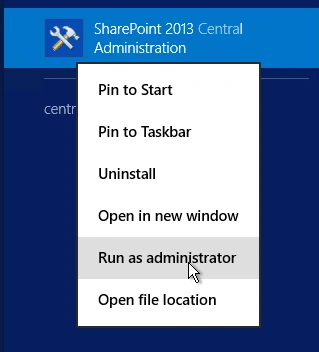
- Run it as an administrator to have elevated privileges.
- You will see the screenshot given below.
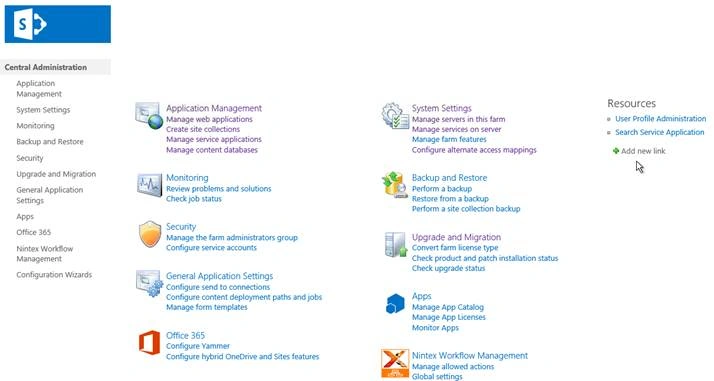
- Central Admin is configured under the categories given above.
- Click on "Security".
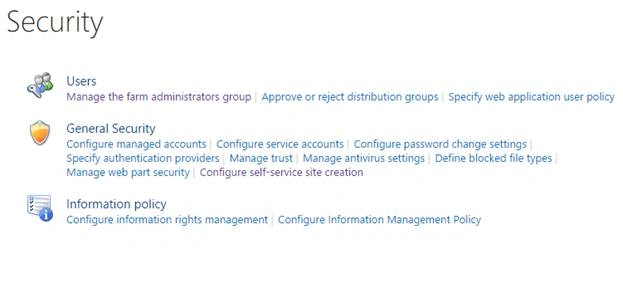
- Go to "General Security".

- Click on “Configure password change settings“.
- You will see the screen below.
Configure
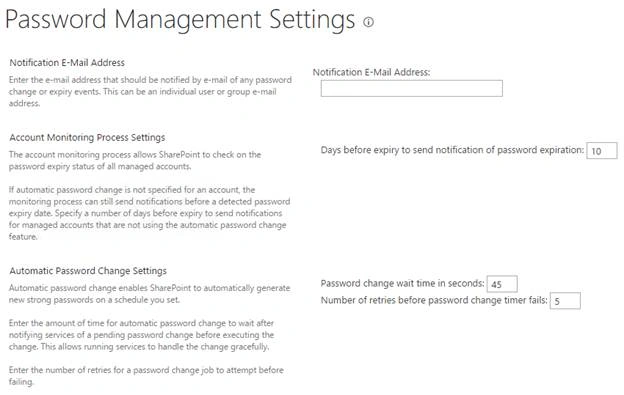
- Notification E-Mail Address
Here, you can add an email address for all the change or expiry events and get notified. - Account Monitoring Process Settings
Here, you can mention the number of days to send notification before a expiry period of the password. - Automatic Password Change Settings
Here, you can provide time in seconds as in the password change wait time of the user and mention the number of tries a user is allowed to enter a wrong password before the credentials get expired.
Once the configuration is done, the password configuration will be part of the user services for their expiration of passwords in the tenant of the Central Administration.
In this article, we saw how to configure password change settings in SharePoint 2013 Central Administration. There are more articles to come on Central Administration. Until then, keep reading and keep learning!
Join the conversation! Your thoughts help the community grow.