

This configuration will enable data retrieval on web applications with a response time and scope which allows the web application to retrieve the data.
How to configure it?
Let’s open central admin of SharePoint on your machine. On your Windows desktop screen, click Start >> Administrative Tools >> SharePoint 2013 Central Administration.
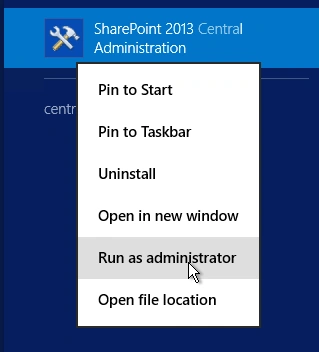
- Run it as an administrator to have elevated privileges.
- You will see the screenshot given below.
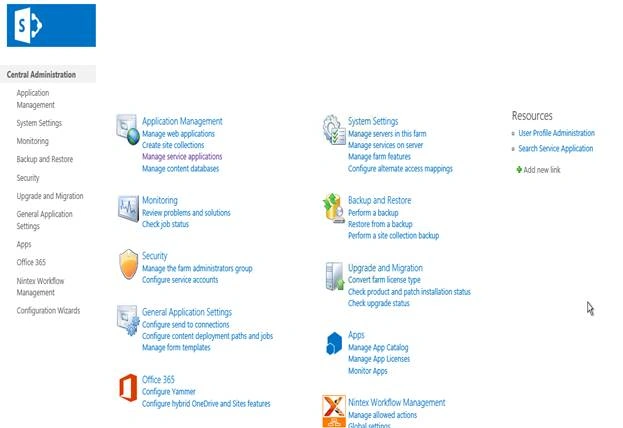
- Central admin is configured under the categories given below.
- Click Application Management.
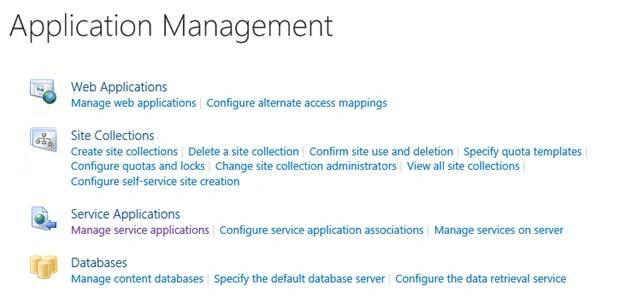
- Go to Databases.

- Click Configure the data retrieval service.
- You will see the screen given below.
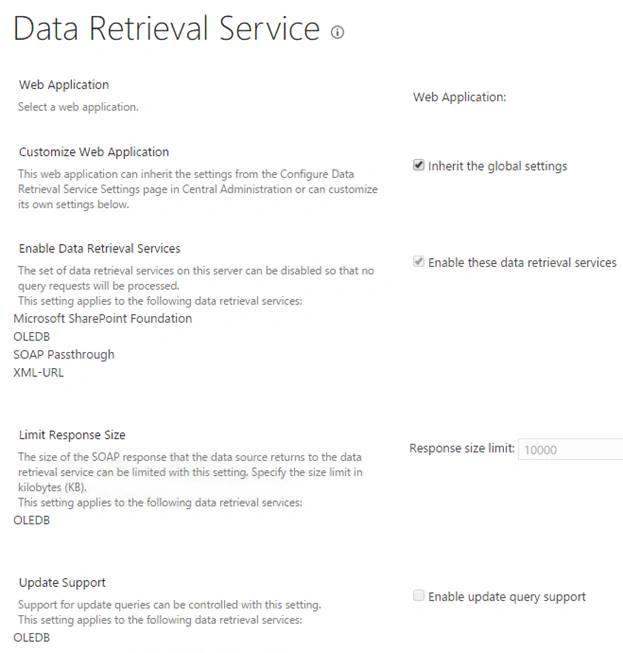
- Web Application
Choose the Web Application, where you want to configure the data retrieval Service. - Customize Web Application
Here, you can choose to inherit the global settings of retrieving the data or get configured from a new data retrieval Service. - Enable Data Retrieval Services
Here, you can choose, if you want to enable the data retrieval services given below, if you want to select the option. - Microsoft SharePoint Foundation.
- OLEDB
- SOAP Passthrough
- XML-URL
- Limit Response Size
Here, you can limit the size of the data response of the SOAP Service to limit the responded size in kilobytes. - Update Support
Here, you can use the enable update support option for the query executed in OLEDB.
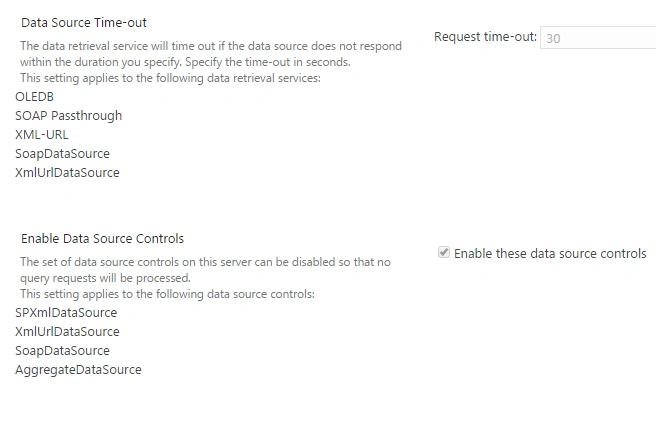
- Data Source Time-Out
Here, you can specify a time frame when the data source should time out, if the data is not retrieved at a particular interval of time. - Enable Data Source Controls
Here, you can enable or disable the query requests to take place on the data source controls.
This configuration helps in setting up a data retrieval center to the complete central administration and to each Web Applications in central admin.
Once you configure, click OK.
The Service connected to your central admin will become the default retrieval center for the selected Web Application in central admin.
In this article, we saw how to configure the data retrieval Service on the Web Applications in central administration. There are more articles to come on central administration. Until then, keep reading and keep learning.
Join the conversation! Your thoughts help the community grow.