

Introduction
TLS is a successor to Secure Sockets Layer protocol or SSL. TLS provides secure communications on the Internet for such things as email, Internet faxing, and other data transfers. Client-server applications use the TLS protocol to communicate across a network in a way designed to prevent eavesdropping and tampering.
Since applications can communicate either with or without TLS (or SSL), it is necessary for the client to indicate to the server the setup of a TLS connection. One of the main ways of achieving this is to use a different port number for TLS connections, for example, port 443 for HTTPS.
Once the client and server have agreed to use TLS, they negotiate a stateful connection by using a handshaking procedure. TLS 1.2 was defined in RFC 5246 in August 2008. It is based on the earlier TLS 1.1 specification.
TLS 1.2 in BizTalk 2016
There is an official announcement about TLS 1.2 support in BizTalk Server 2016 and highlighting the comments from Microsoft official page as a reference, TLS 1.2 is fully supported in BizTalk Server, including all the adapters and all the accelerators. We can disable SSL, TLS 1.0, and TLS 1.1 on the BizTalk Server.
Key information
- Any external systems communicating with BizTalk also need to support TLS 1.2
- Any custom code, such as functoids, may need to be updated to support TLS 1.2
- Description of the TLS/SSL protocol describes how to set up a TLS 1.2 environment.
TLS 1.2 in BizTalk 2010
For lower versions like 2013, R2 or 2010 it is not straightforward to use TLSv1.2. We have to do some tricky exercises to enable TLS 1.2.
Generally, we saw the below types of errors when trying to connect any external service which is already utilizing the security protocol TLS 1.2:
- SSL Security error.
- [DBNETLIB][ConnectionOpen (SECCreateCredentials()).]SSL Security error.
- Could not create SSL/TLS secure channel.
- The remote server returned an error: (403) Forbidden.
No need to worry about these errors, generally it comes when we have a SSL/TLS channel issue. We have a solution now to enable TLS 1.2 on BizTalk server. Please follow the below steps to enable TLS 1.2.
Step 1
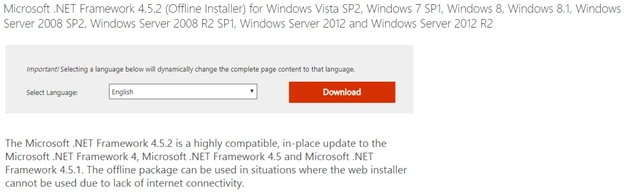
BizTalk server 2010 supports .NET Framework v4.0 and this version of Framework supports only SSL v3.0 and TLS v1.0. However, Framework v4.5 does support the use of TLS 1.1 and TLS 1.2. So now Framework 4.5 needs to be to installed on a BizTalk machine to establish a connection between both systems. Let's do it.
The installer of this version of the framework can, of course, be downloaded from the Microsoft site, the link is below.
https://www.microsoft.com/en-us/download/details.aspx?id=42642
The first step is completed and now let's move to the second step because TLS 1.2 is not yet configured. We have to enable it now with an update to the registry setting. Let's see step by step how we can do this.
Note
Before making any change in Registry, we strongly recommend taking a backup of the registry.


Join the conversation! Your thoughts help the community grow.