

Here, you can configure the usage and health data collection to receive the log events whenever various events occur in your SharePoint deployment. You can use various events which you want to log from the list. This usage logging enables analysis and reporting on the data collection and also, uses system resources which can impact performance and disk usage.
How to configure it?
Let’s open Central Admin of SharePoint on your machine. On your Windows desktop screen, click Start >> Administrative Tools >> SharePoint 2013 Central Administration.
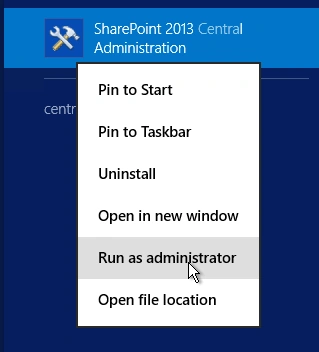
- Run it as an administrator to have elevated privileges.
- You will see the screenshot given below.
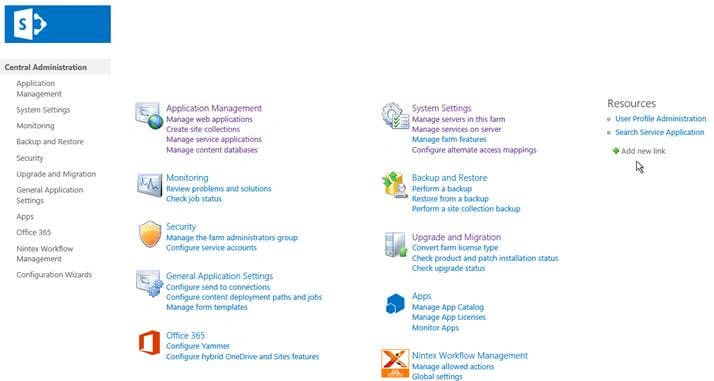
- Central Admin is configured under the categories given above.
- Click on "Monitoring".
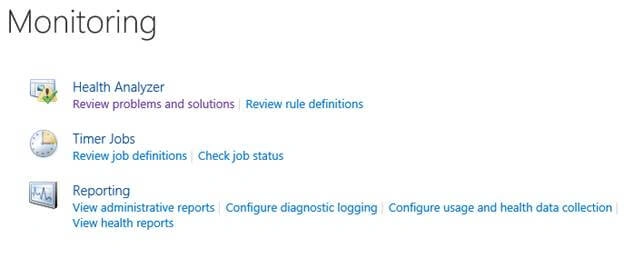
- Go to "Monitoring".

- Click on “Configure usage and health data collection “.
- You will see the screen below.
Configure
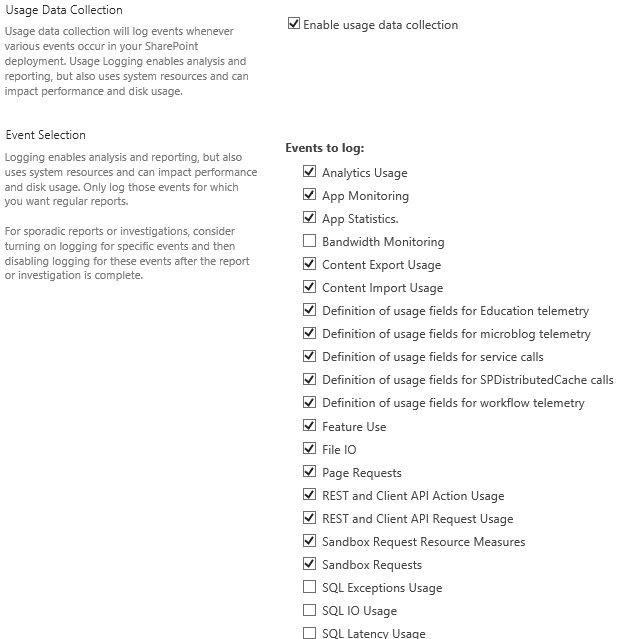
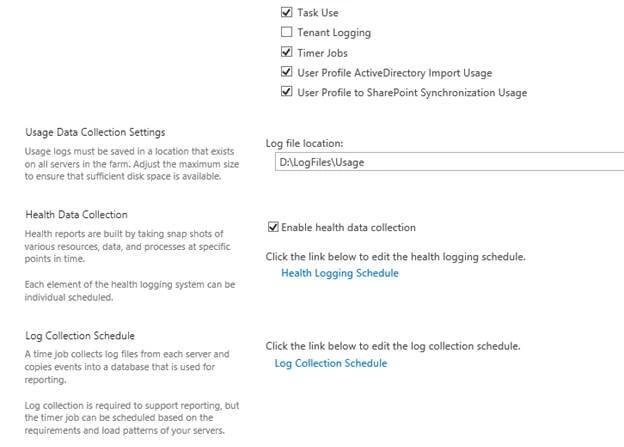
- Usage Data Collection
Here, you can enable or disable logging the usage of data collection. - Event Selection
Here, you can choose the events which you want to log in the configuration. - Usage Data Collection Settings
Provide a path to store the log files. - Health Data Collection
Here, you can enable or disable the data collection by taking snapshots of data and information.
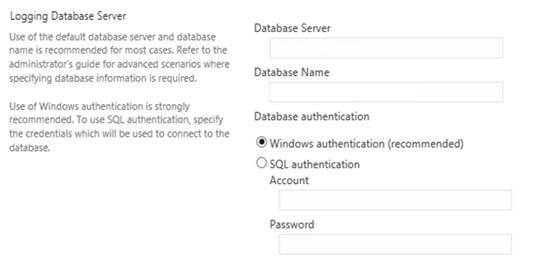
- Logging Database Server
Here, you can define the database server with the name and use the windows or SQL authentication to run the logs.
Once the configuration is done, click on OK.
The log files will start saving to the defined paths with all the services you want to capture on the Central Administration.
This is very important for all the admins on SharePoint and an important phase in resolving the issues.
In this article, we saw how to configure usage and health data collection in SharePoint 2013 Central Admin. There are more articles to come on Central Administration. Until then, keep reading and keep learning!
Aditya JadhavPosted Jun 28, 2017, 5:59 PM
Hello there, Can you please tell me in "Event to log" list, what does "TASK USE" do ?