

There is a plugin available for Visual Studio to enable intellisense for Xamarin.Forms XAML.
Do not believe me? Here is what I saw before the XAML intellisense was installed.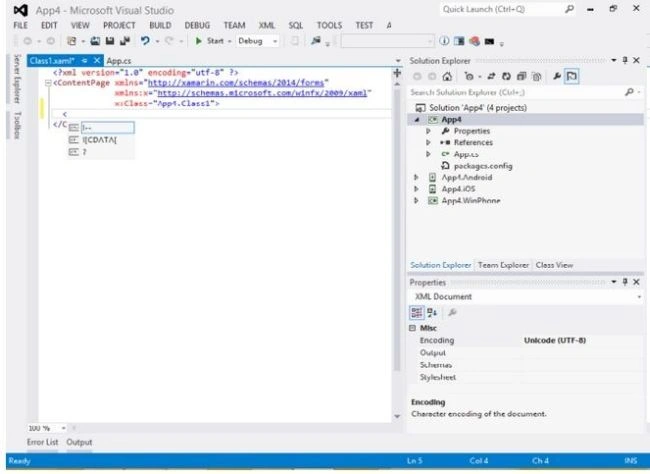
Let's configure it in Visual Studio.
Open Visual Studio. Go to Tools > Options.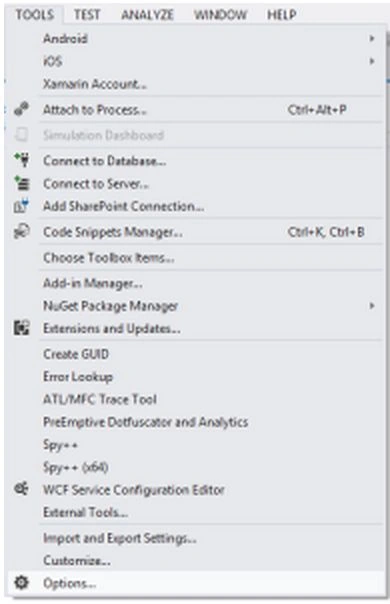
Choose Extensions and Updates from the dialog under Environmentnode. Click on Add. It will add a default item to the list. Set the item name and URL. Click on Apply and OK.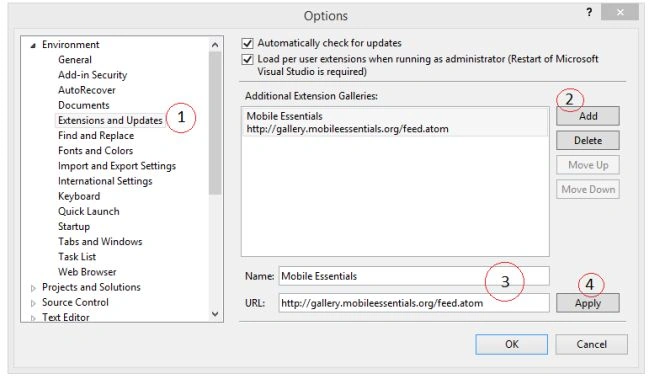
By the end of that process, you will be done adding the extension link to the Visual Studio. Now to download and install it.
Let's open Tools > Extensions and Updates. We can see the Xamarin.Forms Intellisense there. Click on Download and follow the dialog instructions to install it.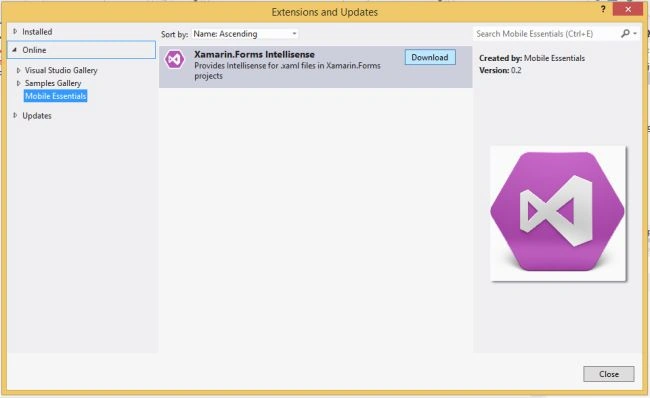
After successful installation, it will ask to restart Visual Studio so that the changes can be applied to the IDE. Once done we can see the difference.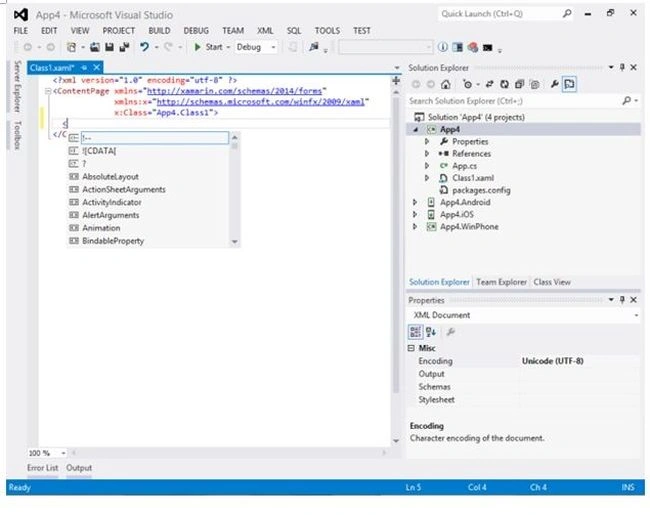
The following are a few points to keep in mind:
- This component is still not stable. But works great (for me).
- If you find that it is not working after the Visual Studio restart then please do a manual restart of Visual Studio.
- Works with Visual Studio 2012 or later.
Satya Pratap DandaPosted Mar 26, 2017, 2:46 AM
Hello, so I'm using Visual Studio 2012 in Windows 8 with the Xamarin tools installed, but the forms intelligence isn't appearing: http://screencloud.net/v/hkuO ; does the extension still exist or what other sources should I use? Thanks!
irsnjose sroifsodnfiPosted Jul 4, 2015, 10:54 AM
Hello, so I'm using Visual Studio 2012 in Windows 8 with the Xamarin tools installed, but the forms intellisense isn't appearing: http://screencloud.net/v/hkuO ; does the extension still exist or what other source should I use? Thanks!
Nijamudeen MohammedPosted Jun 1, 2015, 12:34 AM
Helpful (y)
Rahul Kumar SaxenaPosted Feb 25, 2015, 1:21 PM
Gud One...
Nirmal HotaPosted Feb 20, 2015, 7:31 AM
Glad you liked it :)
Srinivasan K KPosted Feb 19, 2015, 1:01 AM
This is the simple and Quick tip for enabling xaml intellisense in VS.