

Overview
All production databases should be configured to replicate to a secondary geo-replica database in a paired Azure location. The primary database (production) and the secondary database will have the same name and are configured using a failover group.
Pre-requisites
In Azure, Owner access is required for the SQL Server and SQL Database to perform this configuration.
Risks/Impact
These steps have no effect on the customers current usage of the production system, so can be performed while the system is actively in use.
After completing failover group configuration, the geo-replica database should be downsized in order to avoid excessive costs.
Process/Procedure
Every production database should have a geo-replica of the same name. In the Azure Portal, SQL Databases, the DB used for production will have a blank "replica type" where the replica DB will have replica type "Geo." Note in the screenshot below that the two DBs inside the red rectangle are a paired primary DB and its geo-replica. The highlighted production DB was recently created and lacks a geo-replica.
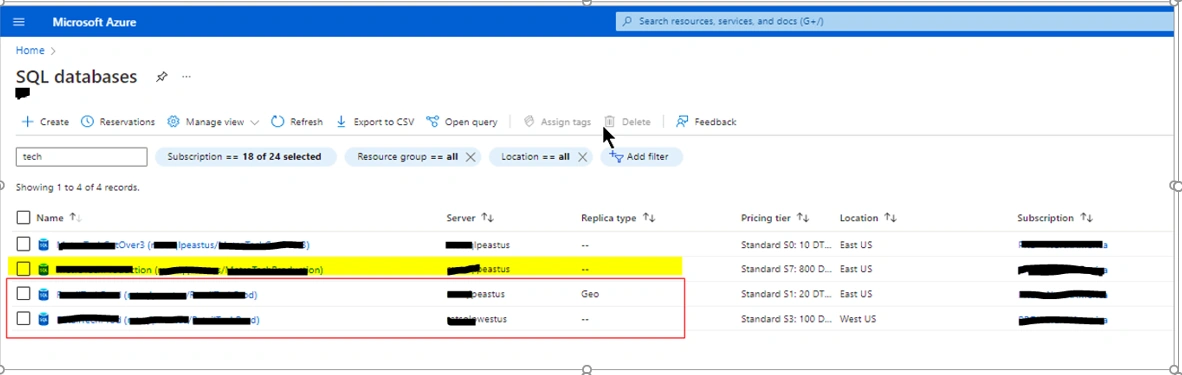
Configure the Failover Group, Creating the Geo-Replica Database
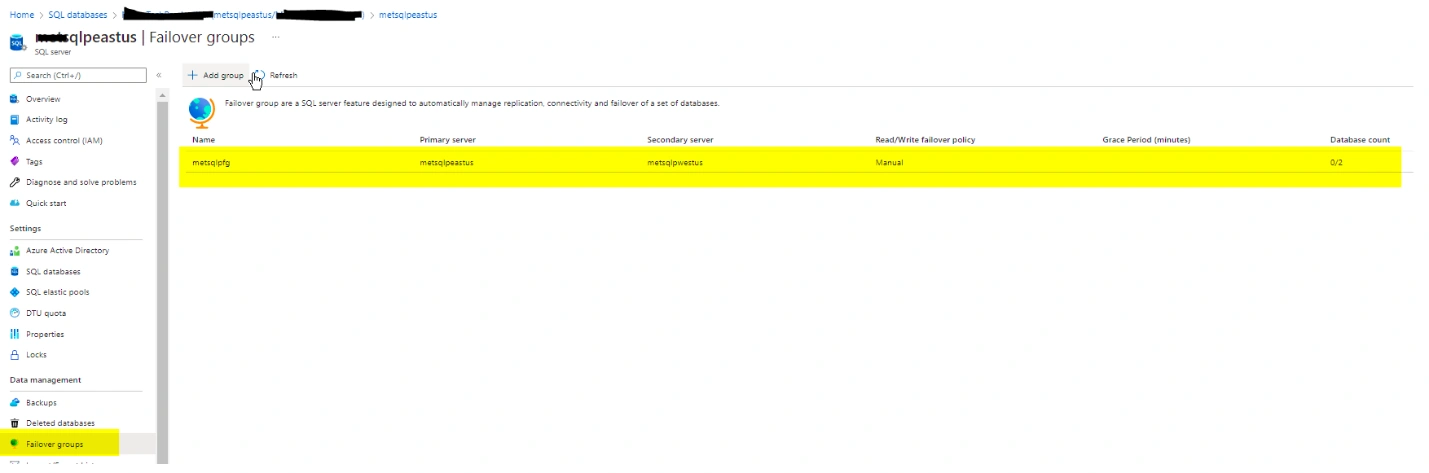
- Open the DB that has no replica, so that we can create one. Click on the "Server name" hyperlink to go to the SQL Servers module.

- On the DB Server, select the "Failover groups" blade. This failover group was created, but has not yet been configured. Note the last column, "database count" shows "0/2" meaning no DBs have been set up for failover.
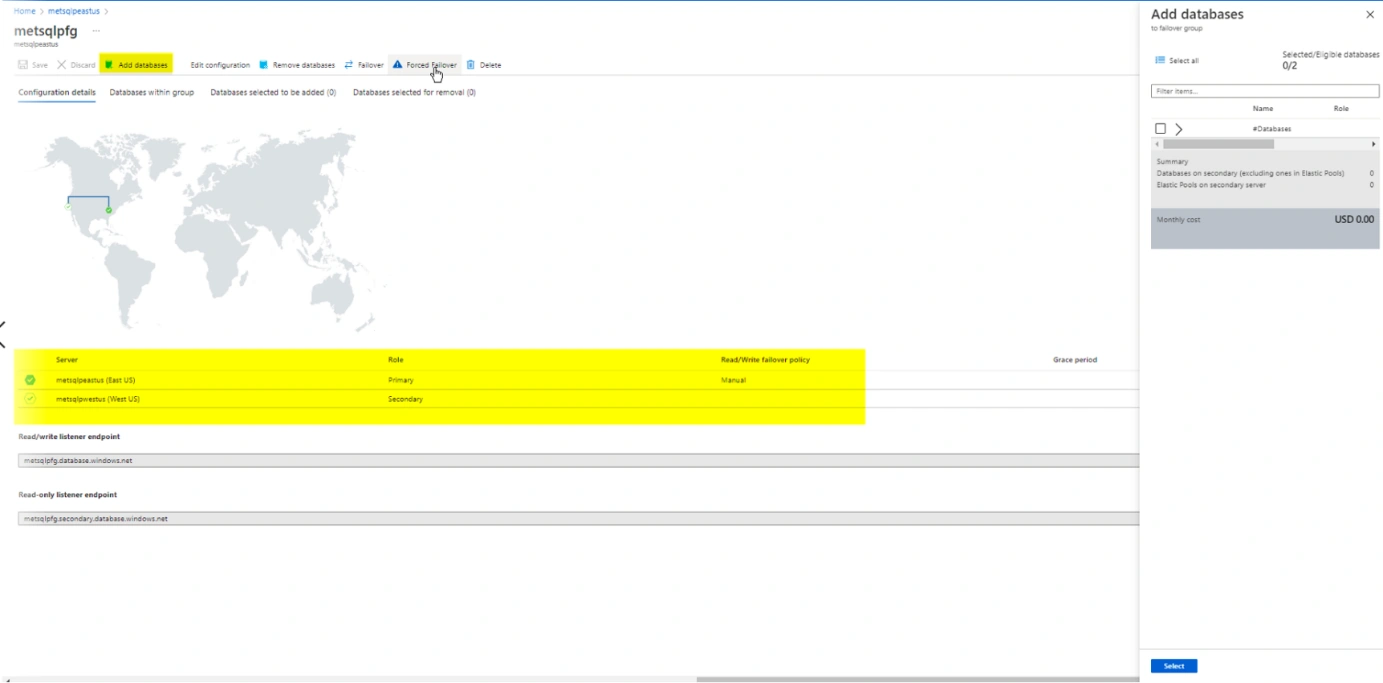
- The map page appears. Note that two servers in different, paired regions are listed, and labeled primary and secondary. Click on "Add databases" to begin configuration by adding the primary database.
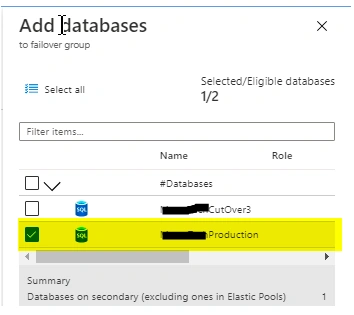
- In the "Add databases" dialog, select only the production DB which will be the primary. Click Select at the bottom to save it.
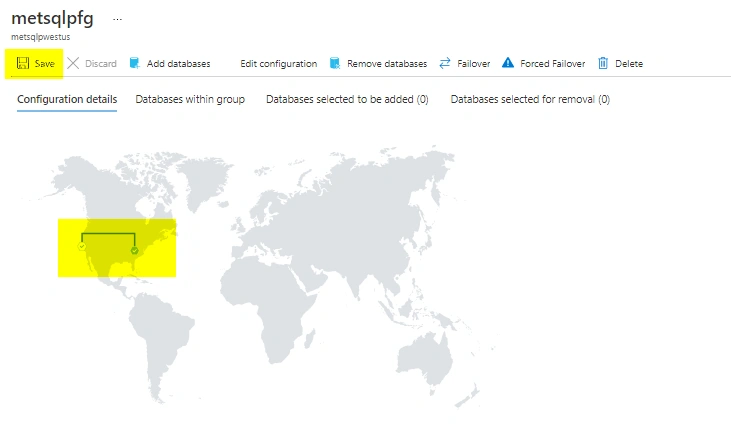
- On the Map page, click Save to begin the deployment. A geo-replicated database of the same name and size will be created in the SQL Server in the paired Azure location. This is depicted on the map by an animated dotted line between locations. When the line turns solid blue, the replication has completed.
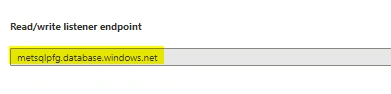
- Note the "Read/write listener endpoint" below the map. This is the FQDN referring to the failover group
Note the "Read/Write failover policy" is set to "Manual." This means that in the event of a failure of the primary database, an Azure administrator with Owner access must trigger "failover," making the secondary database become the primary.

Verification Process/Procedure
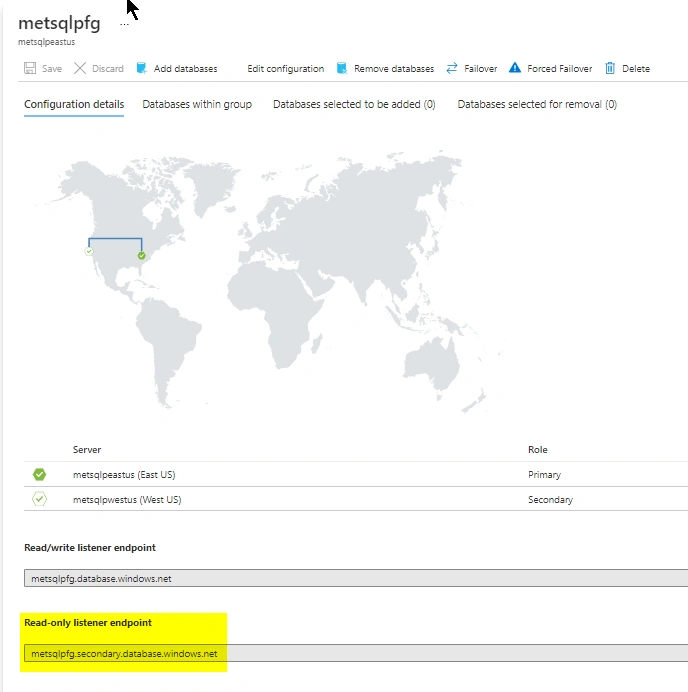
We can also verify a connection to the geo-replica (secondary) database using the “read-only listener endpoint.” Connecting to that endpoint will actually point to the geo-replica. Connect using SQL Management Studio and run the same query to verify connection.
Summary
We learned how to configure a failover group for a production database in Azure in this tutorial. Please leave a comment in the comment box if you have any questions.
Join the conversation! Your thoughts help the community grow.