

Introduction
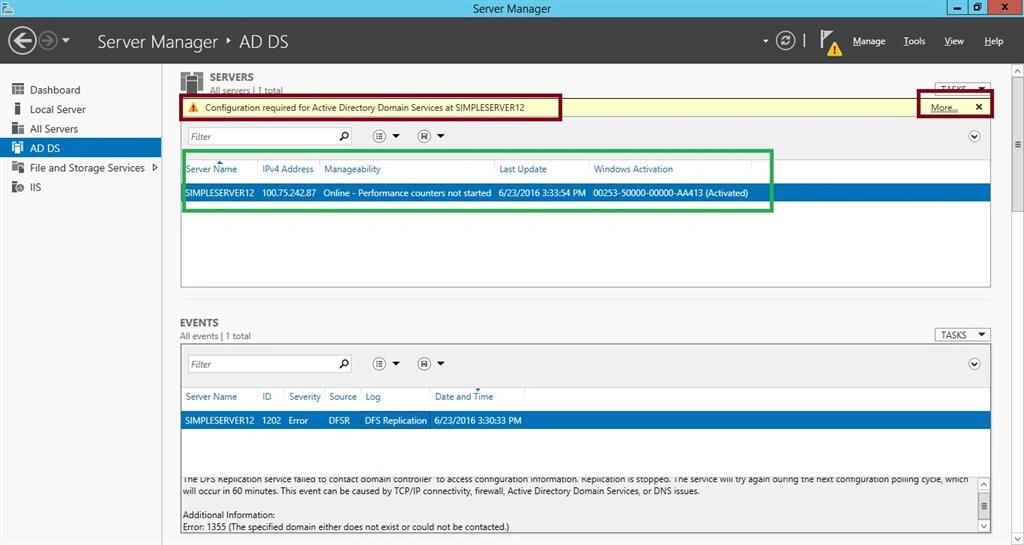
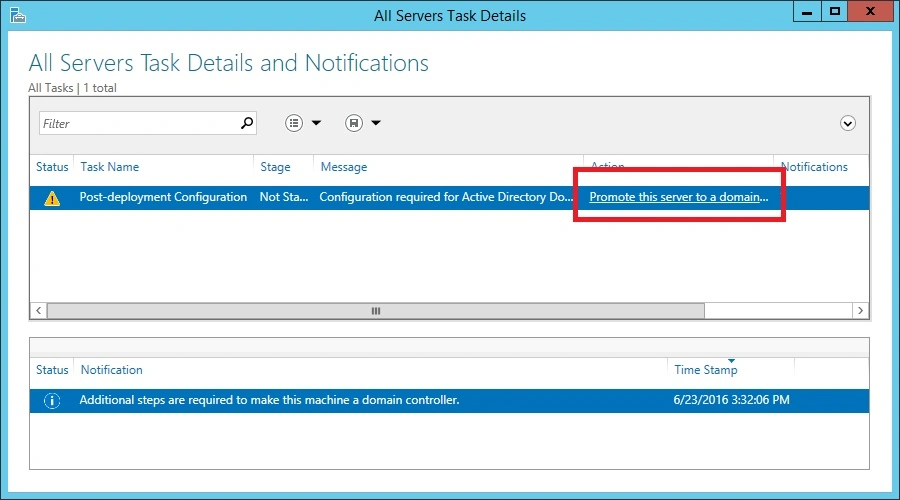
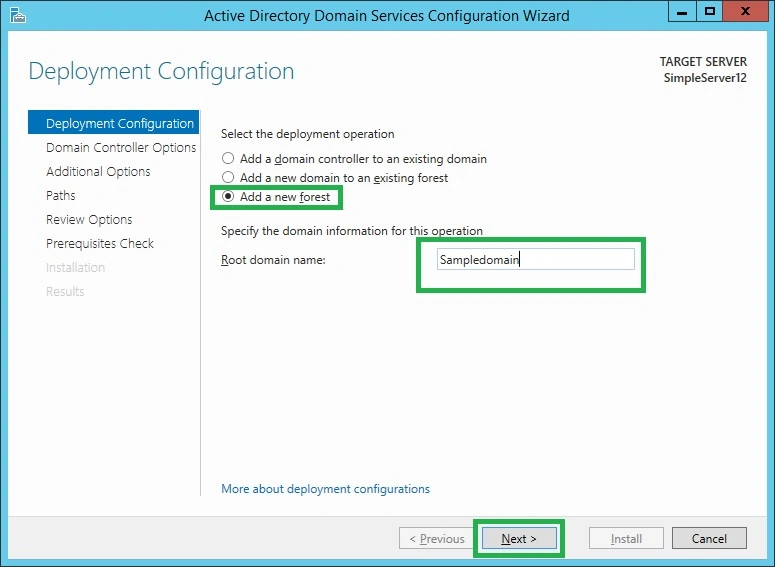
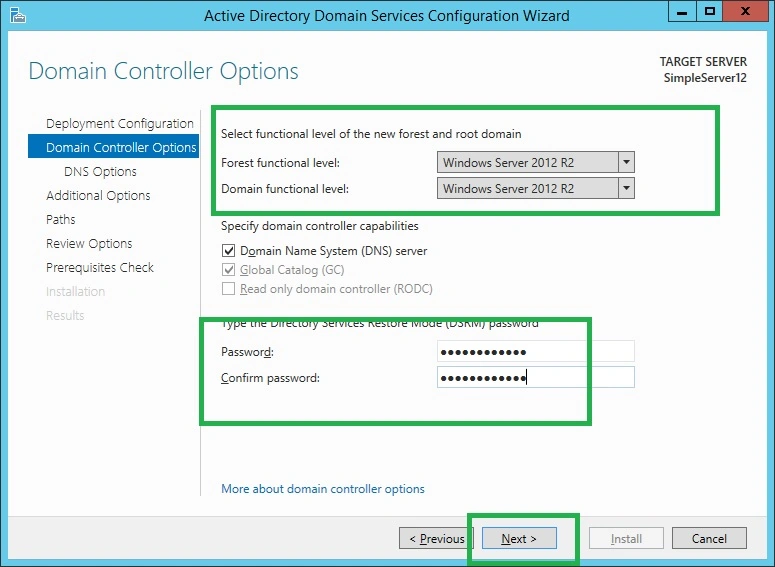
Active Directory Domain Service (AD DS) stores information about the users, computers and other devices on the network. AD DS helps an administrator to securely manage this information and facilities, resources sharing, and collaboration between the users. In this article, we will see about how to configure AD DS in Windows Server 2012.
Requirement
- Windows Server 2012 or 2014
The following are the steps needed to configure AD DS.
Step 1: Open the Server manager by clicking the icon present in the task bar, as shown below:

Step 2: In the Server manager, select an option “Add roles and features”.
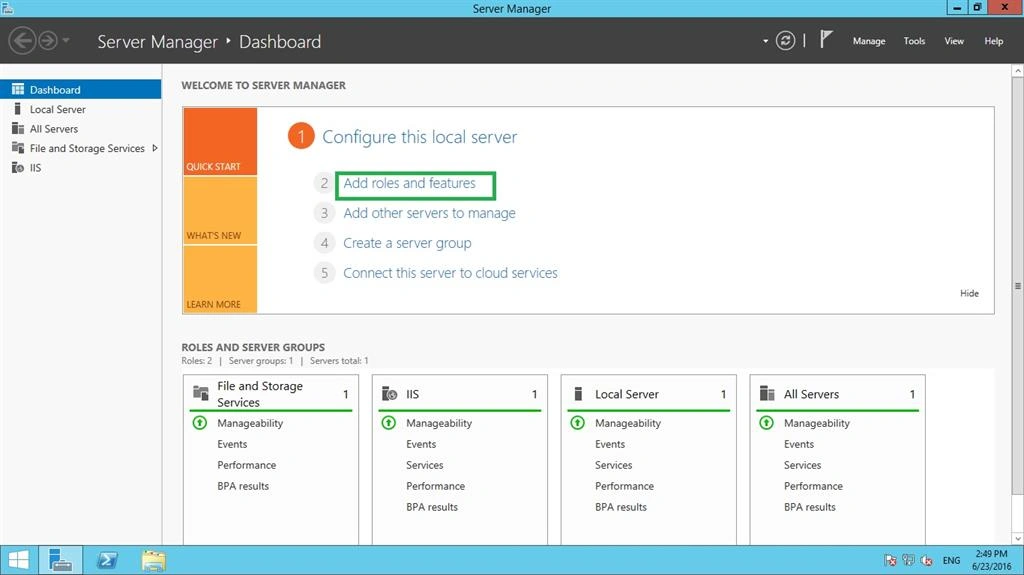
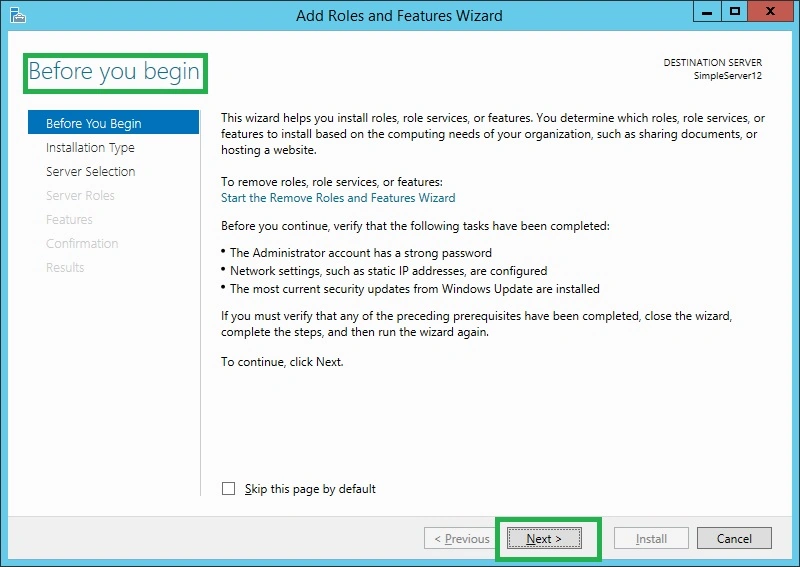
Step 3: Before continuing further, in the Add roles and features wizard, the following tasks should be completed.
The Administrator account has a strong password.
Network Settings such as static IP should be configured.
The most current security updates should be implemented.
Click Next.
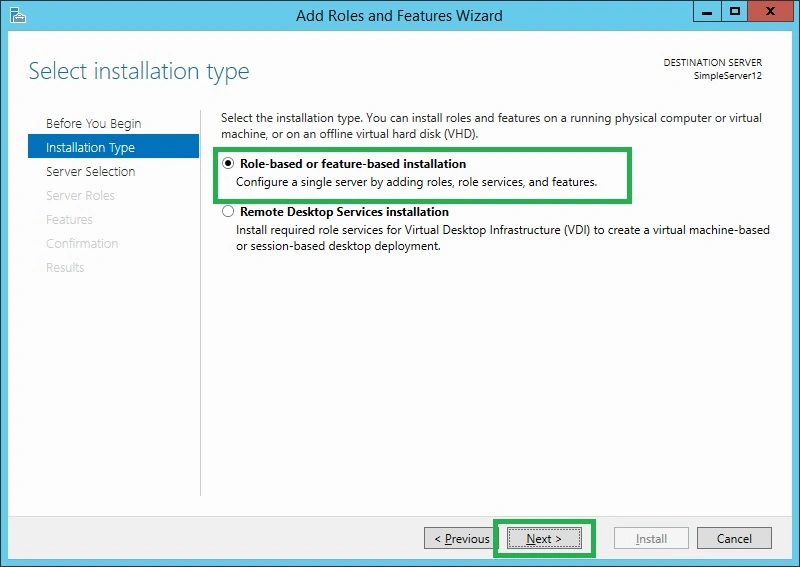
Step 4: In the installation, type “Role based or feature based installation” and click next.
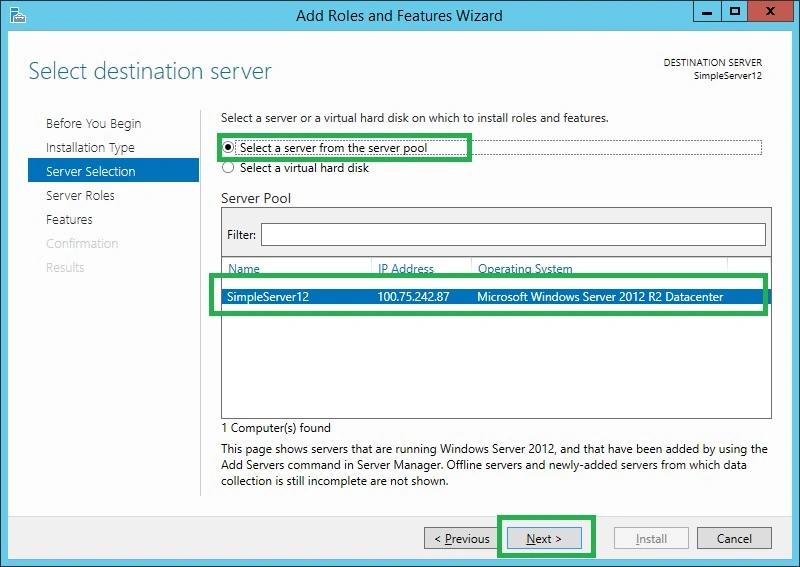
Step 5: In the Server selection wizard, choose “select a server from the pool.” In the Server pool area, it contains the name, IP Address and operating system of the desired Server.
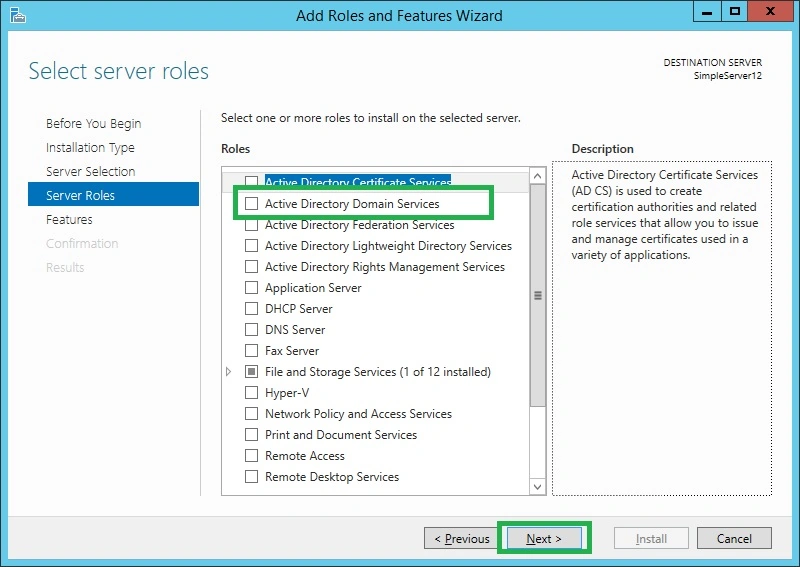
Step 6: In the Server role wizard, choose “Active Directory Domain Services”. Once you click, a pop up will appear, select Add features option and click next.
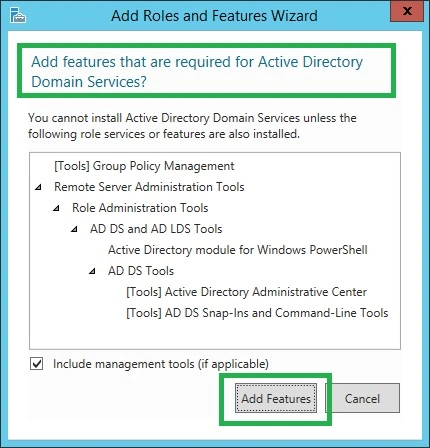
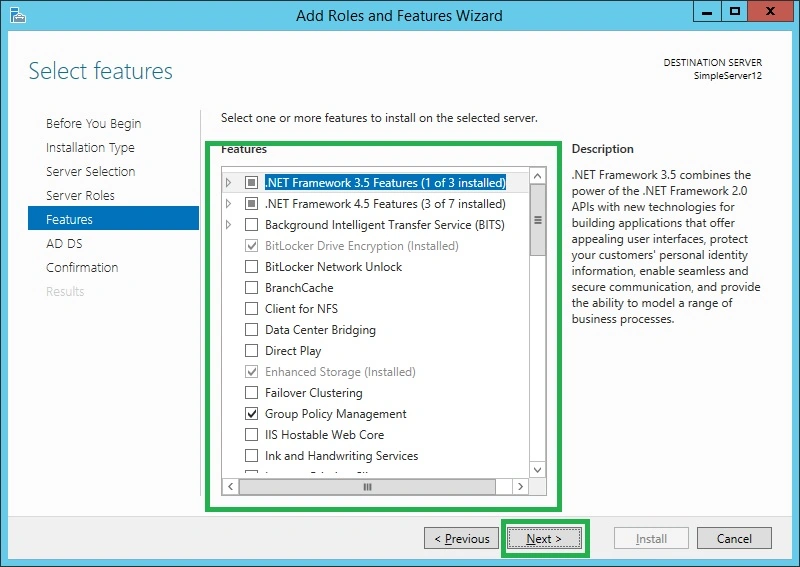
Step 7: In the features wizard, add the desired features you want and click next.
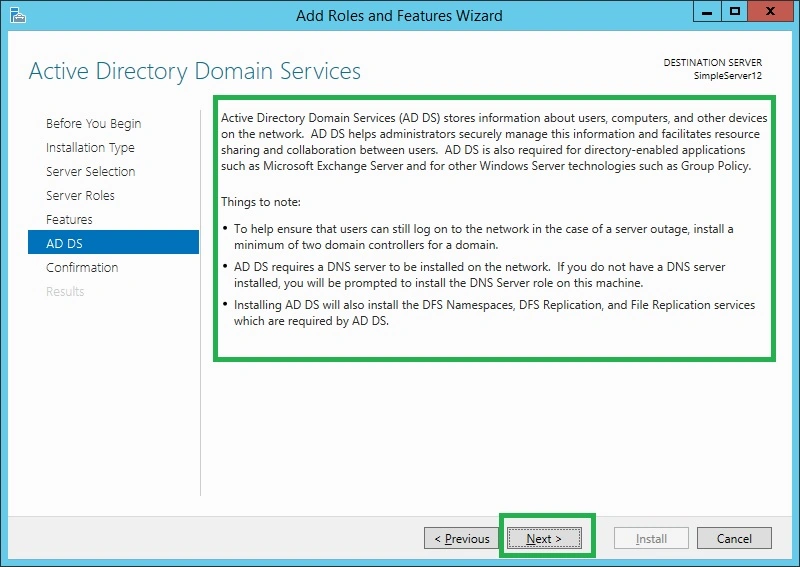
Step 8: In the Active Directory Domain Services Window, read the important things and click next.
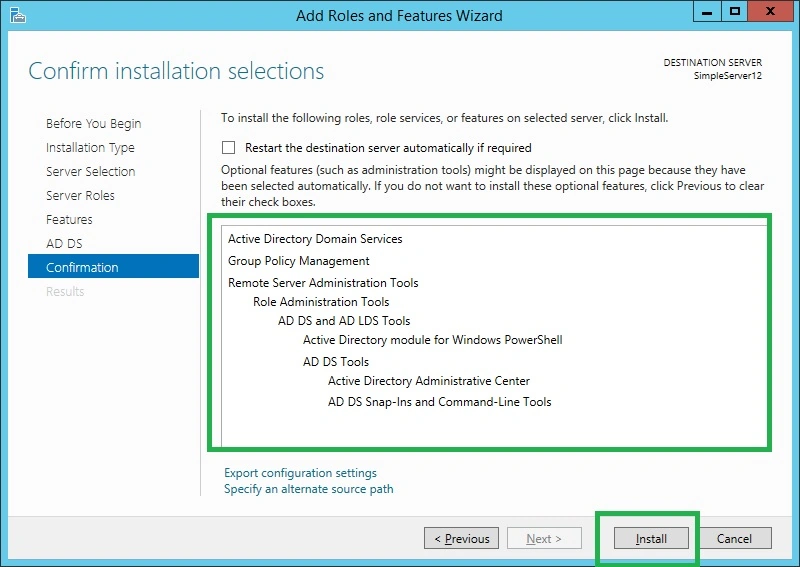
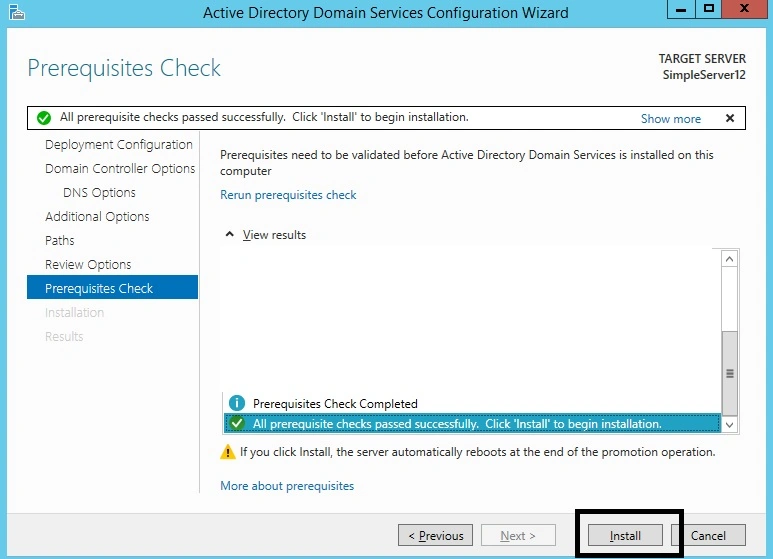
Step 9: In the confirmation, click the Install option.
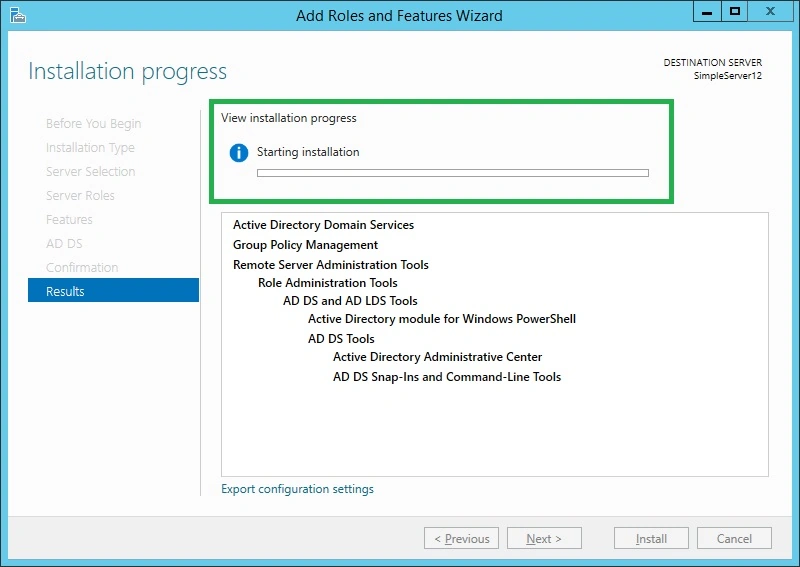
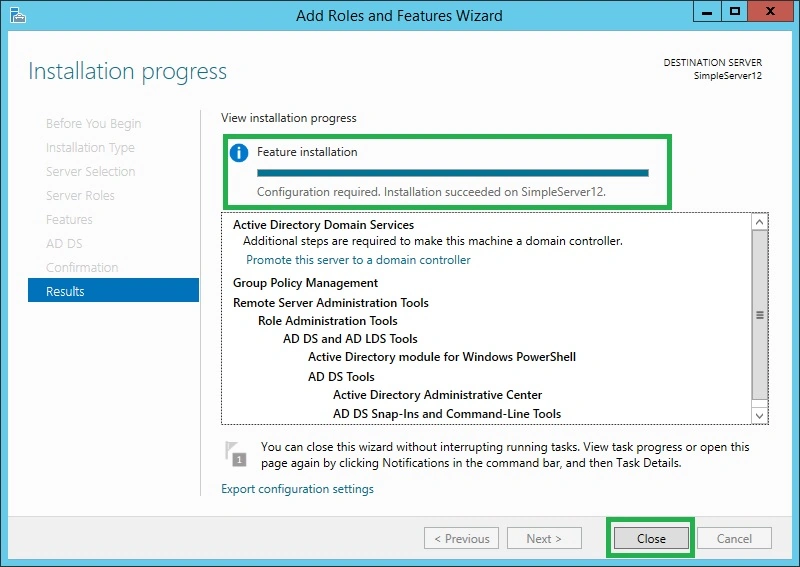
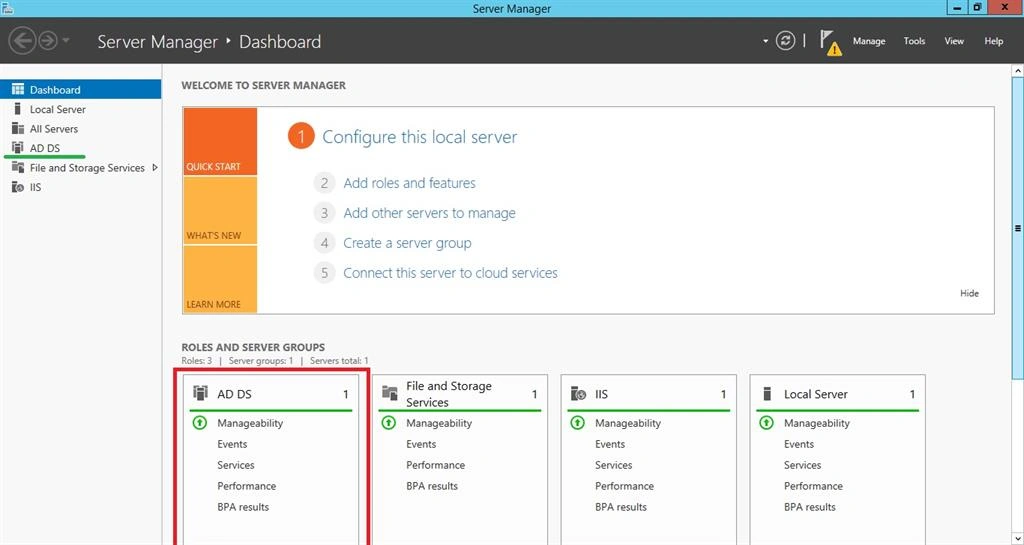
Step 10: In the results wizard, the installation has started and it takes some time to finish.
Ravi KandelPosted Mar 8, 2017, 8:58 AM
Awesome Thanks for sharing
Biplab BiswasPosted Jun 27, 2016, 4:58 AM
Nice..Very informative..
Vignesh ManiPosted Jun 26, 2016, 4:38 PM
Nice
Debasis SahaPosted Jun 25, 2016, 2:52 AM
Nice one..
kalu singh raoPosted Jun 25, 2016, 12:01 AM
Nice...
Santhakumar MunuswamyPosted Jun 24, 2016, 11:57 PM
Thank you for nice article