

To resolve this issue, you need to change the SQL Server Login password for the MSSQL Server and SQL Server Agent services for your account.
Follow these steps to change password.
Change SQL Server login password:
- 1. Click Start and click Programs, Administrative Tools, then click Services.
- 2. Now select SQL Server (MSSQLServer) from services then right click and select Properties.

- Now select Log On tab and select This account option.
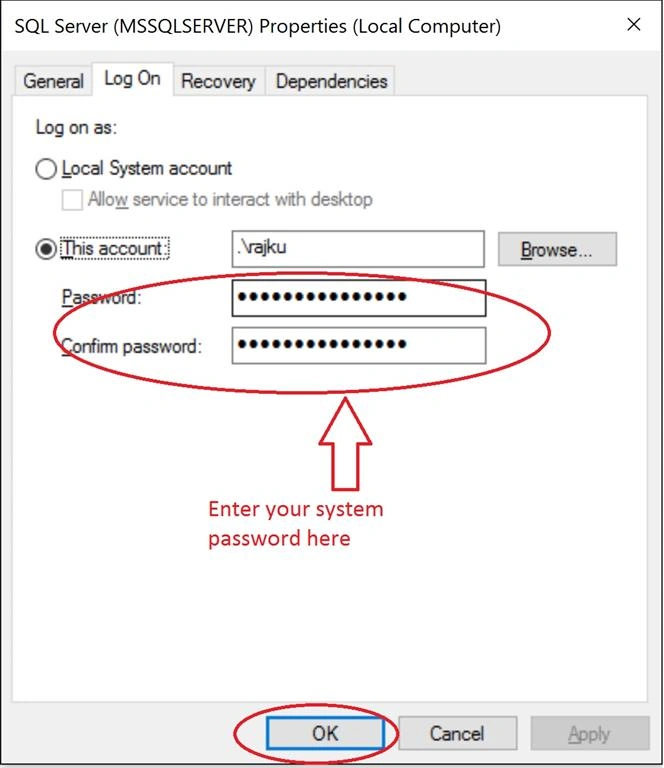
- Change new password in Password and Confirm Password.
- Click OK.
Change SQL Server Agent password
- Click Start and click Programs, Administrative Tools, then click Services.
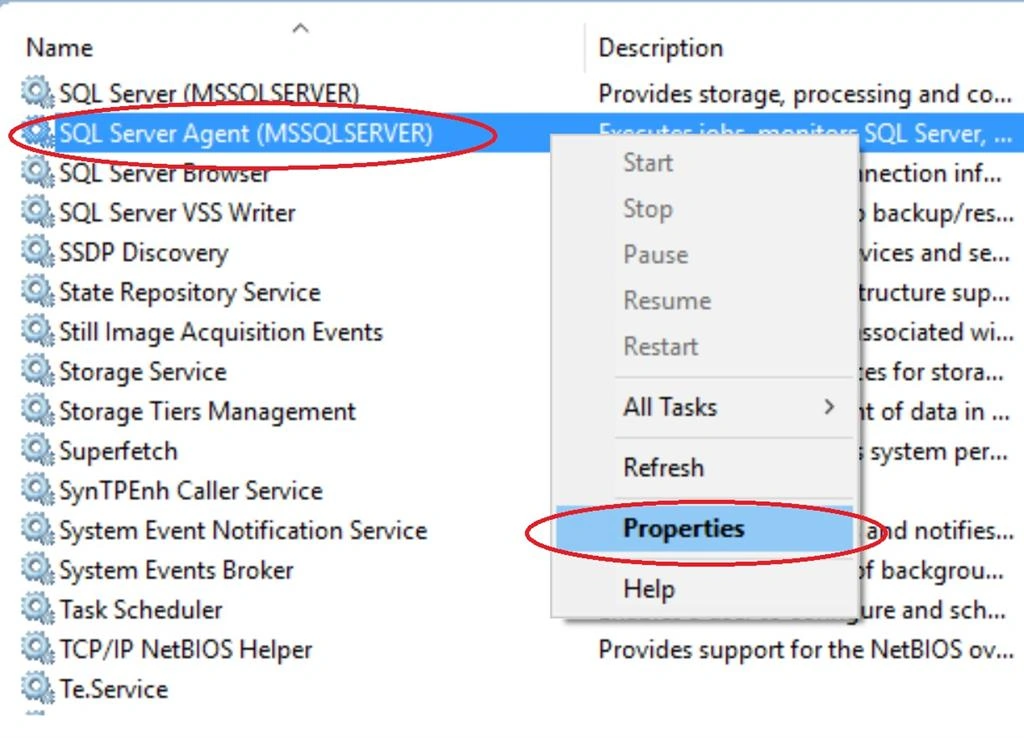
- Now select SQL Server Agent (MSSQLServer) from services, then right click and select Properties.
- Now select Log On tab and select This Account option.
- Enter new password in Password and Confirm Password.
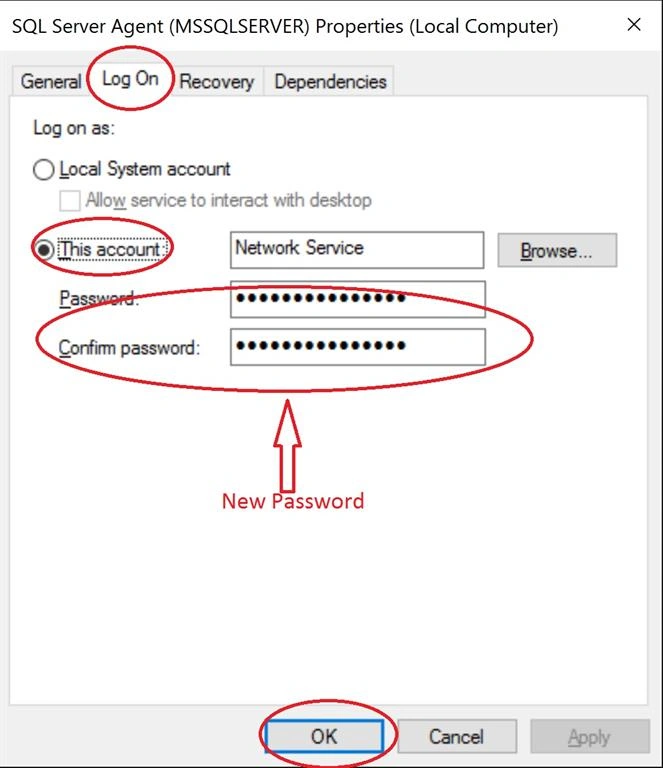
- Click OK.
Note: Make sure both services are Start.
SubashPosted Jul 3, 2016, 1:52 PM
Thanks sir
Santhakumar MunuswamyPosted Jan 9, 2016, 2:32 AM
Thanks for nice sharing
Debasis SahaPosted Jan 6, 2016, 8:28 AM
Nice one.,
Pankaj Kumar ChoudharyPosted Jan 6, 2016, 6:44 AM
Nice Explain Sir...............
Raja TPosted Jan 6, 2016, 6:15 AM
Nice Article, Thanks for sharing
Ankur MistryPosted Jan 6, 2016, 6:02 AM
Nice share
Vijay SPosted Jan 6, 2016, 5:45 AM
Nice
Yashwant VishwakarmaPosted Jan 6, 2016, 5:43 AM
Nice article , Thanks for sharing !!
Joe WilsonPosted Jan 6, 2016, 5:04 AM
Thank you for sharing.