

Office 365 is Microsoft’s cloud offering that encompasses various services including exchange, SharePoint Online, Outlook, and other On Demand Services which can be subscribed as per various licensing plans. Office 365 provides an admin center to centrally manage all the services at one place, called Office 365 Admin Center. We can perform the administrative tasks directly from the UI as well as remotely using PowerShell.
In this article, we will see how to connect to Office 365 remotely using PowerShell to access the Admin Center.
Before getting started with the implementation walkthrough, we will need to install the below software to get started with PowerShell for office 365.
- 64-bit version of the Microsoft Online Services Sign-in Assistant which can be downloaded from here.

Once downloaded, install the Sign-In Assistant in the local machine.

- 64-bit version of the Windows Azure Active Directory Module for Windows PowerShell which can be downloaded from here . Ensure that you install Azure Active Directory module for Windows PowerShell only after installing the above Sign-In assistant.
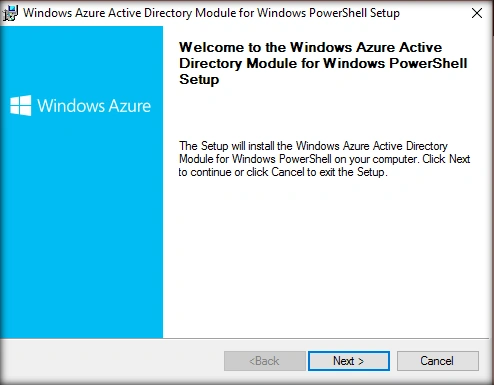
Spin up Azure Active Directory Module & connect to Office 365
Once the Azure Active Directory module has been installed, open the installed Module for PowerShell.

Click on ‘Windows Azure Active Directory Module for Windows PowerShell’. This will open up the Windows PowerShell console with AAD module pre-loaded. Add the below command to the command line for adding the user credentials for connecting to Office 365
$UserCredential = Get-Credential

On pressing enter, it will ask for the username and password for connecting to Office 365 subscription.

Click OK after entering the credentials. Now, let’s connect to the office 365 subscription using the command.
Connect-MsolService -Credential $UserCredential
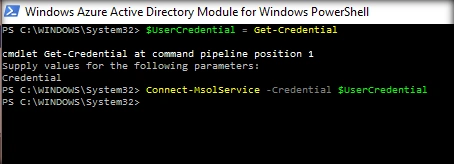
It does not return any success or failure message. So, let’s check out the connection status of Office 365 subscription by running an arbitrary Office 365 cmdlet.
Get-MsolUser
It successfully returns the results. This cmdlet retrieves all users in the organization along with their user principal name and display name.

We can get to know the licensing option used by Office 365 using the command.
Get-MsolAccountSku

Similarly, we can use other administrative cmdlets for managing various services and administrative tasks within Office 365 Admin Center. A complete list of cmdlets can be found here.
Summary
Thus, we saw how to connect to Office 365 subscription using PowerShell so as to perform administrative tasks. In the upcoming articles, we will see how to perform some of the common Office 365 administrative tasks.
Prasanna MuraliPosted Sep 5, 2016, 11:00 AM
Nice post......
Vignesh ManiPosted Sep 4, 2016, 5:13 PM
Nice