

If you’ve spent any time in Microsoft Fabric, you’ve probably noticed this:
Lakehouses and Notebooks are powerful on their own, but together they’re a different beast entirely.
In this article, I will walk you through the basic how Lakehouses connect to Fabric Notebooks, why it matters, and how people actually use it in real projects — not just demos.
Why Lakehouses and Notebooks Belong Together
Think of it this way:
Lakehouse → where your data lives
Notebook → where your data comes alive
A Lakehouse gives you:
Structured tables (Delta)
Unstructured files (CSV, Parquet, JSON)
One storage layer for SQL and Spark
A Fabric Notebook gives you:
Spark (PySpark, SQL, Scala)
Data engineering, data science, and exploration
Automation-ready transformations
When you connect a Notebook to a Lakehouse, you remove friction:
No connection strings
No credentials
No storage mounting
No “where is my data?” confusion
It just works and that’s the magic.
What “Connecting” Actually Means in Fabric
Here’s the important mental shift:
In Fabric, you don’t connect to a Lakehouse manually.
You attach it to a Notebook.
Once attached:
The Lakehouse becomes the default storage context
Tables appear as Spark tables
Files are accessible via the Lakehouse file system
Writes automatically land back in the Lakehouse
No extra setup. No hidden plumbing.
Attaching a Lakehouse to a Fabric Notebook
The process is refreshingly simple:
Open your Fabric Notebook
Look at the Lakehouse section (usually on the left)
Click Add data items
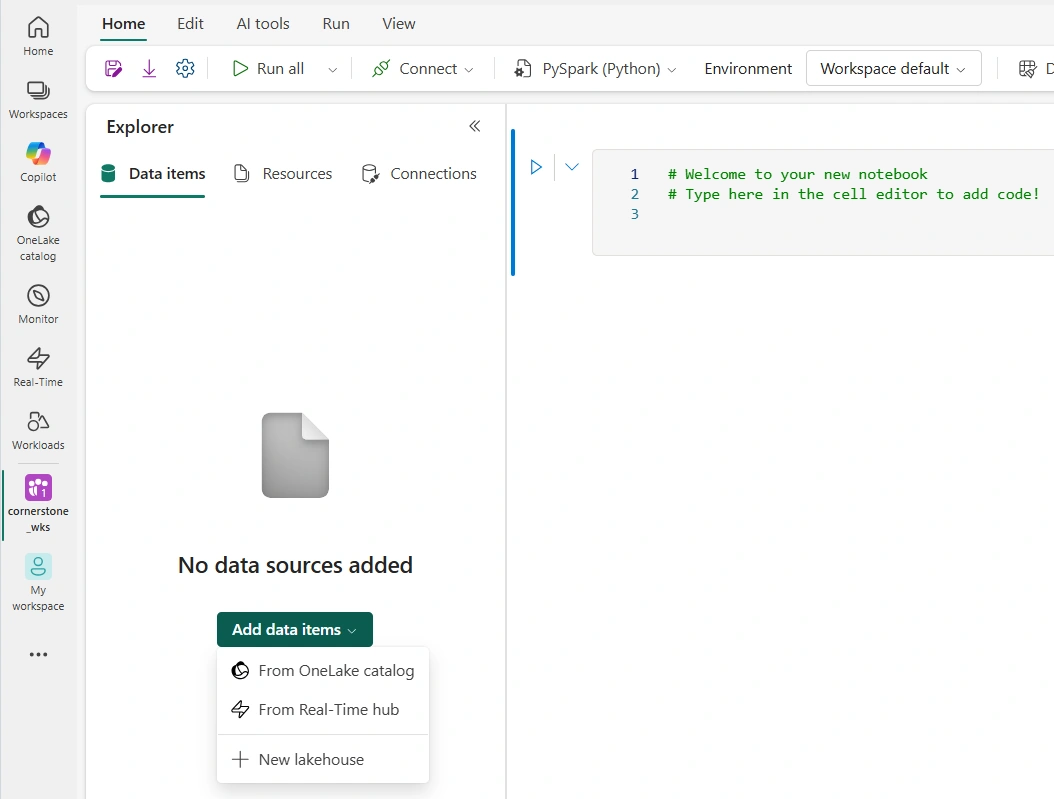
Select the Lakehouse you want

Done ✅
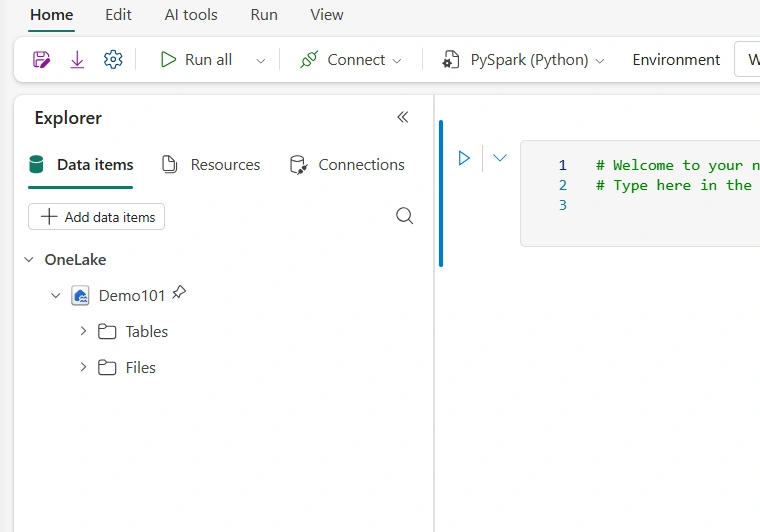
That’s it.
From this point on, your Notebook knows where your data is.
Reading Data from the Lakehouse
Reading Tables (Delta)
Once attached, all Lakehouse tables are immediately available
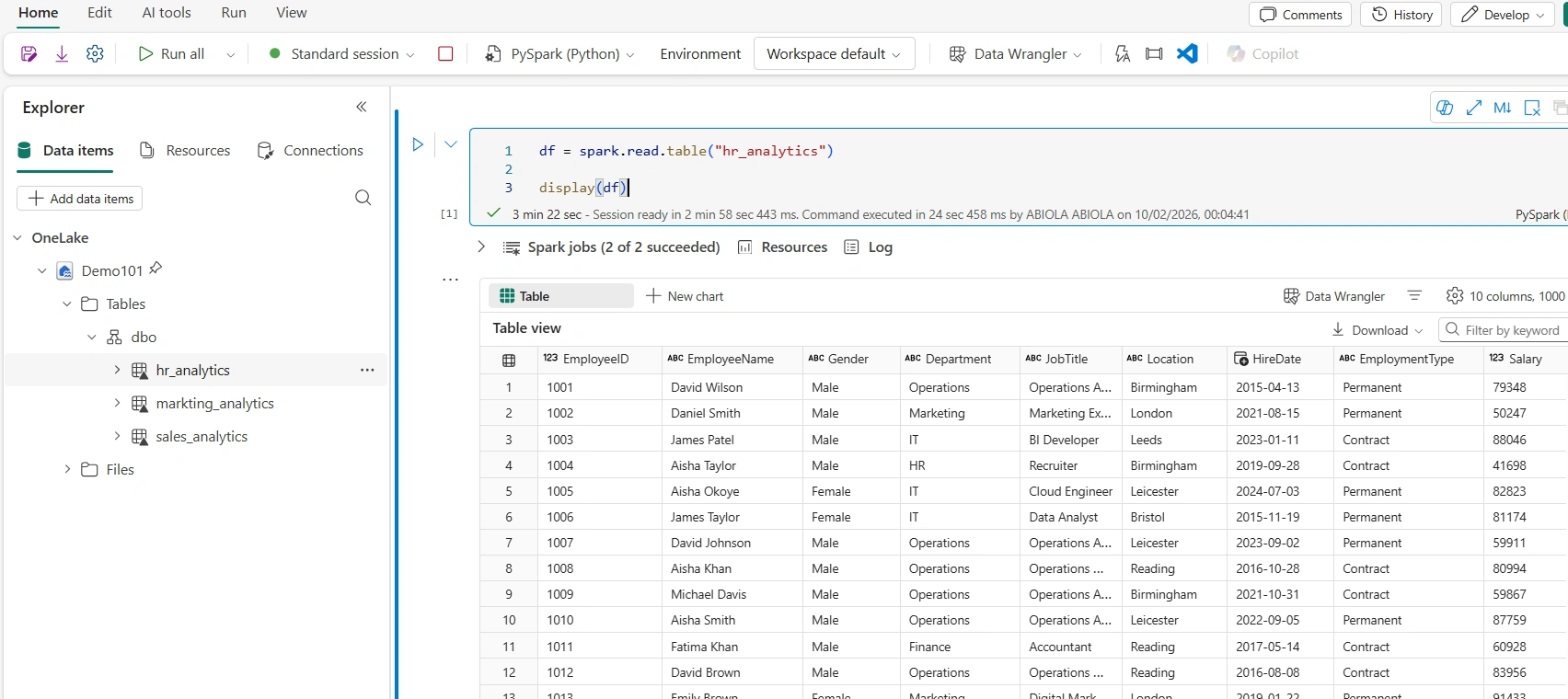
No paths. No authentication. No drama.
You can also use Spark SQL:
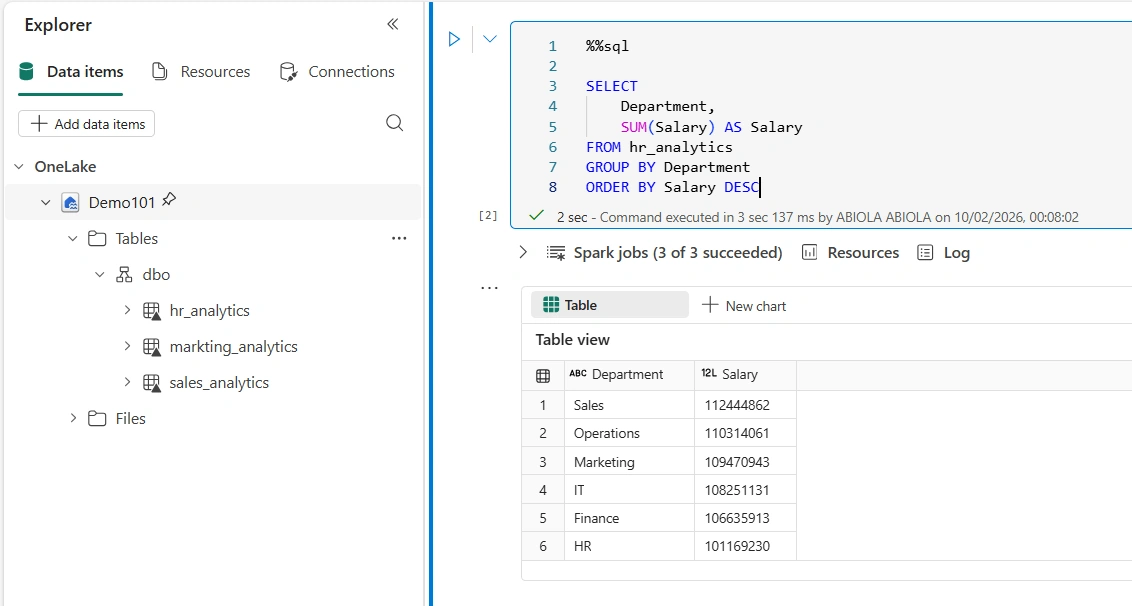
In conclusion
Connecting Lakehouses to Fabric Notebooks isn’t just a feature —
it’s the foundation of how Fabric wants you to work.
Once you embrace:
Lakehouse as the single source of truth
Notebooks as the transformation engine
…everything else starts to click.
Join the conversation! Your thoughts help the community grow.