

Introduction
Without the database, it is impossible to store any data. The database could be in various forms. I would like to walk through a few basics of SQL queries.
Scenario
We shall create two tables using queries, Insert records in those tables, View those records, and Join to show the results.
Objective
Database knowledge is important in Power BI which is in demand currently. So, we shall see how to get started and a few basic commands. First of all download Microsoft SQL Server Management Studio only from Microsoft portals. Not any other things are required to be downloaded like configuration manager and all.
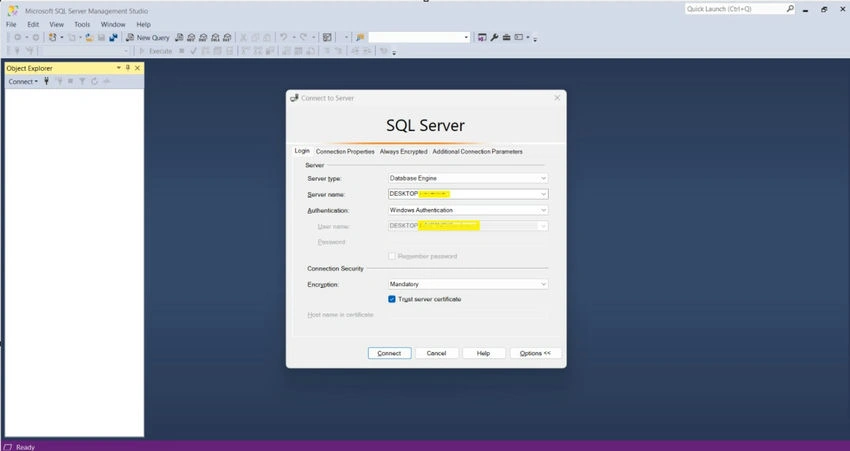
Step 1. Connect Microsoft SQL Server Management Studio.
Connect with Microsoft SQL Server Management Studio, The Yellow highlighted part will be as per the user’s machine.
Step 2. Open New Query Editor.
Open the New Query Editor to start writing the queries.

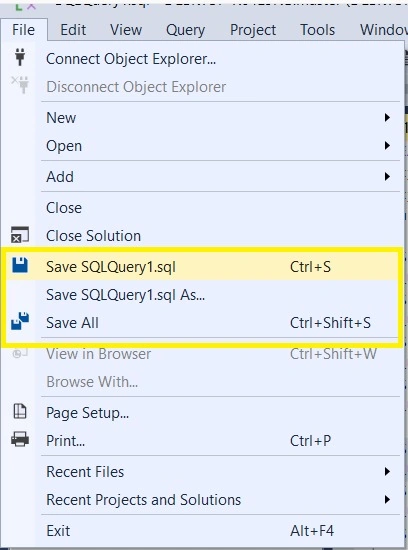
Step 3. How to save SQL query files.
The extension to save the SQL query file will be with [FILENAME].sql, this also means we can save the query file and open it later and start using it instead of rewriting it.
We can choose either of the three values depending on our needs.
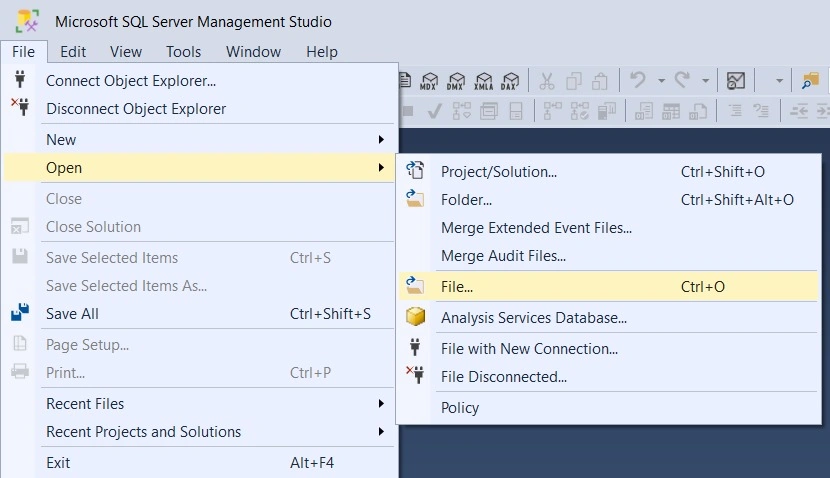
Step 4. How to open saved query files.
Using the below screen navigate to the location where the saved SQL extension file is stored. Pick that file and click open which gets loaded and looks like below.
Step 5. Create tables.
There are two ways we can create tables.
The first way is through UI
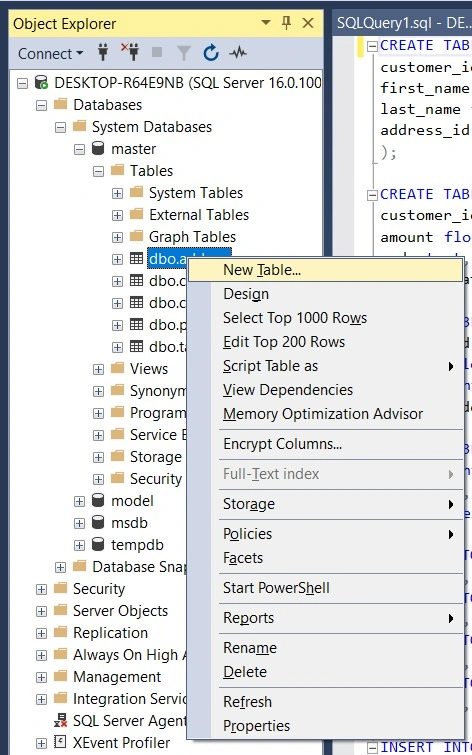
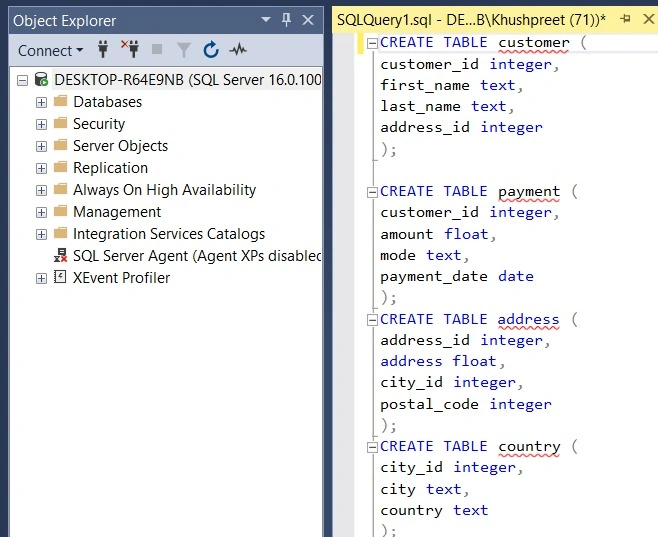
The second way is through a query. In the screenshot, queries are provided to create the table.
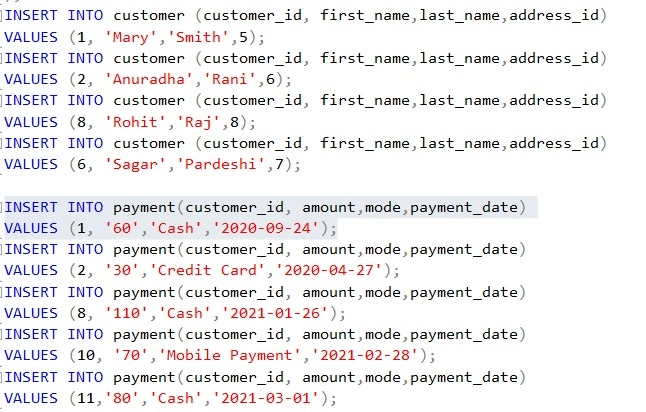
How to insert items in the table.
Step 6. How to reflect the change on tables.
There is a refresh button on the database, we can click that and that refreshes the database and tables.

Step 7. How to execute the query and see the results.
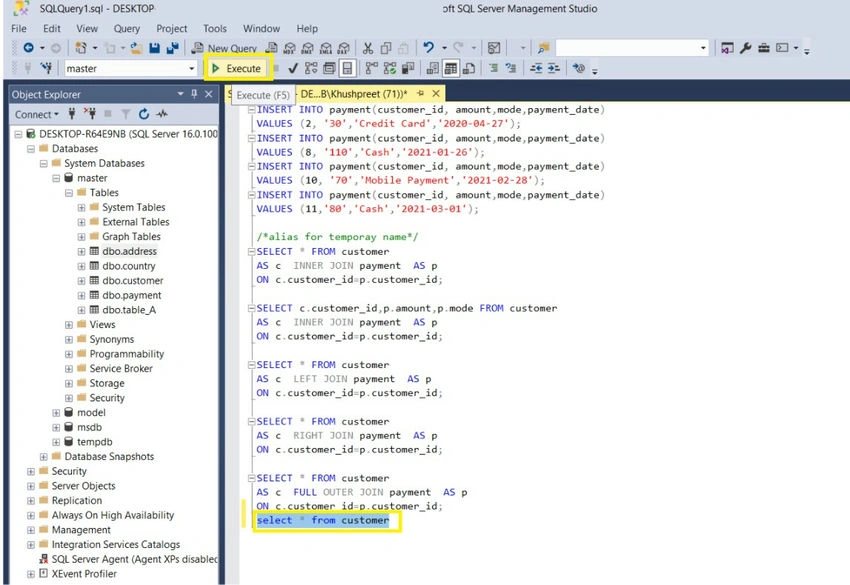
We can execute 1 query at a time or we can select multiple queries at the same time for comparison and see the results.
1 query at a time would look like.
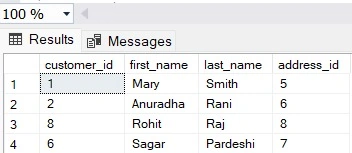
Output of 1 query
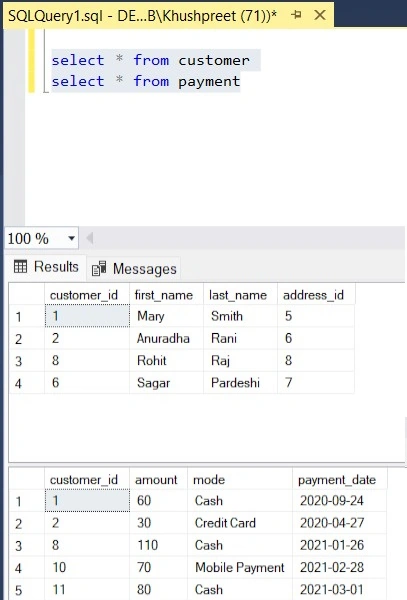
Multiple queries would look like below, It is not mandatory to separate the query by semi-colon.
Step 8. How to write the query.
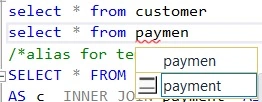
When we start writing the query, intellisense gets activated, and a prompt appears to make the right selection.
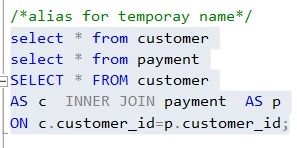
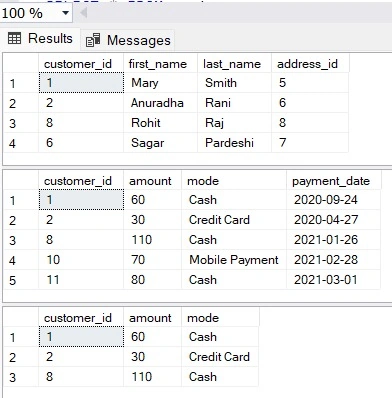
Step 9. How to use inner join and show all fields.
- Returns records that have matching values in both tables.
- Means all the columns from both the tables.
- If column names are specified only those columns.
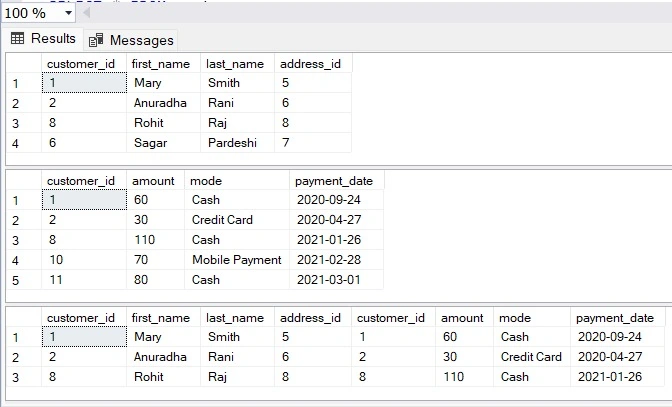
- Finishes columns of the first table, then shows columns of the second table.
Output
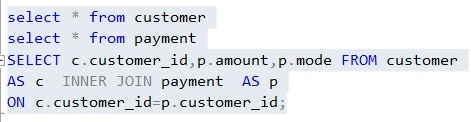
Step 10. How to show specific fields and not all fields in inner join.
In this screenshot, we can see three fields are only shown.
Output
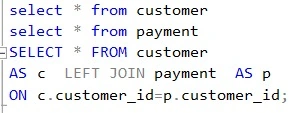
Step 11. How to use left join and show all fields.
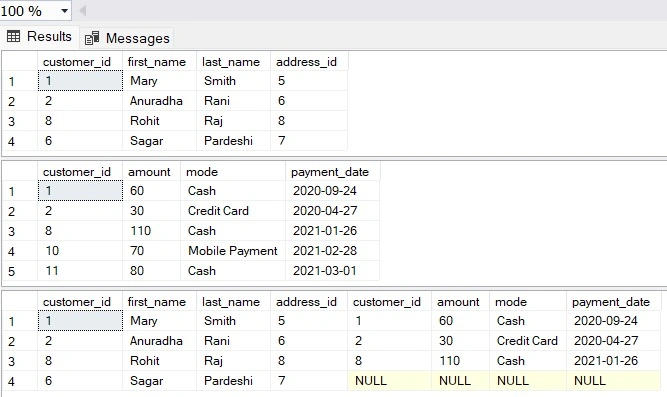
- Returns all records from the left table and the matched records from the right table.
- Where from the right table no common values are there, we will have a null value.
Output
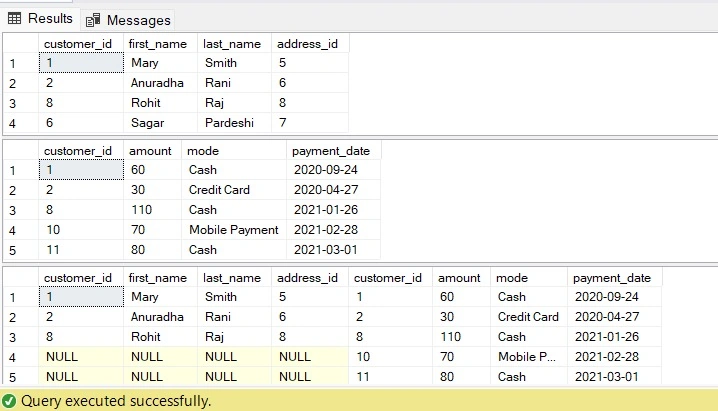
Step 12. How to use right join and show all fields.
- Returns all records from the right table and the matched records from the left table.
- Where from the left table no common values are there, we will have a null value.
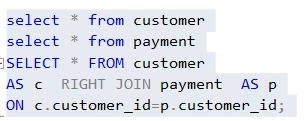
Output
Step 13. How to use full outer join and show all fields.
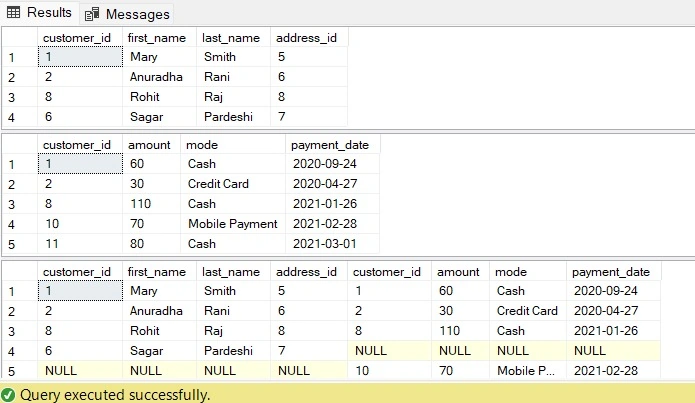
Returns all records when there is a match in either the left or right table.
Wherever values are not present, null will be shown.
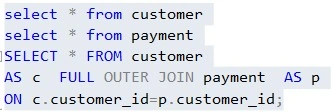
Output
Conclusion
As we see in the image the result set is returned as per the blue highlighted section and empty fields return null. Only Inner Join returns only matching items. We would need to think and apply which join to be written. The keyword defines which join is applied. Along with this we also saw how to create a table, save items, and see items in the table.

Sagar PardeshiPosted Jul 24, 2024, 12:26 PM
Very good artcile and helpful for fresher in SQL server..keep it up