

Previous part: Reusable Components and Styles in MAUI MVVM .NET 9 [GamesCatalog] - Part 3
Step 1. Let's create an account and register the application.
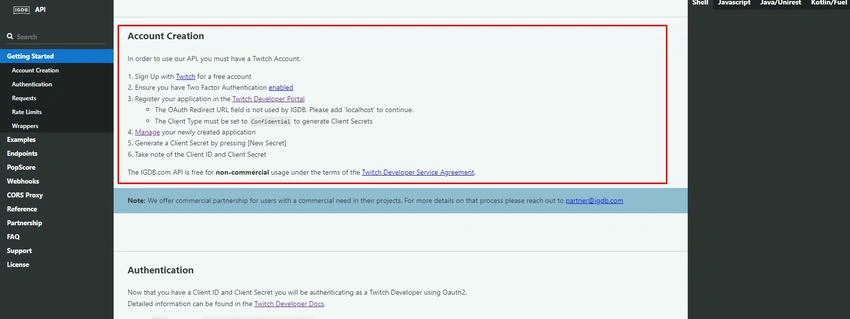
https://api-docs.igdb.com/#account-creation
This way, we have the keys to generate a temporary token.
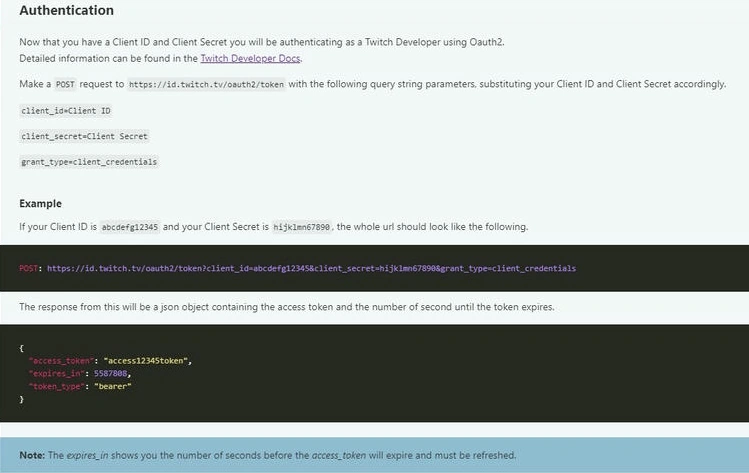
https://api-docs.igdb.com/#account-creation
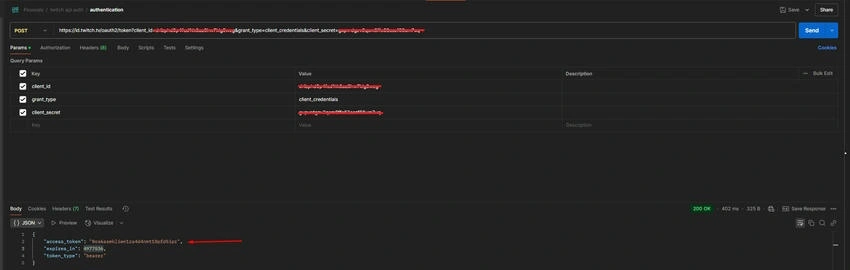
The token is valid for 2 months, so for now, we won't need a function to update it constantly.
Step 2. Let's create the logic layers, the models, and the API access layer.
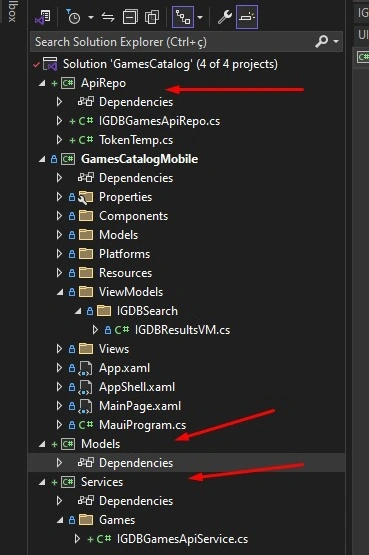
Step 3. Let's create a model to receive API responses in a general way.
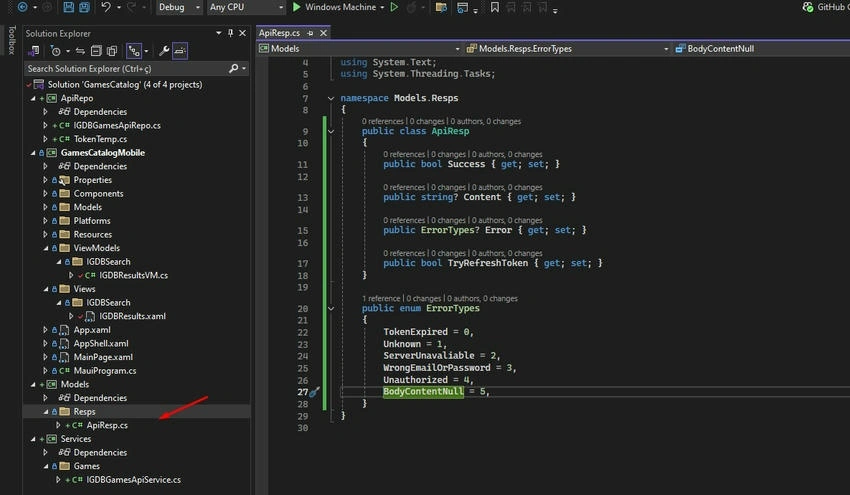
Code
public class ApiResp
{
    public bool Success { get; set; }

    public string? Content { get; set; }

    public ErrorTypes? Error { get; set; }

    public bool TryRefreshToken { get; set; }
}

public enum ErrorTypes
{
    TokenExpired = 0,
    Unknown = 1,
    ServerUnavaliable = 2,
    WrongEmailOrPassword = 3,
    Unauthorized = 4,
    BodyContentNull = 5,
}
Step 4. Let's create the class that will store our private API keys. While we don't have a local database, we'll keep a fixed token.
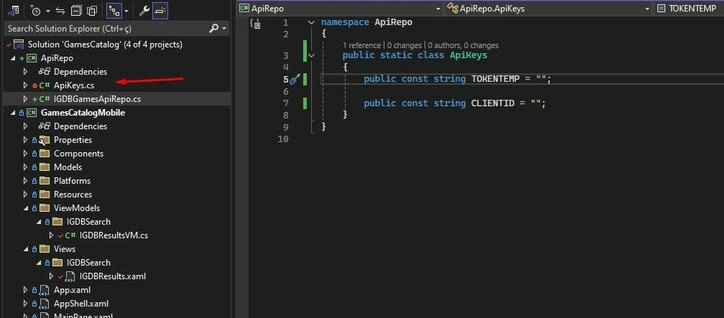
Code
 public static class ApiKeys
  {
      public const string TOKENTEMP = <Token>;

      public const string CLIENTID = <clientId>;
  }
Step 5. Let's create the class that will access game data using our Client-ID and the token we generated in the POST request, which is currently limited to 20 records.
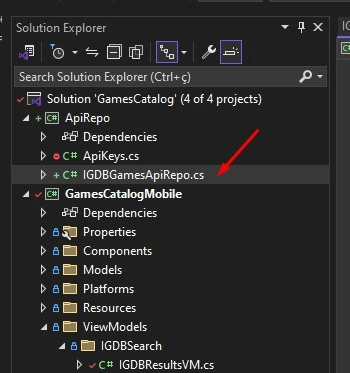
Code
using Models.Resps;
using System.Net;
using System.Text;

namespace ApiRepo
{
    public static class IGDBGamesAPIRepo
    {
        public async static Task<ApiResp> Get(string search, int startIndex)
        {
            try
            {
                HttpClient httpClient = new();

                httpClient.DefaultRequestHeaders.Add("Client-ID", ApiKeys.CLIENTID);
                httpClient.DefaultRequestHeaders.Add("Authorization", $"Bearer {ApiKeys.TOKENTEMP}");

                var bodyContent = new StringContent(
                    $"fields cover,cover.url,cover.image_id,first_release_date,name,platforms.abbreviation;" +
                    $"search \"{search}\"; limit 20; offset {startIndex};",
                    Encoding.UTF8,
                    "application/json"
                );

                HttpResponseMessage httpResponse = await httpClient.PostAsync(
                    "https://api.igdb.com/v4/games",
                    bodyContent
                );

                return new ApiResp
                {
                    Success = httpResponse.IsSuccessStatusCode,
                    Error = httpResponse.StatusCode == HttpStatusCode.Unauthorized ? ErrorTypes.Unauthorized : null,
                    Content = await httpResponse.Content.ReadAsStringAsync()
                };
            }
            catch
            {
                throw;
            }
        }
    }
}
Step 6. Model related to the API response.
namespace Models.Resps
{
    public record IGDBGame
    {
        public string id { get; set; }

        public Cover cover { get; set; }

        public string name { get; set; }

        public string first_release_date { get; set; }

        public List<Platform> platforms { get; set; }
    }

    public record Cover
    {
        public string id { get; set; }

        public string url { get; set; }

        public string image_id { get; set; }
    }

    public record Platform
    {
        public string id { get; set; }

        public string abbreviation { get; set; }
    }
}
Step 7. The business class that deserializes the API response.
using ApiRepo;
using Newtonsoft.Json;

namespace Services.Games
{
    public static class IGDBGamesApiService
    {
        public async static Task<List<Models.Resps.IGDBGame>> Get(string search, int startIndex)
        {
            Models.Resps.ApiResp resp = await IGDBGamesAPIRepo.Get(search, startIndex);

            if ((resp is not null) && resp.Success && resp.Content is not null)
            {
                return JsonConvert.DeserializeObject<List<Models.Resps.IGDBGame>>(resp.Content)
                    ?? throw new Exception("Error getting games");
            }
            else throw new Exception("Error getting games");
        }
    }
}
Join the conversation! Your thoughts help the community grow.