

Here, I have used some free web services and consume it to show country, country code, currency and currency code of any country.
I have designed my form like the following screenshot:
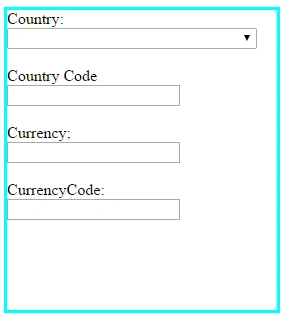
And here is the HTML code for this.
I have designed my form like the following screenshot:
And here is the HTML code for this.
- <body>
- <form id="form1" runat="server">
- <div style="margin-left:200px;border-style:solid; border-color:aqua; width:270px;height:300px;">
- <div>
- Country:
- </div>
- <div>
- <asp:DropDownList ID="ddl_country" runat="server" AutoPostBack="True" Height="21px" OnSelectedIndexChanged="ddl_country_SelectedIndexChanged" Width="250px"></asp:DropDownList>
- </div>
- <br />
- <div>
- Country Code
- </div>
- <div>
- <asp:TextBox runat="server" ID="txt_countrycode"></asp:TextBox>
- </div>
- <br />
- <div>
- Currency;
- </div>
- <div>
- <asp:TextBox runat="server" ID="txt_currency"></asp:TextBox>
- </div>
- <br />
- <div>
- CurrencyCode:
- </div>
- <div>
- <asp:TextBox runat="server" ID="txt_isd"></asp:TextBox>
- </div>
- </div>
- </form>
- </body>
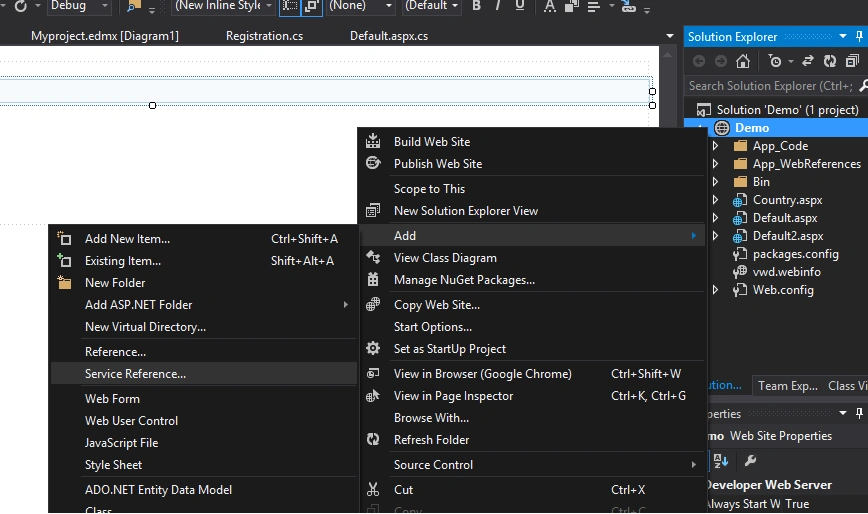
You can get the web service in this link.
Now go to the webservice page and copy the link for getcountry. Now add this link in web service reference.
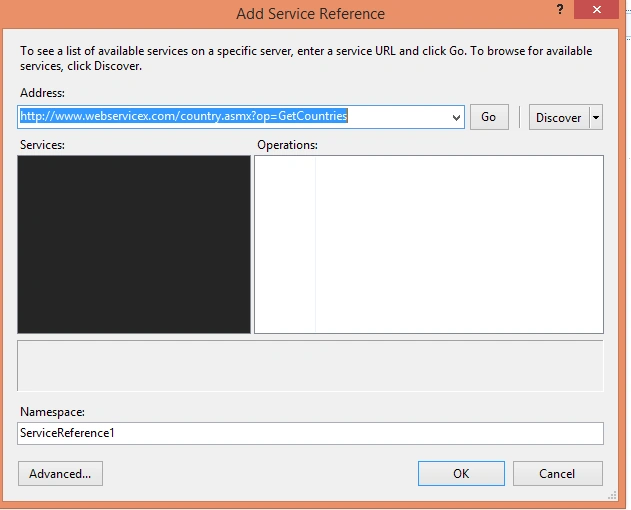
Give an appropriate Namespace and search the link by clicking the GO button.
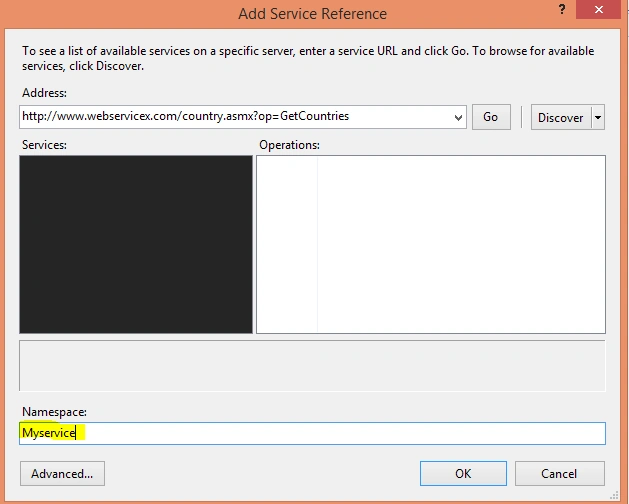
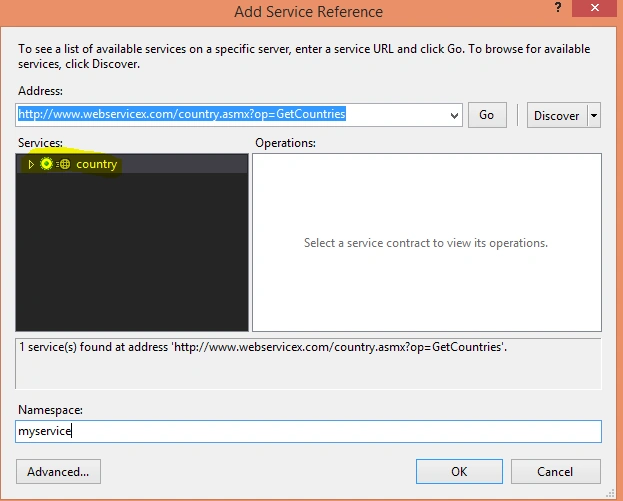
Then click ok.
Now here I am writing the code by using the namespace to get all country name and binding them in the dropdownlist.
- protected void Page_Load(object sender, EventArgs e)
- {
- if (!IsPostBack)
- {
- fillcountry();
- }
- }
- public void fillcountry()
- {
- myservice.countrySoapClient obj = new myservice.countrySoapClient(); //you can declare it globally.
- var country = obj.GetCountries();
- StringReader stream = null;
- XmlTextReader reader = null;
- DataSet ds = new DataSet();
- stream = new StringReader(country);
- // Load the XmlTextReader from the stream
- reader = new XmlTextReader(stream);
- ds.ReadXml(reader);
- ddl_country.DataSource = ds;
- ddl_country.DataTextField = "Name";
- ddl_country.DataBind();
- }
Now it will bind all the countries to the dropdown list.
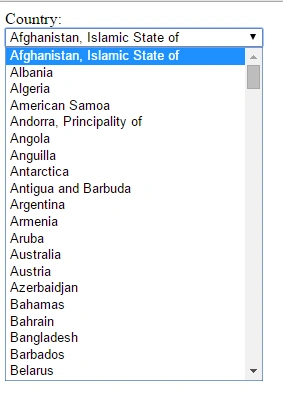
Now change the AutoPostBack property to true.
Now change the AutoPostBack property to true.
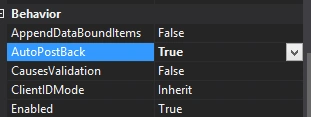
And write to get the country code, currency, currency code, etc in ddl_country_SelectedIndexChanged. Here is the code.
- protected void ddl_country_SelectedIndexChanged(object sender, EventArgs e) {
- myservice.countrySoapClient obj = new myservice.countrySoapClient(); //you can declare it globally.
- string currency = obj.GetCurrencyByCountry(ddl_country.SelectedItem.Text);
- StringReader stream = null;
- XmlTextReader reader = null;
- DataSet ds = new DataSet();
- stream = new StringReader(currency);
- reader = new XmlTextReader(stream);
- ds.ReadXml(reader);
- txt_currency.Text = ds.Tables[0].Rows[0]["Currency"].ToString();
- txt_countrycode.Text = ds.Tables[0].Rows[0]["CountryCode"].ToString();
- txt_isd.Text = ds.Tables[0].Rows[0]["Currencycode"].ToString();
- }
Now run the project and choose any country from the DropDownList, you will get all the details.

Thus in this way we can consume web service in our project.
Santhakumar MunuswamyPosted Oct 25, 2015, 11:44 AM
Good one
Priyaranjan K SPosted Oct 21, 2015, 1:08 PM
Thanks for the share
Ekrem TapanPosted Oct 21, 2015, 12:03 PM
nice Article ~
Sibeesh VenuPosted Oct 21, 2015, 8:10 AM
Nice Share
Muhammad Aqib ShehzadPosted Oct 21, 2015, 5:54 AM
nice one
Gowtham KPosted Oct 21, 2015, 3:26 AM
Good one
Harshad PansuriyaPosted Oct 21, 2015, 3:26 AM
Nice one