

Introduction
If you have been writing software applications for a while, I am sure you are familiar with context menus. A context menu is a list of action items popup when you right click on a screen in an application.
In an Android phone, if we
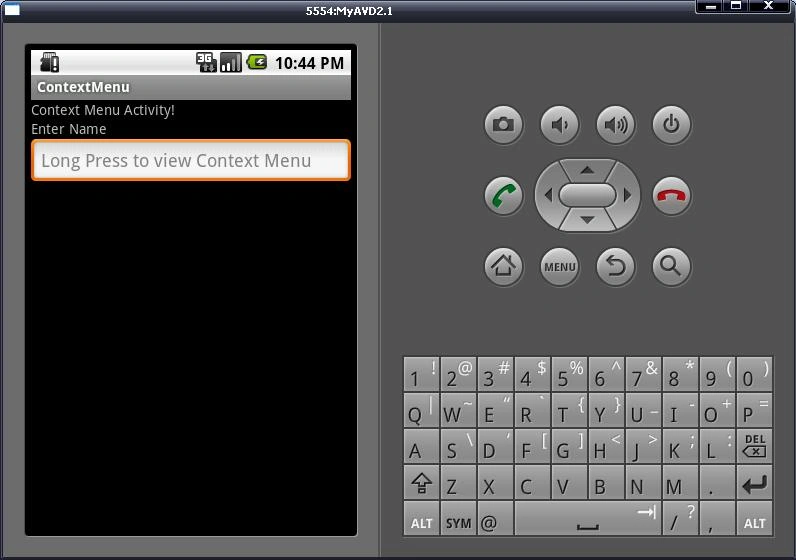
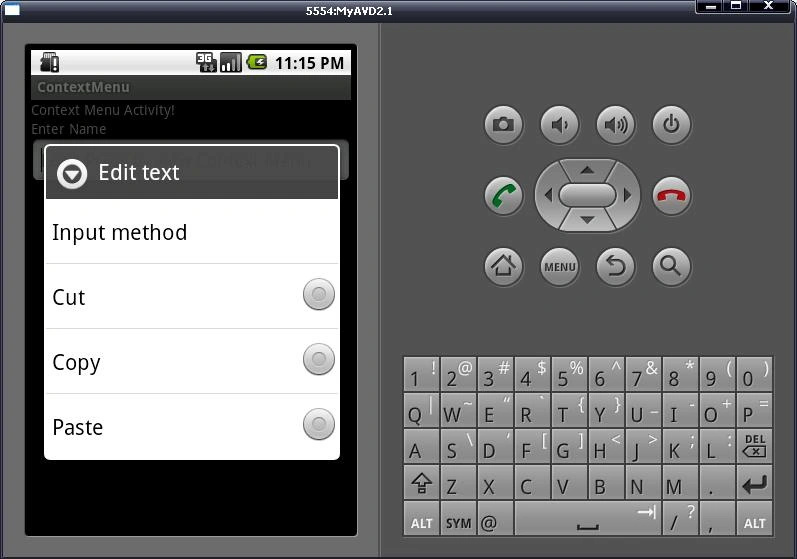
long touch EditText, it will open a list of items and when you click on these items, there are some actions corresponding to them. This is known as a Context Menu in
Android. Context Menu is generally helpful while you want to give some specific
additional functionality to your Views. Views are nothing but application's
EditText, Buttons etc.
In this step by step tutorial, we will see how to build a context menu based Android application.
Step 1:
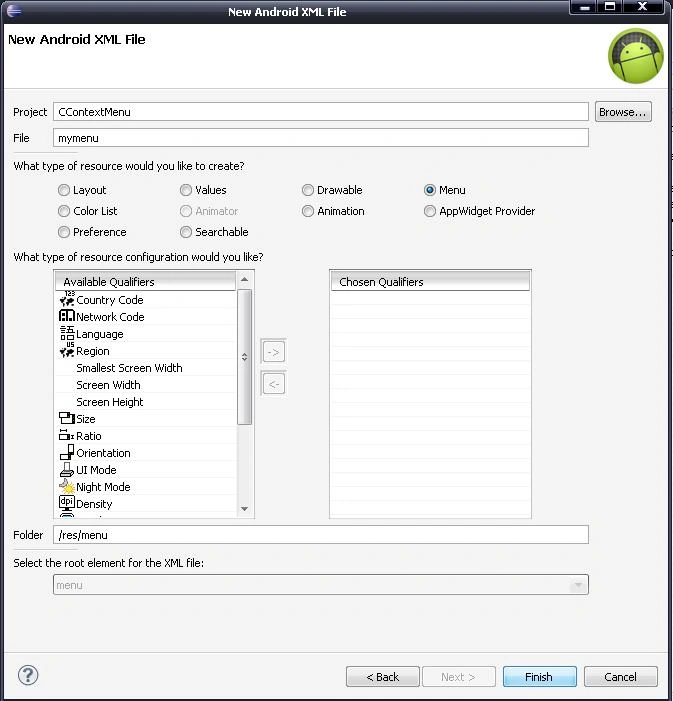
Create "mymenu.xml"
Right Click "your project" -> new -> Android
XML file
Step 2:
Edit your "mymenu.xml" file
- <?xml version="1.0" encoding="utf-8"?>
- <menu
- xmlns:android="http://schemas.android.com/apk/res/android">
- <group android:checkableBehavior="single">
- <item android:id="@+id/CutText" android:title="Cut"></item>
- <item android:id="@+id/CopyText" android:title="Copy"></item>
- <item android:id="@+id/PasteText" android:title="Paste"></item>
- </group>
- </menu>
Step 3:
Edit your "ContextMenu.java" file
Before start editing, let's have a look at the Context menu work. A context menu generally works on a View. For that, first, we need to "register" our view (or views) that will display the Context Menu on long touch.
This is done by using "registerForContextMenu".
It takes a View as an
argument.
- import android.view.ContextMenu;
- import android.view.ContextMenu.ContextMenuInfo;
Used to
Additional information regarding the creation
of the context menu
CContextMenu.java
- package com.CContextMenu;
- import android.app.Activity;
- import android.os.Bundle;
- import android.view.ContextMenu;
- import android.view.MenuInflater;
- import android.view.MenuItem;
- import android.view.View;
- import android.view.ContextMenu.ContextMenuInfo;
- import android.widget.EditText;
- import android.widget.Toast;
- public class CContextMenuActivity extends Activity {
- /** Called when the activity is first created. */
- @Override
- public void onCreate(Bundle savedInstanceState) {
- super.onCreate(savedInstanceState);
- setContentView(R.layout.main);
- EditText ed=(EditText) findViewById(R.id.editText1);
- registerForContextMenu(ed);
- //You can write multiple register statement as per your need
- }
- @Override
- public void onCreateContextMenu(ContextMenu menu, View v,
- ContextMenuInfo menuInfo) {
- // TODO Auto-generated method stub
- MenuInflater inflater=getMenuInflater();
- inflater.inflate(R.menu.mymenu, menu);
- super.onCreateContextMenu(menu, v, menuInfo);
- }
- @Override
- public boolean onContextItemSelected(MenuItem item) {
- String str="";
- if(item.getItemId()==R.id.CutText)
- str= "Cut";
- else if(item.getItemId()==R.id.CopyText)
- str= "Copy";
- else if(item.getItemId()==R.id.PasteText)
- str= "Paste";
- Toast.makeText(CContextMenuActivity.this, str,1000).show();
- return super.onContextItemSelected(item);
- }
- }
OnCreateContextMenu
have 3 arguments
-
ContextMenu -> Used to build Context Menu.
-
View -> The view for which the context menu is being built.
-
ContextMenuInfo -> Extra information about the item for which the context menu should be shown.
OnContextItemSelected have 1 argument
-
MenuItem -> Returns menu item selected from Context Menu.
Step 4:
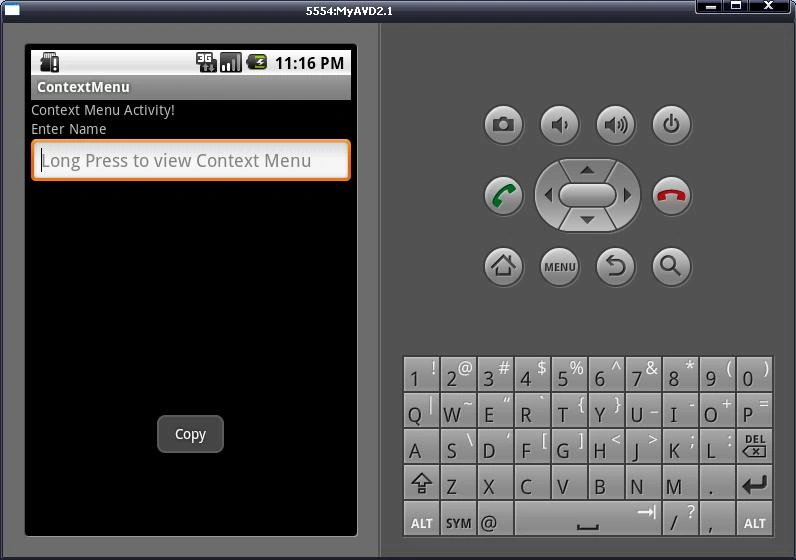
Start Emulator
Summary
Context Menu
is useful to give additional features to our application.
Resources
Here are some useful related resources:
Chintan RathodPosted Sep 10, 2012, 6:32 AM
Sorry my friend. Derby can't be used in Android Application. Here is the link --> https://issues.apache.org/jira/browse/DERBY-4458 . You can read whole issue given in Apache.
Albin RatheeshPosted Sep 10, 2012, 2:49 AM
very use full tutorial for all programming languages.MR.Chintan can i connect Apache Derby DataBase with Android Application.
Abhi KumarPosted Dec 24, 2011, 12:40 AM
Very useful article. Thanks for sharing.
Jimmy UnderwoodPosted Dec 23, 2011, 11:58 PM
Thanks for sharing
Animesh LakkarPosted Dec 23, 2011, 11:56 PM
Mr.Chintan you have provided a helpful info about the context menu