

Introduction
Power Automate is cloud-based software that allows us to create and automate workflows and tasks across multiple applications and services. Microsoft flow helps you to simplify the day-to-day repetitive tasks to flows, that can run or execute automatically without much manual intervention.
Requirement
To create a copy of the item with an attachment in the destination list from the source list.
Solution
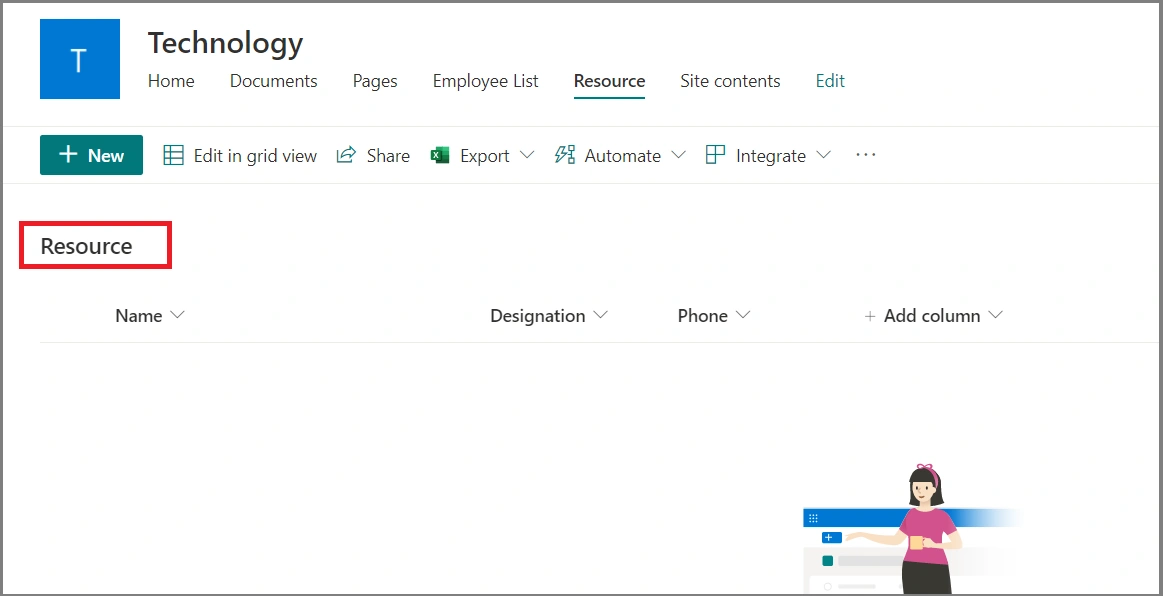
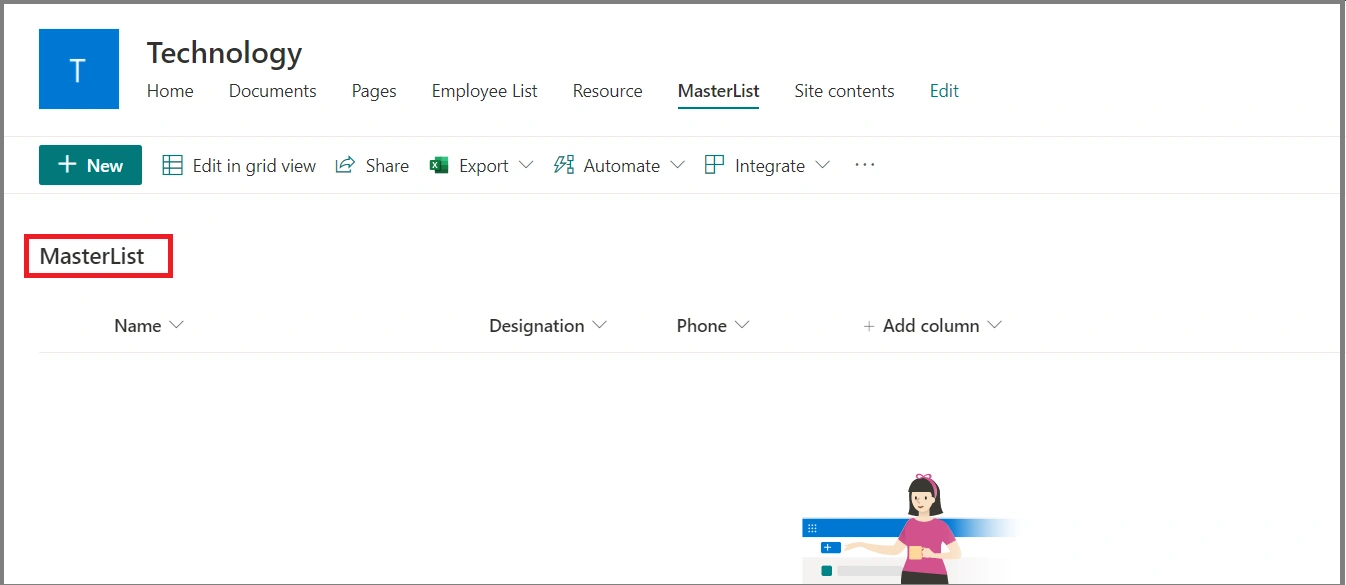
We will consider Source List as "Resource" and Destination List as "MasterList". Now we will create an empty list for both as below,
Source List: Resource
Destination List: MasterList
Step 1
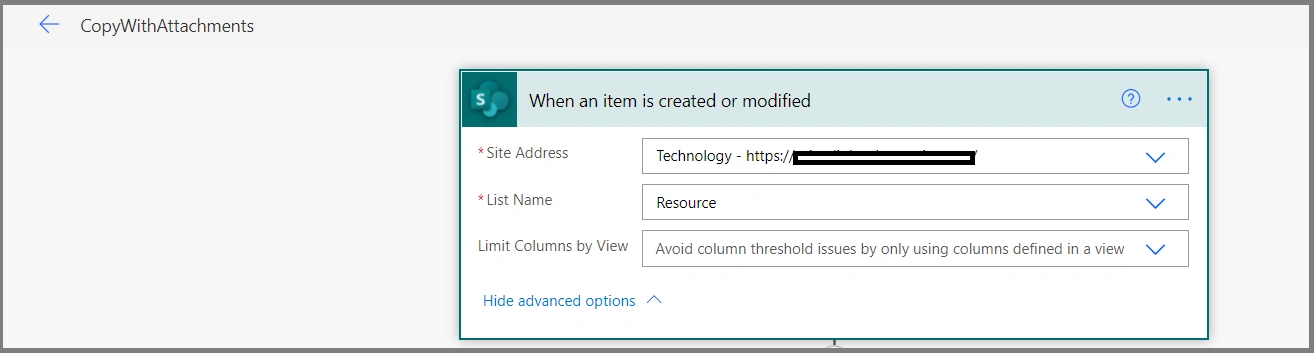
Choose "When an item is created or modified" action and provide the "Site Address" and "List Name" as shown below,
Step 2
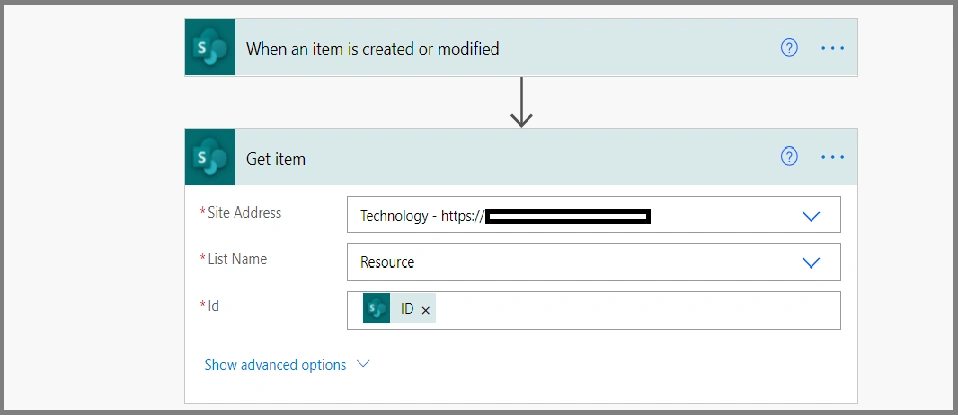
Choose the "Get Item" action by clicking on the "+ New step" button as shown below.
Provide "Site Address", "List Name" and the "ID". ID should be chosen from the Dynamic content section from the "when the item is created or modified" action.
Step 3
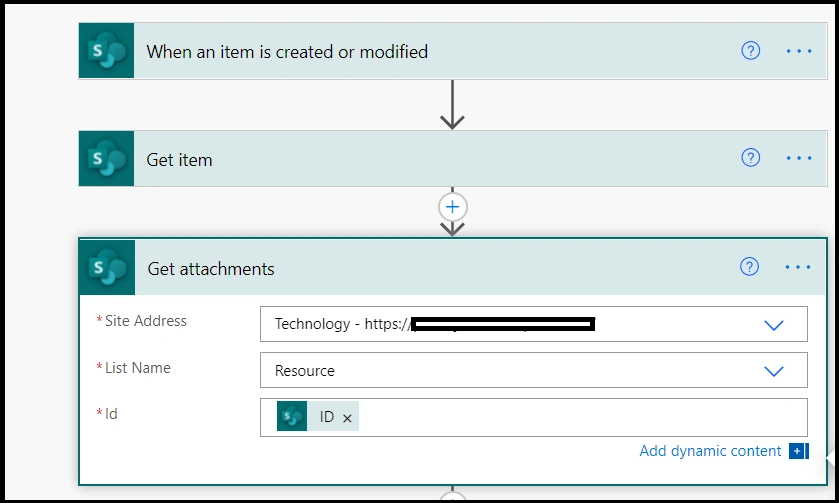
Choose the "Get Attachments" action and provide "Site Address", "List Name" and ID. ID should be chosen from the dynamic content section "Get item" action.
Step 4
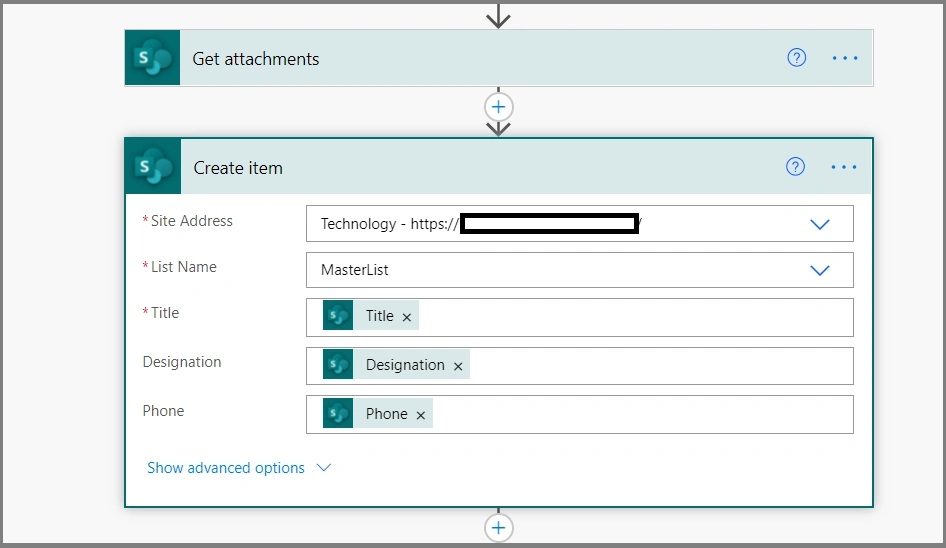
Choose "Create item" action and provide "Site Address", "List Name" and map other properties from dynamic content section "Get Item" action.
Step 5
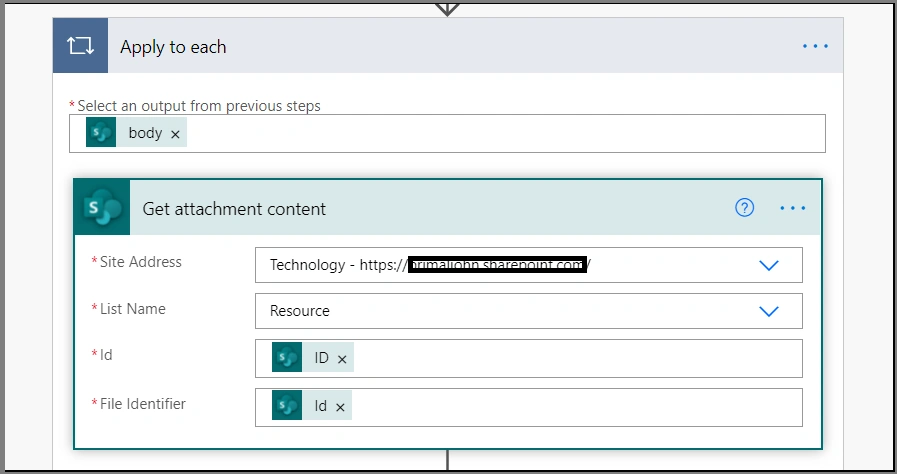
Choose "Get Attachment Content" action and provide "Site Address", "List Name", "ID" and "File Identifier". ID should be chosen "Get items" action and File Identifier to be chosen from "Get Attachments" from the dynamic content section.
Step 6
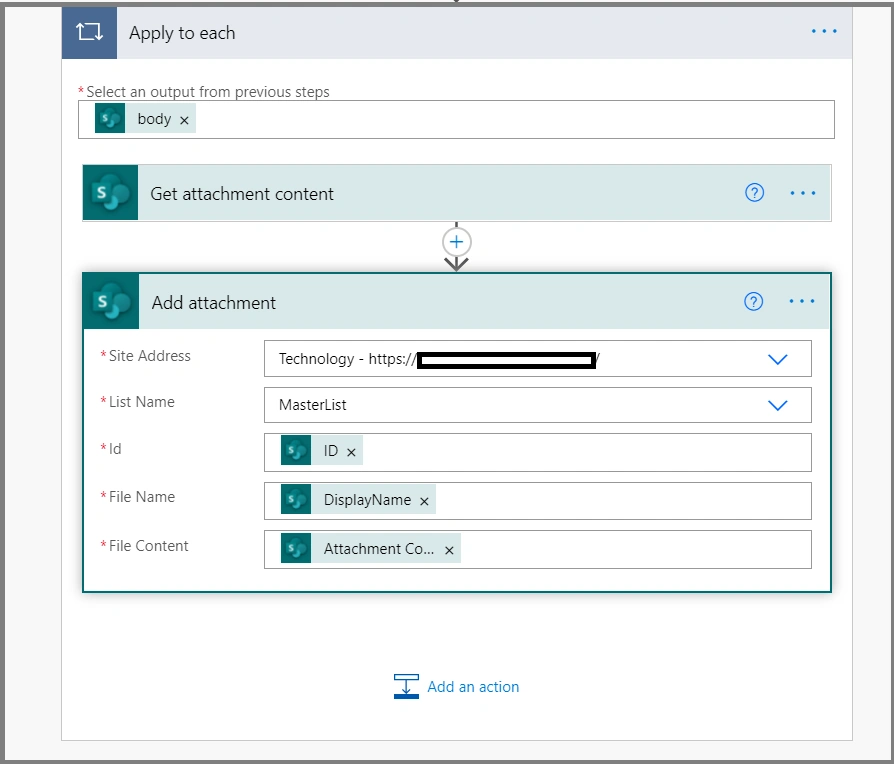
Choose "Add Attachment" action and provide "Site Address", "List Name", "ID", "File Name" and "File Content". Choose ID from "when the item is created or modified", File Name should be "Display Name" from "Get Attachments" action and File Content should be "Attachment Content" from "Get Attachment content" action.
Step 7
Create an item with an attachment in the source list.
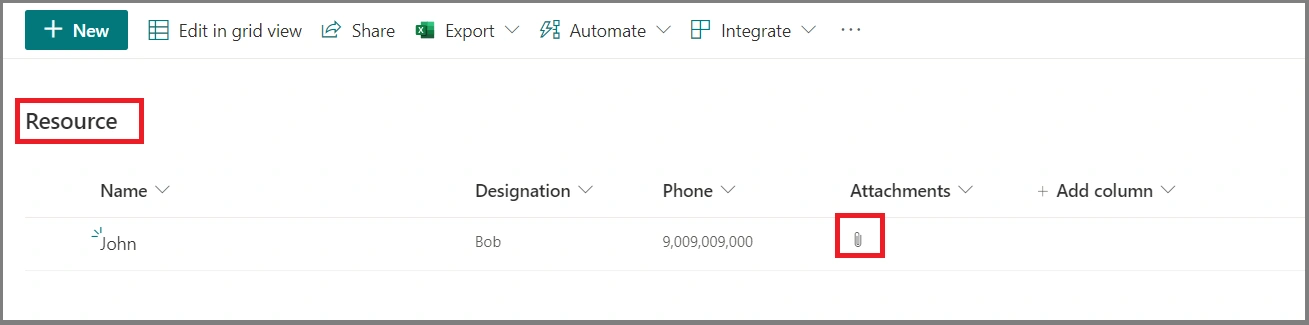
Step 8
Have a look at the run history.
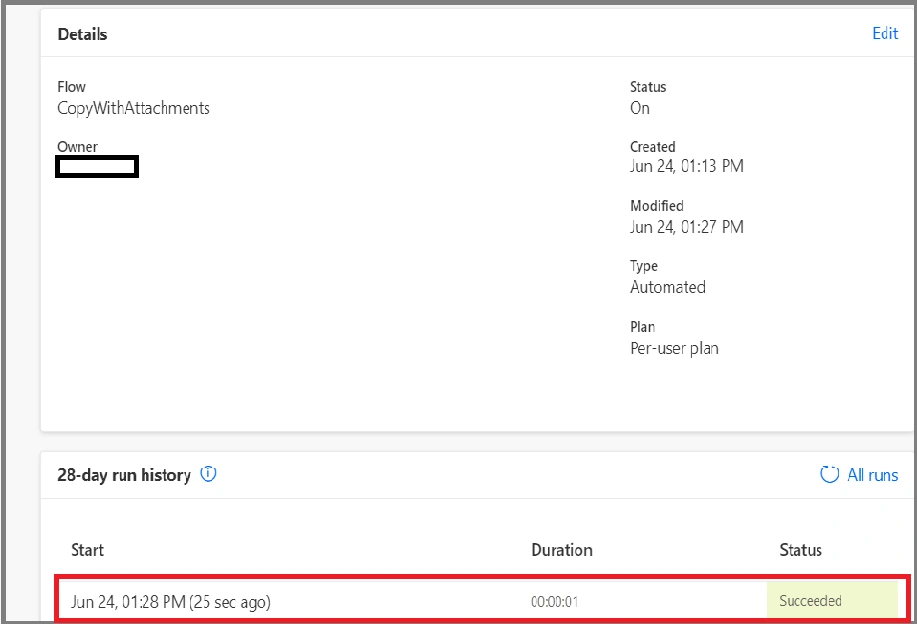
Step 9
Here we see the destination list having the list item with attachment. It's successfully copied.
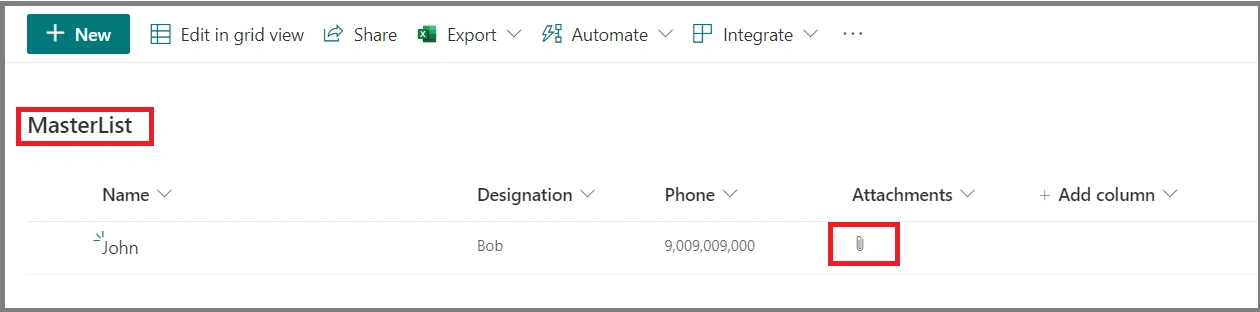
Important
This flow will copy all the attachments not only one.
Summary
We have learned how to copy items with attachments to the destination list from the source list.
MrHPosted May 23, 2025, 11:50 AM
Thank you Primal Lobo for your help!
ANTHONY CURTISPosted Jul 11, 2022, 3:36 PM
Hello, I followed your steps above (including creating the same SP Lists) and the attachments portion consistently fails. The records without attachments copy to the MasterList with no issues. Any idea what the issue is? Error: Action 'Add_attachment' failed. In the Error Details, it says: Item does not exist. It may have been deleted by another user.clientRequestId: e942db46-eec0-4783-a01d-44e39a2ebd68serviceRequestId: 8c0050a0-b08d-2000-1aaa-372f4d7a77d8 There is no way that the item was deleted by anyone else.
Vinay AyinapurapuPosted Jun 24, 2021, 6:29 PM
Excellent. thanks for sharing.. good post