

Problem Statement
Copying data from a spreadsheet stored in a SharePoint Document library to a SharePoint list (Including date field) using Power Automate.
Step 1
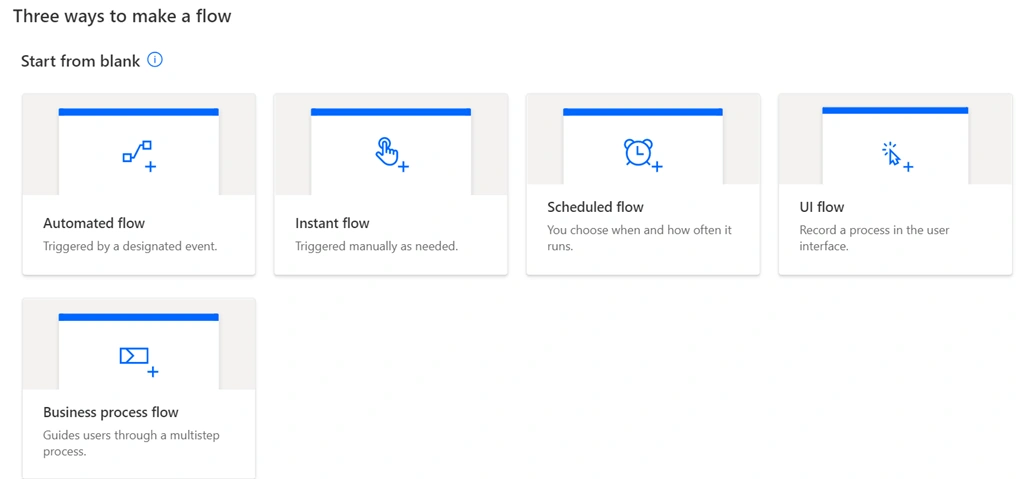
Open Power Automate, there are 5 kinds of workflow in Power automate currently, they are,
- Automated Flow
Similar to even receivers, it triggers on some event like e.g. whenever an item is added/modified in Sharepoint list - Instant Flow
When you want to trigger a flow manually - Scheduled Flow
Similar to Timer Job, when you want to trigger a workflow on a regular interval and specified timings - UI Flow
Record a process in the user interface to automate UI interactions - Business Process Flow
Guides user through a multistep process
Step 2
Choose 'Instant Flow' from the options,
Step 3
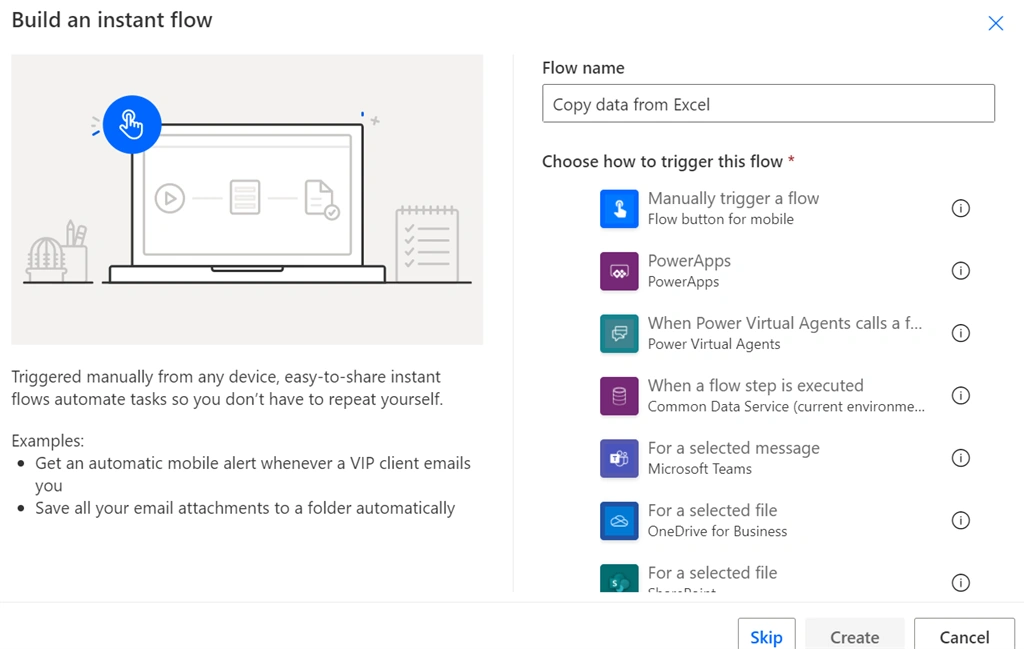
Provide a name to the flow eg. Copy data from Excel and select Manually trigger a flow, then click on create.
Step 4
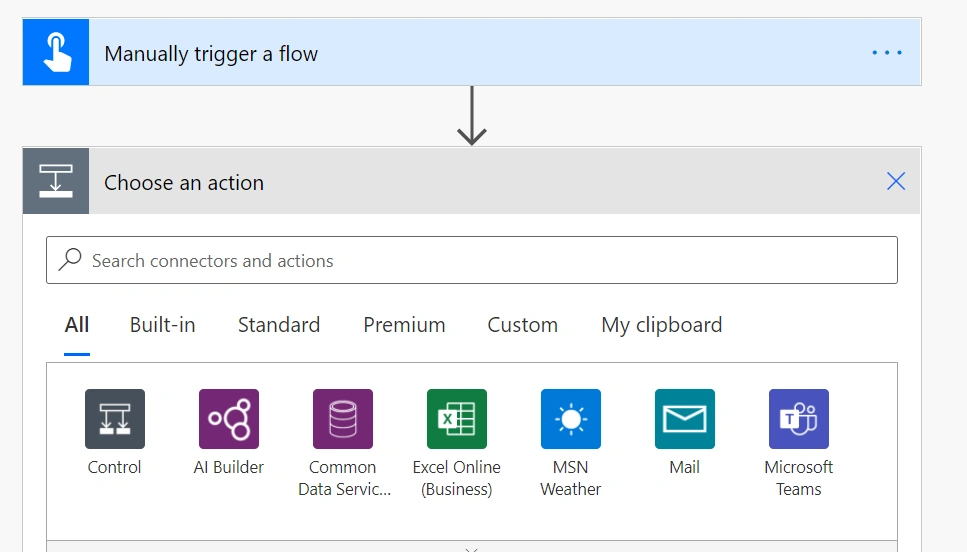
Click on 'New Step' to add another section (Choose an action) in the flow then click on Excel Online (Business).
Step 5
Search for 'List row present in a table'.
Step 6
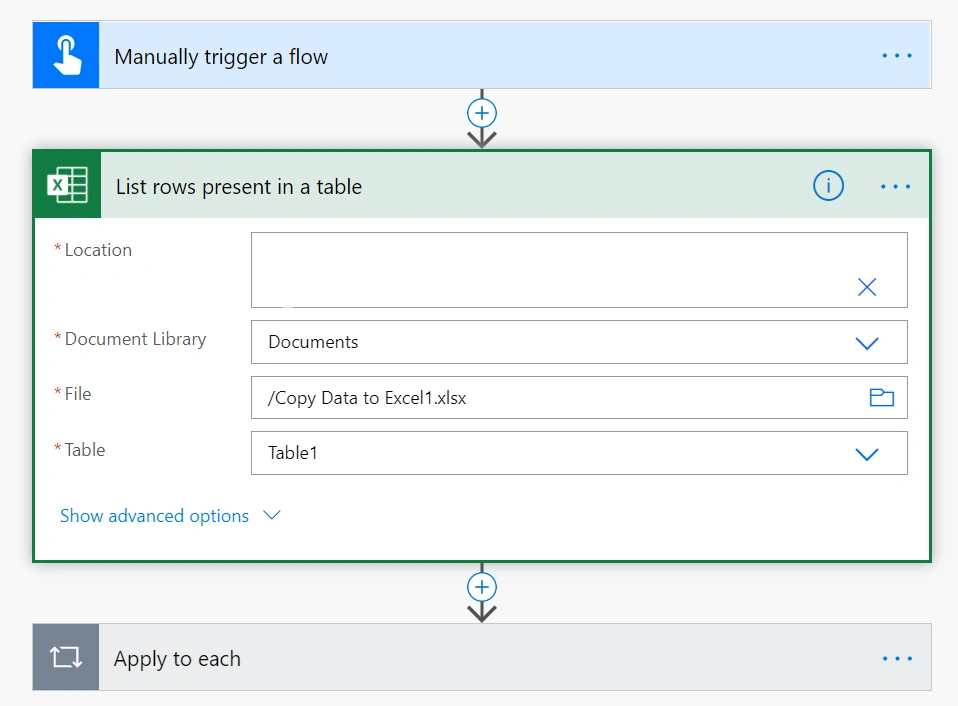
Provide the location of the Excel sheet then the document library where the excel sheet is stored then select the excel sheet and then the table that you want to copy.
Step 7
Click on Next Step and click on Control.
Step 8
Search for 'Apply for each'.
Step 9
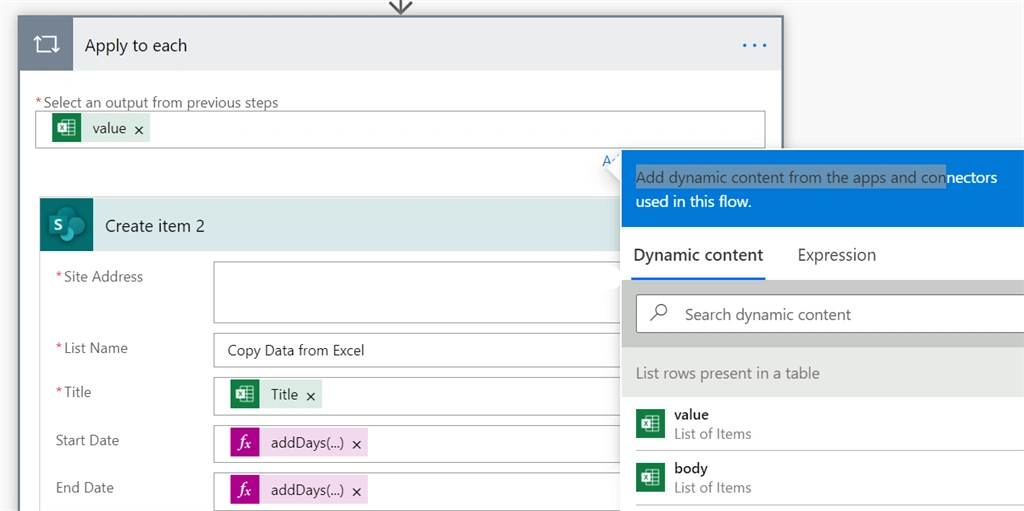
Select value in the 'Select an output from previous step' field.
Step 10
Click on Action and select Create item and provide the details of the SharePoint list where you want to copy the data and map the fields.
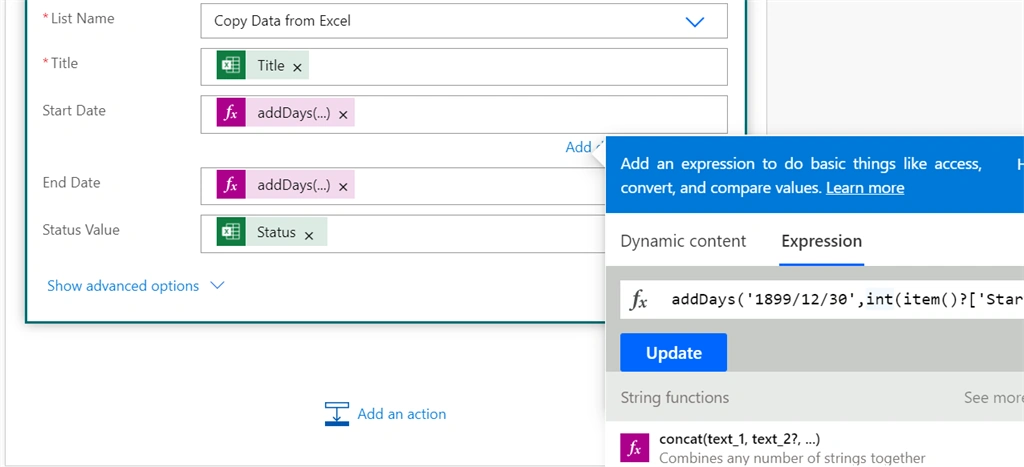
The catch here is that the Date field does not get copied properly from a spreadsheet since it is stored as an integer in the spreadsheet.
So we need to apply the below given expression for copying the dates to the Sharepoint list,
- addDays('1899/12/30',int(item()?['StartDate'])): here StartDate is the name of the column in excel sheet, so for each item we are converting the integer number stored in the StartDate in excel sheet to date in the SharePoint
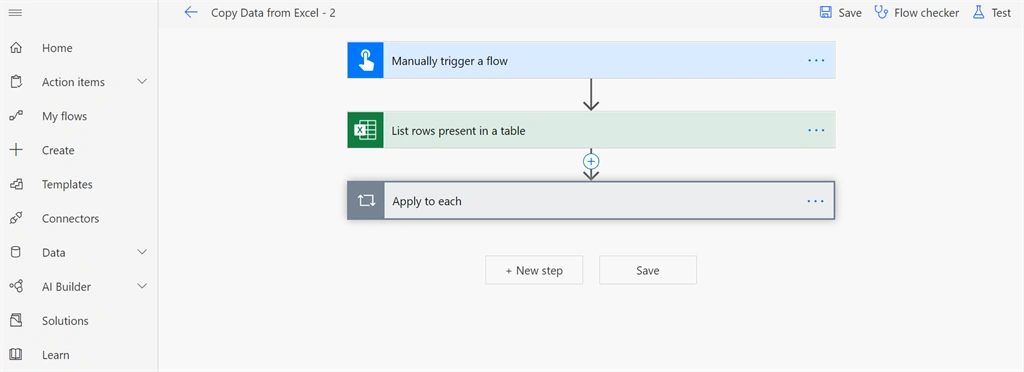
The final flow will look like this,
Save the workflow and Test.
Kudos...Keep Automating.
Join the conversation! Your thoughts help the community grow.