

Azure Cost alerts feature allows you monitor and set alerts on your spending in Azure.
Login to your Azure account and search for Cost Management that allows you to manage cost on your Azure account. Some of the options available in cost management are cost analysis, cost alerts, budgets, and advisor recommendations.
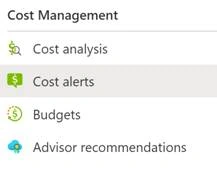
Click on Cost alerts link as you can see on the above screen.
In the right side, you will see an option to Add a new cost alert. Click on Add link. See below.
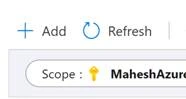
Click on Add will take you to the Create Budget page where you can create a budget for the month.
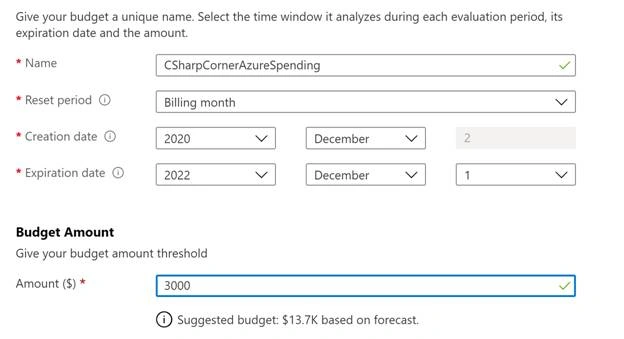
As you can see on the above screen, I give budget a name, set a period, start and expiration dates, and set amount $3000. You will also see below my budget amount, there is a suggested budget forecast by Azure.
On the next screen, you will have to provide an email and when you want to receive alerts. In my case, I want to get alerts when I reach 75% and 90% of my budget.
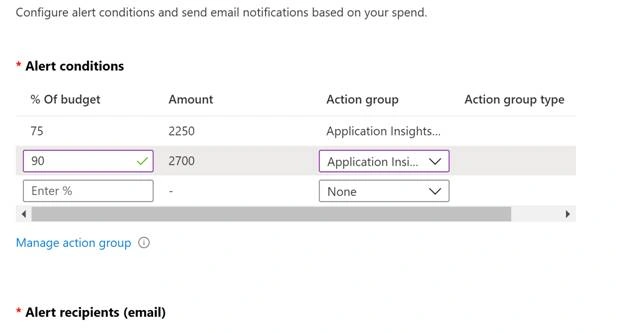
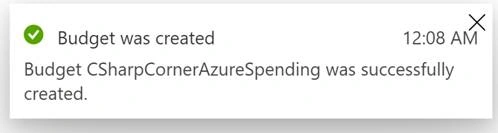
Finish this screen and once done, you will see a message that your budget was created successfully.
Now you can sleep tight and relax. If your budget reaches its limit, you will get an email notification.
Cloud AlarmPosted Sep 17, 2021, 6:09 AM
Thank you for writing this article.Personally, I've found cost alerts to be inefficient. Don't get me wrong; it's better than having nothing, but the current implementation has some flaws such as:- It asks us to specify a budget & a threshold %, and we are alerted whenever our consumption hit the threshold. Instead, we should just specify budget and be alerted anytime our daily spending pace is above the budgeted pace. With current functionality, I now set a bunch of % threshold limits and I’m frequently getting alerted during the month. And every time I've to manually calculate whether or not my current spend is within the budget using a formula like numberOfDaysLeft * currentDailySpend + totalConsumedThusFar – this is indeed an unnecessary & time-consuming overhead. SO much so that I end up ignoring the email subconsciously and had breached the budget twice due to mistake in resource tier selection. - The usage data is available only after a day or two so if you make a mistake of creating a resource with expensive tier, it's going to cost you at least a day worth of cost before you can know it through the usage dashboard. After facing issue of unexpected large bills on multiple occasions because of these problems, I finally decided to solve them myself and created https://cloudalarm.in – with CloudAlarm, - You only specify budget amount and it alerts you whenever your daily spend exceeds the daily budgeted pace. - You’re Alerted if undesirable usage is detected. You can for example setup a 'New Resource' alarm to notify when any resource is created or when any resource higher than the specified service tier is created. Resource alarms are instant compared to budget alarms as latest resources list is available in virtually real-time. - Email subject with enough info about the alert so you don't have to read the body if you are already aware about the cause. - email reminders for budget alerts so you don't miss it. - Embedded actions in budget alerts to ignore alert or update your budget without having to login CloudAlarm.in is a publisher verified Azure app so you can try it with confidence. Would love to know your thoughts!
Hamid KhanPosted Jan 2, 2021, 6:37 PM
Informative.........Thanks for sharing
Saravanakumar SekaranPosted Jan 2, 2021, 6:50 AM
Very Awesome Article !!!