

Blockchain is a decentralized and secure public database that authenticates and keeps records of digital assets' possession and transactions. As the name suggests, it is a “chain of blocks” in which each block stores the hash of the previous block, transactional data, and a timestamp to protect it from any manipulation or changes.
Lately, government sectors and enterprises are using blockchain technology to build their own cryptocurrencies that address their use cases and offer enhanced services to end users. Blockchain technology is popular for its three key properties:
Decentralization
It does not involve any central authority, third-party or intermediary. The participants decide based on consensus mechanisms and validate transactions
Security
The data on the blockchain is encrypted with strong cryptography algorithms that make it difficult for any unauthorized entity to access, make changes, or hack it
Transparency
Blockchain keeps a complete history of transactions in the network that allows enhanced transparency and data monitoring
In this tutorial, I’m going to explain how you can make your own cryptocurrency using Python programming language.
Step 1: Python Setup
The first step in blockchain cryptocurrency development in python is to install python for Linux, Windows, or Mac. For this, visit www.python.org, go to downloads and install python’s latest version.
Once python is installed, follow the steps below,
- Open the terminal
- Enter the command python and run it
Step 2: Install IDE
To work locally, we would need text files that make it easy for us to write code and understand it. For this, an Integrated Development Environment (IDE) will be required. IDE is a text editor with additional features, for example, the tool gives suggestions, identifies errors, and differentiates keywords with colors, and so on.
For this project, I’m going to use Visual Studio IDE. It is free and you can download it from visualstudio.microsoft.com.
Step 3: Getting Started with VS
Before we start working on our project, it is important to install some extensions that can help up enable functionalities.
- Open visual studio and create a folder
- Create a new file and name it blockchain.py
Step 4: Code
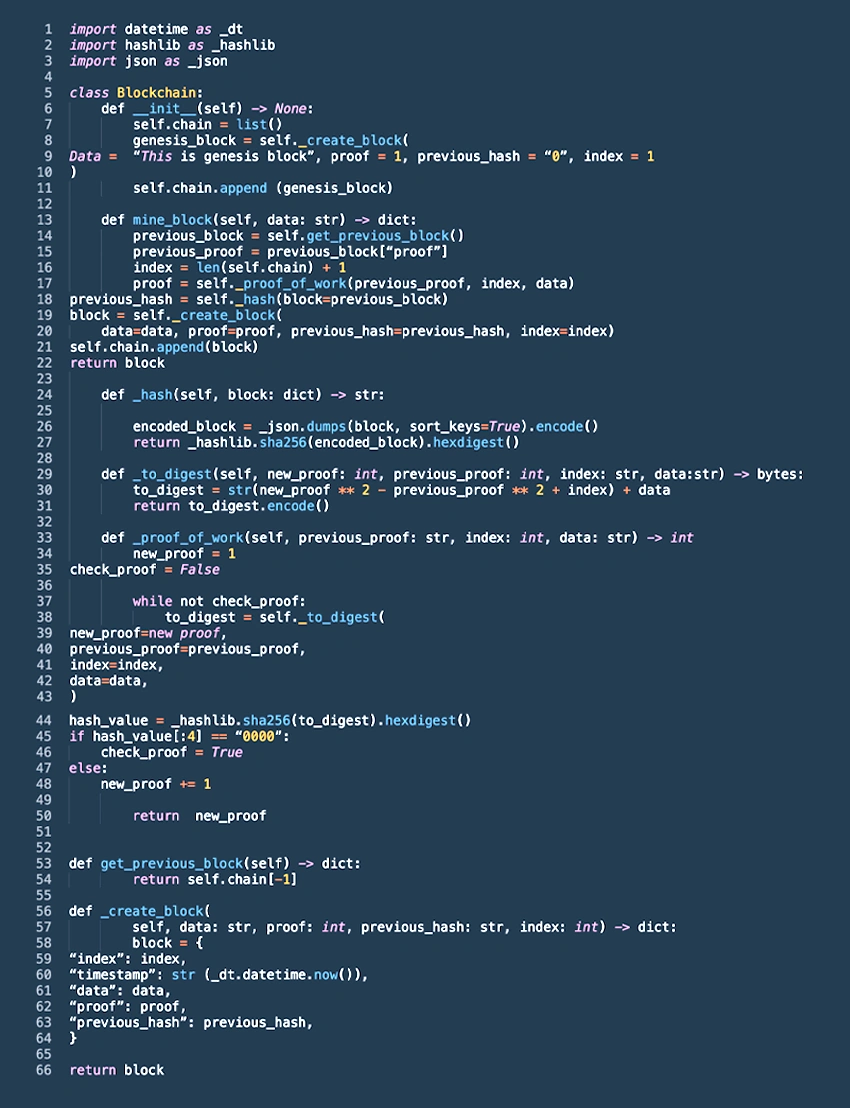
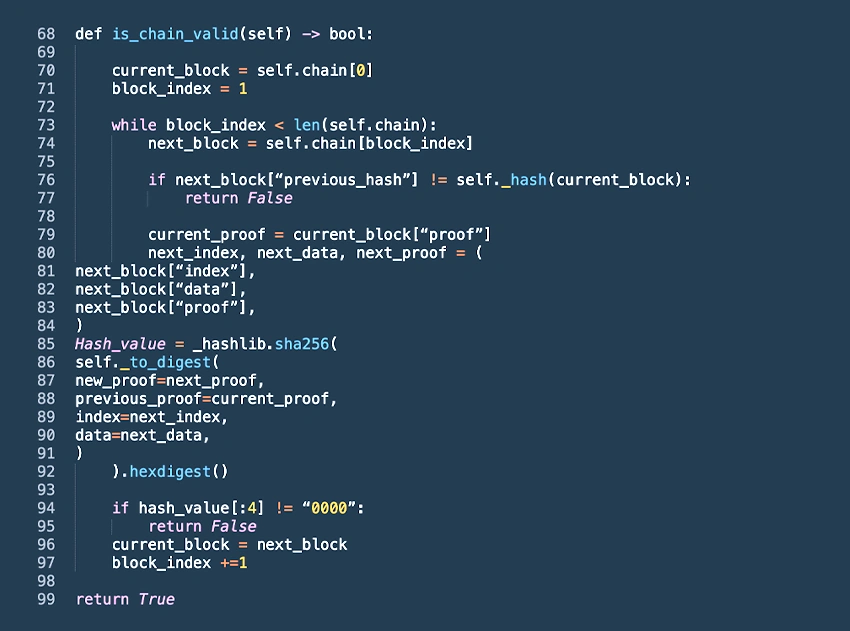
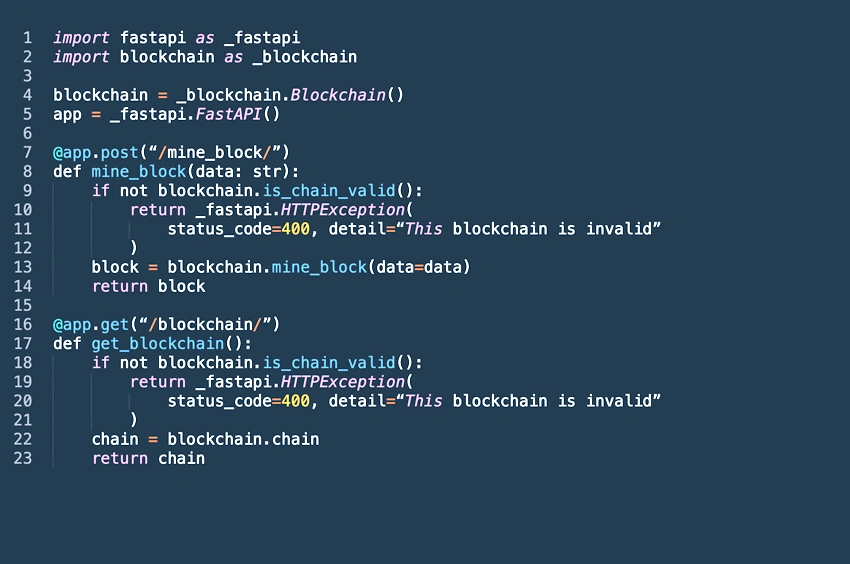
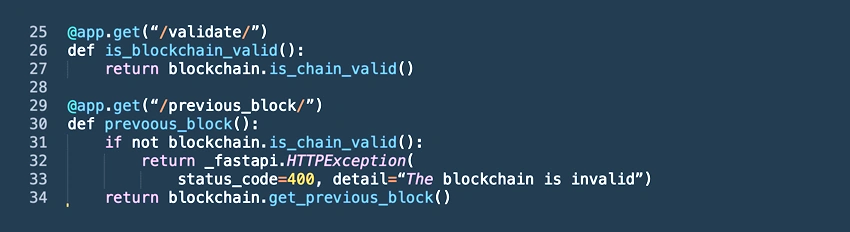
Join the conversation! Your thoughts help the community grow.