

Introduction
Azure Functions is a serverless solution that allows you to write less code, maintain less infrastructure, and save on costs. Instead of worrying about deploying and maintaining servers, the cloud infrastructure provides all the up-to-date resources needed to keep your applications running
I will provide step by step to create a Function App with screenshots below.
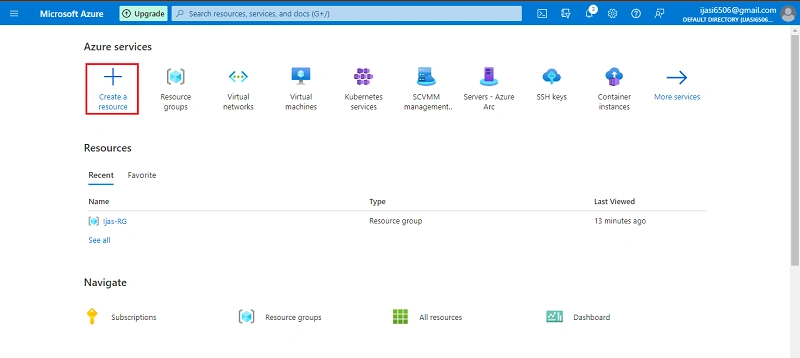
Go to Azure portal. Click Create a Resource
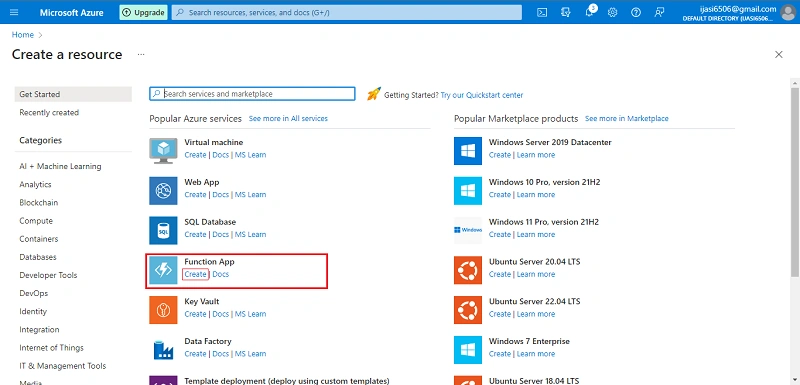
Next select Function App, Click Create
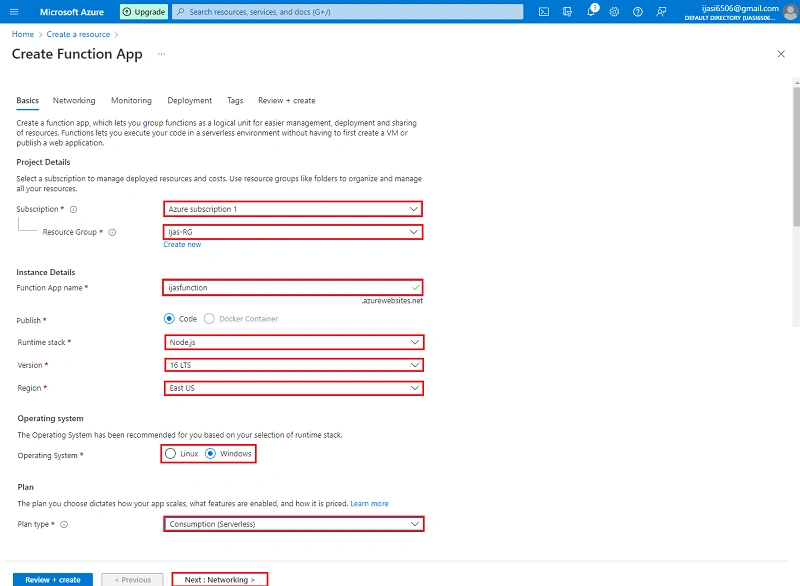
Next in the following step click Next + Networking
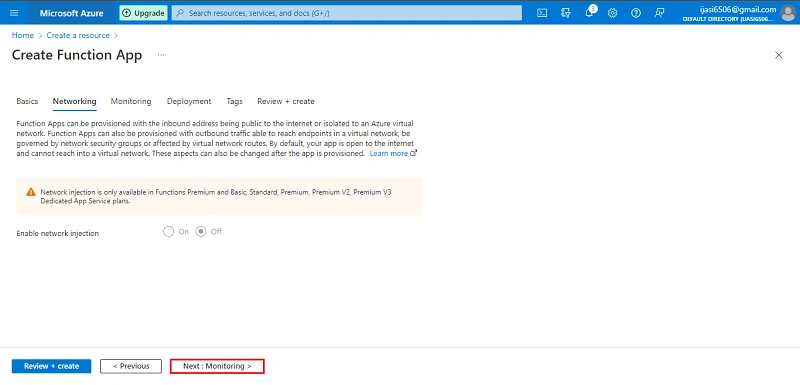
Next in the following step click Next + Monitoring
Next in the following step click Next + Deployment
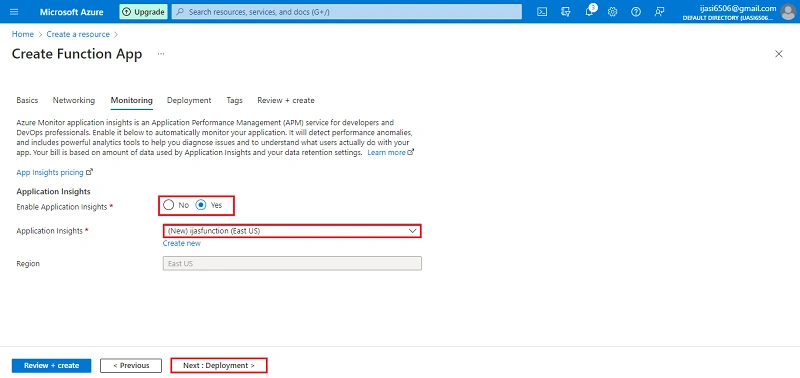
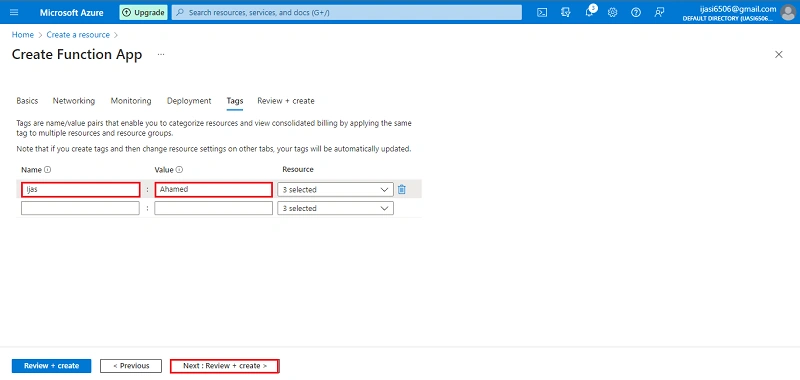
Next in the following step click Next + Tag
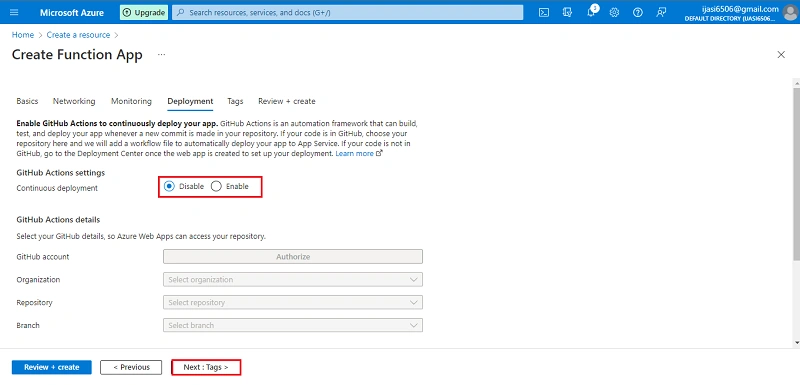
Next in the following step click Next + Review + Create
Next Click Create
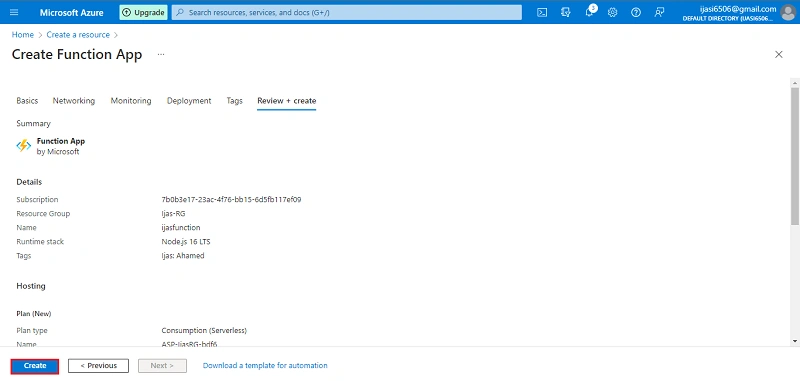
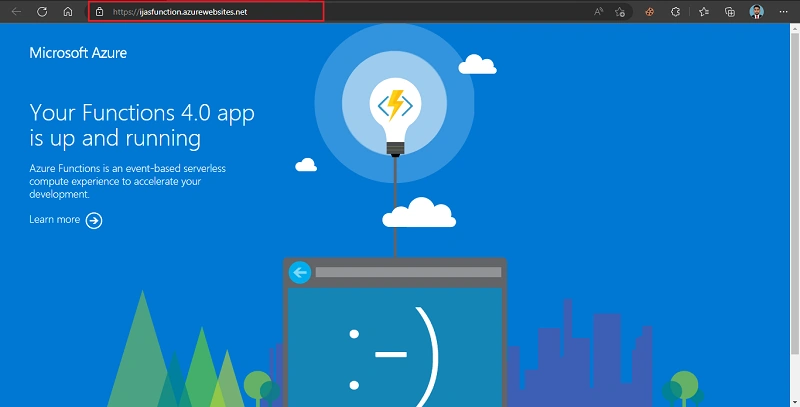
Successfully created Function App
Conclusion
This article taught us how to set up Function App. If you have any questions, please contact me.
Thanks.
Koshila SenadhiraPosted Dec 1, 2022, 8:39 AM
Interesting Article!!
Viknaraj ManogararajahPosted Nov 29, 2022, 7:27 AM
Nice Article Ijas