Introduction
The List<T> class is the generic equivalent of the ArrayList class. It implements the IList<T> generic interface using an array whose size is dynamically increased as required. The namespace that we use for the List<> is System.Collection.Generic. In this article I explain how to create the List<> and various operations performed in the list<>.
Create List<>
We can create a list<> using the following syntax:
List<datatype> NameOfList =new List<datatype>();
For example,
List<string> student = new List<string>();
List<int> rollnumber = new List<int>();
Add Items in the List<>
Their are various ways by which we can add the items in the List<>; these are:
List<string> student = new List<string>(new string[] {"Ram","Richa","Ajay"});
List<int> rollnumber = new List<int>(new int[] {1,2,3,4,5});
namespace ConsoleApplication6
{
class Program
{
static void Main(string[] args)
{
List<string> student = new List<string>();
List<int> rollnumber = new List<int>();
//Add the item in the student list
student.Add("Ram");
student.Add("Richa");
student.Add("Ajay");
//Add the item in the rollnumber list
rollnumber.Add(1);
rollnumber.Add(2);
rollnumber.Add(3);
}
}
}
Loops: In this I explain how to use a for loop and foreach loop for the list, for example:
namespace ConsoleApplication6
{
class Program
{
static void Main(string[] args)
{
List<string> student = new List<string>();
List<int> rollnumber = new List<int>();
//Add the item in the student list
student.Add("Ram");
student.Add("Richa");
student.Add("Ajay");
//Add the item in the rollnumber list
rollnumber.Add(1);
rollnumber.Add(2);
rollnumber.Add(3);
//print the items in student list using foreach loop
foreach (string names in student)
{
Console.WriteLine(names);
}
//print the items in roolnumber list using for loop
for (int i = 0; i < rollnumber.Count; i++)
{
Console.WriteLine(rollnumber[i]);
}
}
}
}
Output is:
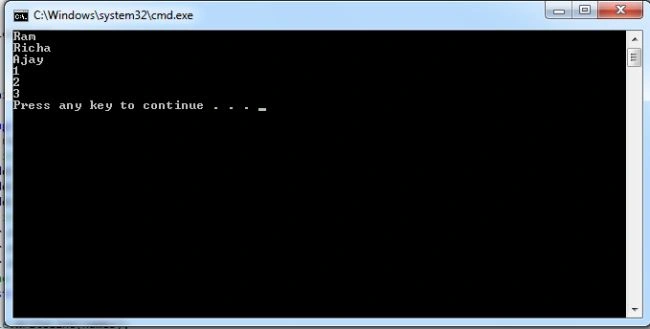
Count: count is used to get the total number of elements that are present in the list, for example:
namespace ConsoleApplication6
{
class Program
{
static void Main(string[] args)
{
List<string> student = new List<string>();
List<int> rollnumber = new List<int>();
//Add the item in the student list
student.Add("Ram");
student.Add("Richa");
student.Add("Ajay");
//Add the item in the rollnumber list
rollnumber.Add(1);
rollnumber.Add(2);
rollnumber.Add(3);
rollnumber.Add(4);
//count the elements in the student list
int a = student.Count();
Console.WriteLine("Total number of element in student list is :"+a);
//count the elements in the rollnumber list
int b = rollnumber.Count();
Console.WriteLine("Total number of element in rollnumber list is:"+b);
}
}
}
Output is:
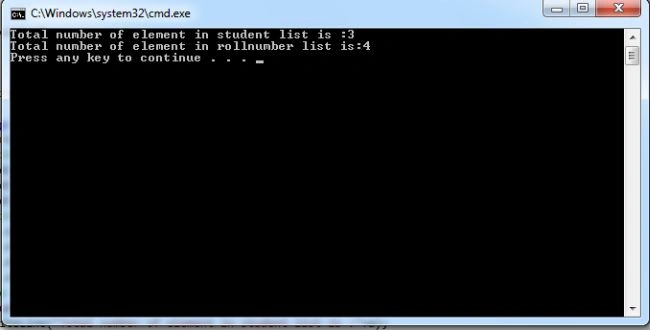
Clear: clear is used to clear all the elements in the list, for example
namespace ConsoleApplication6
{
class Program
{
static void Main(string[] args)
{
List<int> rollnumber = new List<int>();
//Add the item in the rollnumber list
rollnumber.Add(1);
rollnumber.Add(2);
rollnumber.Add(3);
rollnumber.Add(4);
//count the elements in the rollnumber list
int b = rollnumber.Count();
Console.WriteLine("Total number of element in rollnumber list is:"+b);
//clear the elements in the list
rollnumber.Clear();
Console.WriteLine("After clear the elements in the list are:" + rollnumber.Count());
}
}
}
Output is:
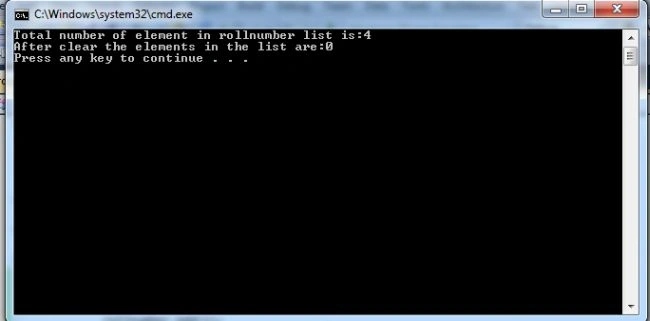
Find:
-
Using Find() Method: the find method is used to find the items in the list. It accepts a predicate, which we can specify as a lamda expression. The lambda expression syntax is used to specify the function body for the Predicate instances. The => syntax separates the arguments of lambda expressions from the method body. The right-hand side of each lambda expression is evaluated to a Boolean result.
namespace ConsoleApplication6
{
class Program
{
static void Main(string[] args)
{
List<int> rollnumber = new List<int>();
//Add the item in the rollnumber list
rollnumber.Add(50);
rollnumber.Add(25);
rollnumber.Add(30);
rollnumber.Add(45);
//count the elements in the rollnumber list
int b = rollnumber.Count();
Console.WriteLine("Total number of element in rollnumber list is:"+b);
//find an item
int i=rollnumber.Find(item => item < 60); //lambda expression
Console.WriteLine("item fount is:" + i);
}
}
}
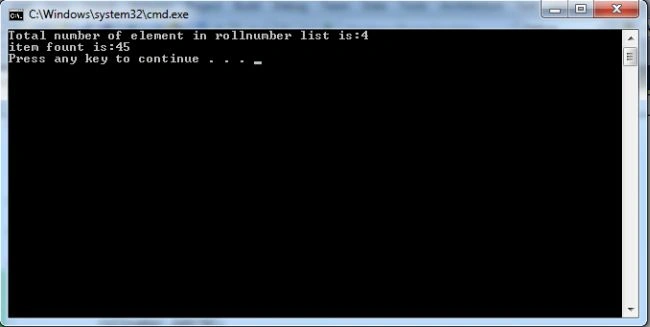
The Find method is used to find the element from the starting of the list; the output is:
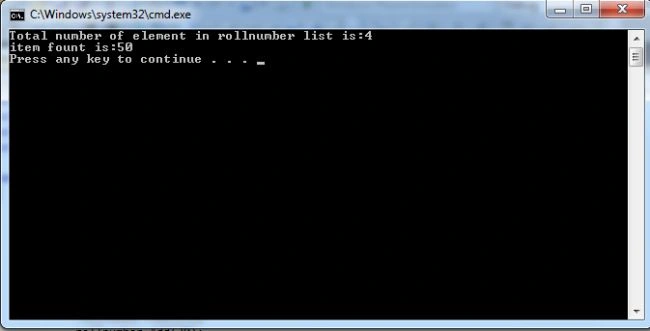
namespace ConsoleApplication6
{
class Program
{
static void Main(string[] args)
{
List<int> rollnumber = new List<int>();
//Add the item in the rollnumber list
rollnumber.Add(50);
rollnumber.Add(25);
rollnumber.Add(30);
rollnumber.Add(45);
//count the elements in the rollnumber list
int b = rollnumber.Count();
Console.WriteLine("Total number of element in rollnumber list is:"+b);
//find an item
int i=rollnumber.FindLast(item => item < 60); //lambda expression
Console.WriteLine("item fount is:" + i);
}
}
}
Output is:
-
Using FindIndex() and FindLastIndex() method: the FindIndex method is used to find the element and return the index value of the element. The difference between FindIndex and FindLastIndex is that FindIndex finds the element from the starting of the list and FindLastIndex searches from the end of the list, for example:
namespace ConsoleApplication6
{
class Program
{
static void Main(string[] args)
{
List<int> rollnumber = new List<int>();
//Add the item in the rollnumber list
rollnumber.Add(50);
rollnumber.Add(25);
rollnumber.Add(30);
rollnumber.Add(45);
//count the elements in the rollnumber list
int b = rollnumber.Count();
Console.WriteLine("Total number of element in rollnumber list is:"+b);
//find an item using findindex
int i=rollnumber.FindIndex(item => item < 60); //lambda expression
Console.WriteLine("item fount at {0} position:" + i);
//find an item using findlastindex
int j = rollnumber.FindLastIndex(item => item < 60); //lambda expression
Console.WriteLine("item fount at {0} position:" + j);
}
}
}
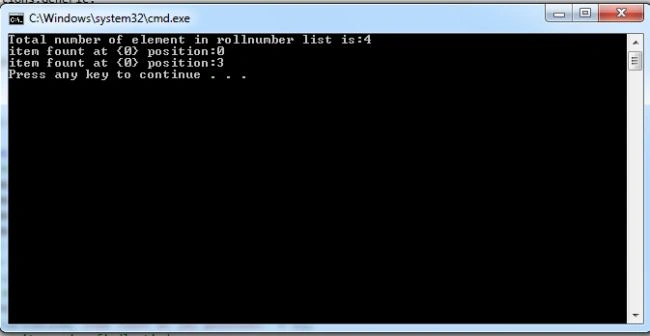
Output is:
Summary: In this article I explained creation of a list and methods like add, find, findlast, findindex, findlastindex, count and clear of the List.


Join the conversation! Your thoughts help the community grow.