
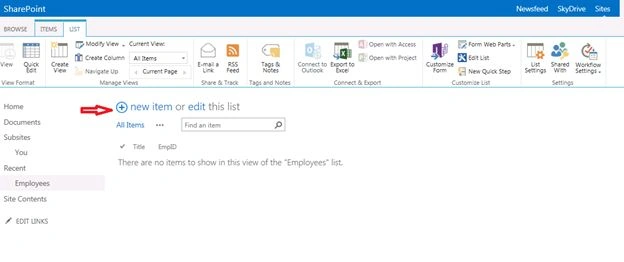
In this article I would like to explain to create a custom list, and add, edit, delete the items in list.
Step 1: Click the settings menu near User account (System Account) the following popup will appear. In that item details click the Site contents.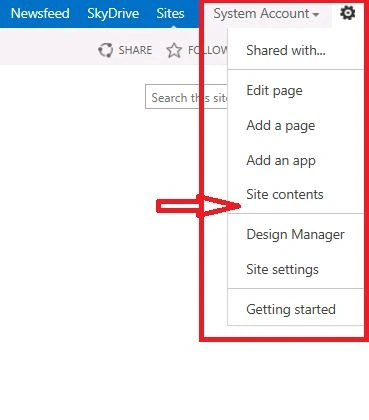
Step 2: The following site contents page will appear. Click add an app menu.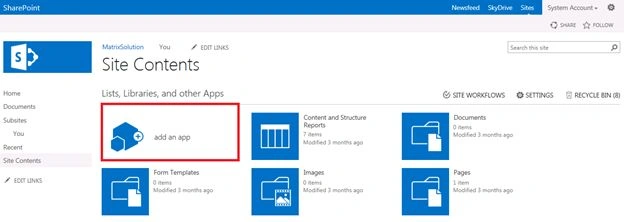
Step 3: In Your Apps page click the Custom List menu.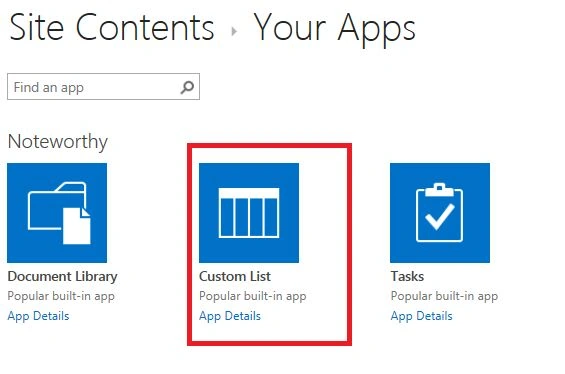
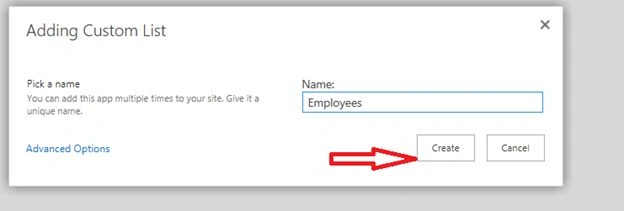
Step 4: The following popup will show. Enter the list name and click the create button.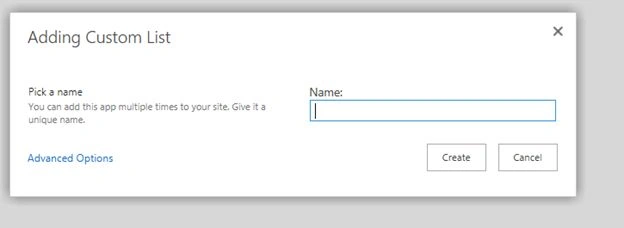
List will be created and it shows under the site contents page like below image.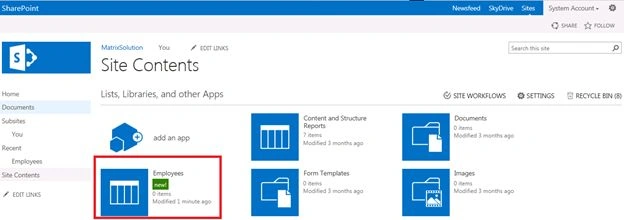
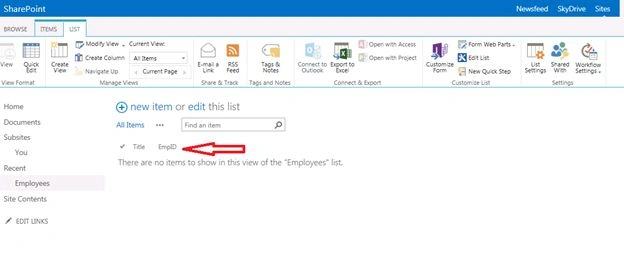
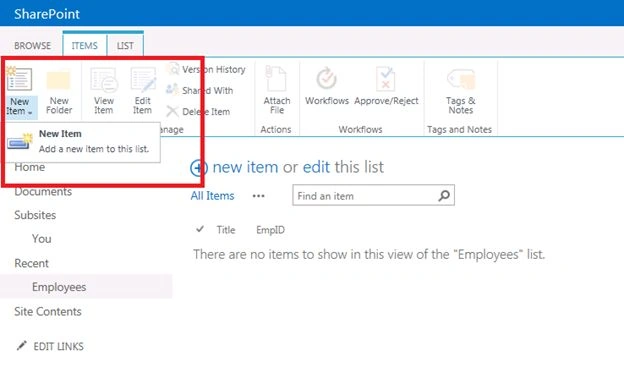
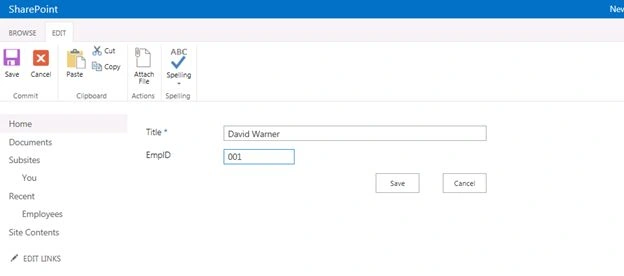
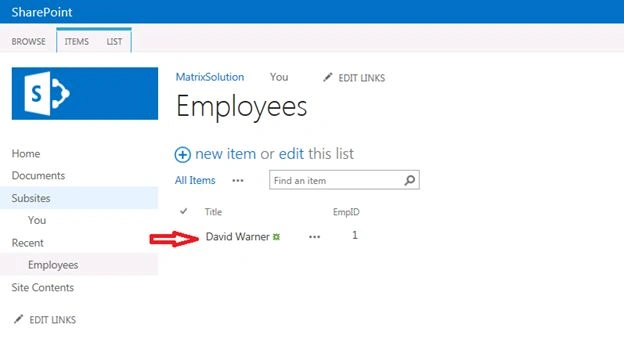
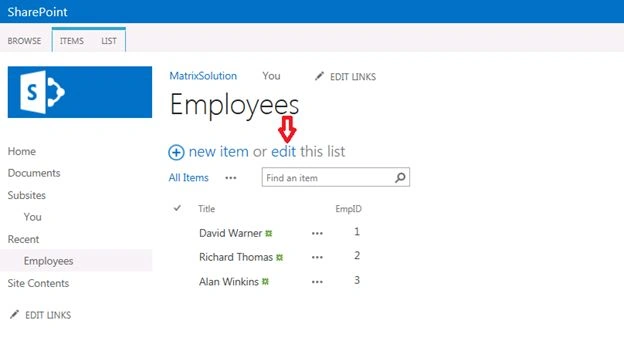
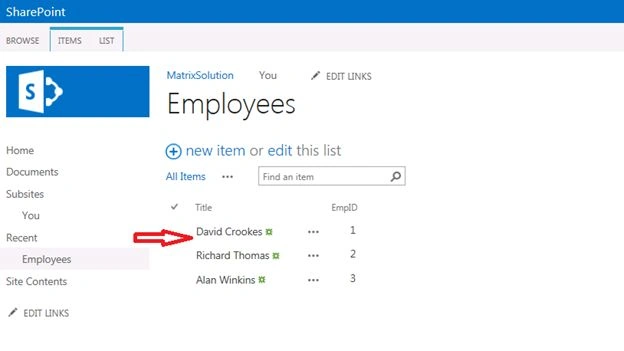
Once we click the “Employees” menu, the list will be display like under image.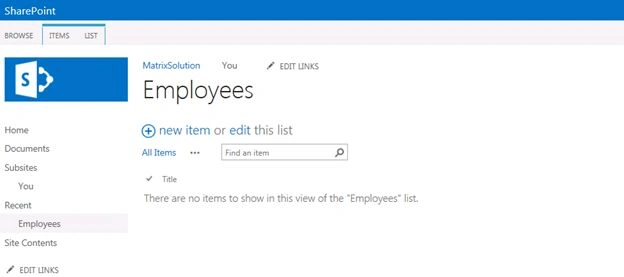
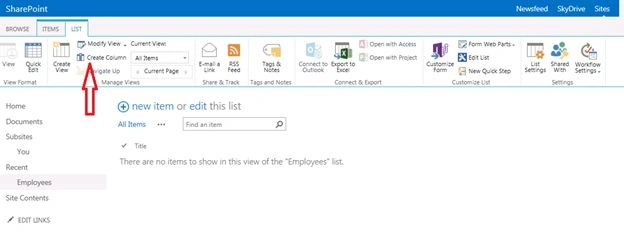
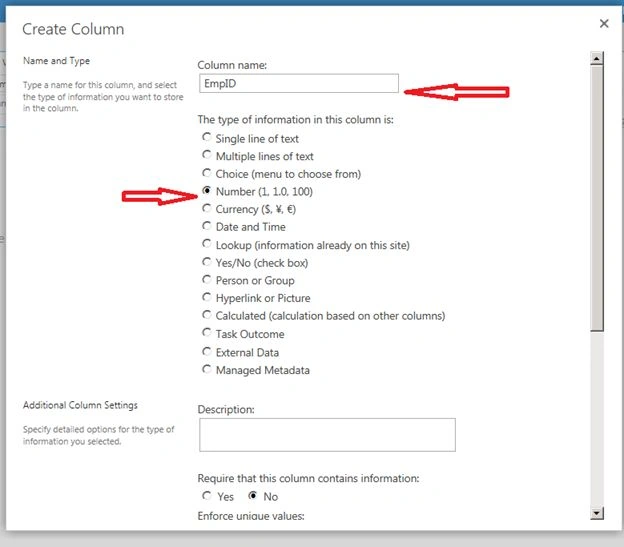
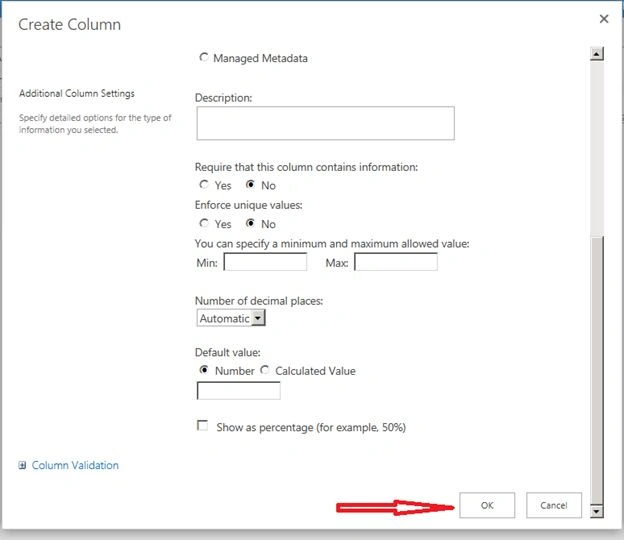
Create a column in SharePoint List

Join the conversation! Your thoughts help the community grow.