

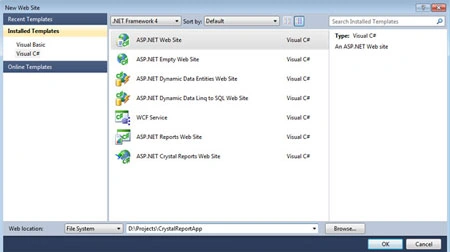
Create a web site in VS 2010 as in the following:
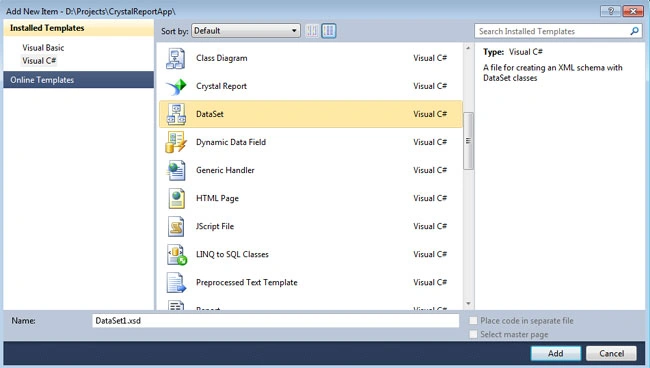
Then we will create a DataSet. For this, right click on the project name in Solution Explorer and click Add New Item. The Add New Item Dialog will open. Select DataSet from the list of items. Give it's name as per your choice and click Add.
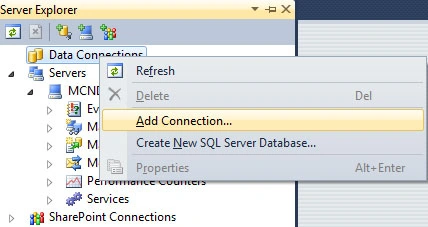
Now we will add the table to the DataSet. On the Server Explorer right click Data Connections and then click Add Connection.
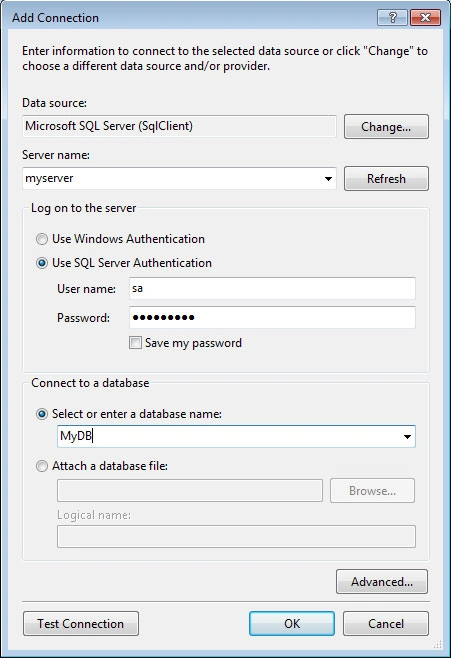
Enter your server name and select the Database.
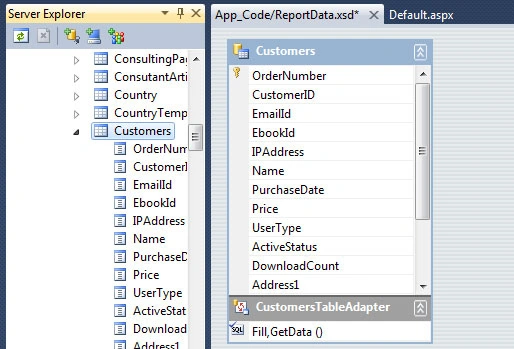
After that drag a table to the DataSet designer and save it.
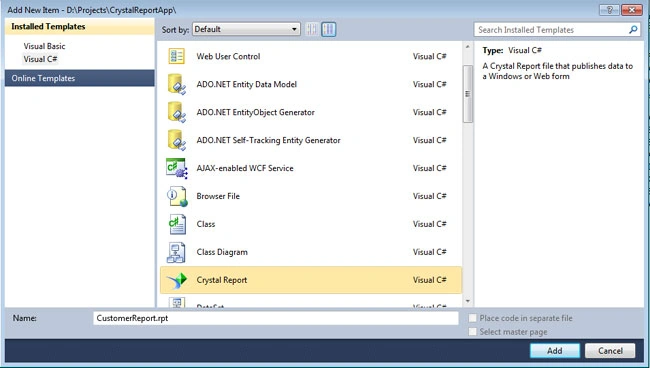
Now right click on the project in Solution Explorer and select Add New Item. Select Crystal Report from the list and add it as CustomerReport.
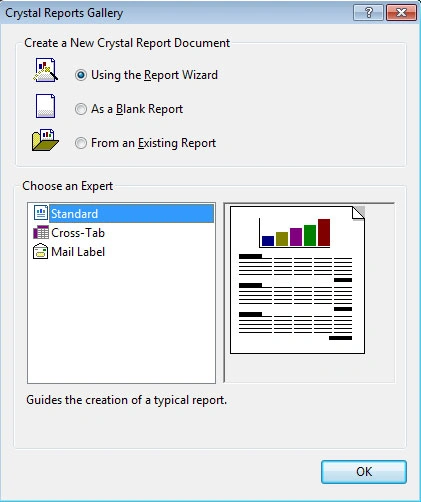
The Crystal Report Gallery will open. Select Blank Report and click OK.
Now in the field explorer window right click on Database Fields and click Database Expert.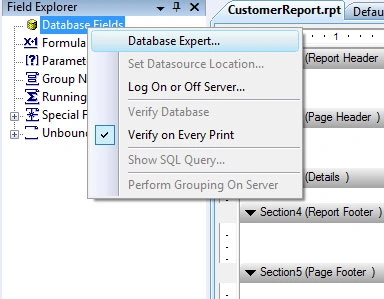
Click the plus sign of Project Data, then ADO.NET DataSets. Select Customers under Customer. Click the add (>) button to add the table to our report and click OK.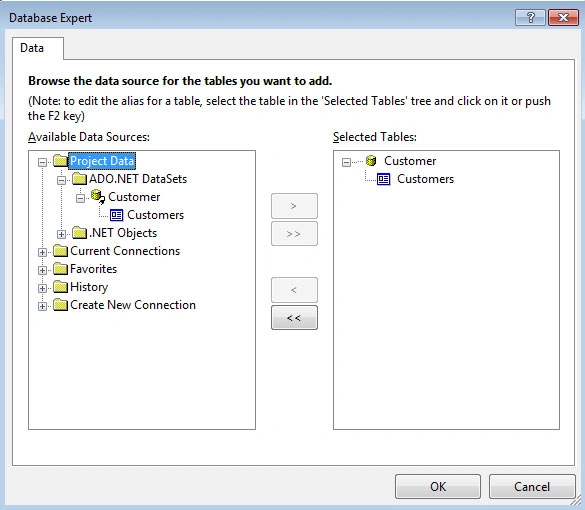
You will get all the fields of the Customers table under the Customers option under Database Fields in Field Explorer. Drag and drop the required fields in the Section 3 (Details) part of the report and save it.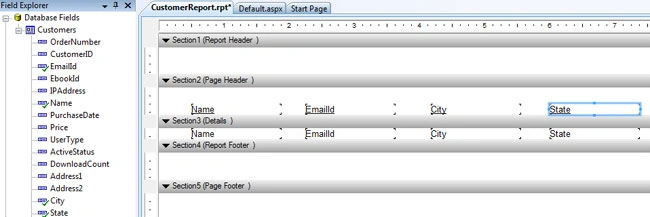
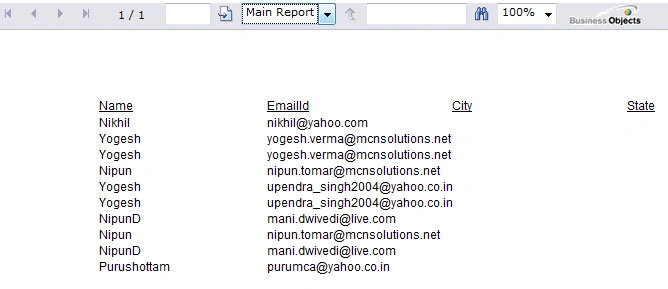
Finally drag CrystalReportViewer control from the Reporting section of the Toolbox to our webpage.

Muhammad UsmanPosted Jun 14, 2017, 2:03 AM
Great is then of is
ftaalish aliPosted Sep 21, 2015, 10:37 AM
I've got the same problem and applied the previous steps, but the problem still exists.What is the solution please
Krina ChudasamaPosted Jun 30, 2015, 5:11 AM
Why it's asking for DB connection ??
Tabarak HussainPosted Mar 12, 2015, 7:32 AM
excellent........
vikram pawarPosted Dec 30, 2014, 2:43 AM
Database Logon Failed
Mukesh Kumar TiwariPosted May 13, 2014, 1:42 PM
superbbb
Former memberPosted Dec 6, 2012, 3:17 PM
i am unable to add connection to the database.this error occurs when i enter database name and press ok: error:: a network related or instance specific error occurred while establishing a connection to sql server..... i have search on internet but could not figure out the problem...some ppl say that it happens due to disable remote access to the database but still no solution for this problem... plz help me...
abdul muqeetPosted Jul 10, 2012, 7:59 AM
i getting empty fields in the report i used your steps.. its showing only column names not the data ..
mohan kumarPosted Apr 23, 2012, 11:42 AM
Nicely Explained Manish..
ashlu shajuPosted Apr 2, 2012, 9:43 AM
very nice manish
ashlu shajuPosted Apr 2, 2012, 9:43 AM
very nice manish
CsharpUserPosted Mar 14, 2012, 4:23 AM
Nice article above. Please advise on what approach i can use to generate reports in VS c#express 2010
Vishal ShahPosted Jan 27, 2012, 12:42 PM
Above code is very useful , however can you help to generate crystal report in visual studio 2010 WPF application ?
Abhimanyu K VatsaPosted Apr 13, 2011, 9:04 AM
awesome......