

This article explains how to create a new web application in SharePoint Central Administration.
Step 1
Click the Start menu then select Microsoft SharePoint 2013 Products then select SharePoint 2013 Central Administration.
Step 2
The following Central Administration page will appear.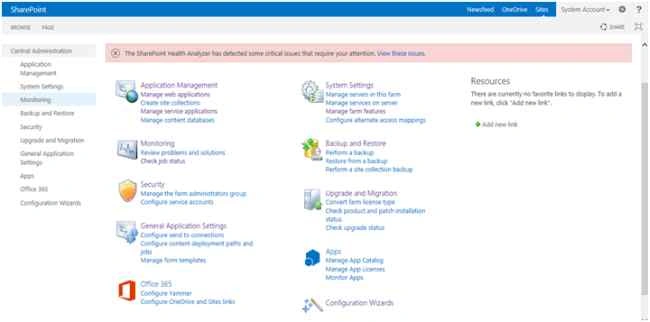
Step 3
Click Application Management in the left Navigation. The following screen will appear.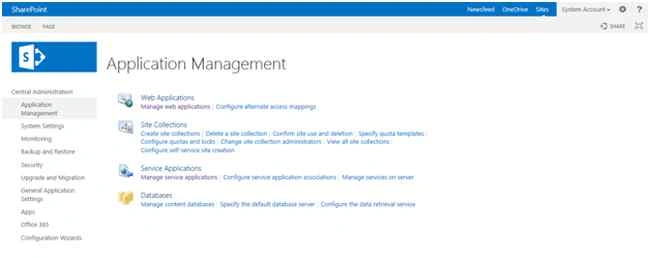
Step 4
Click Manage web applications under the web application menu. It shows the running web applications in Central Administration.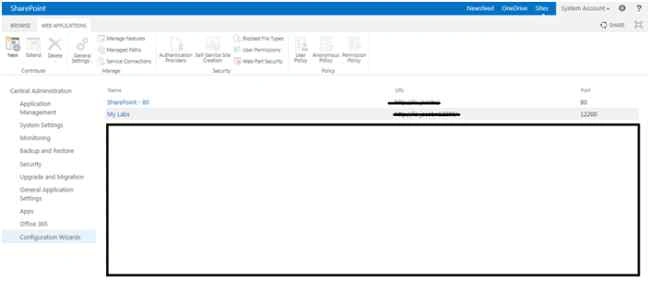
Step 5
Click New item menu in the top ribbon. Its shows the following pop-up screen.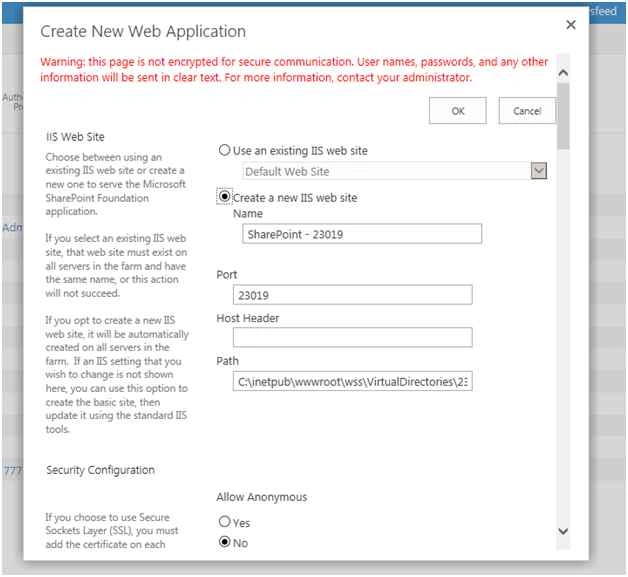
Step 6
Change the name of your web application.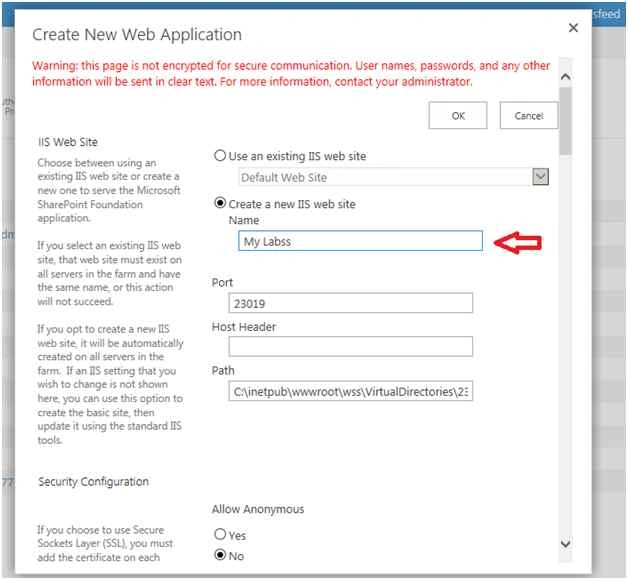
Scroll the popup down then click the Ok button. 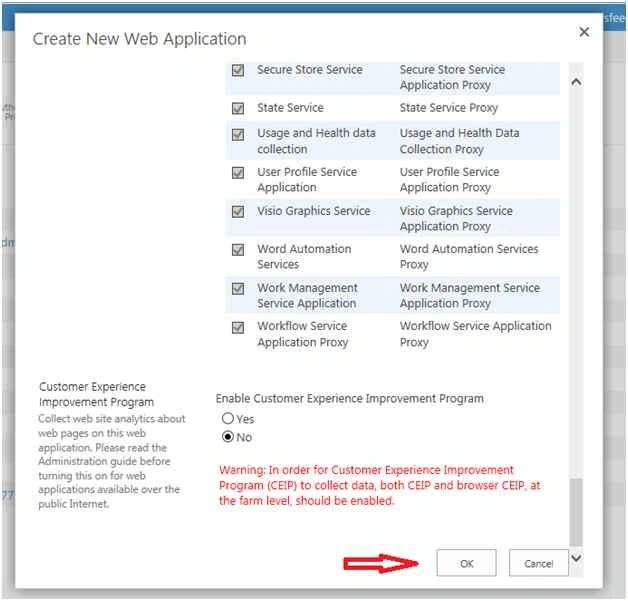
Finally the new web application is created in SharePoint Central Administration.
Summary
In this article we have explored how to create a new web application in SharePoint Central Administration.
SriramPosted Jul 3, 2015, 1:36 AM
Good.......
NitinPosted Jun 16, 2015, 1:16 AM
good one
Santhakumar MunuswamyPosted Jun 15, 2015, 2:24 PM
Thanks for sharing:)