

Prerequisites
- Xamarin Studio Visual Studio Community Edition
- Azure account
Now let's get started with the following steps:
Create a new Azure mobile app backend
Step 1: Sign in to the online Microsoft Azure Portal.
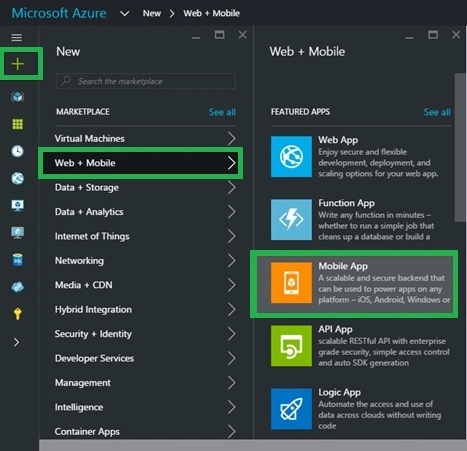
Step 2: In the Jumpbar, click New, then click Web + Mobile, and then Mobile App.
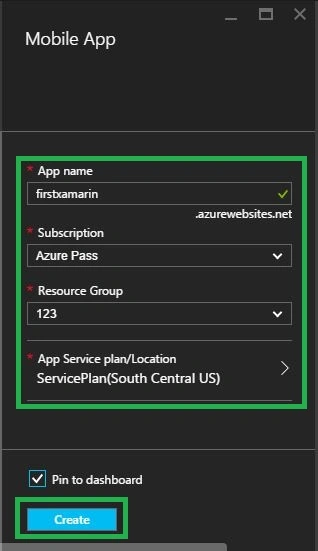
In the Mobile App account blade, specify the desired configuration for the Mobile App account (Name, & Resource Group). Click Create button at the bottom of the screen to create the Mobile App.
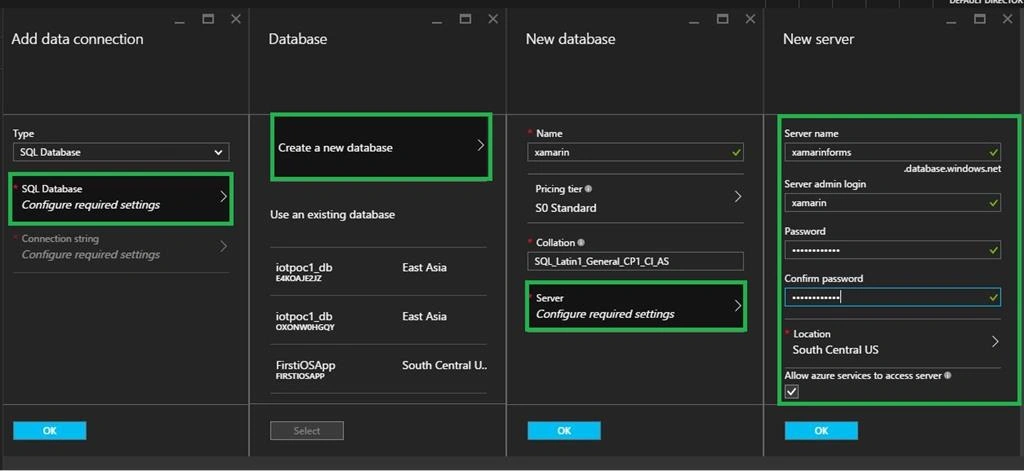
In the Add data connection blade, click SQL Database, then create a new database, type the database Name, choose a pricing tier and then click Server and New server blade, type a unique server name in the Server name field, provide a secure Server admin login and password.
Configure the server project
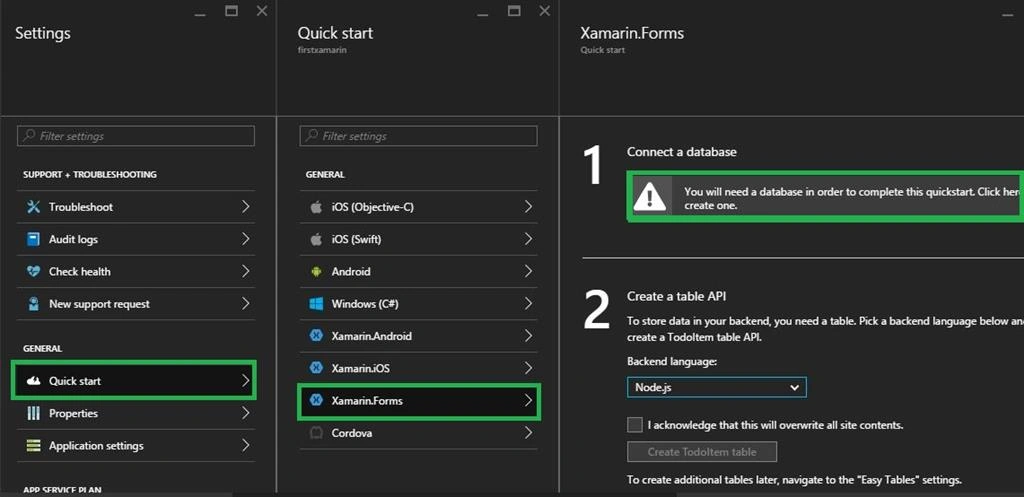
Step 1: Back in the Mobile App backend settings, click Quick start > your client platform (Xamarin.Forms).
Step 2: Under Create a table API, select your Backend language, either C# or Node.js:
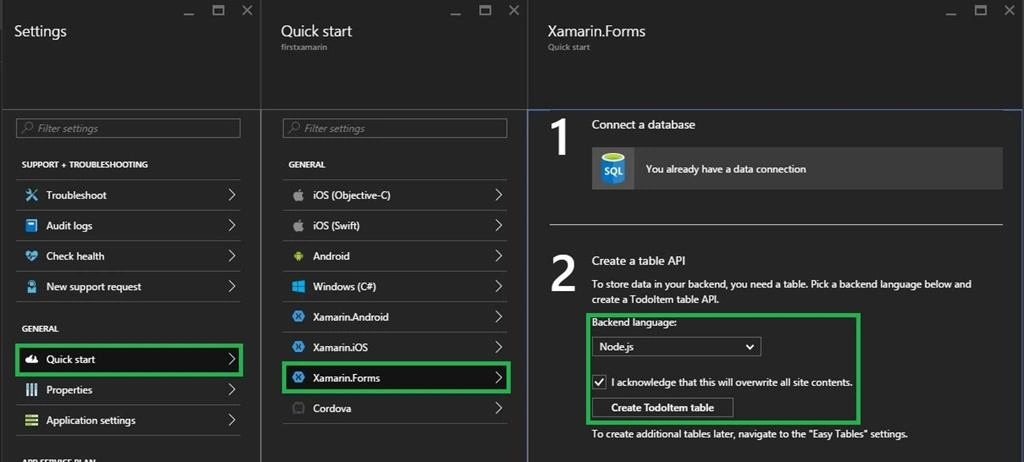
Click Browse All, Mobile Apps, then the backend that you just created. In the mobile app settings, click "Quick start", then Xamarin.Forms. Under Configure your client application, click Download. This downloads a complete Windows project for an app pre-configured to connect to your backend and Open the project using Xamarin Studio or Visual studio Tools and ‘Run App' button to build the project and start the app in the emulator.
Mark MalovichPosted Nov 20, 2019, 2:41 PM
Hi Mr. Nagaraj, I'm trying to learn Xamarin.Forms, while following the steps in your tutorial I noticed that Azure removed Xamarin.Forms from the blades under Quickstart. If you please, can you let me know how I can proceed with he updated Azure to complete your tutorial - Thank you very much
Prasanna MuraliPosted May 6, 2016, 12:53 PM
Nice sir
Gowtham RajamanickamPosted Apr 27, 2016, 4:44 AM
good article..
Rupali ShindePosted Apr 26, 2016, 4:06 AM
thanks for sharing ..
NitinPosted Apr 10, 2016, 1:13 AM
good one
Vignesh ManiPosted Apr 9, 2016, 11:29 AM
Good One sir.
Debasis SahaPosted Apr 9, 2016, 2:03 AM
Good share..
Rahul Kumar SaxenaPosted Apr 8, 2016, 10:29 PM
Good show