

Introduction
Amazon Kendra GenAI index enhances semantic search by combining traditional search relevance with Large Language Model (LLM)-powered scoring to deliver accurate, contextual results. This feature extends beyond keyword matching to understand the semantic meaning of queries and documents, enabling natural and precise information retrieval. This article demonstrates how to create an Amazon Kendra GenAI index using SharePoint Online as a data source.
Data source
SharePoint Online serves as a secure document management and collaboration platform accessible from any device. For this demonstration, the SharePoint document library contains Wikipedia documents that will be indexed using Amazon Kendra GenAI.
Pre-requisites
- An AWS account with permissions to,
- Create and manage the Amazon Kendra index
- Configure AWS Secrets Manager
- Set up IAM roles and permissions
- Create and manage an Amazon S3 bucket
- Install PnP PowerShell.
- Register a Microsoft Entra ID application to use with PnP PowerShell
- Install git.
- Application Developer permission role or the Global Administrator permission role to register a Microsoft Entra ID app.
Register an app in Microsoft Entra ID
Register a Microsoft Entra ID application using the following steps.
- Launch PowerShell 7.
- Run the following command to register an Entra ID application.
$result = Register-PnPAzureADApp -ApplicationName "AmazonKendraGenAIIndexApp" ` -Tenant vigneshganesan.com ` -OutPath "C:\Users\XXXXXXXX\Documents\Vijai\Blogs\code\PowerShell" ` -CertificatePassword (ConvertTo-SecureString -String "password" -AsPlainText -Force) ` -GraphApplicationPermissions "User.Read.All" ` -SharePointApplicationPermissions "Sites.FullControl.All" ` -Interactive $result - Note down the Client ID, .cer, and .pfx file path from the $result parameter.
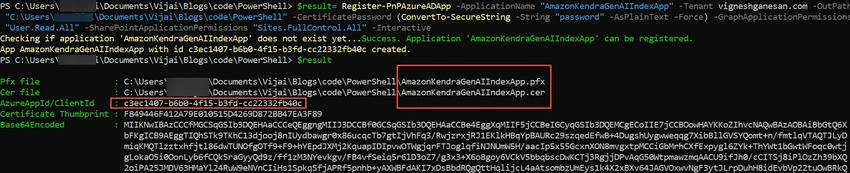
- Upload the certificate (.cer file) generated in the previous step to Amazon S3 Bucket.
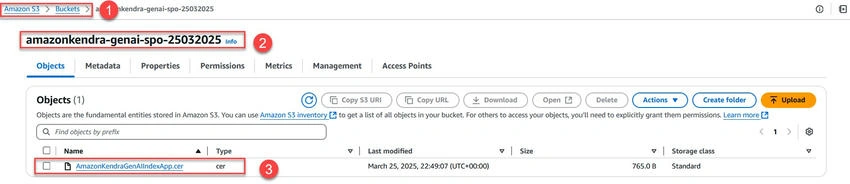
- Now, you extract the private key contents from the .pfx file. This .pfx file will be present in the certificate file path copied in the previous step.
- Launch Git Bash.
- Run the following command to extract the private key. Note: Navigate to the folder path where certificates are available.
openssl pkcs12 -in "AmazonKendraGenAIIndexApp.pfx" -nocerts -out "AmazonKendraGenAIIndexApp.key" - You will be prompted for the import password. Enter the password that you used while registering the app. You will be prompted again to provide a new password to protect the .key file that you are creating. Store the password to your key file in a secure place to avoid misuse.
- Run the following command to decrypt the private key. This decrypted key will be stored in AWS Secrets Manager for the Amazon Kendra data source configuration.
openssl rsa -in "AmazonKendraGenAIIndexApp.key" -out "AmazonKendraGenAIIndexApp-decrypted.key"
Create a Gen AI index in Amazon Kendra
Create an index in Amazon Kendra to add SharePoint Online as the data source.
- Navigate to the Amazon Kendra service in the AWS Console.
- Select Indexes in the navigation pane.
- Select Create Index.
- Enter the index name, select the Create a new role (Recommended) option, and enter the Role name. Click Next.

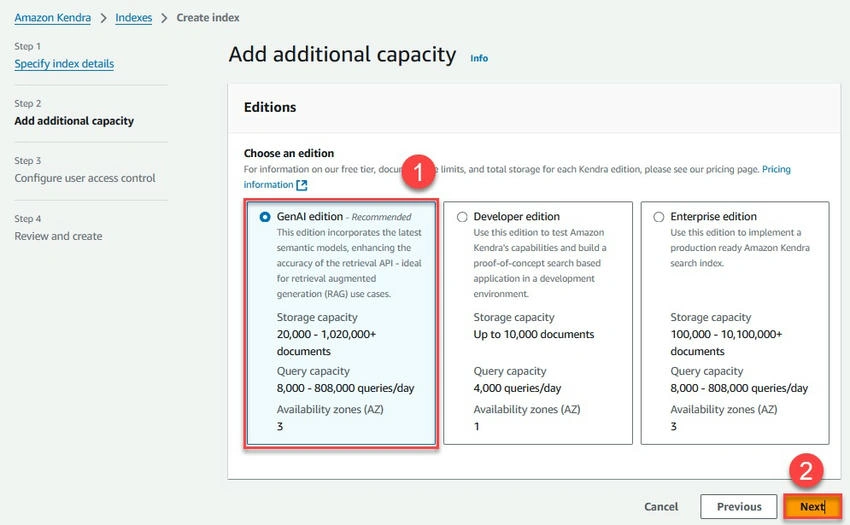
- Select the GenAI edition and click Next.
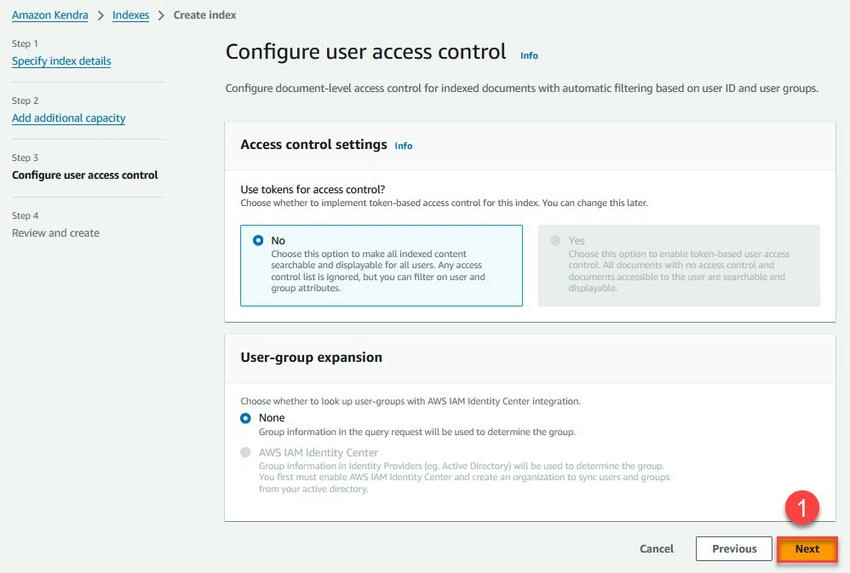
- Leave the default values for user access control and click Next.
- Review the index details and click Create.
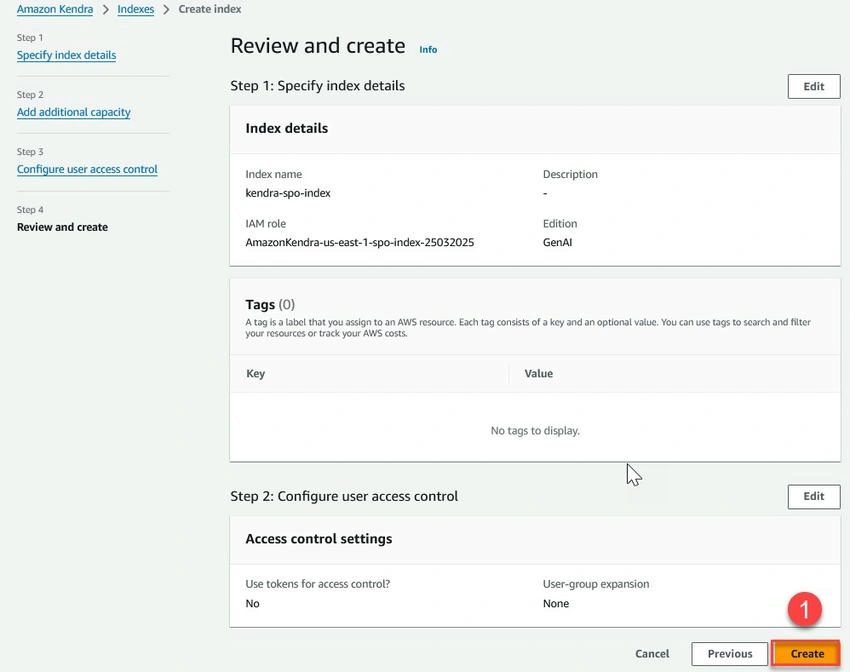
Add SharePoint data source to index
Add a SharePoint data source to the newly created Kendra GenAI index and sync the content from the SharePoint Online site using the following steps.
- Navigate to Amazon Kendra service in AWS Console.
- Select Indexes in the navigation pane.
- Select the newly created index and click on Add data sources.
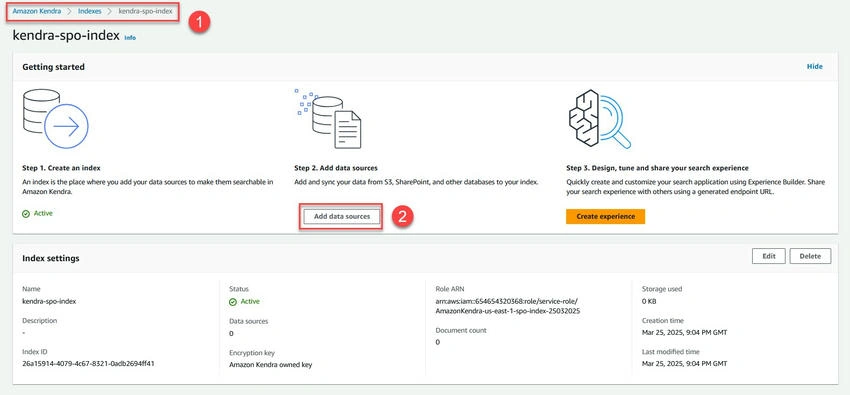
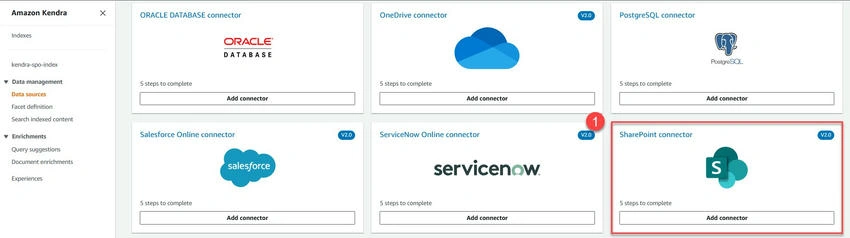
- Select SharePoint and click Add connector.
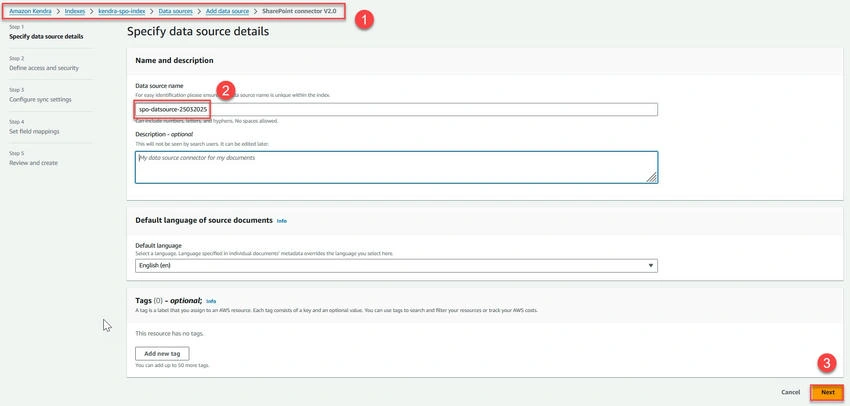
- Enter the name for the data source and click Next.
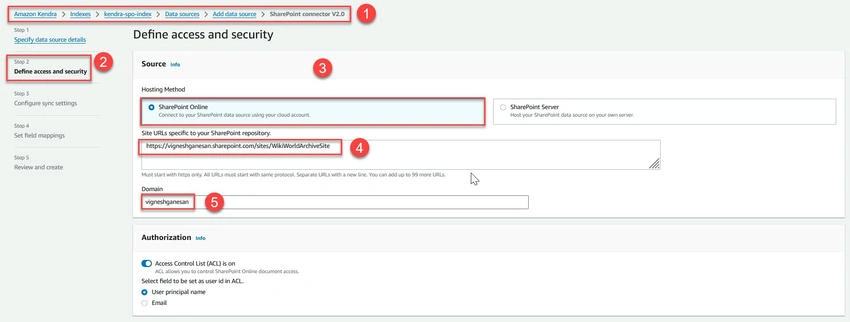
- Select SharePoint Online as the hosting method. Enter the site URL and domain name.
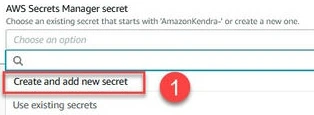
- Under the Authentication section, select Create and add a new secret.
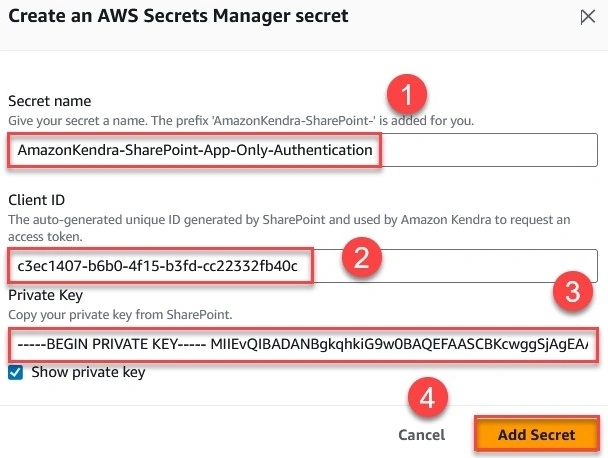
- Enter the secret name, client ID, and the decrypted private key (Copy the content from AmazonKendraGenAIIndexApp-decrypted.key). Click Add Secret.
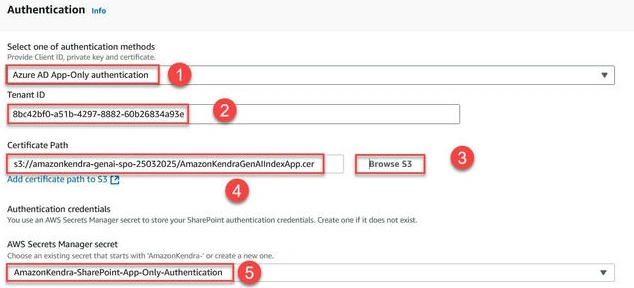
- Select Azure AD App-Only Authentication as the authentication method. Enter the Tenant ID, browse, and select the certificate from S3 (.cer file).
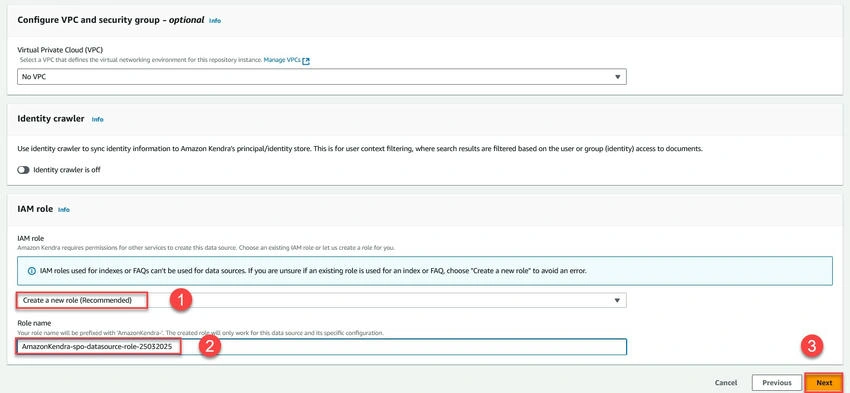
- Select Create a new role (Recommended) and enter the role name. Click Next.
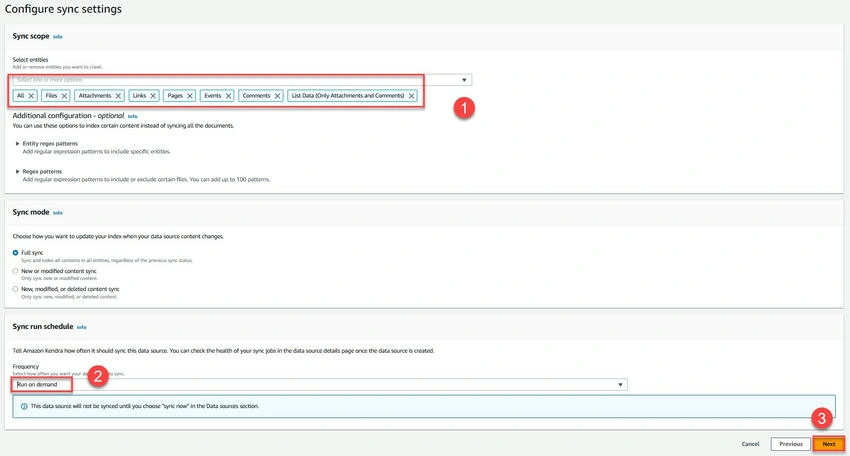
- Select All entities as the scope and run on demand as the sync run schedule. Click Next.
- Click Next. Review the data source configuration and click Add data source.
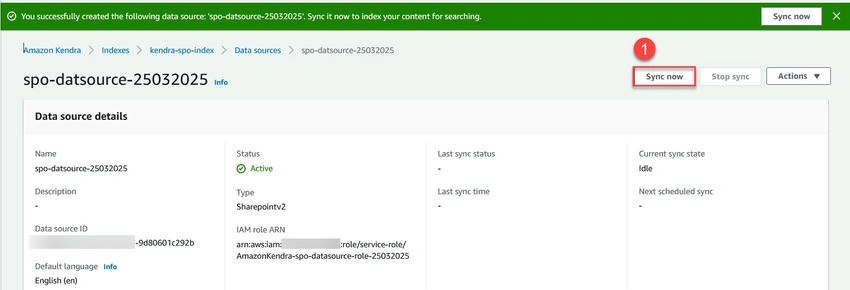
- Once the data source is created successfully, click Sync now.
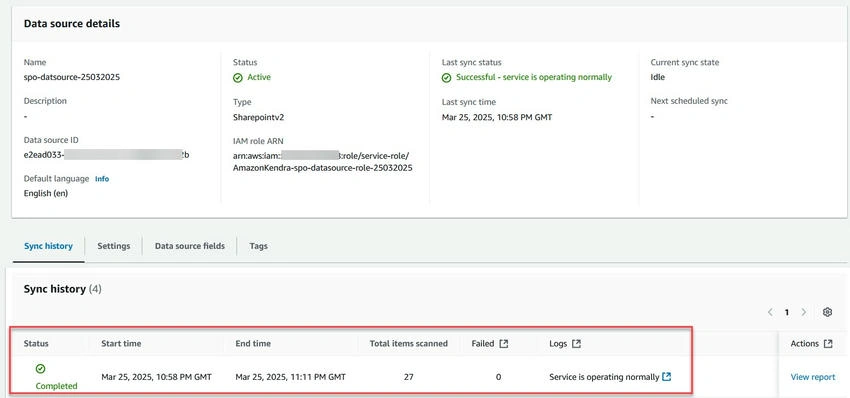
- Verify the sync completion and status.
Conclusion
In this article, you learned how to create and configure an Amazon Kendra GenAI index using SharePoint Online as a data source.
Next Steps
To extend this solution, consider
Additional Resources
Join the conversation! Your thoughts help the community grow.