

Introduction
Xamarin is a platform to develop cross-platform and multi-platform apps (for example, Windows phone, Android and iOS). In Xamarin platform, the code sharing concept is used. In Xamarin Studio, Visual Studio is also available.
Prerequisites
Xamarin is a platform to develop cross-platform and multi-platform apps (for example, Windows phone, Android and iOS). In Xamarin platform, the code sharing concept is used. In Xamarin Studio, Visual Studio is also available.
Prerequisites
- Visual Studio 2017 RC.
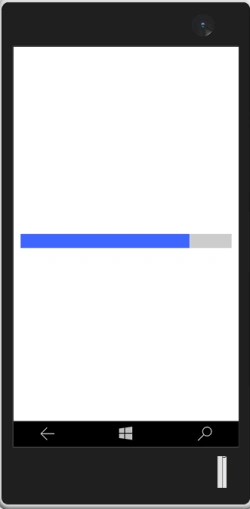
The steps given below are required to be followed in order to create a ProgressBar in Xamarin.Forms, using Visual Studio.
Step 1
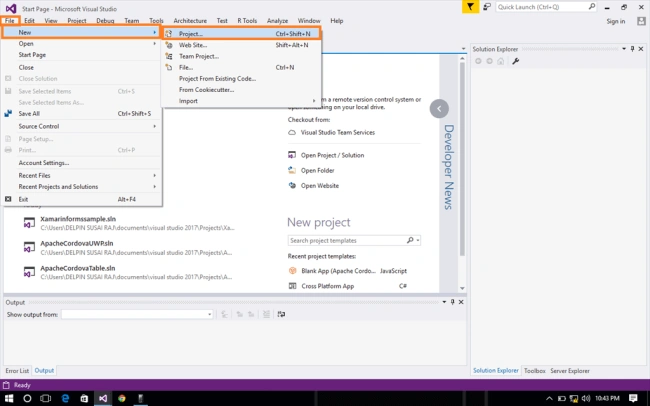
Click File--> select New--> select Project. The project needs to be clicked after opening all the types of the projects in Visual Studio or click (Ctrl+Shift+N).
Step 1
Click File--> select New--> select Project. The project needs to be clicked after opening all the types of the projects in Visual Studio or click (Ctrl+Shift+N).
Step 2
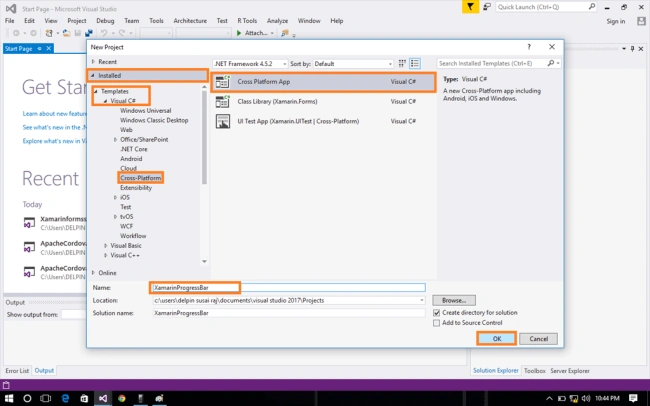
After opening the New Project, select Installed-->Templates-->Visual C#-->Cross-Platform-->choose Cross platform app. Now, give your Xamarin form app;a name (Ex:sample) and give the path of your project. Afterwards, click OK.
Step 3
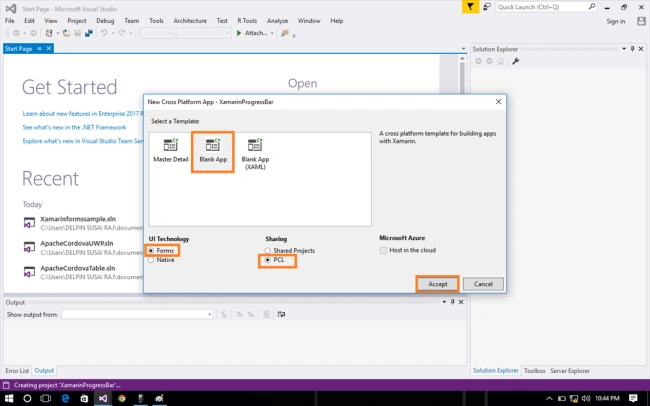
Now, choose Blank app and select forms PCL(sharing). Afterwards, click OK.
Step 4
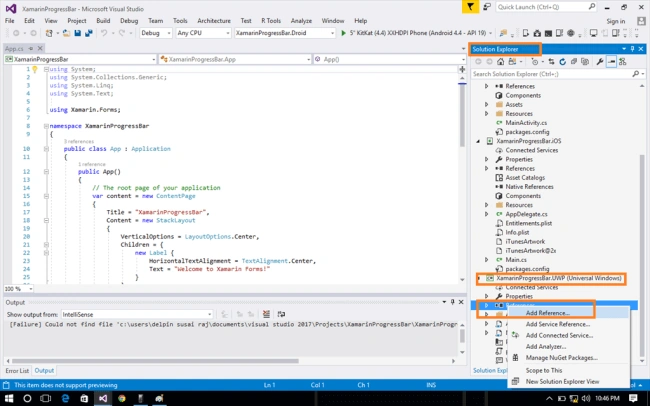
Now, go to Solution Explorer. In Solution Explorer, get all the files and source in your project. You can add Universal Windows Platform (UWP). In Reference, go to Solution Explorer-->Your Project-->UWP-->Reference-->Right Click --> select Add reference.
Step 5
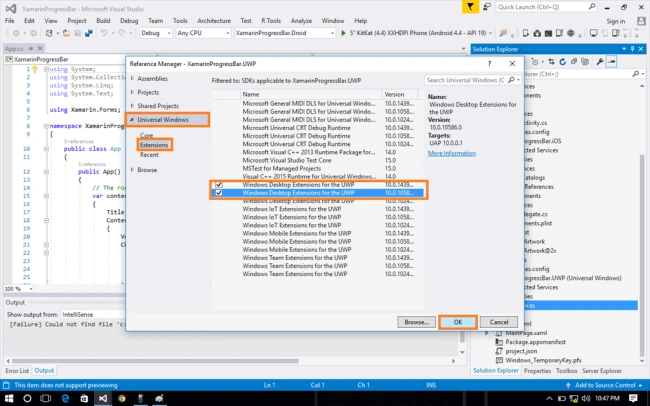
Now, you can select Universal Windows and select Extensions.Check.
- Windows Desktop Extension for the UWP. version:10.0.1439
- Windows Desktop Extension for the UWP. version:10.0.1058
Afterwards, click OK.
Step 6
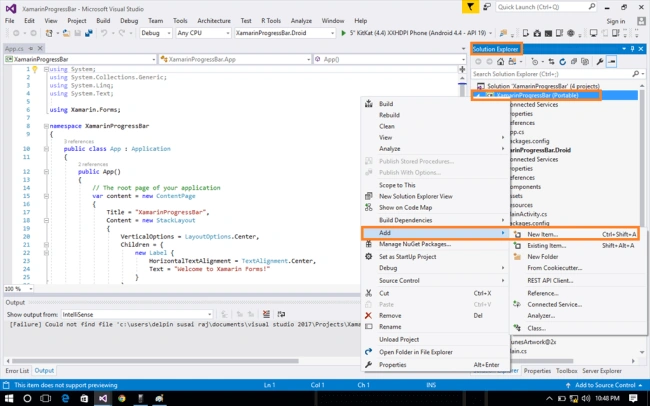
In this step, add one page, whose name is called MainPage.xaml. Go to Solution Explorer-->Your Project-->Portable-->Right click-->Add-->New Item (Ctrl+Shift+A).
Step 7
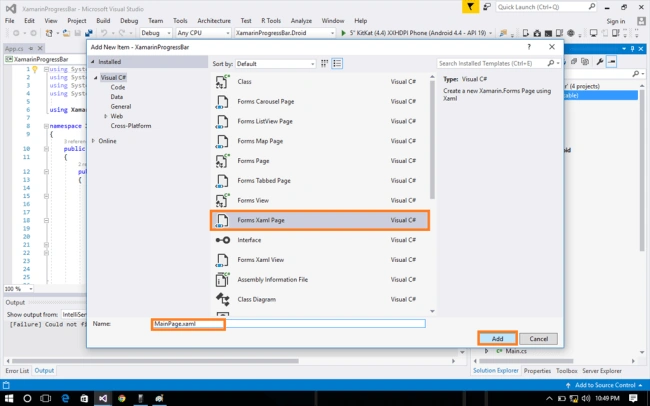
Now, select Forms XAML page and give the name (MainPage.xaml).
Step 8
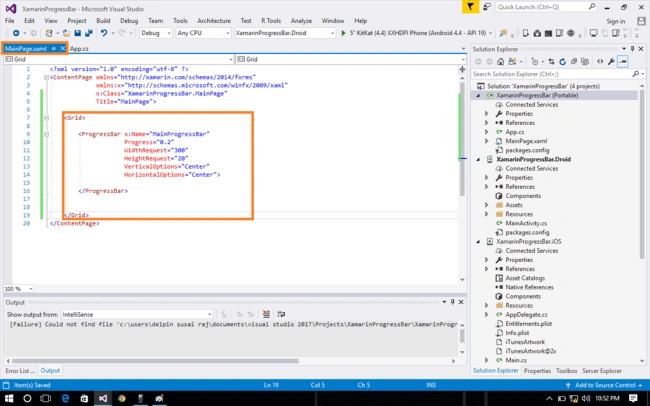
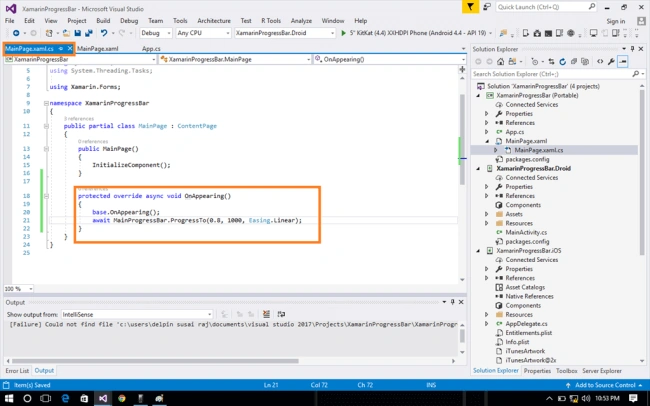
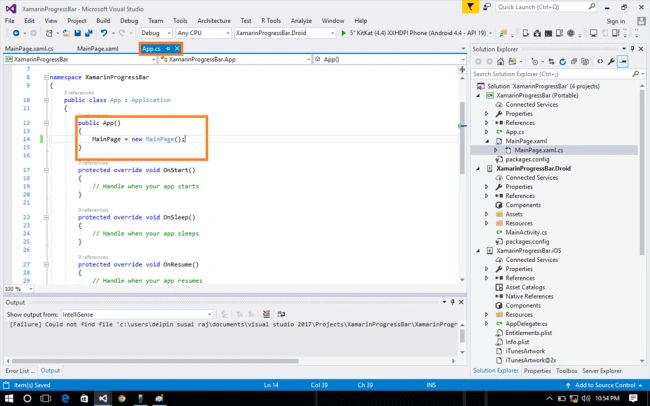
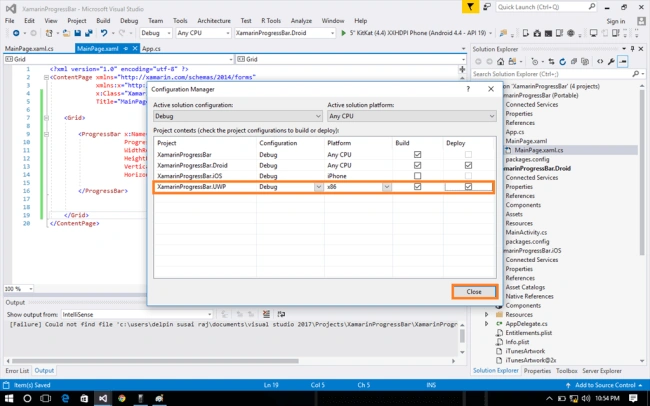
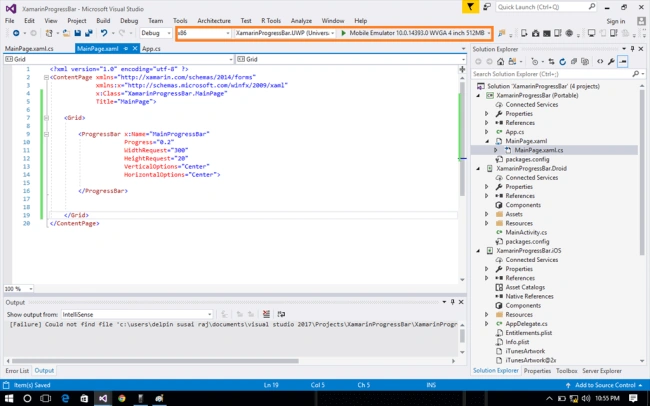
In this step, go to the MainPage.xaml page and write the code given below.
MainPage.xaml
Muniappan SubramanianPosted Jul 19, 2017, 5:12 AM
Nice...........................