

In our previous article, we set up our development environment and created our first Angular application. Clearly, Angular CLI is a genie for the developers – you just have to give a command and it will create whatever you need.
Components are the basic building blocks of an Angular application. Let’s quickly create an Angular component.
Step 1
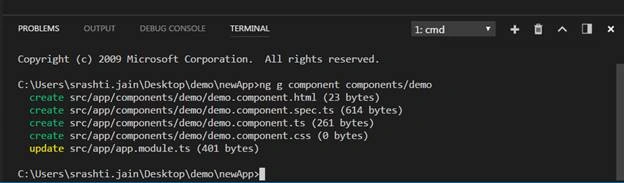
Inside the App folder, create a Components folder, then use the following command on integrated terminal:
ng g component components/demo
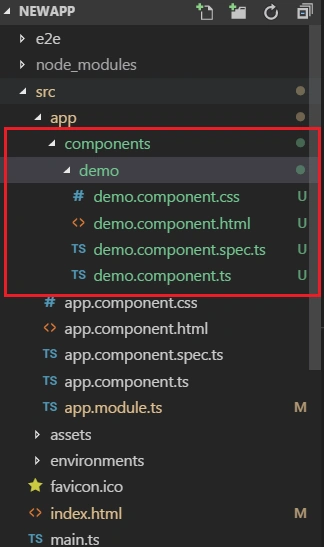
We can check, Angular CLI has created a demo component.
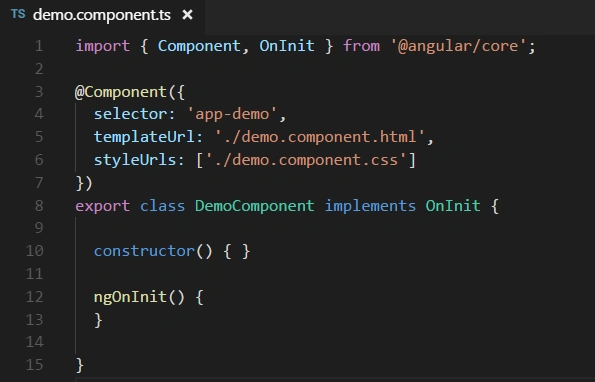
demo.component.ts
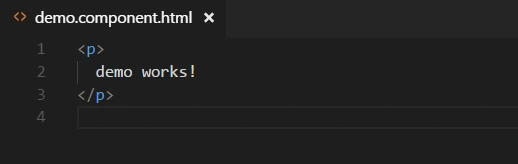
demo.component.html
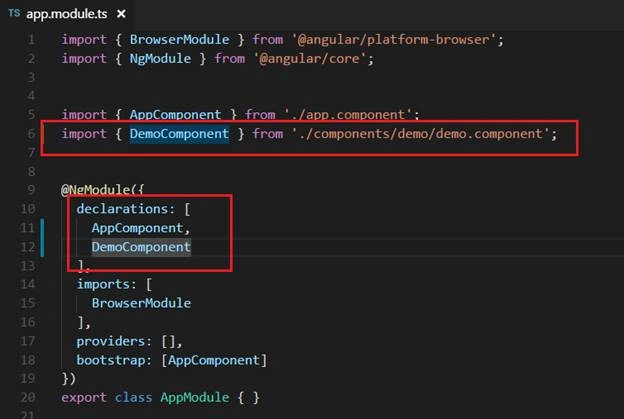
Also, CLI will add and declare the same in the app.module.ts file.
Step 2
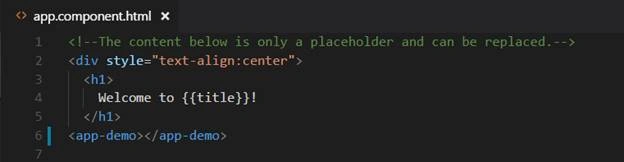
Add the demo component to the app.component.html.
We just have to add the selector of demo component as a tag where we want to include that.
Step 3
Run the application. Use command -
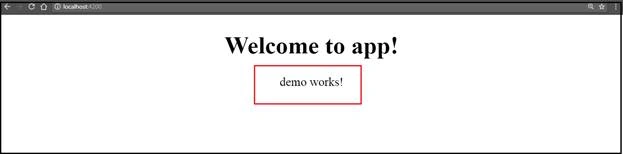
As we can see, we have successfully inserted the demo component into our app component.
Khaja MoizuddinPosted Oct 13, 2018, 3:23 PM
Which version of Angular is it.
Saravanakumar SekaranPosted Jun 27, 2018, 3:09 AM
Very nice article for the beginners of the angular
Talaviya BhavdipPosted Jan 11, 2018, 1:00 AM
Nice blog for the beginner of angular 2