

SharePoint Lists are one of the primary content repositories where we can store list items. Lists are highly useful, because they allow us to attach the files as well. One of the major advantages over SharePoint libraries is that we can attach multiple files in to a SharePoint list item. However, we have the flexibility to change the list item attachment settings from List settings->Advanced Settings.
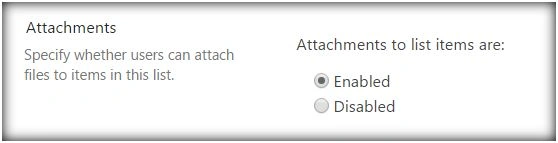
We can add the attachment to the list item out of the box, as shown below:
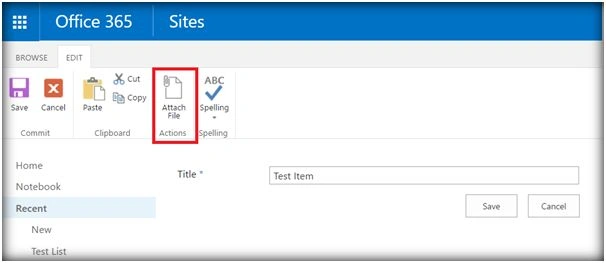
Whenever an attachment is added internally, it creates an attachment folder for each item it is attached to. If there is no attachment for a list item, it won’t be having an attachment folder. The attachment folder for a particular item will be located at the URL, given below,
https://SiteURL/sites/Playground/Lists/ListName/Attachments/1
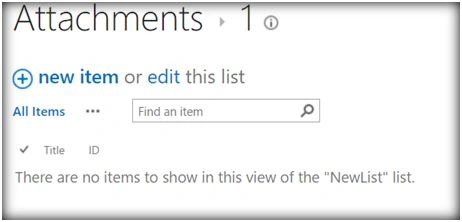
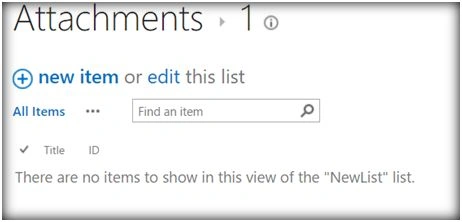
ListName is the name of the list. First is the folder name that is created with the name as List item ID. If there are no attachments for a list item, we would get the error, shown below, if the attachment folder is accessed.

Let’s see how we can create an attachment folder, using JavaScript Object model, so that we can add attachments programmatically later on.
- Add reference to jquery file,
- <script language="javascript" type="text/javascript" src="//ajax.googleapis.com/ajax/libs/jquery/1.8.1/jquery.min.js"></script>
- <script language="javascript" type="text/javascript">
- Within the document, call ready function SP.SOD.executeFunc, so as to load the on demand Script SP.js . Call the main starting point function, say:checkAttachmentFolder.
- SP.SOD.executeFunc('sp.js', 'SP.ClientContext', checkAttachmentFolder);
- Instantiate the client context and get the list instance. Once the list object is retrieved; break inheritance of the object.
- clientContext= new SP.ClientContext();
- oWeb= clientContext.get_web();
- varoList= oWeb.get_lists().getByTitle('NewList');
- oListItem= oList.getItemById(1);
- Load the client context and execute the batch which will send the request to the Server and perform the entire Javascript object model operations as a batch.
- clientContext.load(oWeb);
- clientContext.load(oListItem);
- clientContext.executeQueryAsync(QuerySuccess, QueryFailure);
- When successful, call back method and define attachment folder creation:
- varattachmentsFolder= oWeb.getFolderByServerRelativeUrl('Lists/NewList/Attachments');
- varattachmentsFolderURL=
- oWeb.get_serverRelativeUrl()+'Lists/NewList/Attachments';
- attachmentsFolder= attachmentsFolder.get_folders().add('_' + '1');
- attachmentsFolder.moveTo(attachmentsFolderURL+ '/' + '1');
- Load the client context and execute the batch once again so as to create the attachment folder.
Output
Now, if we navigate to https://SiteURL/sites/Playground/Lists/ListName/Attachments/1 , we will be able to see the newly created attachment folder.
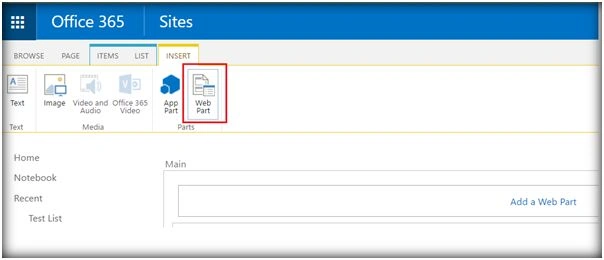
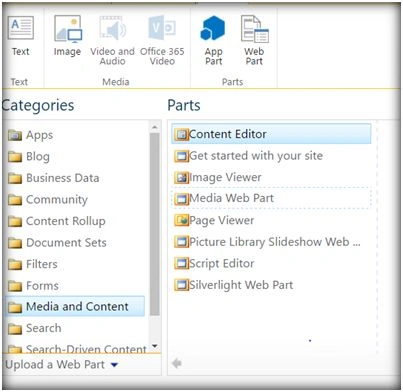
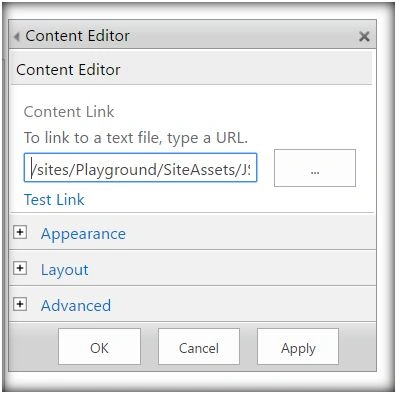
We can test this in SharePoint by adding it to the Content Editor Web part, as shown below:
rahul delistiPosted Mar 22, 2017, 9:35 AM
I have been trying to implement this but I am stuck at "attachmentsFolder.moveTo(attachmentsFolderURL + '/' + '1');". My coding doesn't go to the next step. I am not sure what I am missing. I think the folder which I am trying to create in the previous step is not working.
Santhakumar MunuswamyPosted Jun 25, 2016, 12:36 AM
Thank you for nice article
Prasham SabadraPosted Jun 22, 2016, 5:07 AM
Thanks for Sharing!!!
Vignesh ManiPosted Jun 21, 2016, 5:05 PM
nice
Kuppurasu NagarajPosted Jun 21, 2016, 12:39 PM
Nice Sharing..