
Introduction
First, we will create a very simple dashlet and we will extend that to be configurable.
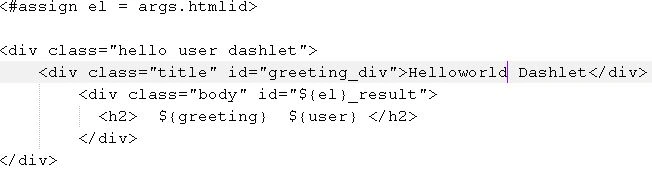
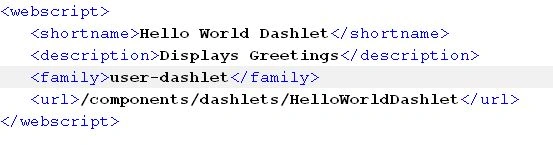
Copy these files into the "tomcat\webapps\share\WEB-INF\classes\alfresco\site-webscripts\org\alfresco\components\dashlets" folder.
HelloWorldDashlet.get.html.ftl
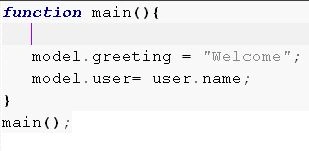

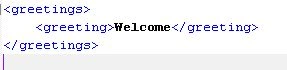
- Read the greeting message from the "HelloWorldDashlet.get.config.xml" file.
- Add the greeting message into the model.
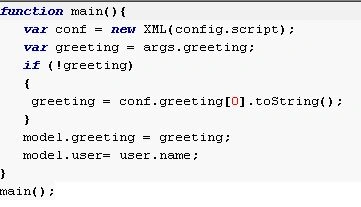
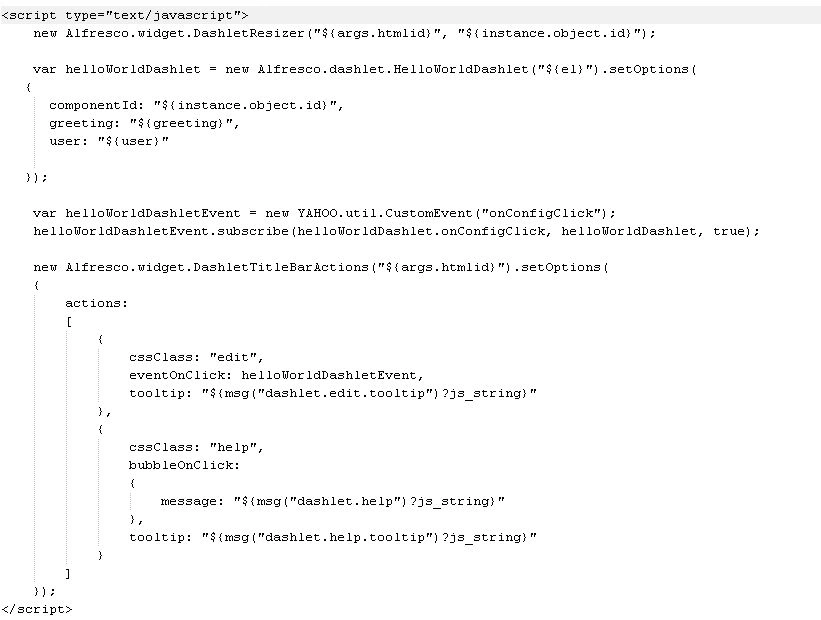
Now for the changes in the "HelloWorldDashlet.get.html.ftl" file.
Add the following "<script type ="text/javascript"> a </script>" part.
Sandeep SharmaPosted Oct 1, 2013, 7:35 AM
Sir, I need your help. Can you explain how to establish java connection with SQL Server?