

Procedure
Please use the following procedure to create the content type.
Step 1
reate a Console Application and add a reference to Microsoft.SharePoint.dll. Also ensure the Prefer 32-bit project property in the Build tab is unchecked.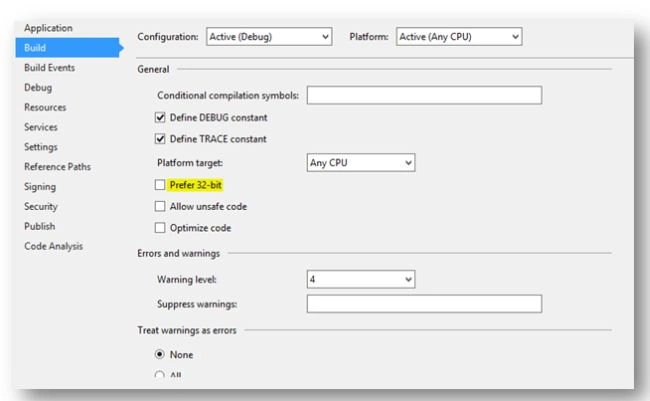
Step 2
Use the following code for the console application.
- using (SPSite site = new SPSite("http://hpvm"))
- {
- using (SPWeb web = site.OpenWeb())
- {
- // Delete content type if already existss
- if (web.ContentTypes["CodeCT"] != null)
- web.ContentTypes["CodeCT"].Delete();
- // Create content type inheritin from 'Item'
- SPContentType contentType = new SPContentType(web.ContentTypes["Item"], web.ContentTypes, "CodeCT");
- web.ContentTypes.Add(contentType);
- contentType.Group = "Custom Content Types";
- contentType.Description = "Content Type created through Code";
- // Create Site Columns
- string fieldName = web.Fields.Add("Column 1", SPFieldType.Text, false);
- SPField field = web.Fields.GetFieldByInternalName(fieldName);
- field.Update();
- fieldName = web.Fields.Add("Column 2", SPFieldType.Number, false);
- field = web.Fields.GetFieldByInternalName(fieldName);
- field.Update();
- fieldName = web.Fields.Add("Column 3", SPFieldType.DateTime, false);
- field = web.Fields.GetFieldByInternalName(fieldName);
- field.Update();
- // Add Field References to Our Site Columns
- contentType.FieldLinks.Add(new SPFieldLink(web.Fields.GetField("Column 1")));
- contentType.FieldLinks.Add(new SPFieldLink(web.Fields.GetField("Column 2")));
- contentType.FieldLinks.Add(new SPFieldLink(web.Fields.GetField("Column 3")));
- // Add few fields from OOB Site Columns
- contentType.FieldLinks.Add(new SPFieldLink(web.Fields.GetField("_Status")));
- // Update
- contentType.Update();
- }
- Console.WriteLine("Content Type created successfully.");
- }
Step 3
The code is executed below:
- Delete any content type with name CodeCT.
- Create new content type.
- Add custom field definitions to the web.
- Add custom field references to the content type.
- Add OOB column _Status to the content type.
- Updates content type.
Note: For custom columns, we are actually creating a Site Column through code (Fields.Add) and referring it to the content type (FieldLinks.Add).
Step 4
Execute the code.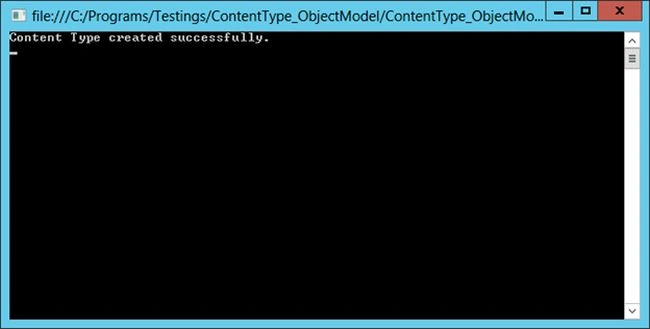
Step 5
You can verify that the new content type was created from Site Settings > Site content types.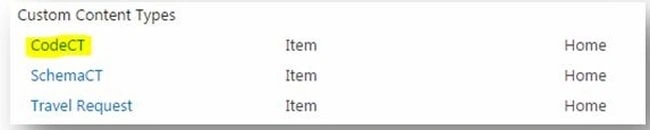
Step 6
Click on it and ensure that all the columns are visible.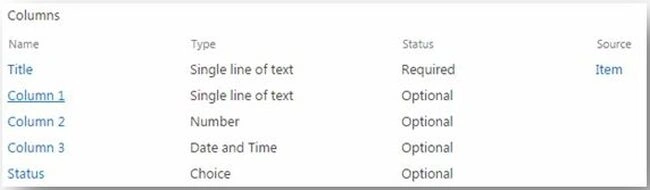
Step 7
You can use the SPFieldType enum for finding more types.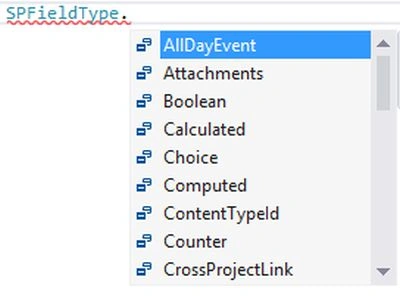
References
How to: Programmatically Create Content Types.
Summary
In this article we explored how to create a content type using server object model code. The source code is attached for reference.
Jean PaulPosted Jan 21, 2016, 9:09 PM
Thank you Dear Vinodh!
Vinodh NarayananPosted Jan 5, 2016, 2:22 AM
Good one sir thanks for sharing