

Introduction
Databases are a challenge nowadays for developers and it’s one of the most challenging tasks in any software project to manage the database changes and keep these changes in sync. The work is tougher when we have multiple environments, like dev, stab, or multiple servers in place.
It’s a big responsibility of any DBA to keep track of all the changes happening to the database, and deploy those changes to multiple servers.
To overcome the above issue, we have SQL Database Projects in Visual Studio. It’s very easy to develop, manage, compare, and deploy the database changes using Visual Studio. We can also keep track of all the database object changes under version control.
Visual Studio Database Project gives you the flexibility to create new database project from an existing database with just a button click, or you can create database project from scratch.
Let’s see the demo.
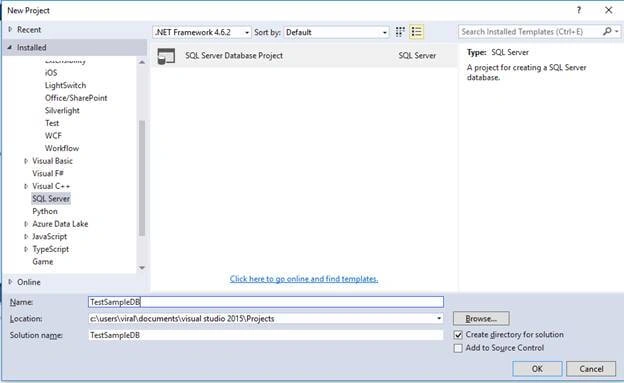
- In Visual Studio, go to “File” - “New” - “Project”.
- Now, select SQL Server Template.
- Then, select “SQL Server Database Project”.
- Enter the name and choose the location.
- Then, click “OK”.
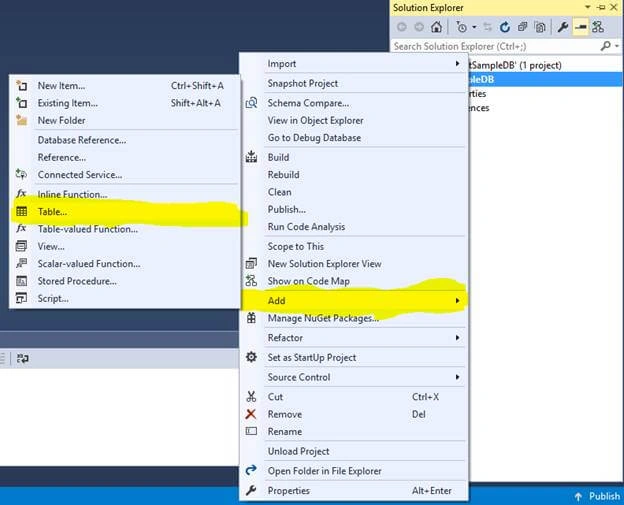
- Now, right click on the Project and click on Add >>Table.
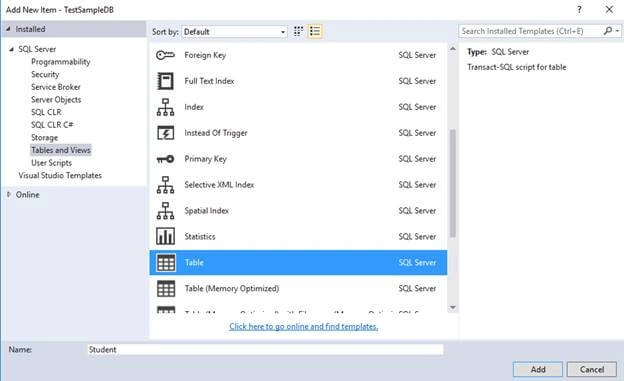
- Give the table a name and click "Add".
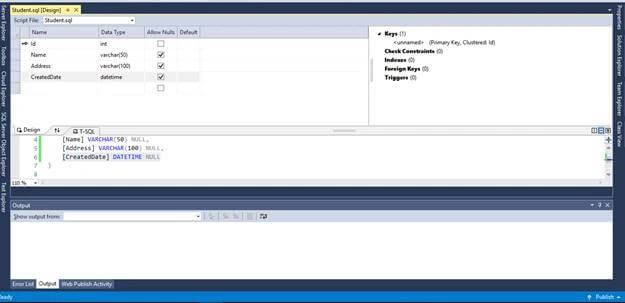
- Once you are done with adding the tables, you will see design. Here, you can add columns with datatype.
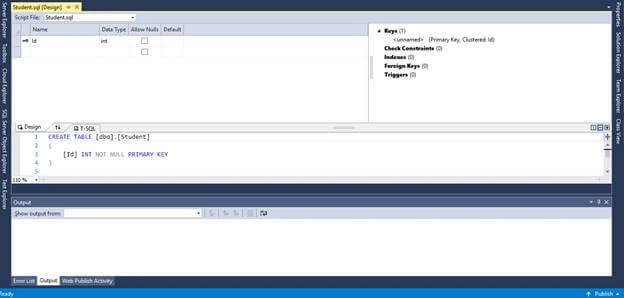
- Add more columns in this table. You will see that it generates the script in lower part and saves the table schema.
Now, to Publish your database into SQL Server, follow the below steps.
- Right click on your Solution Explorer, click on your database project, and then click on Properties.
- You can select SQL Server version from project settings.
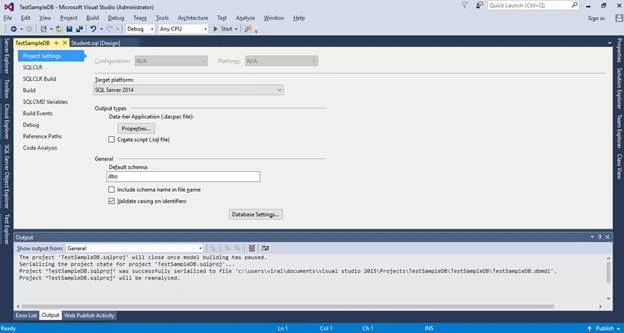
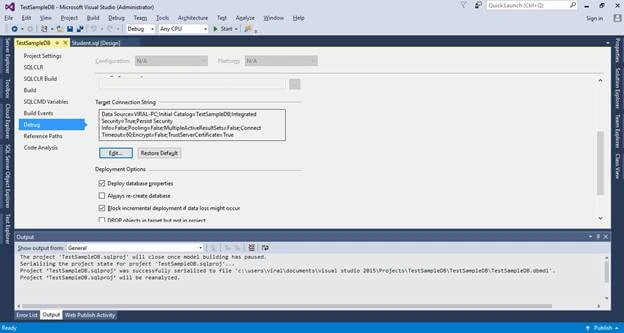
- Also, you can change the default connection from the "Debug" tab. Click on "Edit" button.
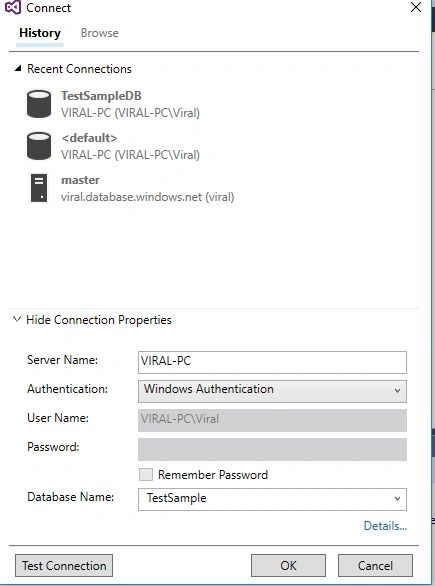
- Change the connection properties according to your PC. Enter Server name, Username, Password, and select database. Then, click OK.
- If it is windows authentication, theseis no need to give username and password. You need Server name and database only.
- Here you go....
- Don’t forget to save changes.
- Now, right click on your project and click Publish.
- Now, edit the "Target Database" settings.
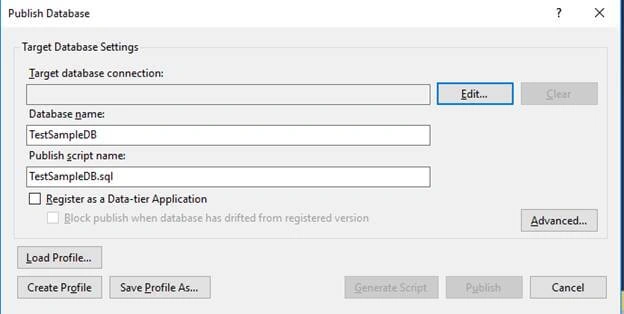
- Enter connection properties, such as - if it is SQL Server authentication, then give Server name, username, password, and select database; and if it is Windows authentication, then give Server name and select database.
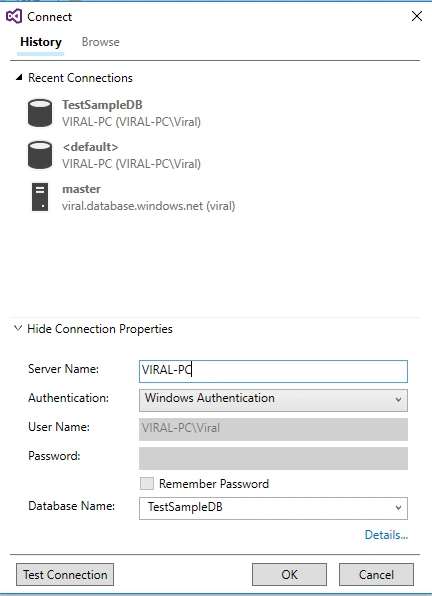
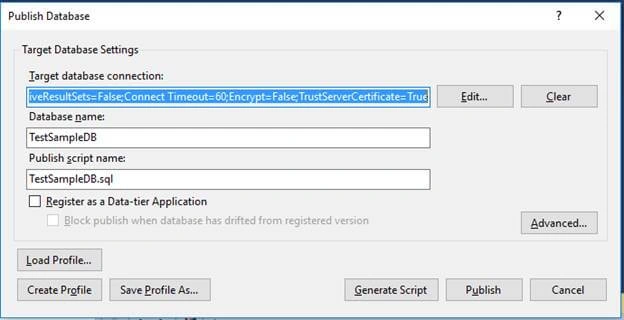
- Then, click on Publish.
- Wait until your database is published.

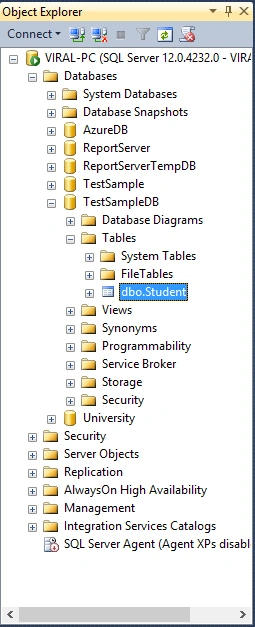
- Now, connect SQL Server Management Studio that is installed in your system, and check database.
Summary
In this article, we learned how to create Database Project in Visual Studio 2015 and publish the same database in SQL Server 2014. I hope you liked it.
Scott FraleyPosted Aug 20, 2019, 3:33 PM
Was having a hard time finding something like this until I found, well, this. :)
Ayman SabouraPosted Oct 20, 2018, 11:48 AM
THANK YOU IT WAS GOOD