

Here are the steps,
Step 1: Create a new project. Go to File, New, then Project. Under Visual C# > Universal, select Blank App (Universal Windows). Name it “Hello World” and click OK.

Step 2: You have created your application. Now in the Solution explorer you’ll see MainPage.xaml (To open Solution Explorer Go to View > Solution Explorer or Press Ctrl+W, S).
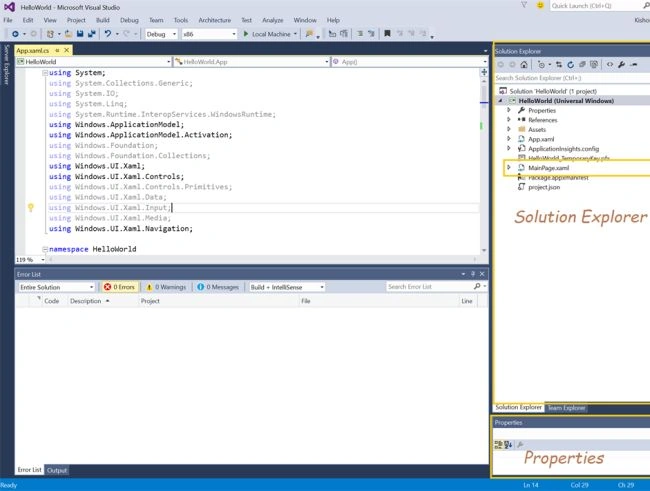
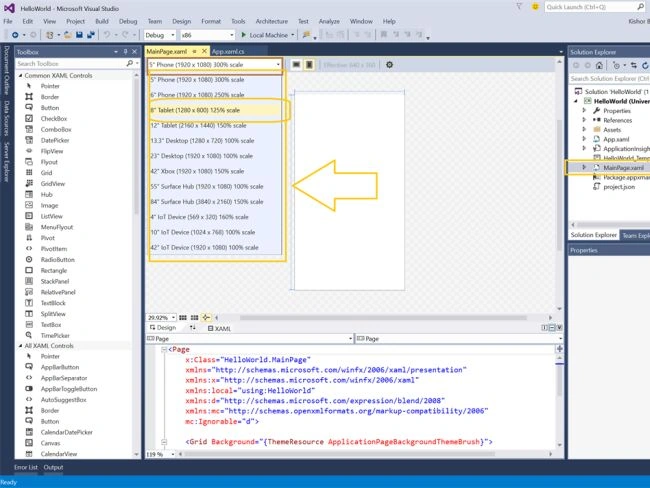
Step 3: Go to the MainPage.xaml. It is a designer where you can add all the controls like Button, Images, Medias, Inputs, etc. Visual Studio 2015 has provided a cool feature here. We can design for different devices such as Phones, Tablets, Desktop, Xbox, Surface Hub and IoT Devices.
Right now we are developing for Windows Tables/PCs, so we’ll select Tablet.

Step 4: Drag a TextBlock from Toolbox and put it in designer. In an Xaml, we can create this TextBlockcontrol using Xaml code.
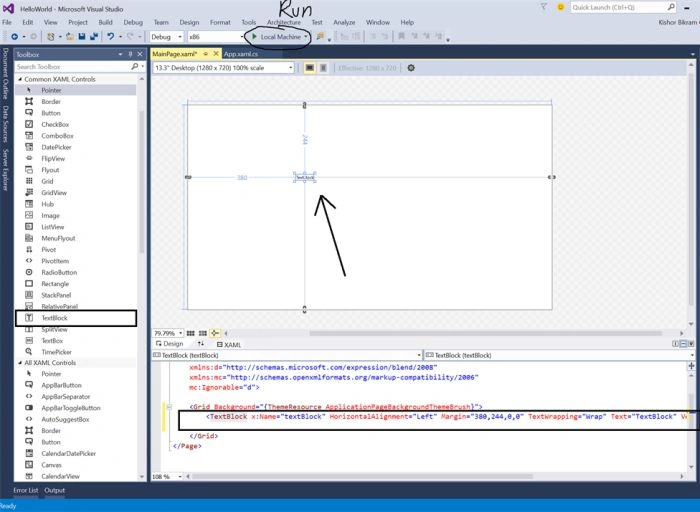
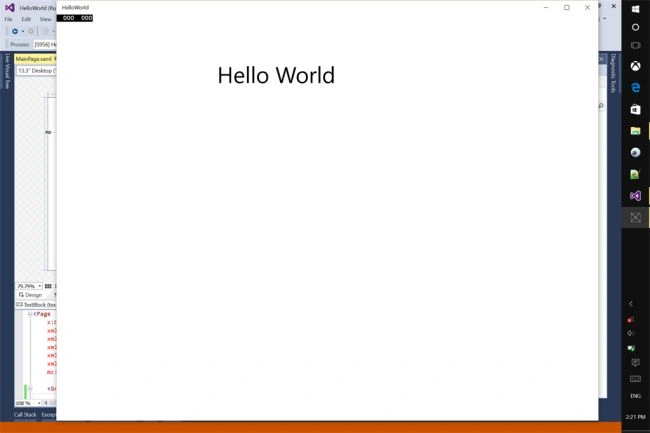
Step 5: Change the Text to "Hello World" in the XAML Editor and font size to 50.

In XAML, our code looks like the following:
Step 2: You have created your application. Now in the Solution explorer you’ll see MainPage.xaml (To open Solution Explorer Go to View > Solution Explorer or Press Ctrl+W, S).
Step 3: Go to the MainPage.xaml. It is a designer where you can add all the controls like Button, Images, Medias, Inputs, etc. Visual Studio 2015 has provided a cool feature here. We can design for different devices such as Phones, Tablets, Desktop, Xbox, Surface Hub and IoT Devices.
Right now we are developing for Windows Tables/PCs, so we’ll select Tablet.
Step 4: Drag a TextBlock from Toolbox and put it in designer. In an Xaml, we can create this TextBlockcontrol using Xaml code.
Step 5: Change the Text to "Hello World" in the XAML Editor and font size to 50.
In XAML, our code looks like the following:
Sr KarthigaPosted Apr 19, 2016, 10:07 PM
good one
Sr KarthigaPosted Apr 19, 2016, 10:07 PM
Nice explanation
Kishor Bikram OliPosted Apr 12, 2016, 7:56 AM
Thanks all ! :)
Asfend YarPosted Feb 27, 2016, 8:10 AM
nice start
Ankur MistryPosted Dec 1, 2015, 12:59 AM
nice
Santhakumar MunuswamyPosted Nov 28, 2015, 2:17 AM
Good One
Banketeshvar NarayanPosted Nov 24, 2015, 11:03 AM
Nice Share
Raja TPosted Nov 24, 2015, 8:14 AM
Nice, Thanks for sharing