

In this article, I would like to share the steps to create SharePoint list with default items using VS 2015. In a previous article, we saw how to create document library with predefined folders.
We can use the below steps for SharePoint 2013 also.
What is SharePoint list?
- List is a collection of information, we can share the information to our team members.
- A SharePoint list is used to store the data.
- We can customize the list easily; also we can set the permission to each list for different users.
- We can show a list in web part pages as List View Web Parts
- Each SharePoint lists will provide the below operations
- Add
- Edit
- Delete
SharePoint provides templates to create SharePoint list and library. Each and every list has its own list instance and list definition. In Visual Studio SharePoint projects, we can see the list instance, and items can be add in list instance easily.
Steps
Follow the below listed steps to create list using Visual Studio,
Already we saw how to create the SharePoint project using Visual Studio 2015
Step 1
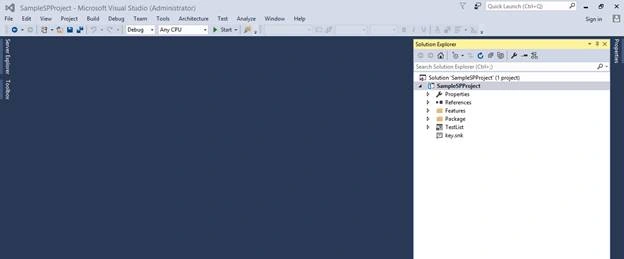
Open your SharePoint project in VS 2015.
Step 2
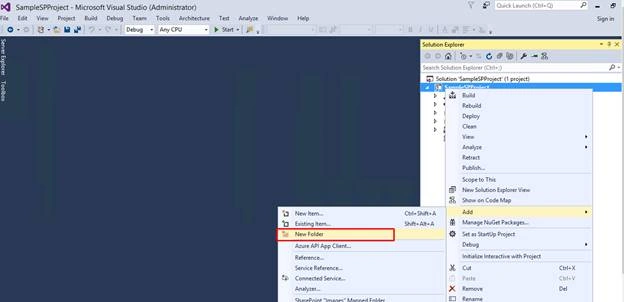
Then, create a subfolder under this project to keep the list separately. Right click the project and choose Add >> New Folder.
Step 3
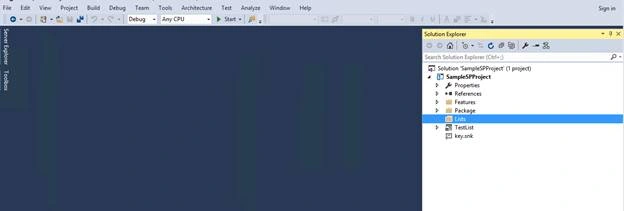
Provide the folder name as per your need.
Step 4
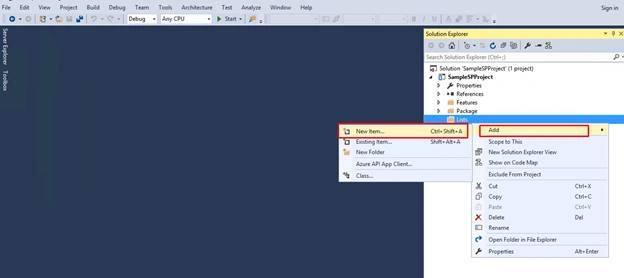
Right click on the Lists folder and select Add >> New item.
Step 5
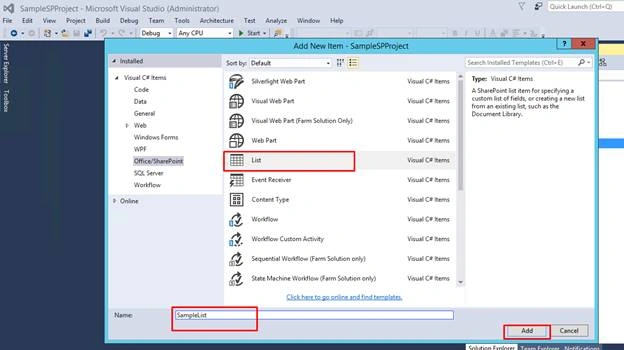
When you click the “New Item”, you will get a pop up as shown below. Select the list template on the pop up and provide the name of your List.
Step 6
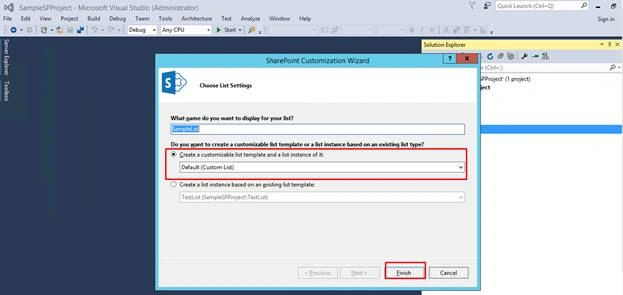
Then, press the "Add" button to create a new SharePoint List and select the template on the next pop-up. Here, I’ve selected the custom list template. Then, click “Finish” button.
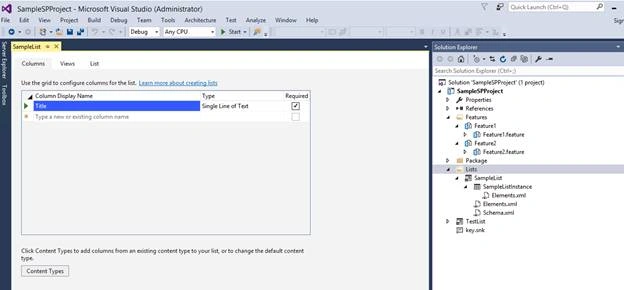
Finally, the list will be created in your project as shown below. By using Grid, we can create new columns.
Step 7
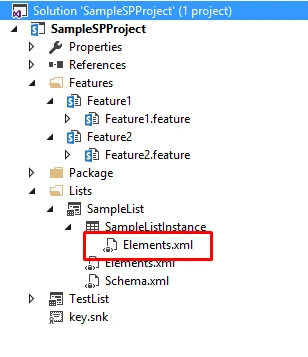
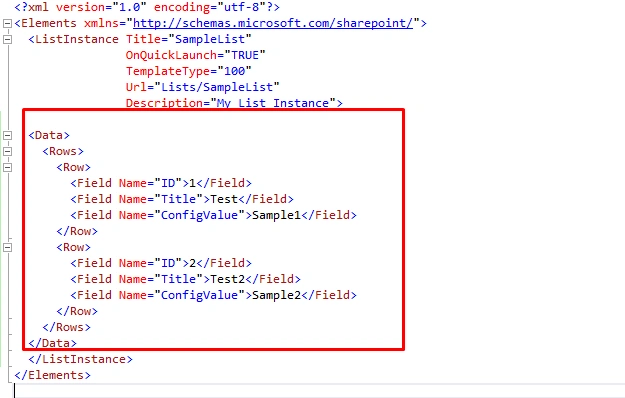
Open the list instance Element.xml file to add the default items to SP list.
Step 8
Add the below data, rows, and rows inside the list instance as shown in below code.
- <Data>
- <Rows>
- <Row>
- <Field Name="ID">1</Field>
- <Field Name="Title">Test</Field>
- <Field Name="ConfigValue">Sample1</Field>
- </Row>
- <Row>
- <Field Name="ID">2</Field>
- <Field Name="Title">Test2</Field>
- <Field Name="ConfigValue">Sample2</Field>
- </Row>
- </Rows>
- </Data>
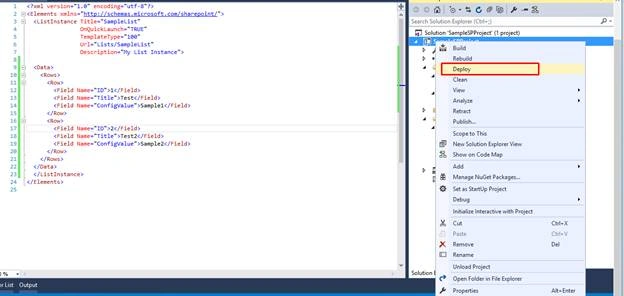
Deploy the solution.
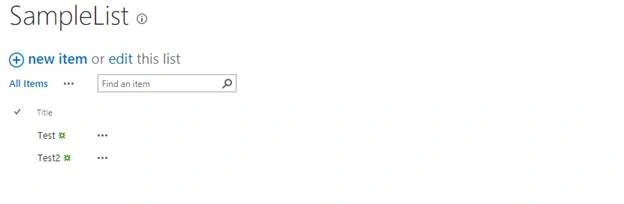
Finally, a list will be created with default items.
Summary
In this article, we have explored how to create list in SharePoint 2016 with default items using Visual Studio 2015.
Join the conversation! Your thoughts help the community grow.