

Xamarin Introduction
Xamarin is the best cross platform tool to develop mobile applications. It provides cross platform app development in C#, so we don’t need to write Java or Objective C. We can just use C# and leverage the same on all the major platforms. Xamarin also helps designers by providing with the different platforms, like Android, iOS, etc.
Working with Xamarin application development, we have two gateways- Xamarin Studio and Visual Studio. Xamarin Studio supports for both Windows or Mac. Visual Studio supports only in Windows, provided you can build and debug on Mac.
Prerequisites
- Visual Studio 2017 RC.
The following steps are to be foorder to create local Notification in Xamarin.Forms in VS 2017.
Step 1
Go to the Visual Studio, File >>New>> Project.
Click on C#>>select Cross Platform>> Then, select Cross Platform App(Xamarin.Forms.Portable).
Enter the application name and click OK.
Now, you can see the homepage of the project.
Step 2
Create a button. By clicking the notification, action will raise.
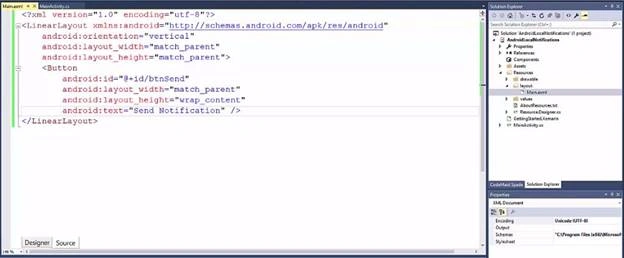
Step 3
Now, give action for the button click.
- Protected override void OnCreate(Bundle bundle) {
- Base.OnCreate(bundle);
- SetContentView(Resource.Layout.Main);
- Var btnSend = FindViewById < Button > (Resource.id.btnSend);
- btnSend.Click += (s, e) => {
- Bundle valuesSend = new Bundle();
- valuesSend.PutString(“sendContent”, ”This is content send from activity 1”);
- }
- }
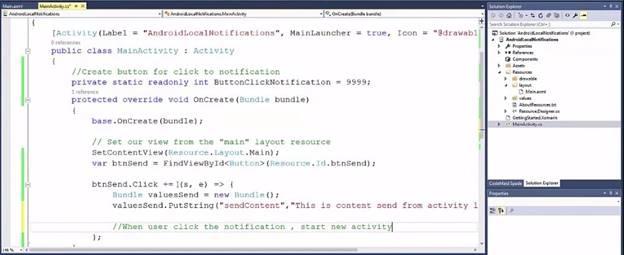
Step 4
In this step, we are going create an activity which gets active when we click on the notification.
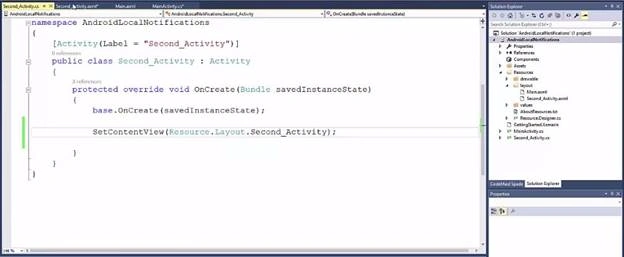
Step 5
In this step, we are writing the code to generate the notification when the button click event is raised.
- Intent newIntent = new Intent(this, typeof(Second_Activity));
- newIntent.PutExtras(valuesSend) // we are giving which activity should raise when we click the notification
- Android.Support.V4.App.TaskStackBuilder stackBuilder = Android.support.V4.App.TaskStackBuilder.Create(this);
- stackBuilder.AddParentStack(Java.Lang.Class.FromType(typeof(Second_Activity)));
- stackBuilder.AddNextIntent(newIntent);
- PendingIntent resultPendingIntent = stackBuilder.GetPendingIntent(0, (int) PendingIntentFlags.UpdateCurrent);
- NotificationCompat.Builder builder = new NotificationCompat.Builder(this);.SetAutoCancel(true).SetContentIntent(resultPendingIntent).SetContentTitle(“My Notifications”).SetSmallIcon(Resource.Drawable.Icon).SetContentText(“Click here to next Activity”);
- NotificationManager notificationManager = (NotificationManager) GetSystemService(Context.NotificationService);
- notificationManager.Notify(ButtonClickNotification, builder.Build());
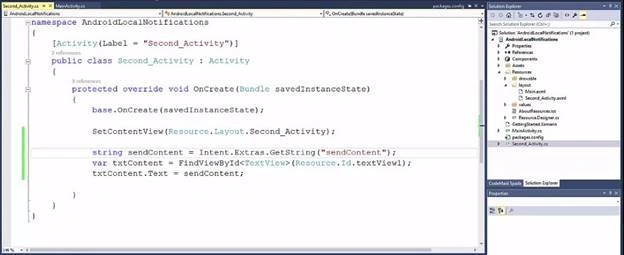
Please follow the screenshot.
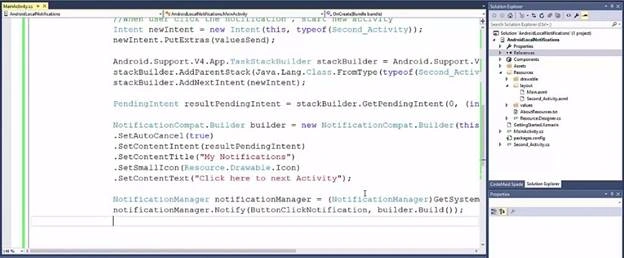
Step 6
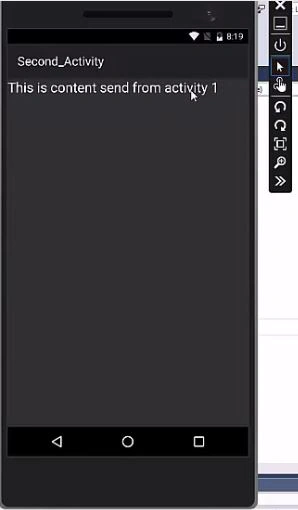
Here, we display the message which we send through the notification in the second_activity page to verify if the notification is really working or not.
Step 7
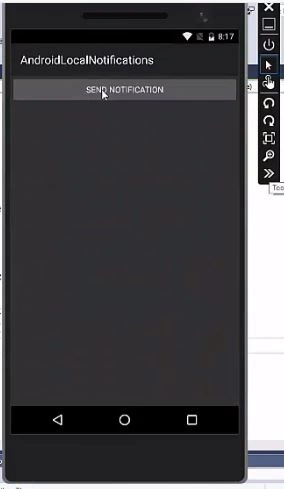
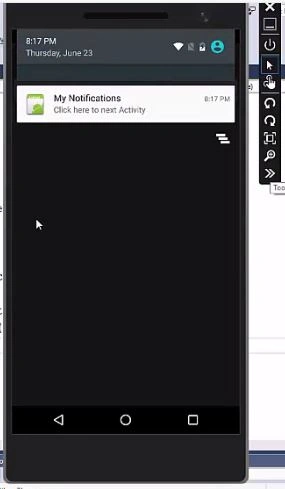
Run the app and click the “SEND NOTIFICATION” button. A new notification will be shown.
I hope this article is very useful.
nwenar abbasPosted Feb 14, 2022, 4:44 PM
How to listen to other apps is notifications
Akshay DixitPosted Aug 12, 2019, 2:05 AM
Yes, It is true it is Xamarin.Android Project so please don't waste our time
Kingsley SamuelPosted Apr 25, 2018, 5:11 AM
This doesn't look like Xamarin.Forms solution, it's Xamarin.Android. Please check and update to avoid misleading people.