

What is Search?
- SharePoint Search is used to get the keyword results from SharePoint sites, using search query.
- Search center is used to show the results from the site, using keywords.
- In Search center, there are several pages and they are called search verticals.
- We can customize the search vertical, as we need. The default search verticals in SharePoint online are given below.
- People
- Conversation
- Videos
- SharePoint provides lots of options to customize the search results, as we require.
Steps to create Search Result Source
Follow the listed steps, mentioned below to create Search Result Source.
Step 1
Open SharePoint site, where you need to create the search result source.
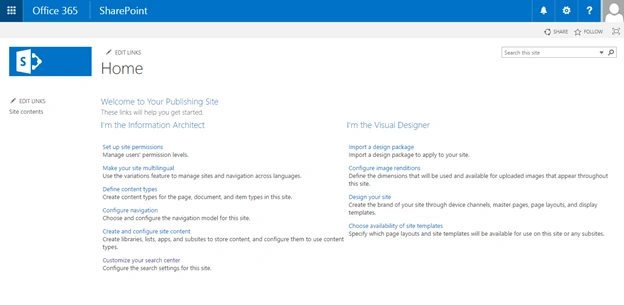
Step 2
Select "Site settings" from gear menu, as shown below.
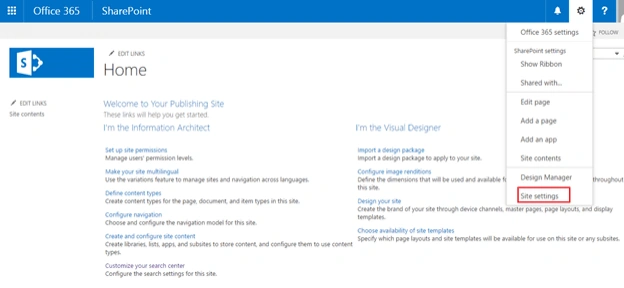
Step 3
On “Site Settings” page, click “Search Result Source” under site collection administration.
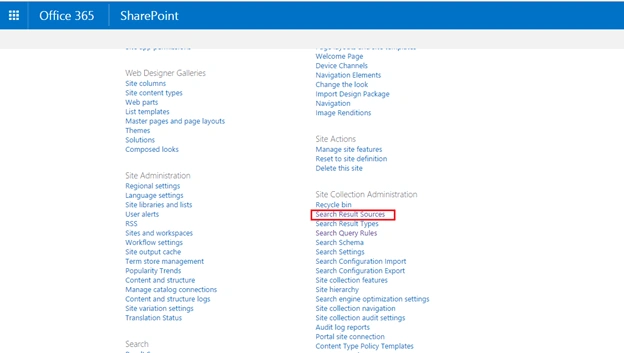
Step 4
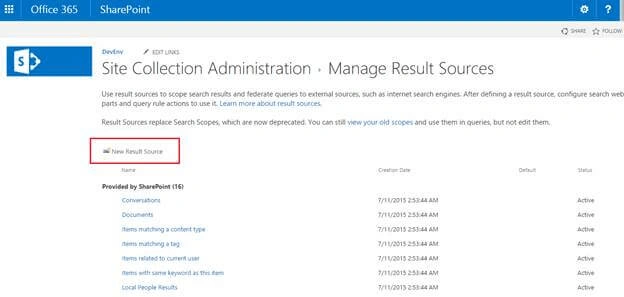
You will navigate to “Manage Result Source page”, as shown below.
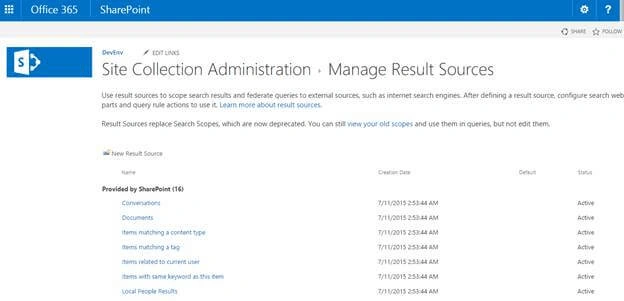
Step 5
Subsequently, click “Create New Result Source” on Manage Result source page.
Step 6
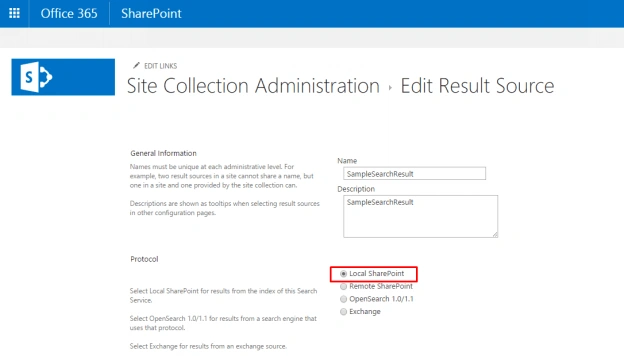
On “Manage Result Source” page, provide the values, mentioned below in the respective fields.
- Name- Name of the result source.
- Description- Description of the result source.
- Protocol- Select Local SharePoint.
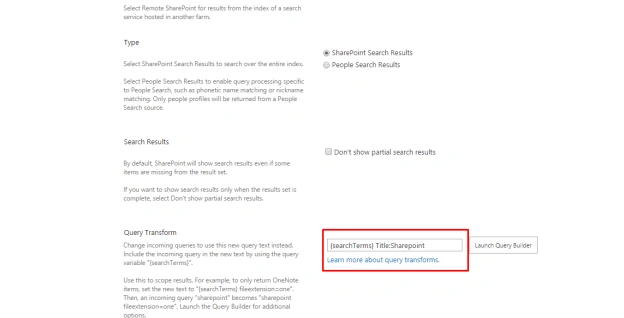
- Type- Select SharePoint Search Results.
- Search- Results enable this, if you need to show the search results only when the results set is complete, select does not show partial search results.
- Query Transform {searchTerms}
- redential Information: Anonymous (by default, it selects anonymous options and options are disabled).
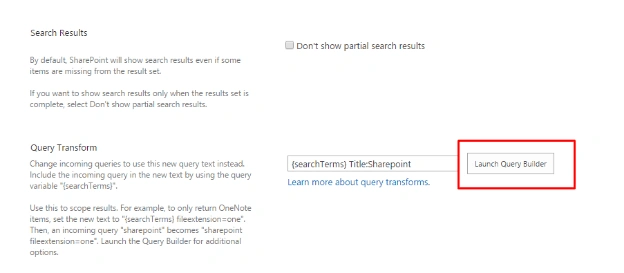
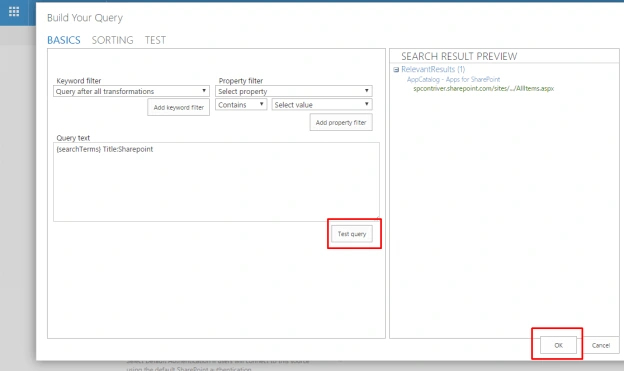
Click the Launch Query builder on the pop up to create a query as you need.
Step 8
Click Test Query to test your query, check your results and click OK.
Step 9
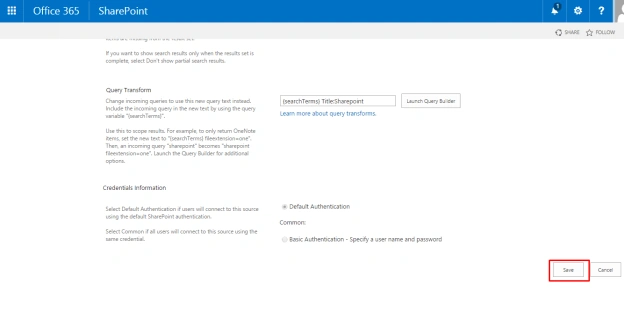
Finally, click save to create search result source.
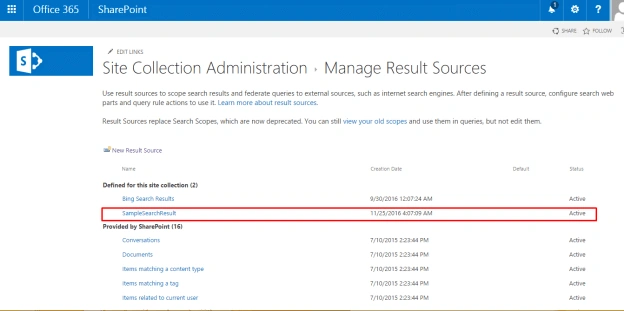
Search result source will be created successfully.
Summary
In this article, we have explored how to create a search result source in SharePoint Online.
Join the conversation! Your thoughts help the community grow.