
Create Outlook project in Visual Studio 2010. Create Outlook Add-in by using Messaging Application Programming Interface (MAPI). This add-in does the following:
-
Get every new email.
-
Process every new email
-
Get details of received email
-
Save attachment of that email
-
Mark that email with read flag
-
Move that email to outlook other folder
-
Determine unread email and process on that email
Messaging Application Programming Interface (MAPI)
MAPI is a messaging architecture and a Component Object Model based API for Microsoft Windows. MAPI allows client programs to become (e-mail) messaging-enabled, -aware, or -based by calling MAPI subsystem routines that interface with certain messaging servers. While MAPI is designed to be independent of the protocol, it is usually used with MAPI/RPC, the proprietary protocol that Microsoft Outlook uses to communicate with Microsoft Exchange
The following link refers to creation of an Outlook Express add-in:
http://msdn.microsoft.com/en-us/library/vstudio/cc668191.aspx
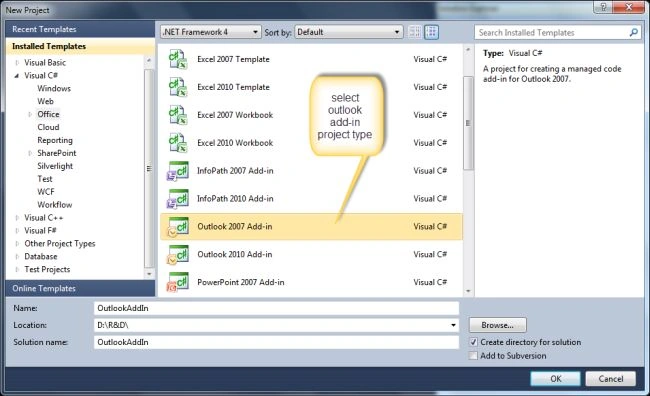
Using Visual Studio 2010, creates an Outlook Project for outlook add-in by using MAPI functionality. Use the following procedure to do that.
1 Create Outlook Project
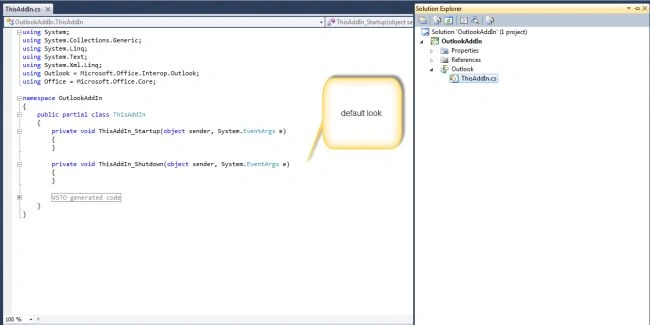
2. Initial look of the new project:
3. Default generated code:
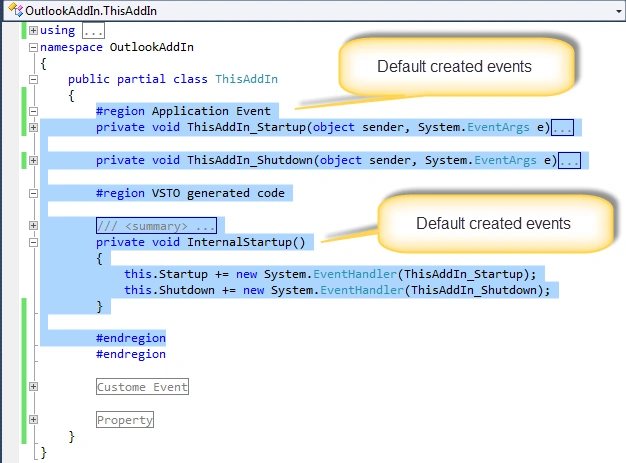
4. Default code: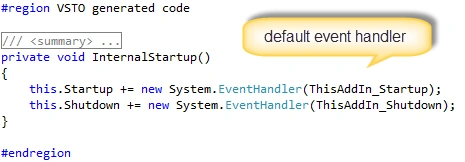
5. Handle new email receive event:
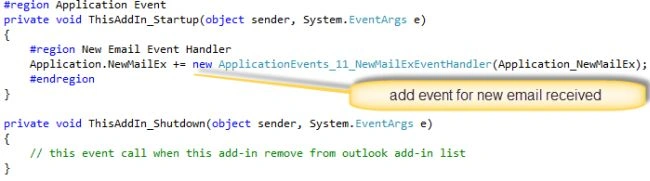
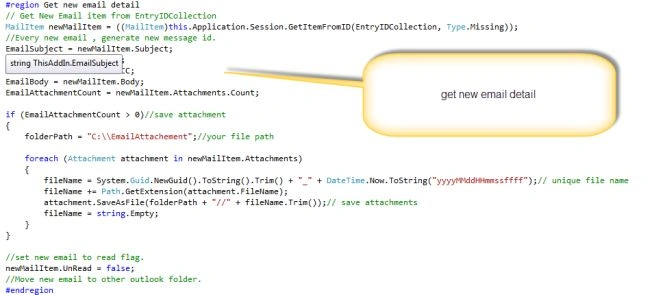
6. Application_NewMailEx is a customer function.
EntryIDCollection is a unique id of received email in outlook.
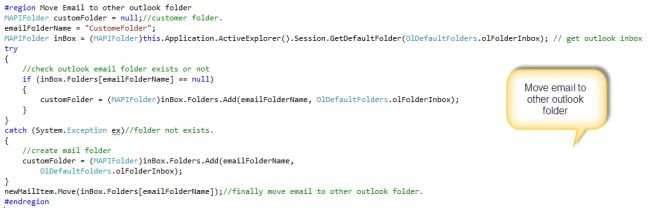
7. Move Email to custom folder of outlook:
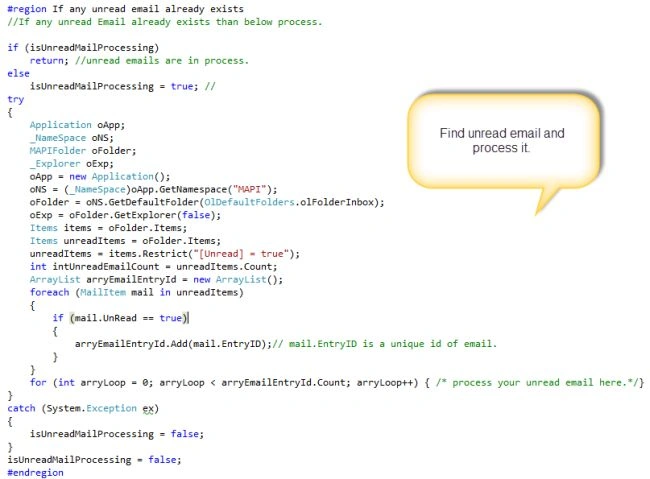
8. Search unread email in inbox:
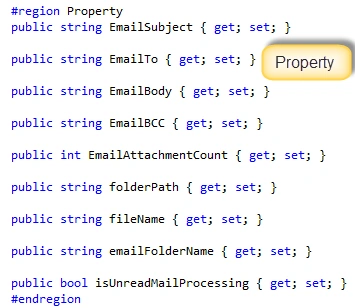
9. Property created:
Now the code is done; now to publish this project and set up this add-in Outlook.
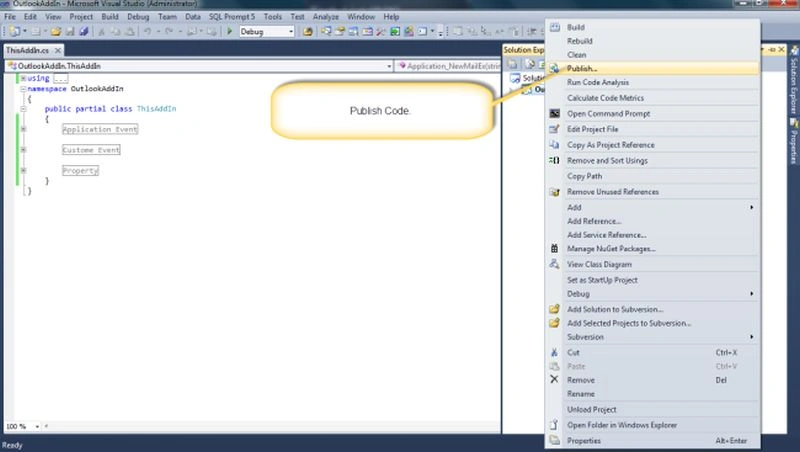
1. Publish Code:
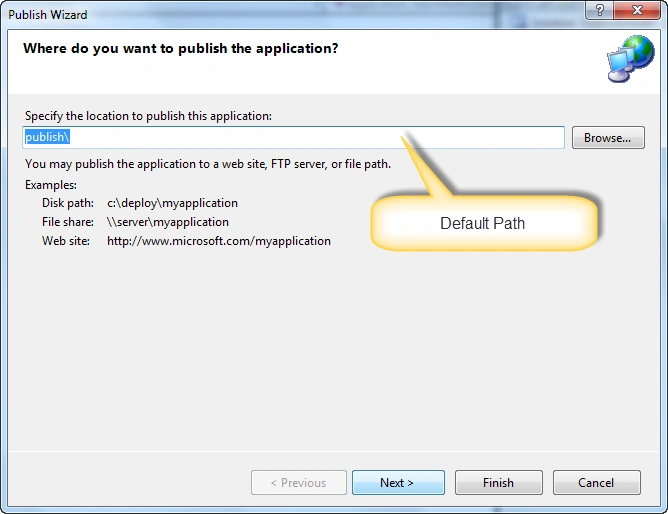
2. Default Path:
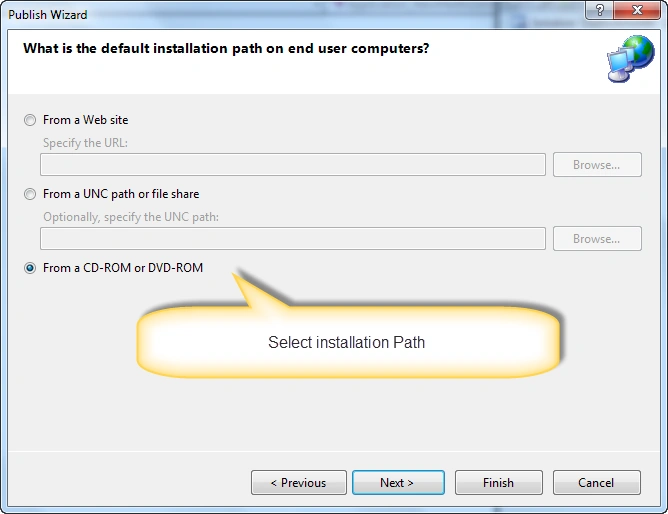
3. Storage media:
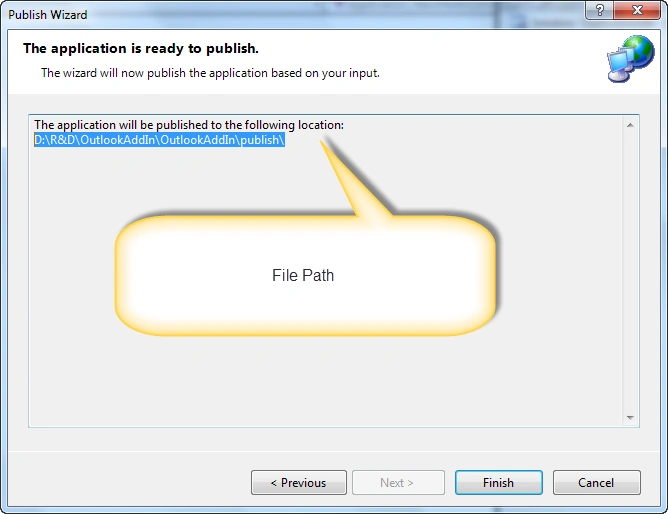
4. Published file path:
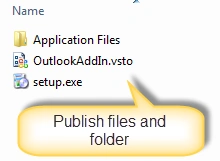
5. Published file and folder:
Now set up add-in in outlook for use.
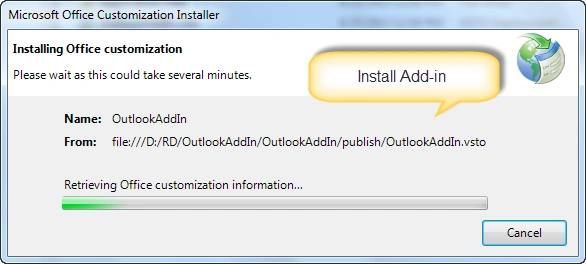
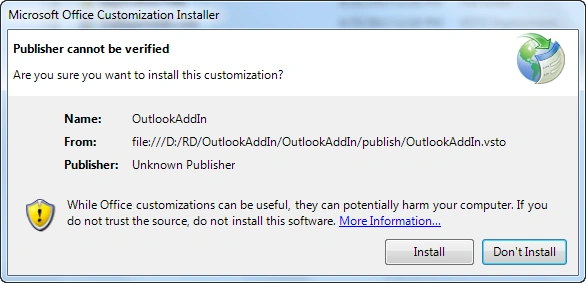
1. Run Setup file:
3. Successful installed:
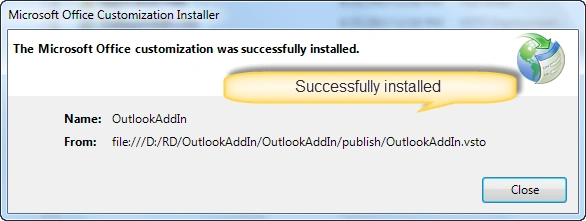
Note: After successfully installed, restart Outlook.
4. See installed Add-in Add-Remove program:

5. See in Outlook add-in list:
Outlook file menu --> Option
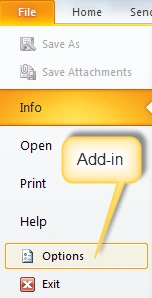
6. Add-ins:

7. Add-in list:

Now your add-in is ready for email processing.
This is basic functionality, you can add your own functionality.
Here I attached a complete functional solution of Visual Studio 2010.
If you have any query then please let me know.
pavan machavarapuPosted Nov 7, 2019, 11:54 PM
How to run that ?
pavan machavarapuPosted Nov 7, 2019, 11:54 PM
Where i can found My added add-in
naveen kumarPosted Mar 30, 2018, 4:02 AM
Please send a outlook web add in and save attachment file into server
Chirag SolankiPosted May 5, 2013, 3:51 PM
thank you very much.. please always give your suggestion to improve better
Yogesh BajpaiPosted Apr 26, 2013, 9:52 AM
Great Article Sir.
Mahesh ChandPosted Apr 25, 2013, 10:50 AM
Welcome to C# Corner Chirag. I like your explanation and how you have pointed arrows to explain a step. Very nice!